
Introduction
The Music Sound Showy earbuds are True Wireless Stereo (TWS) Bluetooth capsule earbuds featuring a unique design charging case. The soft-touch case is comfortable to hold. Enjoy up to 15 hours of total playtime with the charging case. Integrated controls on the earbuds allow for easy management of music playback and calls. This manual provides detailed instructions for setting up, operating, maintaining, and troubleshooting your earbuds.
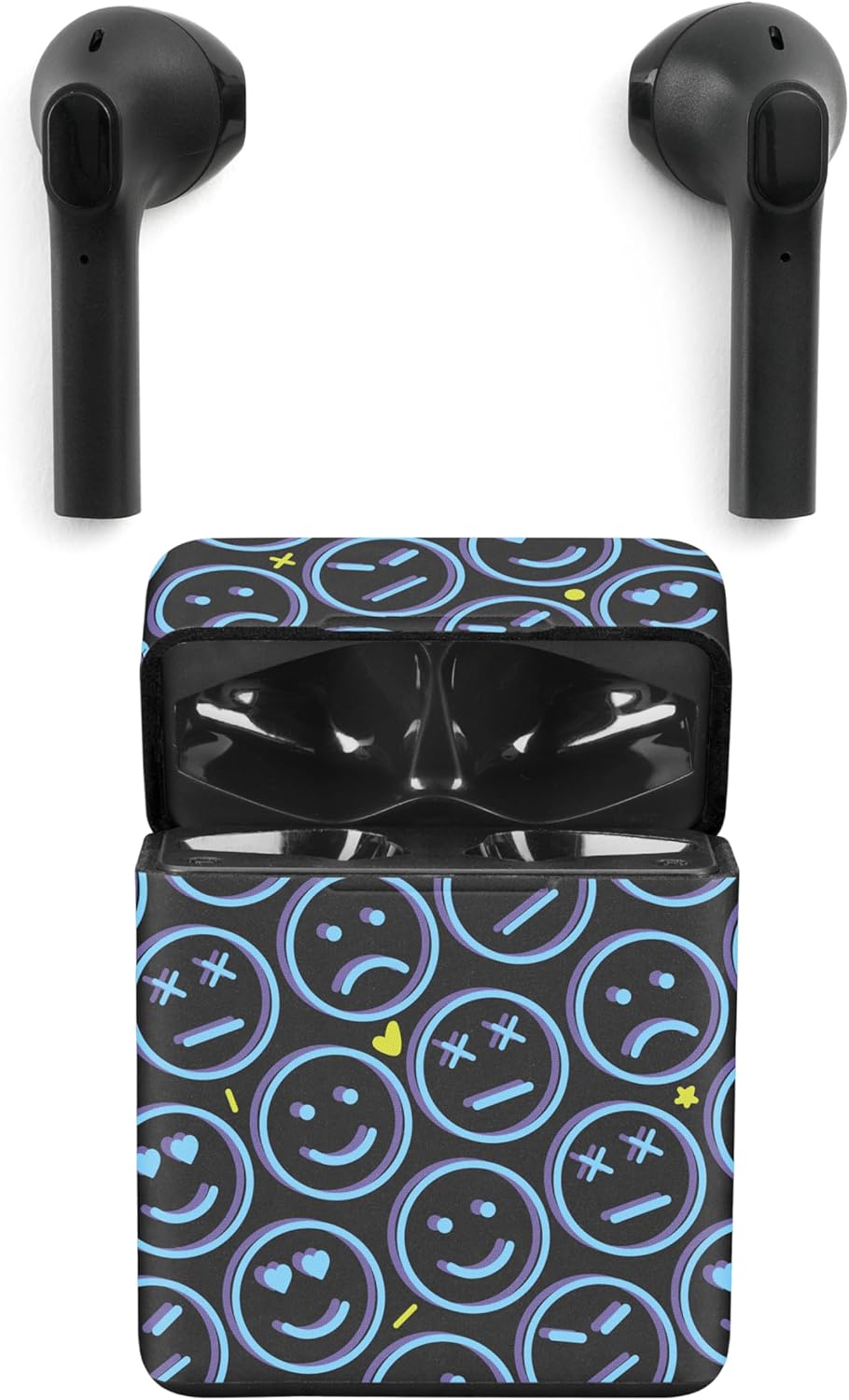
Image: Music Sound Showy TWS Bluetooth Earbuds and their charging case, showcasing the 'Smile' design.
What's in the Box
Verify that all items are present in your package:
- Music Sound Showy TWS Earbuds (2 units)
- Charging Case
- USB-C Charging Cable
- User Guide

Image: Diagram showing the earbuds, charging case, USB-C cable, and user guide as included components.
Setup
Charging the Earbuds and Case
Before first use, fully charge the earbuds and the charging case.
- Place the earbuds into the charging case. Ensure they are correctly seated.
- Connect the USB-C charging cable to the charging port on the case and the other end to a USB power source (e.g., wall adapter, computer).
- The LED indicator on the case will show charging status. A full charge provides up to 15 hours of total playtime with the case, and approximately 3 hours on a single earbud charge.

Image: Visual representation of the earbuds in the charging case, highlighting 15 hours of total playtime and 3 hours per single charge.
Pairing with Your Device
The earbuds feature automatic pairing for convenience.
- Open the charging case. The earbuds will automatically enter pairing mode.
- On your smartphone, tablet, or other Bluetooth-enabled device, go to the Bluetooth settings.
- Search for available devices and select "Music Sound Showy" (or similar name) from the list.
- Once connected, you will hear an audio prompt, and the LED indicator on the earbuds will change.
- After initial pairing, the earbuds will automatically connect to the last paired device when removed from the case.
Operating Instructions
Touch Controls
The earbuds are equipped with touch-sensitive controls for easy management of music and calls.
| Action | Function |
|---|---|
| Single Tap | Play/Pause music, Answer/End call |
| Double Tap (Right Earbud) | Next Track |
| Double Tap (Left Earbud) | Previous Track |
| Long Press (Right Earbud) | Volume Up |
| Long Press (Left Earbud) | Volume Down |
| Triple Tap | Activate Voice Assistant |
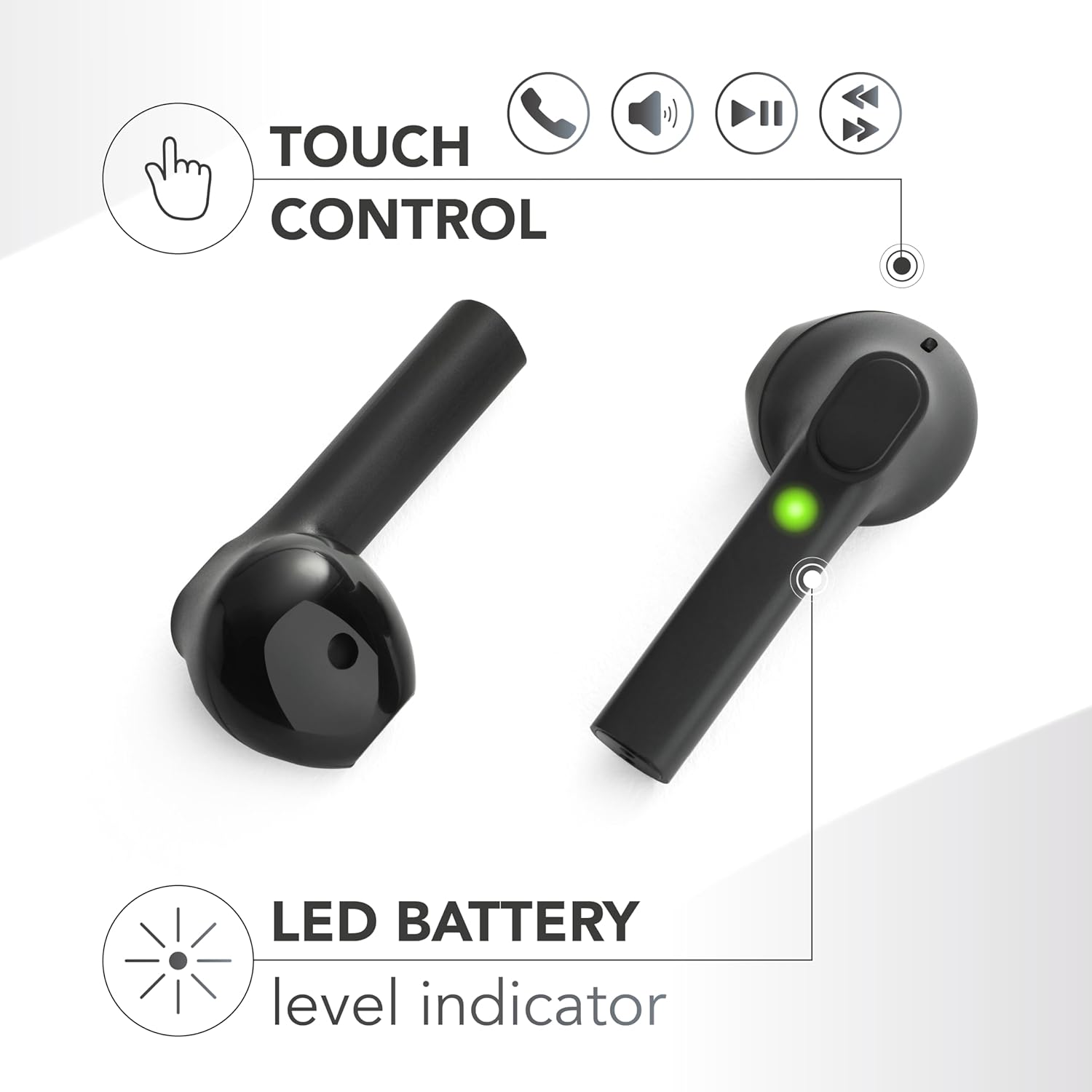
Image: Close-up of an earbud highlighting the touch control area and the LED battery level indicator.
LED Indicators
The earbuds and charging case have LED indicators to show their status:
- Earbuds LED:
- Flashing Blue/Red: Pairing mode
- Slow Flashing Blue: Connected
- Solid Red: Charging (inside case)
- Off: Fully charged (inside case)
- Case LED:
- Solid White: Charging
- Off: Fully charged
Maintenance
Proper care ensures the longevity of your earbuds.
- Cleaning: Use a soft, dry, lint-free cloth to clean the earbuds and charging case. Do not use harsh chemicals or abrasive materials.
- Storage: When not in use, store the earbuds in their charging case to protect them and keep them charged.
- Battery Care: To preserve battery life, avoid exposing the earbuds and case to extreme temperatures. Charge regularly, even if not used frequently.
- Water Resistance: These earbuds are not waterproof. Avoid exposure to water or excessive moisture.
Troubleshooting
If you encounter issues, try the following solutions:
- Earbuds not pairing:
- Ensure both earbuds are charged.
- Turn off Bluetooth on your device, then turn it back on.
- Forget the device in your Bluetooth settings and try pairing again.
- Only one earbud working:
- Place both earbuds back in the charging case, close the lid, wait a few seconds, then take them out again.
- Ensure both earbuds are charged.
- No sound:
- Check the volume level on both your device and the earbuds.
- Ensure the earbuds are properly connected to your device.
- Charging issues:
- Ensure the charging cable is securely connected to both the case and the power source.
- Try a different USB-C cable or power adapter.
- Clean the charging contacts on the earbuds and inside the case.
Technical Specifications
| Feature | Specification |
|---|---|
| Brand | Music Sound |
| Model Name | BTMSTWSCAPSULE232 |
| Connectivity Technology | Wireless (Bluetooth) |
| Wireless Communication Technology | Bluetooth |
| Ear Placement | In-Ear |
| Form Factor | In-Ear |
| Noise Isolation | Acoustic Isolation |
| Special Features | Rechargeable Battery, Automatic Pairing Connection |
| Battery Composition | Lithium-ion |
| Rechargeable Battery | Yes |
| Compatible Devices | Smartphones, Tablets, Laptops, Desktop Computers, Cars (with Bluetooth) |
| Control Method | Remote Control (Touch Controls) |
| Number of Units | 2.0 Total |
| Color | Smile Fantasy |
| Manufacturer | CellularLine S.p.A. |
| Country of Origin | China |
| ASIN | B0CLGX4F68 |
Warranty Information
Specific warranty details are typically provided with your purchase documentation or on the manufacturer's official website. Please refer to the information included in your product packaging or visit the Music Sound website for comprehensive warranty terms and conditions.
Customer Support
For further assistance, technical support, or inquiries, please contact Music Sound customer service. Contact information can usually be found on the product packaging, the official Music Sound website, or through your retailer.