
1. Introduction
Thank you for choosing the Bigzone 60-Inch Wood Ceiling Fan. This manual provides detailed instructions for the safe installation, operation, and maintenance of your new ceiling fan. Please read this manual thoroughly before installation and keep it for future reference.
This 60-inch ceiling fan features a sleek modern silhouette, an energy-efficient DC motor, and three hand-carved solid wood blades. It is designed for both indoor and covered outdoor spaces, offering ultra-efficient, 6-speed reversible airflow and whisper-quiet operation.
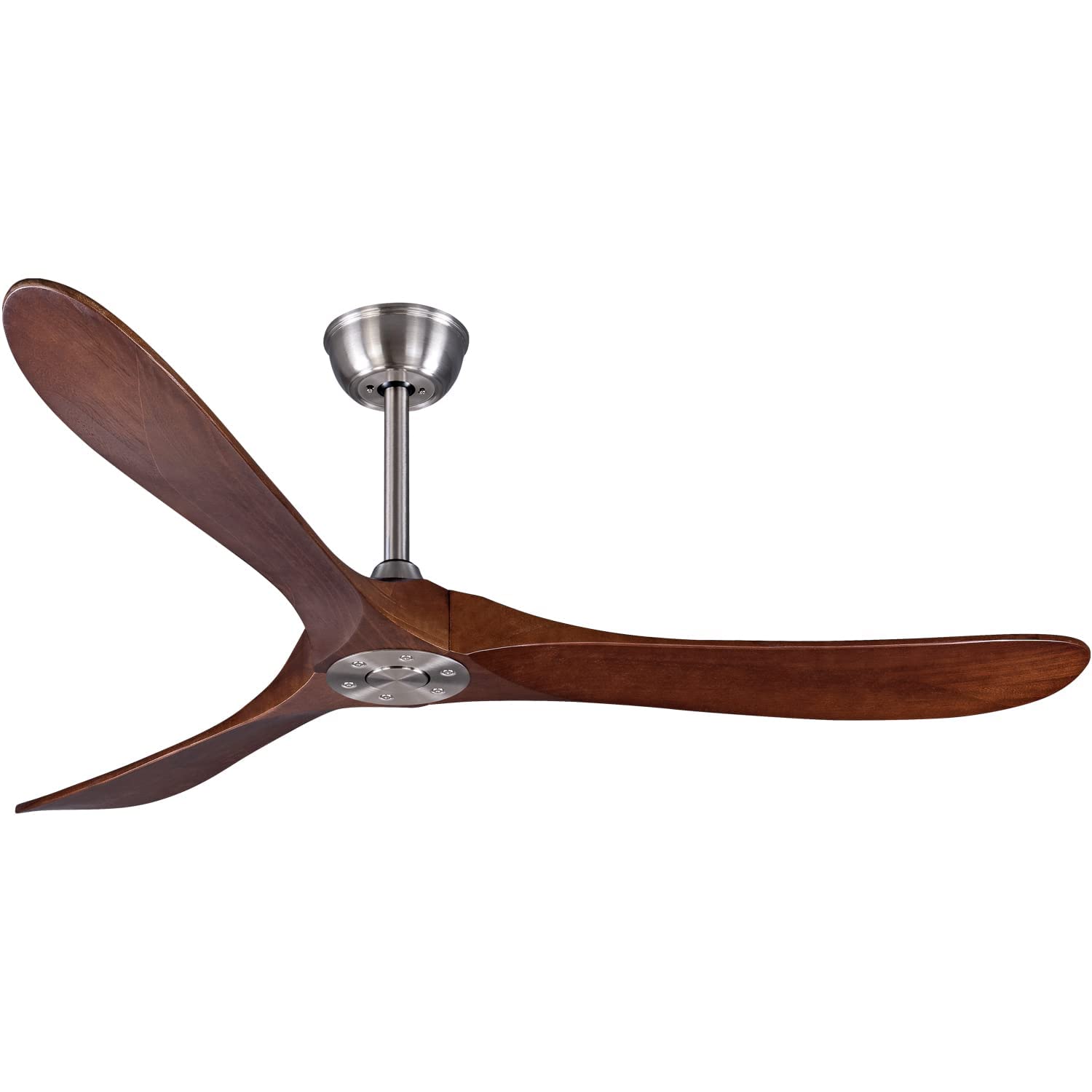
Image: The Bigzone 60-Inch Wood Ceiling Fan installed in a modern office environment, showcasing its elegant design and large blades.
2. Important Safety Information
WARNING: To reduce the risk of fire, electric shock, or personal injury, always turn off the power at the main circuit breaker or fuse box before beginning installation or performing any maintenance.
- Read all instructions and safety information before installing your new fan.
- All wiring must be in accordance with national and local electrical codes. If you are unfamiliar with wiring, consult a qualified electrician.
- Ensure the installation site allows the fan blades to rotate without obstruction.
- The mounting structure must be capable of supporting the weight of the fan (approximately 15 pounds).
- Do not operate the fan with damaged blades. Replace any damaged blades immediately.
- This fan is damp-rated and suitable for indoor and covered outdoor use. Do not expose to direct water spray.
3. Package Contents
Verify that all components are present before beginning installation:
- Fan Motor Assembly
- 3 Solid Wood Blades
- Mounting Bracket
- 5-inch Downrod
- 10-inch Downrod
- Remote Control with Receiver
- Hardware Pack (screws, wire nuts, etc.)
- Instruction Manual
4. Specifications
| Feature | Specification |
|---|---|
| Brand | Bigzone |
| Model Name | FS |
| Model Number | FS-1000 |
| Product Dimensions | 60"D x 60"W x 11"H |
| Blade Length | 29 Inches |
| Number of Blades | 3 |
| Blade Material | Wood |
| Motor Type | DC Motor |
| Power Source | DC |
| Wattage | 27 watts |
| Voltage | 120 Volts |
| Number of Speeds | 6 |
| Noise Level | 35 Decibels |
| Control Method | Remote Control |
| Special Features | Energy Efficient DC Motor, Remote Controlled, Reversible Airflow, Whisper Quiet |
| Indoor/Outdoor Usage | Indoor, Covered Outdoor |
| Mounting Type | Downrod Mount |
5. Setup and Installation
Installation typically takes around 30 minutes. Ensure power is OFF at the circuit breaker before starting.
5.1 Prepare the Mounting Location
The fan can be installed on either concrete or wood ceilings with a maximum inclination of 15 degrees. Ensure the electrical box is securely mounted and capable of supporting the fan's weight.
5.2 Assemble the Downrod and Motor
Select either the 5-inch or 10-inch downrod based on your ceiling height. Route the electrical wires from the fan motor through the chosen downrod. Secure the downrod to the motor assembly.

Image: Exploded view diagram of the Bigzone ceiling fan, highlighting the included 4.92" and 9.84" downrods, solid wood blades, and the energy-saving DC motor. It also indicates suitability for average room sizes of 15 ft x 15 ft or larger.
5.3 Mount the Fan
- Attach the mounting bracket to the ceiling electrical box using the provided screws.
- Carefully lift the fan assembly and hang it from the mounting bracket.
- Connect the electrical wires from the fan to the house wiring according to the wiring diagram in the full manual. Ensure the receiver is properly connected between the fan and the power supply.
- Secure the canopy to the mounting bracket.
5.4 Attach the Blades
Attach the three solid wood blades to the motor housing using the provided screws. Ensure all screws are tightened securely.

Image: A detailed diagram showing the dimensions of the 60-inch Bigzone ceiling fan, including the 11-inch height, 15.92-inch blade span from center, and the 4.92" and 9.84" downrods. Key features like 1h/4h/8h timing settings, DC motor, 6 speeds, quiet operation, and reversible function (winter updraft/summer downdraft) are also highlighted.
6. Operating Instructions
Your Bigzone ceiling fan comes with a remote control for convenient operation.
6.1 Remote Control Functions
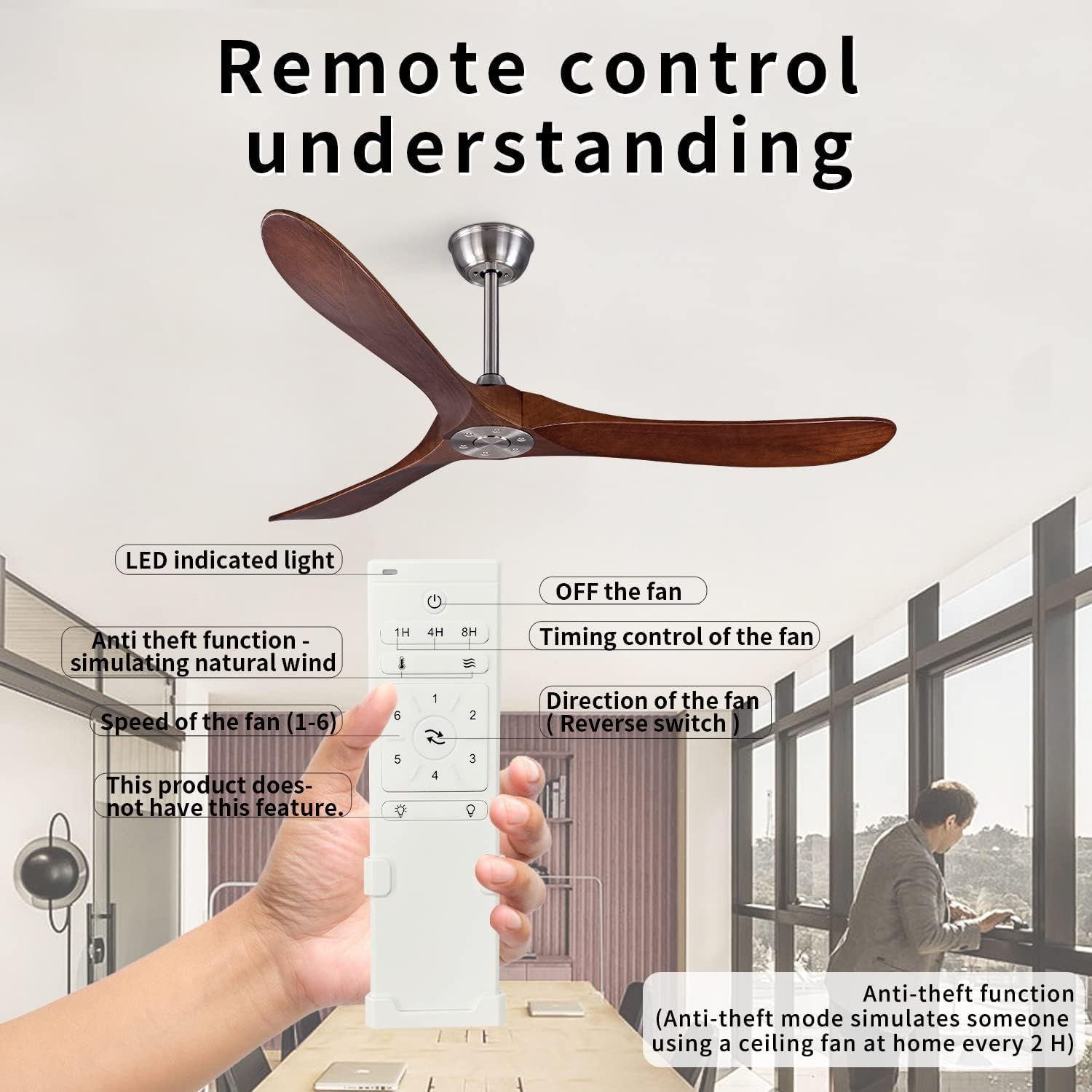
Image: An illustration of the remote control for the Bigzone ceiling fan, with labels pointing to various buttons and their functions: ON/OFF, 1H/4H/8H timing control, fan speed (1-6), direction of fan (reverse switch), and anti-theft function (simulates natural wind, operates every 2 hours).
- Power Button: Turns the fan ON or OFF.
- Speed Control (1-6): Adjusts the fan speed from 1 (lowest) to 6 (highest).
- Reverse Switch: Changes the direction of the fan blades for summer (downdraft) or winter (updraft) modes.
- Timer Settings (1H, 4H, 8H): Sets the fan to automatically turn off after 1, 4, or 8 hours.
- Anti-theft Function: Simulates natural wind by varying fan speed and operates every 2 hours.
- Light Control (if applicable): This specific model (FS-1000) does not include a light kit. If you have a model with a light, use the light buttons to control it.
6.2 Reversible Airflow Function
The fan features a reversible motor for year-round comfort:
- Summer Mode (Downdraft): Set the fan to rotate counter-clockwise to create a cooling breeze. This makes you feel up to 8 degrees cooler when used with air conditioning.
- Winter Mode (Updraft): Set the fan to rotate clockwise to recirculate warm air trapped near the ceiling. This can reduce heating costs by up to 10%.

Image: A visual representation of the Bigzone ceiling fan's quiet operation (less than 35 dB) and energy efficiency (over 75% more efficient than traditional fans). It also highlights the 1, 4, and 8-hour timer settings.
7. Maintenance
Regular maintenance ensures optimal performance and longevity of your fan.
- Cleaning: Use a soft brush or lint-free cloth to clean the fan blades and motor housing. Do not use abrasive cleaners or solvents.
- Blade Inspection: Periodically check the blade attachments for tightness. Loose blades can cause wobbling and noise.
- Motor Lubrication: The DC motor is permanently lubricated and does not require additional oiling.
8. Troubleshooting
| Problem | Possible Cause | Solution |
|---|---|---|
| Fan does not start | No power to the fan; loose wire connections; remote control not paired. | Check circuit breaker; ensure all wire connections are secure; re-pair the remote control (refer to full manual for pairing instructions). |
| Fan wobbles | Loose blade screws; unbalanced blades; improper mounting. | Tighten all blade screws; use a balancing kit (not included) to balance blades; ensure mounting bracket is securely installed. |
| Noisy operation | Loose screws; motor housing rubbing; fan not properly lubricated (unlikely for DC motor). | Check and tighten all screws; ensure no parts are rubbing; if noise persists, contact customer support. |
| Remote control not working | Dead batteries; remote not paired; obstruction between remote and receiver. | Replace batteries; re-pair the remote control; ensure clear line of sight to the fan's receiver. |
9. Warranty and Support
Bigzone products are designed for quality and durability. For specific warranty details and customer support, please refer to the warranty card included in your package or visit the official Bigzone website. You can also contact Bigzone customer service for assistance with installation, troubleshooting, or parts replacement.
For additional information and product registration, visit the Bigzone Store on Amazon.