Introduction
This manual provides instructions for the installation, operation, and maintenance of your Generic Mobiwire Smart P24 Phone Case, which includes a tempered glass screen protector. This product is designed specifically for the Mobiwire Smart P24 smartphone.
What's in the Box
- One (1) Phone Case for Mobiwire Smart P24
- One (1) Tempered Glass Screen Protector
Setup
Installing the Phone Case
- Ensure your Mobiwire Smart P24 phone is clean and free of debris.
- Align the phone with the case, starting with the top or bottom edge.
- Gently press the phone into the case, ensuring all edges are securely covered and the phone is seated properly.
- Verify that all ports, buttons, and camera cutouts align correctly with the case openings.
Installing the Tempered Glass Screen Protector
- Thoroughly clean your phone's screen using a microfiber cloth to remove any dust, smudges, or fingerprints. A clean screen is crucial for proper adhesion.
- Carefully peel off the protective film from the adhesive side of the tempered glass screen protector. Avoid touching the adhesive surface.
- Align the screen protector precisely with your phone screen, ensuring it covers the display area and aligns with any cutouts (e.g., for the camera or speaker).
- Gently lower the protector onto the screen. It will begin to adhere automatically.
- If air bubbles appear, gently press from the center of the screen outwards towards the edges using a soft cloth or a credit card wrapped in a cloth to push the bubbles out.

This image highlights the key features of the included tempered glass screen protector, such as its 9H hardness for scratch resistance, shatterproof design, and anti-fingerprint coating, ensuring optimal screen protection and clarity.

This image visually confirms the scratch-proof nature of the tempered glass screen protector, illustrating its ability to withstand impacts and protect your phone's screen from sharp objects and abrasions.
Operating Features
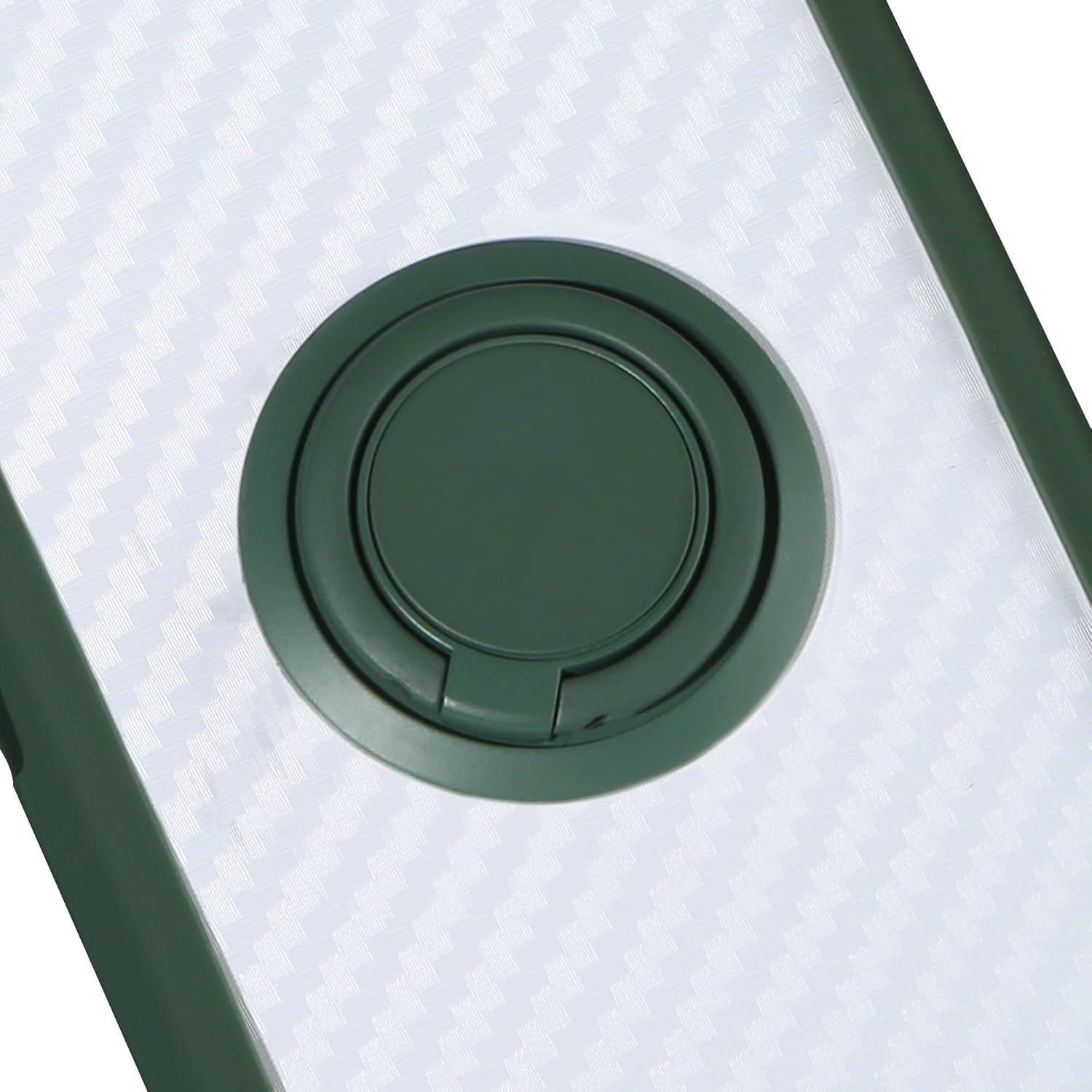
360-Degree Rotatable Ring Holder
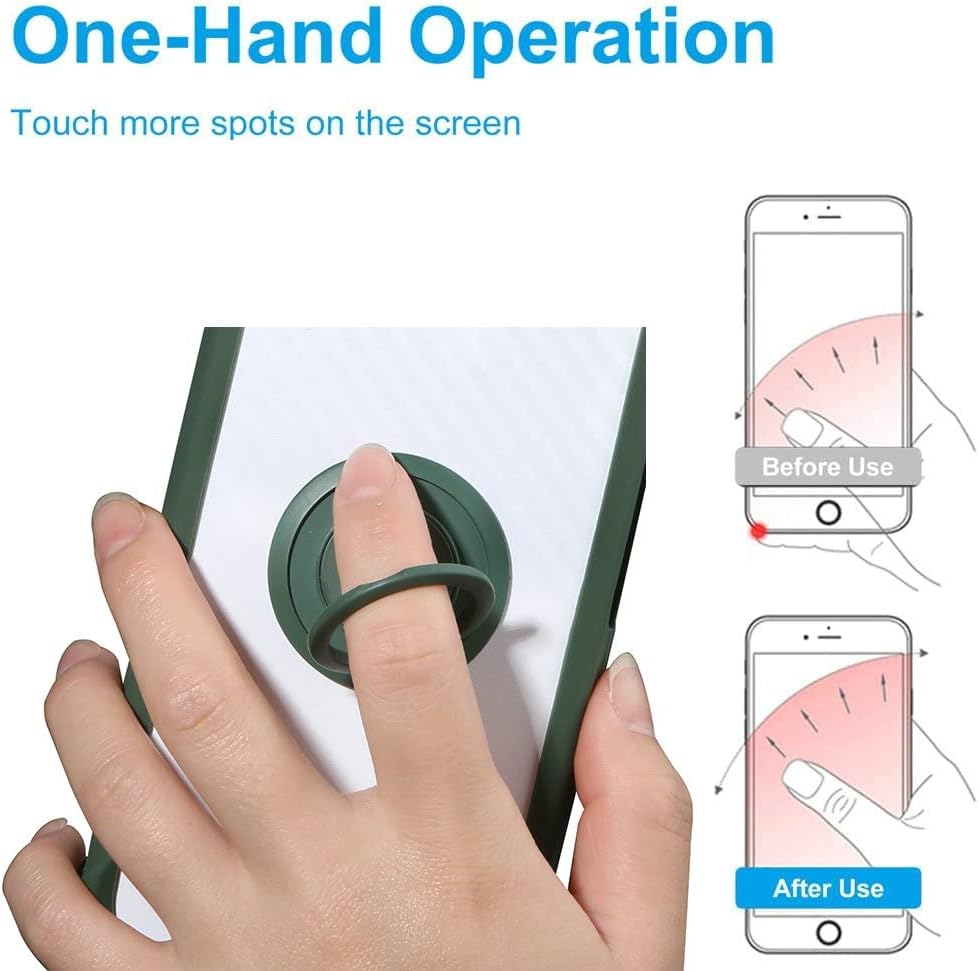
The integrated ring holder on the back of the case can rotate 360 degrees. This feature allows you to:
- Enhance Grip: Place your finger through the ring for a more secure hold, reducing the risk of accidental drops.
- Function as a Kickstand: Prop your phone up in landscape or portrait mode for hands-free viewing of videos, video calls, or browsing.
Magnetic Car Mount Function
The case incorporates a built-in metal plate that is compatible with magnetic car mount holders (magnetic car mount not included). This allows for:
- Easy Attachment: Simply attach your phone, with the case, directly to a magnetic car mount for secure placement while driving.
- Convenient Navigation: Enjoy hands-free access to GPS navigation or music playback.
Note: Due to the integrated metal component, this phone case does not support wireless charging.
This image demonstrates how the integrated metal plate in the phone case allows it to securely attach to a magnetic car mount, providing hands-free use while driving.
One-Hand Operation
The ring holder significantly improves the ease of one-hand operation. By placing your finger through the ring, you can achieve a more stable grip and extend your thumb's reach across the screen, making it easier to access all areas of your Mobiwire Smart P24.
This image illustrates the benefit of the 360-degree rotatable ring holder, showing how it enhances grip and allows for easier one-hand operation and extended screen reach on your Mobiwire Smart P24.
Shockproof Design
The phone case is engineered with a robust shockproof design to protect your Mobiwire Smart P24 from everyday impacts and drops. It features:
- Dual-Layer Protection: A soft silicone frame combined with a hard PC backplane.
- Reinforced Corners: Thickened corners provide extra cushioning where impacts are most common.
- Raised Edges: A silicone buffer layer ensures the case is higher than the screen and camera lenses, offering additional protection against scratches when placed on flat surfaces.

This image illustrates the shockproof construction of the case, highlighting the reinforced corners and the protective buffer layer designed to absorb impacts and protect your device from drops.
Maintenance
To keep your phone case and screen protector in optimal condition:
- Cleaning the Case: Wipe the phone case with a damp cloth and a small amount of mild soap. Rinse thoroughly and air dry.
- Cleaning the Screen Protector: Use a screen cleaner specifically designed for electronics and a soft microfiber cloth to gently wipe the tempered glass.
- Avoid Harsh Chemicals: Do not use abrasive cleaners, solvents, or harsh chemicals, as these can damage the case material or screen protector coating.
Troubleshooting
- Screen Protector Bubbles: If air bubbles appear after installation, gently lift the nearest edge of the screen protector and slowly reapply it, using a soft cloth to push the bubble towards the edge as you lay it back down.
- Ring Holder Stiffness: If the 360-degree rotating ring holder feels stiff, gently rotate it a few times in both directions to loosen the mechanism. Avoid applying excessive force.
- Magnetic Mount Adhesion Issues: Ensure that both the metal plate on the phone case and your magnetic car mount are clean and free of dust or debris for optimal magnetic adhesion.
Specifications
| Product Dimensions | 0.39 x 0.39 x 0.39 inches |
| Item Weight | 2.46 ounces |
| Material | Polyurethane (TPU) |
| Compatible Devices | Mobiwire Smart P24 |
| Special Features | 360 Rotating Ring, Car Magnetic Fixing, Shockproof Design |
| Color Identifier | CSKB-LV |
Warranty and Support
For information regarding product warranty, returns, or technical support, please refer to the seller's contact information provided at the time of purchase or consult the original product listing on the platform where it was acquired.