
SEBRUANC ZQ02253X2US
SEBRUANC LED Moving Head Light Instruction Manual
Model: ZQ02253X2US
Brand: SEBRUANC
1. Introduction
Thank you for purchasing the SEBRUANC LED Moving Head Light. This professional stage lighting fixture is designed to provide dynamic and vibrant lighting effects for various events, including parties, discos, weddings, and stage performances. Featuring 19x15W RGBW 4-in-1 LEDs, it offers versatile beam, wash, and zoom functions, along with multiple control modes. Please read this manual thoroughly before operation to ensure safe and optimal performance.

Image: Two SEBRUANC LED Moving Head Lights in action, showcasing their vibrant output.
2. Safety Information
WARNING: To prevent fire and electric shock, do not expose this fixture to rain or moisture.
- Always connect to a grounded power outlet.
- Ensure the voltage of the power source matches the fixture's requirements.
- Do not open the housing. There are no user-serviceable parts inside. Refer all servicing to qualified personnel.
- Avoid direct eye exposure to the light source.
- Ensure proper ventilation around the fixture to prevent overheating.
- Mount the fixture securely using appropriate clamps and safety cables.
- Disconnect power before cleaning or performing any maintenance.
3. What's in the Box
Upon unpacking, please verify that all components are present and in good condition:
- Moving Head Par Light (2 units)
- Power Cable
- DMX Cable
- Instruction Manual (this document)
4. Product Features
The SEBRUANC LED Moving Head Light boasts a range of advanced features for professional lighting applications:
- Powerful LED Source: Equipped with 19x15W RGBW 4-in-1 LEDs, capable of producing a wide spectrum of colors.
- 3-in-1 Functionality: Seamlessly transitions between Beam, Wash, and Zoom effects to suit various stage requirements.
- Zoom In/Out: Unique focusing feature allows for both wide area color washes and localized spot highlighting.
- Extensive Movement: Pan (X-axis) rotation of 540° and Tilt (Y-axis) rotation of 270° for dynamic stage coverage.
- Multiple Control Modes: Supports Static Color, Strobe, Automatic, Voice Control, Master-Slave, DMX, and Gradient modes.
- Individual LED Control: Features individual control of three rings of light beads for intricate lighting patterns.
- Efficient Cooling System: Advanced heat dissipation design with a high-power fan ensures longevity and stable performance.
- Durable Construction: Made from high-quality aluminum for robust and reliable use.
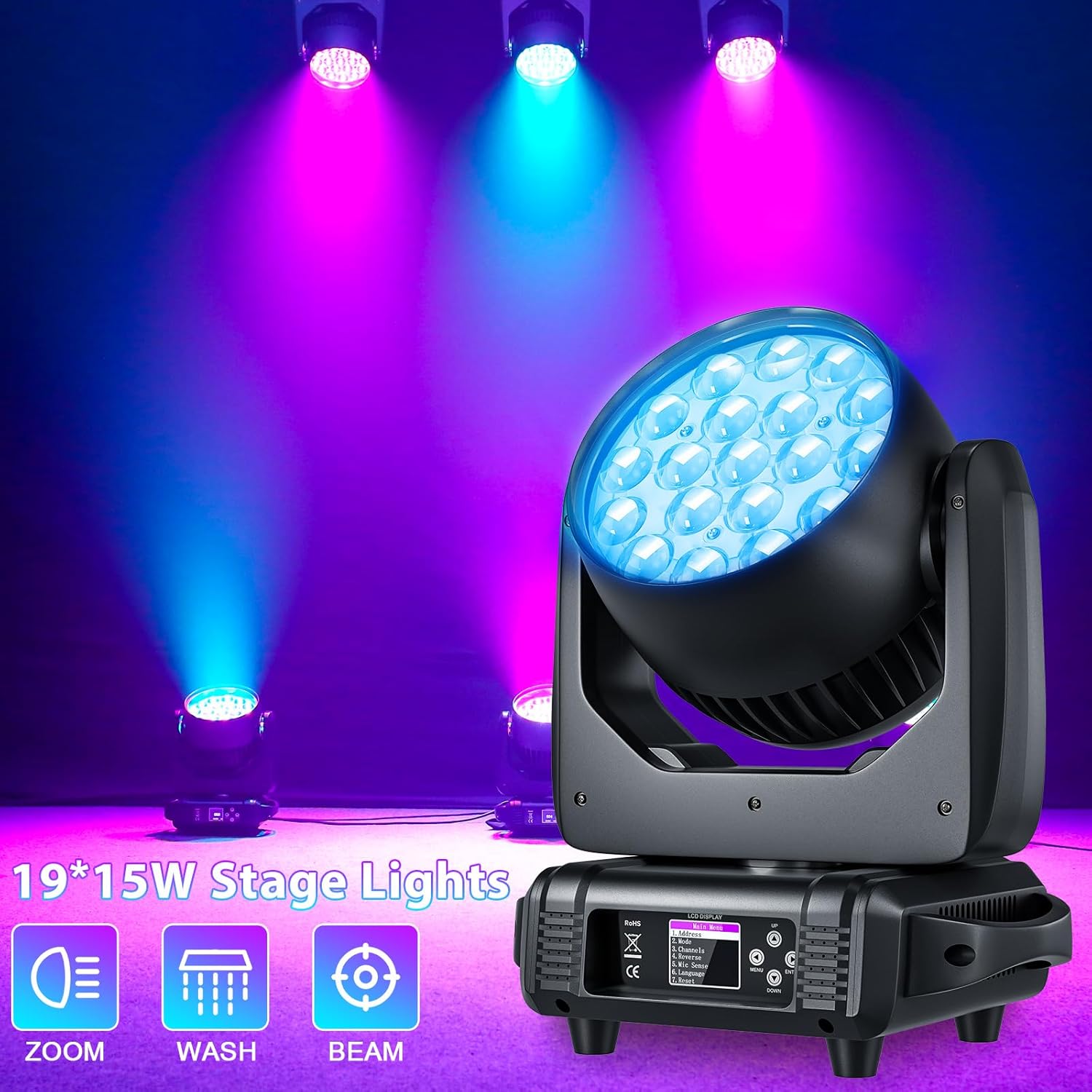
Image: Product highlighting its Zoom, Wash, and Beam functions.

Image: Demonstrating the zoom in and zoom out capabilities of the light.
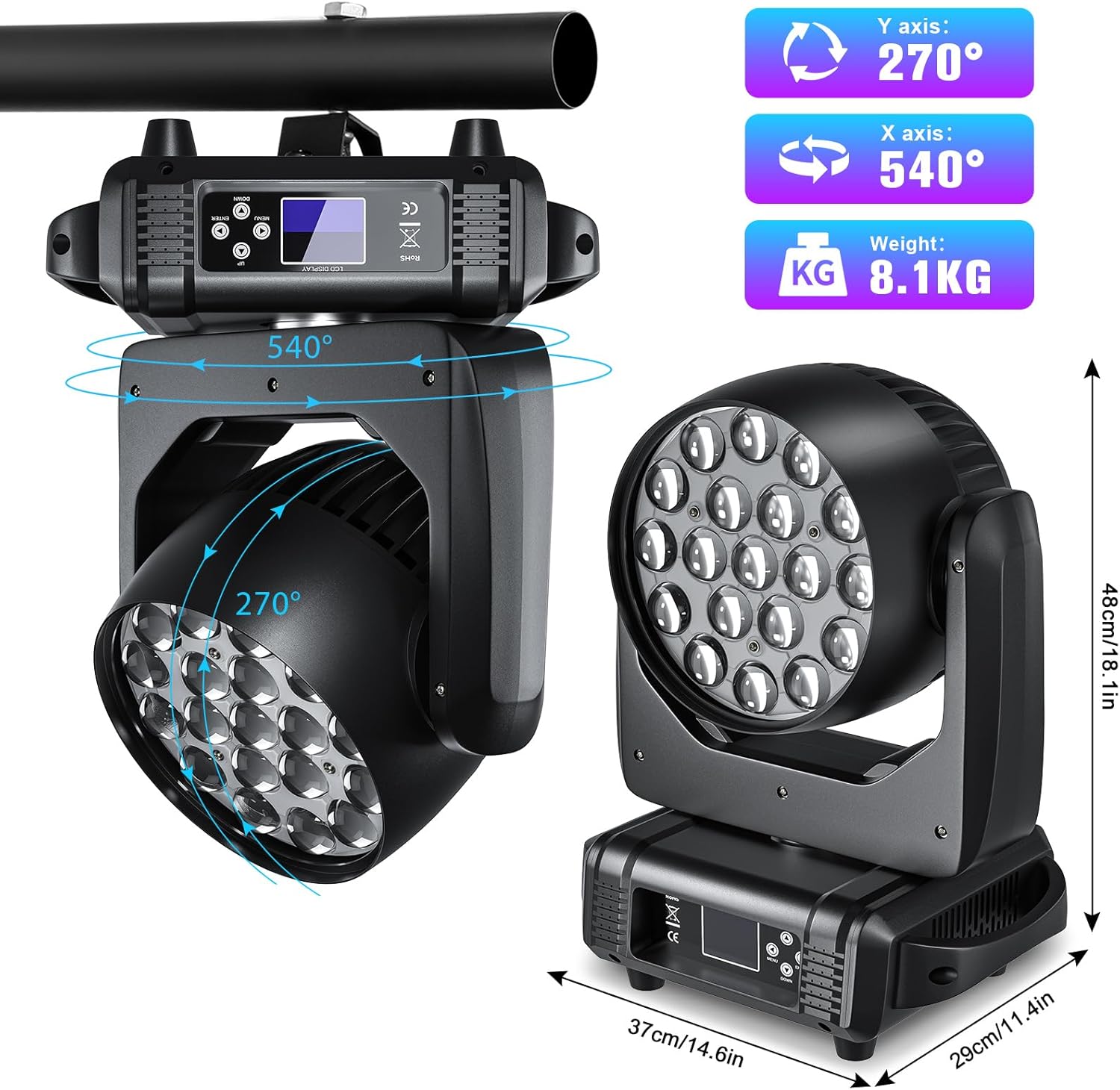
Image: Illustrating the extensive pan and tilt movement range.
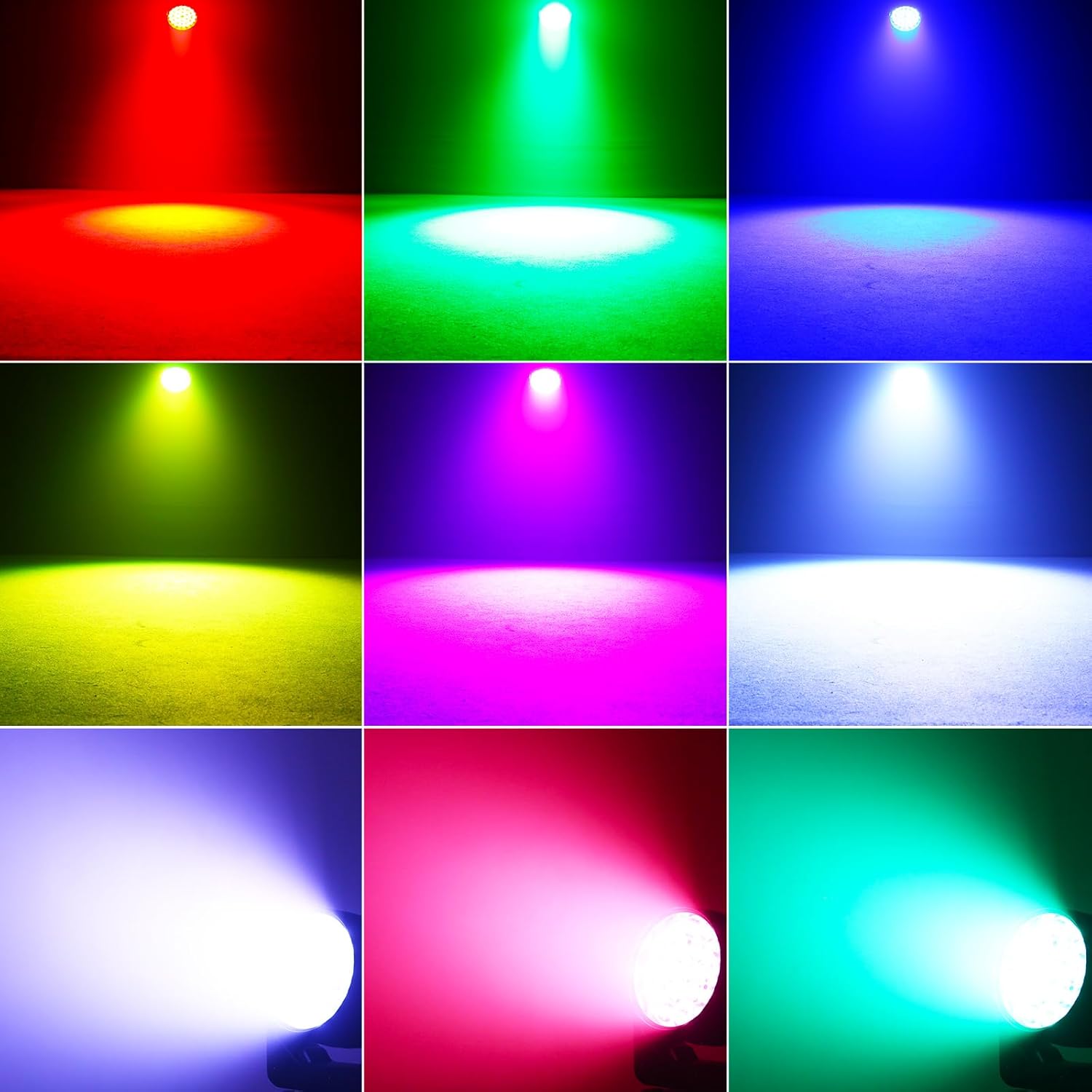
Image: Examples of various single color outputs from the light.

Image: Detailed view of the zoom angle and light intensity.

Image: Internal components and optical design of the light.
5. Setup
5.1 Mounting the Fixture
The SEBRUANC LED Moving Head Light can be floor-mounted or truss-mounted. Ensure the mounting surface or truss is capable of supporting the fixture's weight (8.1 kg per unit) and that all clamps and safety cables are securely fastened.
5.2 Power Connection
Connect the provided power cable to the 'POWER-IN' port on the rear of the fixture and then to a standard 120V AC grounded power outlet. Multiple units can be daisy-chained using the 'POWER-OUT' port for convenience, ensuring not to exceed the maximum power draw of the circuit.
5.3 DMX Connection (Optional)
For DMX control, connect a DMX cable from your DMX controller's output to the 'DMX-IN' port of the first fixture. To control multiple fixtures, daisy-chain them by connecting the 'DMX-OUT' of the first fixture to the 'DMX-IN' of the next, and so on. Ensure the last fixture in the chain has a DMX terminator connected to its 'DMX-OUT' port.

Image: Rear panel connections including DMX and power ports.
6. Operating Modes
The fixture can be operated in several modes, selectable via the onboard LCD display and control buttons (MENU, UP, DOWN, ENTER).

Image: Dynamic stage lighting effects created by multiple units.

Image: Wide area illumination demonstrating wash capabilities.
- Static Color Mode: Select a fixed color from the RGBW spectrum.
- Strobe Mode: Produces a flashing effect with adjustable speed.
- Automatic Mode: Cycles through pre-programmed light shows and patterns.
- Voice Control (Sound Activated) Mode: The light reacts to ambient sound or music, changing patterns and colors.
- Master-Slave Mode: Link multiple fixtures where one acts as the master, controlling all other slave units.
- DMX Mode: For professional control using a DMX512 controller.
- Gradient Mode: Smooth transitions between colors.
6.1 Menu Navigation
Use the MENU button to cycle through main options. Use UP/DOWN to navigate within a menu or adjust values. Press ENTER to confirm a selection.

Image: LCD display showing main menu options.

Image: Control buttons for menu navigation.
7. DMX Control
The SEBRUANC LED Moving Head Light supports the standard DMX512 protocol, offering 16CH, 24CH, and 32CH modes for comprehensive control over its functions.
7.1 DMX Address Setting
In DMX mode, each fixture requires a unique DMX address. Set the address via the 'Address' option in the main menu. Consult the DMX channel chart (not provided in this general manual, refer to specific DMX chart for detailed channel functions) for precise control over pan, tilt, color, dimmer, strobe, and other effects.
7.2 Master/Slave Configuration
- On the master fixture, navigate to the menu and select 'Reset' or 'Default'. Confirm the selection. The light will briefly reboot and assume the master role.
- Connect the DMX-OUT of the master fixture to the DMX-IN of the first slave fixture. Continue daisy-chaining for additional slave units.
- All slave units will automatically follow the master's programming.
- If the language changes to Chinese after reset, navigate to the second option from the bottom on the first menu screen and select ENTER to change it back to English.

Image: DMX input and output ports.

Image: Power input and output ports for daisy-chaining.
7.3 Official Product Video: Moving Head Light Demonstration
Video: A demonstration of the SEBRUANC LED Moving Head Light's various functions, including color changes, zoom effects, and movement patterns. This video provides a visual guide to the lighting effects and capabilities of the product.
8. Maintenance
Regular maintenance ensures the longevity and optimal performance of your SEBRUANC LED Moving Head Light.
- Cleaning: Periodically clean the exterior of the fixture with a soft, dry cloth. For lenses, use a soft cloth and a non-abrasive glass cleaner. Ensure the fixture is powered off and unplugged before cleaning.
- Ventilation: Ensure the cooling fan and vents are free from dust and debris. The advanced heat dissipation design relies on clear airflow.
- Inspection: Regularly inspect power cables, DMX cables, and mounting hardware for any signs of wear or damage. Replace damaged components immediately.

Image: Illustration of the efficient cooling system with a high-power fan.
9. Troubleshooting
| Problem | Possible Cause | Solution |
|---|---|---|
| Fixture does not power on. | No power supply; faulty cable; power switch off. | Check power connection, try a different outlet, ensure power switch is ON. |
| No DMX control. | Incorrect DMX address; faulty DMX cable; no terminator; incorrect DMX mode. | Verify DMX address, check DMX cable connections, use a DMX terminator, ensure fixture is in DMX mode. |
| Light output is dim or inconsistent. | Overheating; dirty lenses; low power. | Ensure proper ventilation, clean lenses, check power supply. |
| Fixture not responding in Master/Slave mode. | Incorrect master/slave setting; faulty DMX connection between units. | Ensure one unit is set as master and others as slave, check DMX daisy-chain. |
| Language on display is incorrect. | Default reset changed language. | Navigate to the second option from the bottom on the first menu screen and press ENTER to switch to English. |
10. Specifications
| Feature | Detail |
|---|---|
| Model Number | ZQ02253X2US |
| Light Source | 19x15W RGBW 4-in-1 LEDs |
| Functions | Beam, Wash, Zoom (7°-60° angle) |
| Pan Movement (X-axis) | 540° |
| Tilt Movement (Y-axis) | 270° |
| Control Modes | Static Color, Strobe, Automatic, Voice Control, Master-Slave, DMX, Gradient |
| DMX Channels | 16CH/24CH/32CH (Standard DMX512 Protocol) |
| Material | Aluminum |
| Power Source | Corded Electric |
| Voltage | 120V AC |
| Maximum Compatible Wattage | 285 Watts |
| Product Dimensions (L x W x H) | 18.3" x 10.6" x 14.6" |
| Weight | 8.1 KG (per unit) |
| Manufacturer | SEBRUANC |
| Country of Origin | China |
11. Warranty and Support
SEBRUANC products are manufactured to the highest quality standards. For warranty information and technical support, please refer to the warranty card included with your purchase or contact SEBRUANC customer service directly. Please have your model number (ZQ02253X2US) and purchase date ready when contacting support.
For any questions or assistance, please feel free to contact us at any time. We aim to reply within 24 hours.
Ask a question about this manual
Ask about setup, troubleshooting, compatibility, parts, safety, or missing instructions. Manuals+ will review the question and use this page’s manual context to help answer it.