
Introduction
This manual provides detailed instructions for the assembly, operation, and maintenance of your AMERLIFE Fireplace TV Stand, Model FTS4866C. Please read all instructions carefully before assembly and use to ensure safe and proper functionality of the product.
Safety Information
This product includes assembly instructions and safety precautions. Ensure the TV stand is securely assembled and the television is properly placed to prevent tip-overs. Keep the area around the stand clear of items that could pose a hazard. Always follow the manufacturer's instructions for safe use and maintenance.
- Do not overload the TV stand. Refer to specifications for weight limits.
- Ensure all connections for the fireplace and LED lights are secure and correctly installed.
- Keep flammable materials away from the fireplace heating vent.
- Unplug the fireplace unit before cleaning or performing any maintenance.
- This product is designed for indoor use only.
Package Contents
Before beginning assembly, verify that all parts are present and undamaged. The package typically includes:
- TV Stand components (panels, hardware)
- 36-inch Electric Fireplace insert
- Remote control for fireplace
- LED light kit
- Assembly instruction manual
Note: The TV stand and fireplace may arrive in separate packages and on different days.
Setup and Assembly
Assembly is required for this product. It is recommended that two adults perform the assembly. Detailed instructions and diagrams are included in the separate assembly manual provided with your product. Follow these steps for a successful setup:
- Step 1: Unpack and Inspect. Carefully unpack all components and check against the parts list in the assembly manual. Inspect for any damage.
- Step 2: Assemble the TV Stand Frame. Follow the step-by-step instructions to construct the main frame of the TV stand. Ensure all screws and fasteners are tightened securely.
- Step 3: Install the Electric Fireplace. Once the TV stand frame is complete, carefully insert the 36-inch electric fireplace into its designated opening. Connect the power cord as instructed.
- Step 4: Attach Doors and Shelves. Install the cabinet doors and any adjustable shelves. Adjust hinges as needed for proper alignment.
- Step 5: Install LED Lights. Apply the LED light strips according to the instructions. Ensure the power supply for the LED lights is connected correctly.
- Step 6: Cable Management. Utilize the integrated cable management openings to organize and route power cords and media cables, maintaining a tidy appearance and preventing tripping hazards.



Assembly Video Guide
This video provides a visual guide to the assembly process and highlights key features of the AMERLIFE Fireplace TV Stand.
Operating Instructions
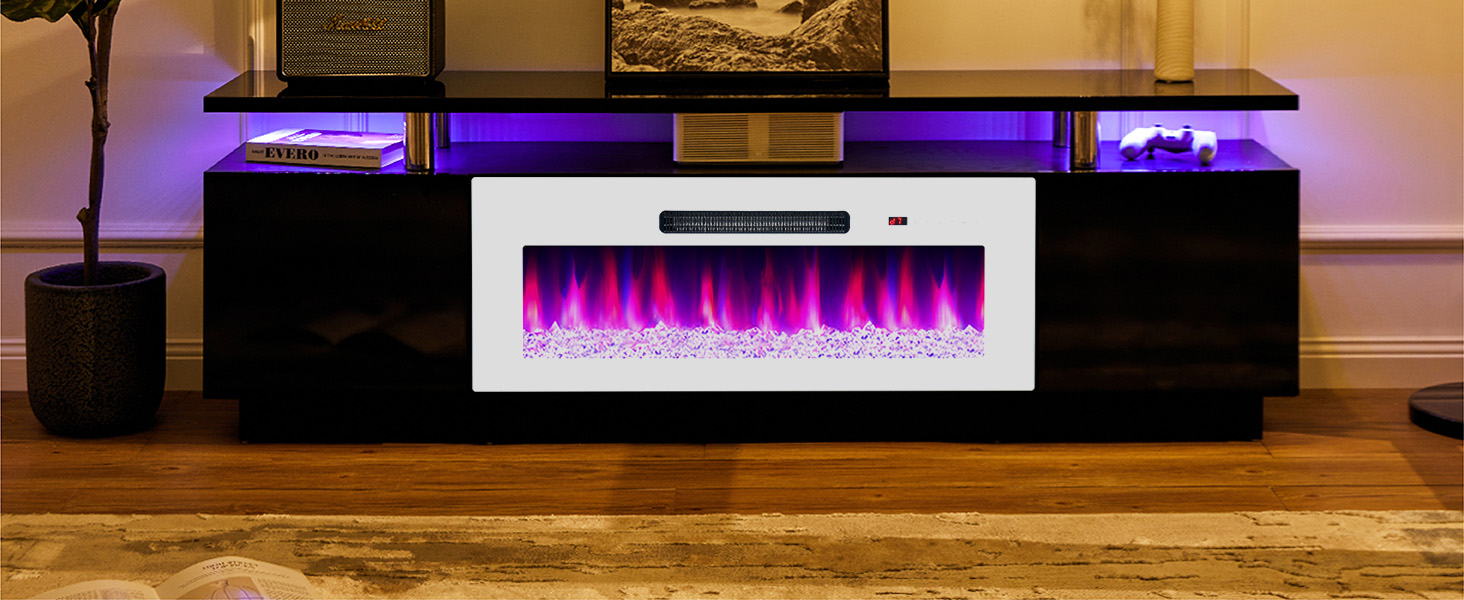
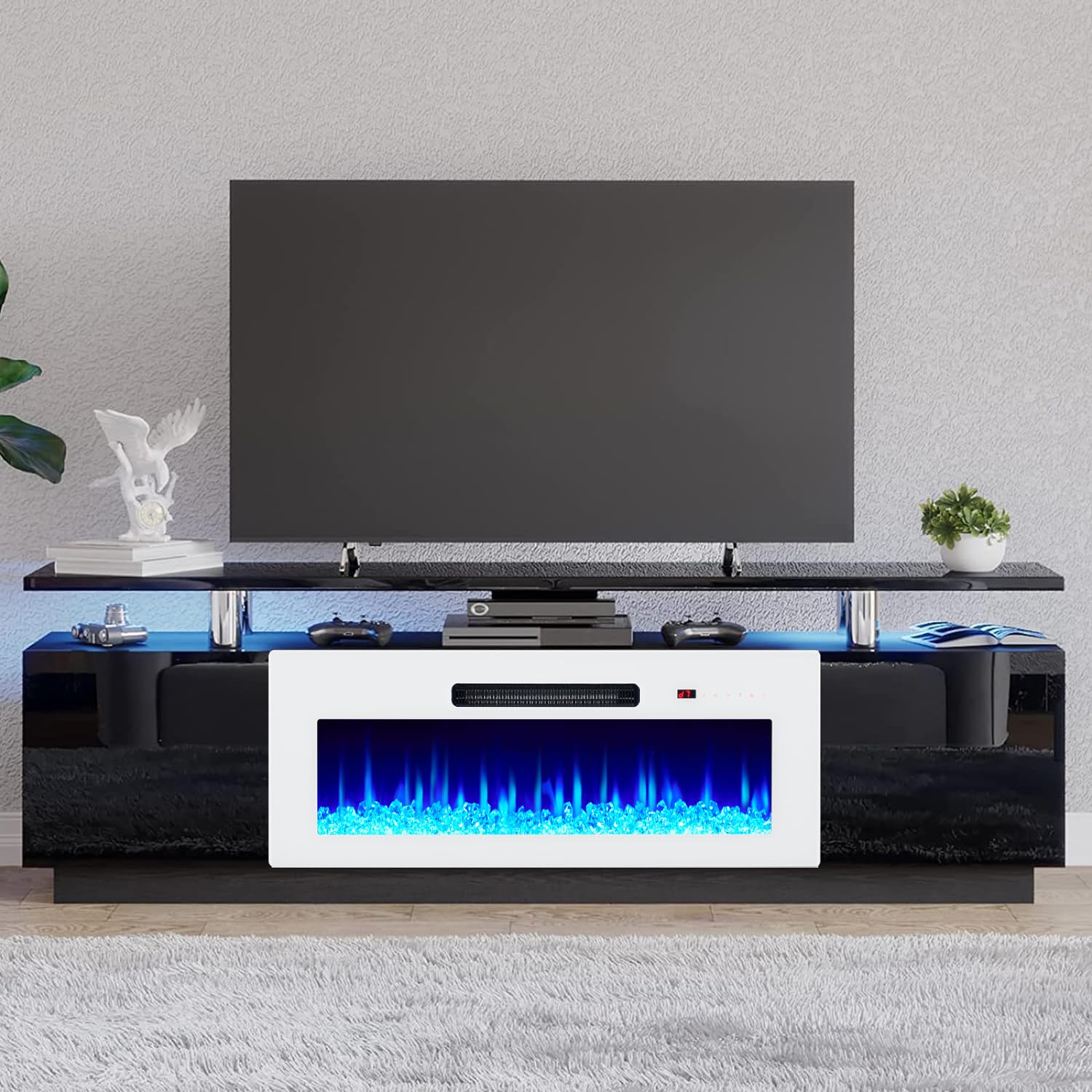
Your AMERLIFE Fireplace TV Stand features an electric fireplace with adjustable flame effects and integrated LED lighting. Both can be controlled via the included remote or the touch panel on the fireplace unit.
Electric Fireplace Operation
- Power: Press the power button to turn the fireplace on or off.
- Flame Colors: Cycle through 8 realistic flame colors to match your mood or decor.
- Brightness: Adjust the flame brightness with 3 available levels.
- Heat Settings: The 1400W heater provides up to 4800 BTU output, capable of heating rooms up to 400 sq. feet. Use the temperature control to set your desired warmth. The fireplace can operate with or without heat.
- Timer: Set a timer for automatic shut-off.
- Overheat Protection: The unit includes an overheat protection feature for safety.
LED Lighting Operation
- The integrated LED kit offers 7 changeable colors.
- Explore 56 kinds of color combinations to customize your lighting atmosphere.


Operation Video Guide
This video demonstrates the elegant fireplace with its various light settings and the functionality of the two cabinets.
Maintenance
To maintain the appearance and functionality of your AMERLIFE Fireplace TV Stand, follow these simple care instructions:
- Cleaning: Wipe the surfaces with a dry cloth. Avoid using harsh chemicals or abrasive cleaners, which can damage the finish.
- Dusting: Regularly dust the unit to prevent buildup.
- Fireplace Unit: Ensure the air intake and outlet vents of the fireplace are clear of obstructions to prevent overheating.
- LED Lights: If the LED strip lights require replacement, use compatible replacements as specified by the manufacturer.
Troubleshooting
If you encounter issues with your AMERLIFE Fireplace TV Stand, consider the following common solutions:
- Fireplace Not Turning On: Check if the power cord is securely plugged into a working electrical outlet. Ensure the main power switch on the fireplace unit is in the 'ON' position.
- No Heat Output: Verify that the heat function is activated and the temperature setting is above the current room temperature. Check for any obstructions around the heater vent.
- LED Lights Not Working: Ensure the LED light kit is properly connected to its power source. Check for any loose connections or damaged wiring.
- Remote Control Issues: Replace the batteries in the remote control. Ensure there are no obstructions between the remote and the fireplace unit's receiver.
- Structural Instability: Re-check all assembly hardware to ensure screws are tightened. Avoid placing excessively heavy items on the stand.
If problems persist after attempting these steps, please contact customer support.
Specifications
| Feature | Detail |
|---|---|
| Brand | AMERLIFE |
| Model Number | FTS4866C |
| Color | Black & White |
| Overall Dimensions | 70.2"W x 14.4"D (Top plate: 13.8"D) x 22.6"H |
| Fireplace Dimensions | 36"W x 5"D x 14"H |
| Compatible TV Size | Up to 80 inches |
| Material Type | Engineered Wood |
| Item Weight | 111 Pounds |
| Fireplace Power | 1400W |
| Heat Output | Max 4800 BTU |
| Heating Area | Up to 400 sq. feet |
| Flame Colors | 8 realistic colors |
| Flame Brightness | 3 levels |
| LED Lights | 7 changeable colors, 56 combinations |
| Control Method | Remote control, Touch screen |
| Assembly Required | Yes |
Warranty Information
AMERLIFE products are manufactured with quality and care. For specific warranty details regarding your Fireplace TV Stand (Model FTS4866C), please refer to the warranty card included in your product packaging or visit the official AMERLIFE website. Keep your purchase receipt as proof of purchase for any warranty claims.
Customer Support
If you have any questions, require assistance with assembly, or need to report missing/damaged parts, please contact AMERLIFE customer support. Our team is available to provide satisfactory answers within 24 hours.
- Online Support: Visit the AMERLIFE official website for FAQs and support resources.
- Email Support: Refer to your product documentation for the customer service email address.