
Introduction
The COOL RACING F10 OBD2 Car HUD Gauge is a head-up display designed to provide essential vehicle information directly in the driver's line of sight. This device connects to your vehicle's On-Board Diagnostics (OBD2) port to display various parameters such as speed, RPM, water temperature, voltage, fuel consumption, mileage, and more. It also includes features like speeding alarms and fatigue driving reminders to enhance driving safety.
This manual provides detailed instructions for the installation, operation, and maintenance of your F10 HUD Gauge.

Image: Front view of the COOL RACING F10 OBD2 Car HUD Gauge, displaying speed and RPM.
Setup
Package Contents
- 1 x F10 HUD Unit
- 1 x OBD Cable
- 1 x User Manual
Installation
- Locate your vehicle's OBD2 port. This is typically found under the dashboard on the driver's side.
- Connect one end of the provided OBD cable to the F10 HUD unit's serial interface port.
- Connect the other end of the OBD cable to your vehicle's OBD2 port.
- Place the F10 HUD unit on your dashboard in a position that does not obstruct your view of the road. Ensure it is stable and secure.
- Adjust the viewing angle of the HUD unit for optimal visibility. The device features an intelligent adjustment arc for comfortable positioning.

Image: The F10 HUD Gauge positioned on a car dashboard, displaying integrated vehicle information.
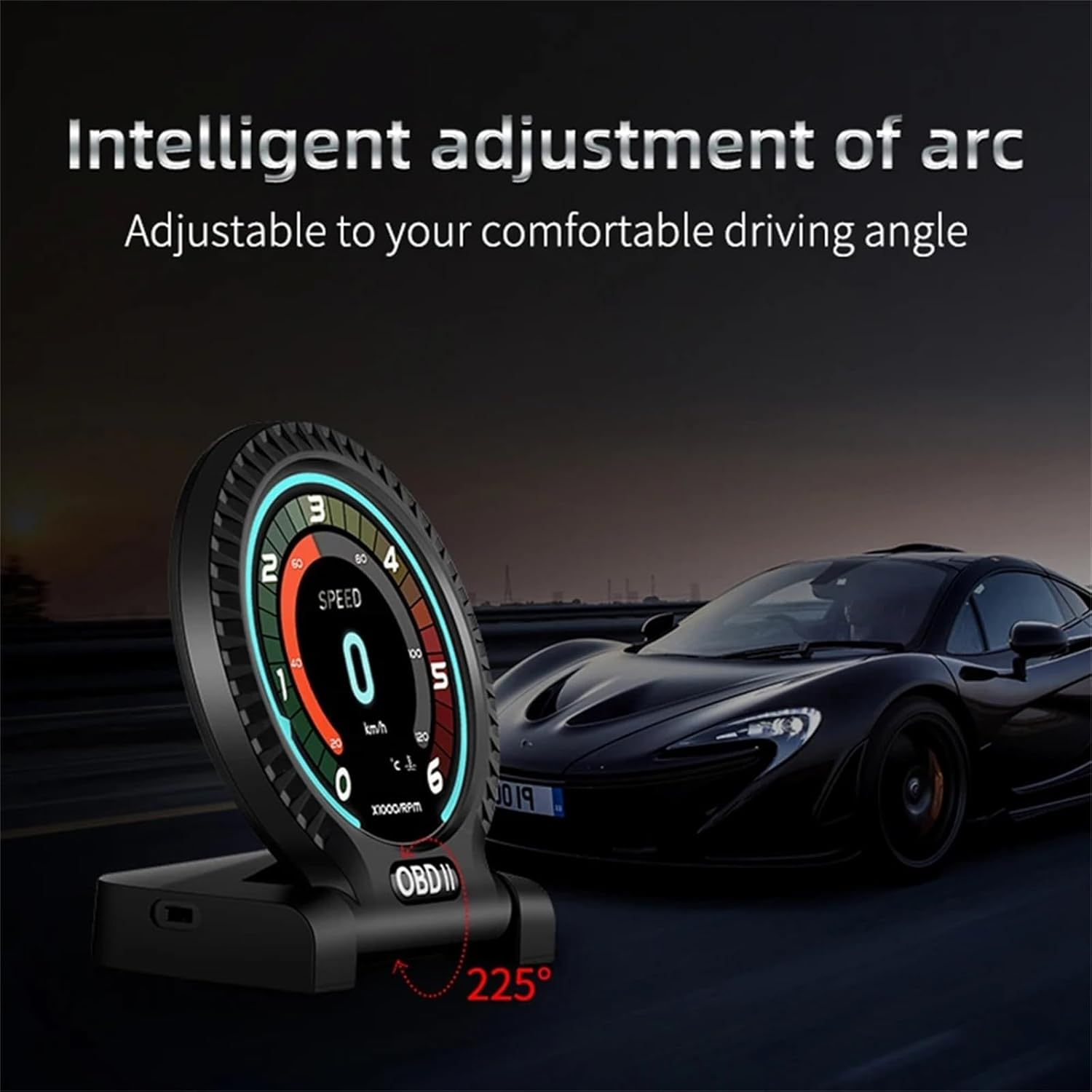
Image: The F10 HUD Gauge demonstrating its intelligent adjustment arc, allowing for a comfortable driving angle.
Operating Instructions
Power On/Off
The F10 HUD unit will automatically power on when the vehicle's ignition is turned on and power off when the ignition is turned off, provided it is correctly connected to the OBD2 port.
Interface Switching
The F10 HUD offers multiple display interfaces to show different combinations of vehicle data. To cycle through the main interfaces (Interface 1 to 5), short press the 'Up' button. To display the clock interface, short press the 'OK' button.

Image: A visual representation of the F10 HUD's multiple display interfaces (Interface 1-5 and Clock interface), illustrating how to switch between them using a single key.
Function Display Switching (Digital Interfaces)
To change the digital interface and view different instrument functions such as oil pressure, voltage, or turbine pressure, short press the dedicated button. Note that some functions may only be supported by specific car models.

Image: The F10 HUD Gauge displaying various digital instrument functions, including speed, oil pressure, voltage, turbine pressure, oil temperature, water temperature, and vacuum ratio.
Key Functions and Parameters
The F10 HUD can display a comprehensive range of vehicle parameters:
- Speed: Current vehicle speed.
- RPM: Engine revolutions per minute.
- Water Temperature: Engine coolant temperature.
- Voltage: Real-time battery voltage.
- Fuel Consumption: Instantaneous or average fuel usage.
- Mileage: Trip distance.
- Oil Temperature: Engine oil temperature.
- Turbine Pressure: Turbocharger boost pressure.
- Clock: Current time.

Image: The F10 HUD Gauge illustrating the display of rotating speed (RPM) and oil pressure, with descriptions of their significance.

Image: The F10 HUD Gauge showing displays for voltage, turbo pressure, and engine oil temperature, along with explanations of their monitoring functions.
Alarm Settings
The F10 HUD includes several alarm functions to alert the driver to potential issues:
- Speeding Alarm: Alerts when a preset speed limit is exceeded.
- Water Temperature Alarm: Warns if the engine coolant temperature rises above a safe threshold.
- Voltage Alarm: Notifies if the vehicle's battery voltage is too low or too high.
- Fatigue Driving Reminder: Provides alerts to encourage breaks during long drives.
Refer to the on-screen menu or specific button combinations (not detailed here) for adjusting these alarm thresholds.
Maintenance
To ensure the longevity and optimal performance of your F10 HUD Gauge, follow these maintenance guidelines:
- Cleaning: Use a soft, dry cloth to clean the display screen and exterior. Avoid abrasive cleaners or solvents that could damage the unit.
- Storage: If the unit is to be stored for an extended period, disconnect it from the OBD2 port and store it in a cool, dry place away from direct sunlight.
- Environmental Conditions: Avoid exposing the unit to extreme temperatures, high humidity, or direct water contact.
Troubleshooting
If you encounter issues with your F10 HUD Gauge, consider the following common solutions:
- No Power/Display: Ensure the OBD cable is securely connected to both the HUD unit and the vehicle's OBD2 port. Verify the vehicle's ignition is on.
- Incorrect Readings: Confirm that the unit is properly configured for your vehicle type (if applicable, check settings for unit conversions like MPH/KMH). Some functions may not be supported by all vehicles.
- Intermittent Operation: Check for loose cable connections. Ensure the OBD2 port itself is functioning correctly (you may test with another OBD2 device if available).
- Display Glare: Adjust the unit's viewing angle or reposition it on the dashboard to minimize glare from sunlight.
If problems persist, contact customer support for further assistance.
Specifications
| Model Number | F10 |
| Brand | COOL RACING |
| Material | Acrylonitrile Butadiene Styrene (ABS) |
| Display Functions | Speed, Clock, RPM, Voltage, Water Temperature, Fuel Consumption, Mileage, Oil Temperature, Turbine Pressure |
| Alarm Functions | Speeding Alarm, Water Temperature Alarm, Voltage Alarm, Fatigue Driving Reminder |

Image: Detailed view of the F10 HUD Gauge, showing its dimensions (6.5cm width, 7.9cm height, 1.5cm base height) and the back panel with dial button, switch, photosensitive component, serial interface, and Type-C interface.
Warranty and Support
For warranty information or technical support, please refer to the documentation provided at the time of purchase or contact the seller/manufacturer directly. The manufacturer of this product is COOL RACING.
Please retain your proof of purchase for any warranty claims.