
1. Introduction
The EBUYFIRE AL-16 is an advanced anti-theft alarm system designed to protect bicycles, electric scooters, motorcycles, and other valuable assets. It features a powerful 110 dB alarm, adjustable sensitivity, remote control operation, and an SOS function for emergency situations. This manual provides detailed instructions for the proper setup, operation, and maintenance of your AL-16 alarm.

Image 1.1: The EBUYFIRE AL-16 alarm unit, its remote control, and the included USB charging cable.
2. Package Contents
- EBUYFIRE AL-16 Alarm Unit
- Remote Control
- USB Charging Cable
- Mounting Accessories (e.g., zip ties, double-sided tape - not explicitly listed but common for such devices)
3. Setup
3.1 Charging the Alarm Unit
Before initial use, fully charge the alarm unit. Connect the provided USB charging cable to the alarm unit's charging port and to a standard USB power source (e.g., computer, USB wall adapter). The charging indicator light will show the charging status. A full charge typically takes a few hours.
3.2 Mounting the Alarm
Choose a discreet and secure location on your bicycle, scooter, or other item to mount the alarm. Ensure the alarm is firmly attached using the provided mounting accessories. The alarm is designed to be waterproof (IP55 rated), making it suitable for outdoor use.

Image 3.1: The EBUYFIRE AL-16 alarm unit securely mounted on a bicycle frame, demonstrating its compact size and discreet placement.
3.3 Pairing Remote Controls (DIY Pairing)
The AL-16 alarm supports pairing with multiple remote controls (up to 5). A single remote can also control multiple alarm units. Follow these steps to pair additional remotes or re-pair existing ones:
- Ensure the alarm unit is powered on.
- Press and hold the pairing button on the alarm unit (refer to the diagram in the image below for location) until you hear a beep or see an indicator light flash.
- Within 5 seconds, press any button on the remote control you wish to pair.
- A confirmation sound or light flash from the alarm unit indicates successful pairing.

Image 3.2: Visual guide for pairing the alarm unit with up to five remote controls, and one remote controlling multiple units.
4. Operating Instructions
4.1 Arming and Disarming
- Arm: Press the lock button on the remote control. The alarm will emit a confirmation sound, indicating it is armed. Any significant vibration or movement will trigger the alarm.
- Disarm: Press the unlock button on the remote control. The alarm will emit a confirmation sound, indicating it is disarmed.
4.2 Adjusting Sensitivity
The AL-16 alarm features 5 levels of adjustable sensitivity, from a gentle touch to a strong impact. This allows you to customize the alarm's responsiveness to suit your environment and needs. Refer to the remote control's specific buttons for sensitivity adjustment (usually indicated by a bell or sensitivity icon).
4.3 SOS Function
The alarm includes an SOS function designed to detect if the protected vehicle falls over. If the bicycle or scooter tilts beyond approximately 45 degrees, the alarm will automatically activate the SOS alert, emitting a distinct sound pattern to signal an emergency.
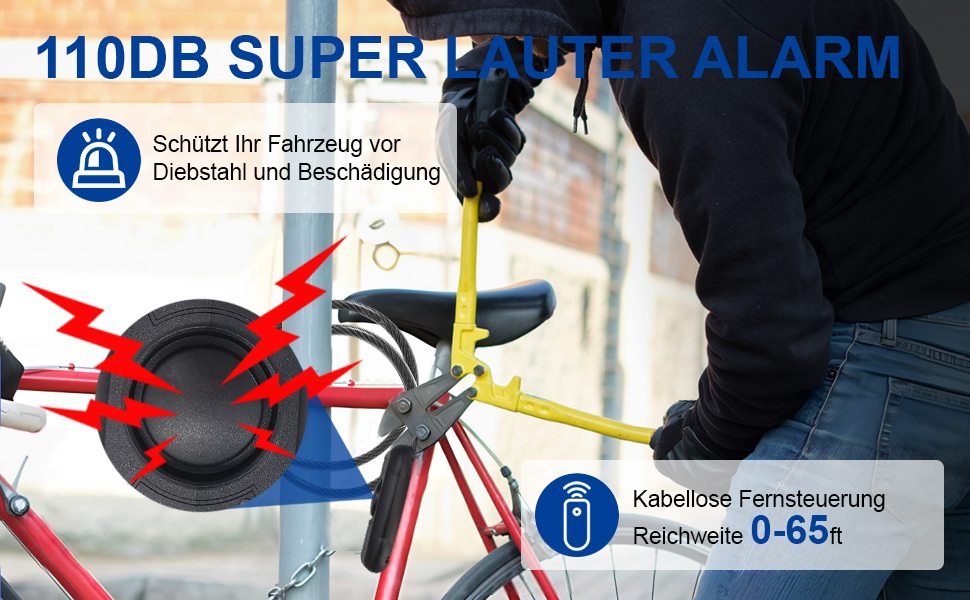
Image 4.1: The SOS function is triggered when the bicycle alarm detects a fall or significant tilt, alerting others to a potential emergency.
4.4 Alarm Sound Level
The AL-16 alarm produces a super loud sound of 110 dB, designed to deter potential thieves and attract attention. This high decibel level ensures effective theft prevention.

Image 4.2: The 110dB alarm sound is designed to effectively deter theft attempts and alert nearby individuals.
5. Maintenance
5.1 Battery Charging
Regularly check the battery level of your alarm unit. Recharge the unit using the provided USB cable when the battery is low. A full charge ensures optimal performance and continuous protection.
5.2 Water Resistance
The AL-16 alarm is IP55 waterproof, meaning it is protected against dust and low-pressure water jets from any direction. While it can withstand rain, avoid submerging the device in water to prevent damage.
5.3 Cleaning
Wipe the alarm unit and remote control with a soft, dry cloth. Do not use harsh chemicals or abrasive cleaners, as these may damage the device's surface or internal components.
6. Troubleshooting
- Alarm not responding to remote: Ensure the alarm unit is charged and powered on. Re-pair the remote control following the instructions in Section 3.3. Check the remote control's battery.
- Alarm not charging: Verify that the USB cable is securely connected to both the alarm unit and the power source. Try a different USB port or power adapter. Ensure the charging port is clean and free of debris.
- Alarm sensitivity too high/low: Adjust the sensitivity settings as described in Section 4.2.
- Inconsistent alarm sound: Ensure the alarm unit is fully charged. If the issue persists, contact customer support.
7. Specifications
| Feature | Specification |
|---|---|
| Brand | EBUYFIRE |
| Model Number | AL-16 |
| Color | Black |
| Special Features | Portable |
| Compatible Devices | Electric bicycles, electric scooters |
| Battery Composition | Lithium-polymer (1 included) |
| Maximum Range (Remote) | 25 Meters |
| Sound Level | 110 Decibels |
| Remote Control Included | Yes |
| Water Resistance | IP55 (implied from 'étanche' and common for such devices) |
8. Warranty and Support
Information regarding specific warranty details and customer support contact information is not available in the provided product data. Please refer to the product packaging or the seller's website for warranty claims and technical assistance.