
1. Important Safety Instructions
Read all instructions carefully before using this treadmill. Keep this manual for future reference.
- Always place the treadmill on a flat, stable surface.
- Ensure adequate clearance around the treadmill (at least 2 meters behind and 0.6 meters on each side).
- Keep children and pets away from the treadmill during operation.
- Do not use the treadmill if you weigh more than 120 kg (242 lbs).
- Wear appropriate athletic footwear.
- If you experience dizziness, nausea, chest pain, or any other abnormal symptoms, stop exercising immediately and consult a physician.
- Always use the safety key during operation. Attach the clip to your clothing.
- Unplug the treadmill from the power outlet when not in use or before cleaning/maintenance.
2. Package Contents
Verify that all items are present in the package:
- Kingsmith WalkingPad K15 Treadmill Unit
- Power Cord
- Safety Key
- Tool Kit (for assembly/maintenance)
- User Manual (this document)
3. Product Overview
The Kingsmith WalkingPad K15 is a smart foldable treadmill designed for both walking and running. It features a robust aluminum frame, a powerful 1.25 HP motor, and an integrated LCD display.
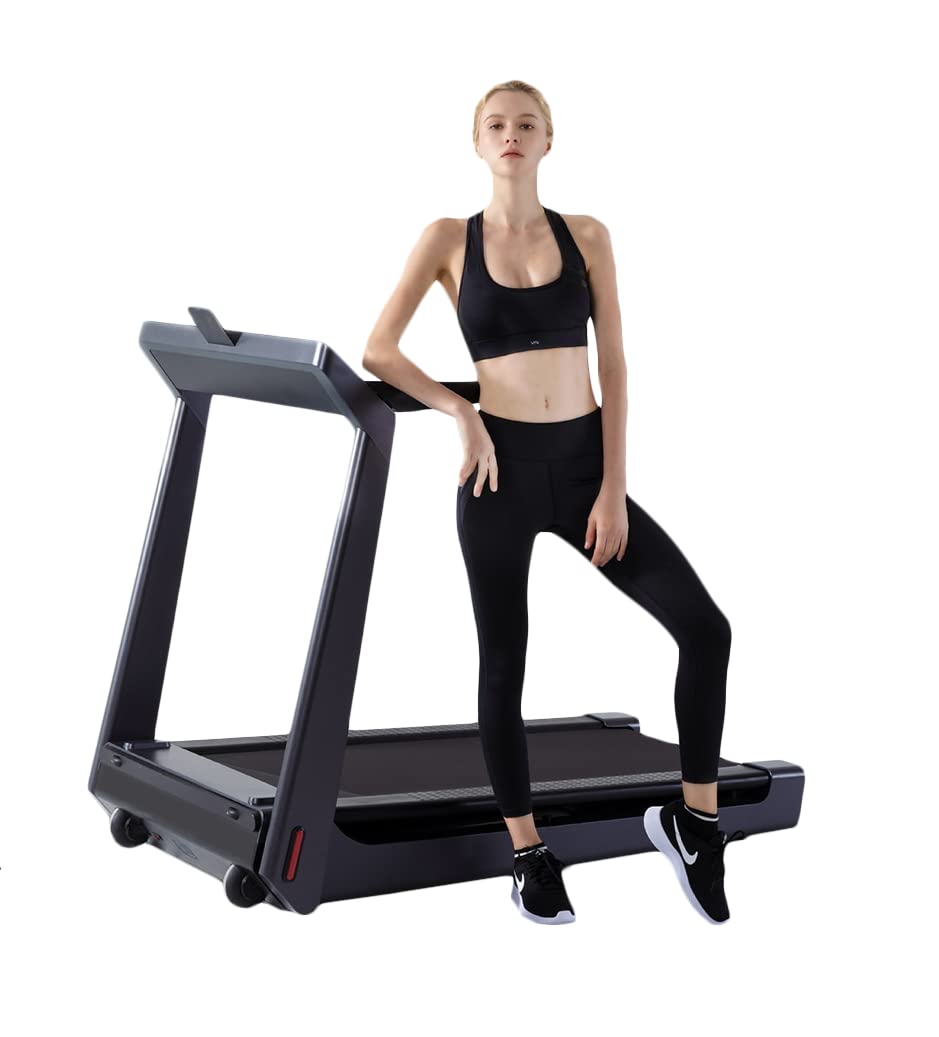
Figure 3.1: Kingsmith WalkingPad K15 Treadmill in its operational, unfolded state.
Key Components:
- Running Belt: Multi-layered belt for comfortable use.
- Handrails: Provide support during exercise.
- Control Panel/Display: Shows speed, time, distance, calories, and incline.
- Safety Key Slot: For attaching the safety key.
- Folding Mechanism: Allows the treadmill to be folded for storage.
- Transport Wheels: For easy relocation when folded.
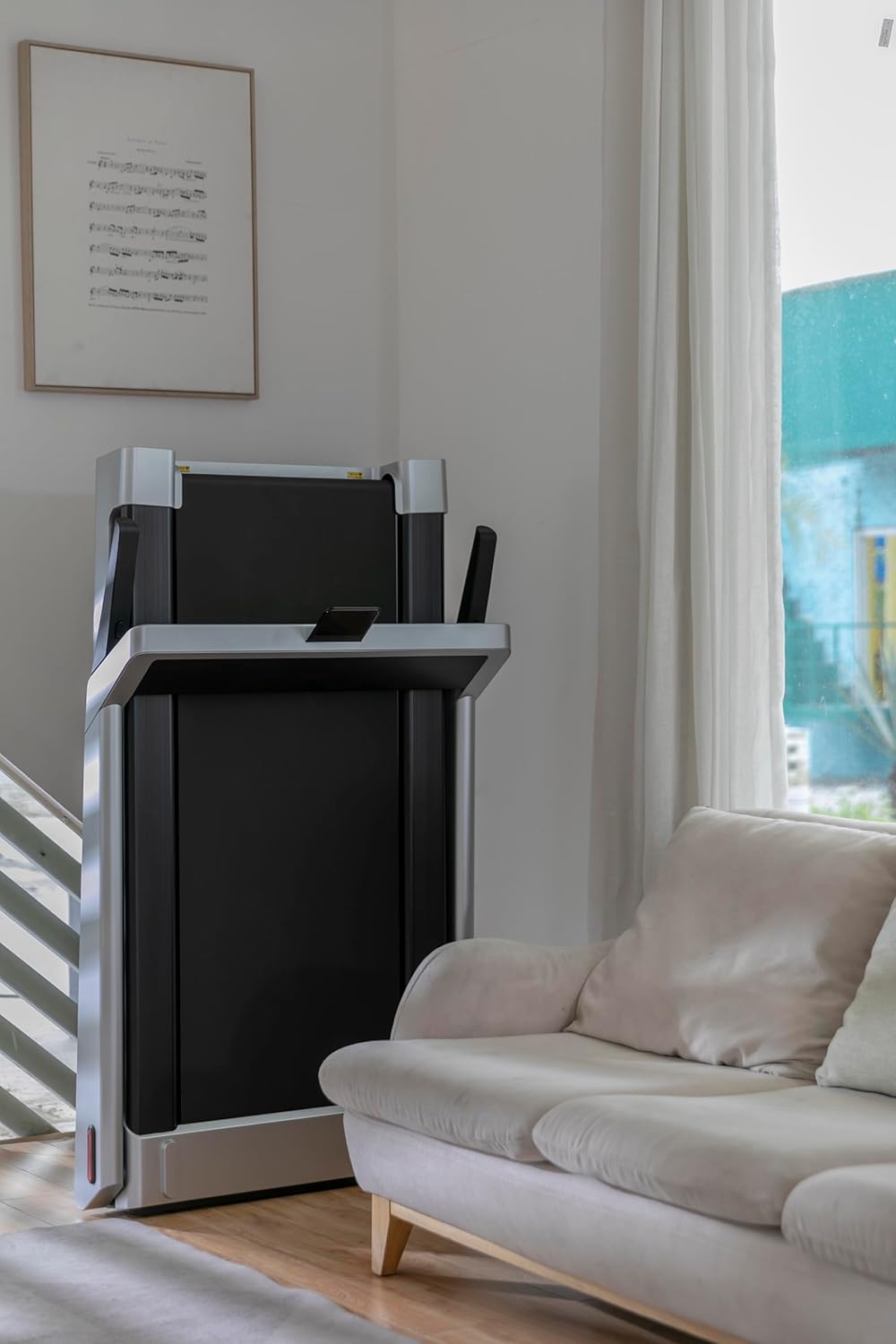
Figure 3.2: Detailed view of the K15's LCD control panel, displaying various metrics.
4. Setup and Unfolding
The Kingsmith WalkingPad K15 comes largely pre-assembled. Follow these steps to prepare it for use:
- Unpack: Carefully remove the treadmill from its packaging.
- Position: Place the folded treadmill on a flat, stable surface where you intend to use it. Ensure sufficient space around the unit.
- Unfold the Handrail: Gently lift the handrail assembly until it locks into the upright position. Ensure it is securely locked.
- Lower the Running Deck: Carefully lower the running deck until it is flat on the floor.
- Connect Power: Plug the power cord into the treadmill's power inlet and then into a grounded electrical outlet.
- Attach Safety Key: Insert the safety key into its designated slot on the control panel. Clip the other end of the safety key to your clothing. The treadmill will not operate without the safety key in place.
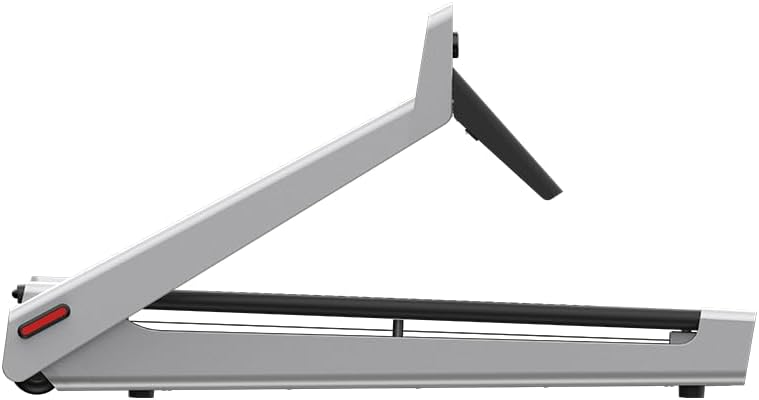
Figure 4.1: The K15 treadmill in its folded configuration, ready for storage or initial setup.
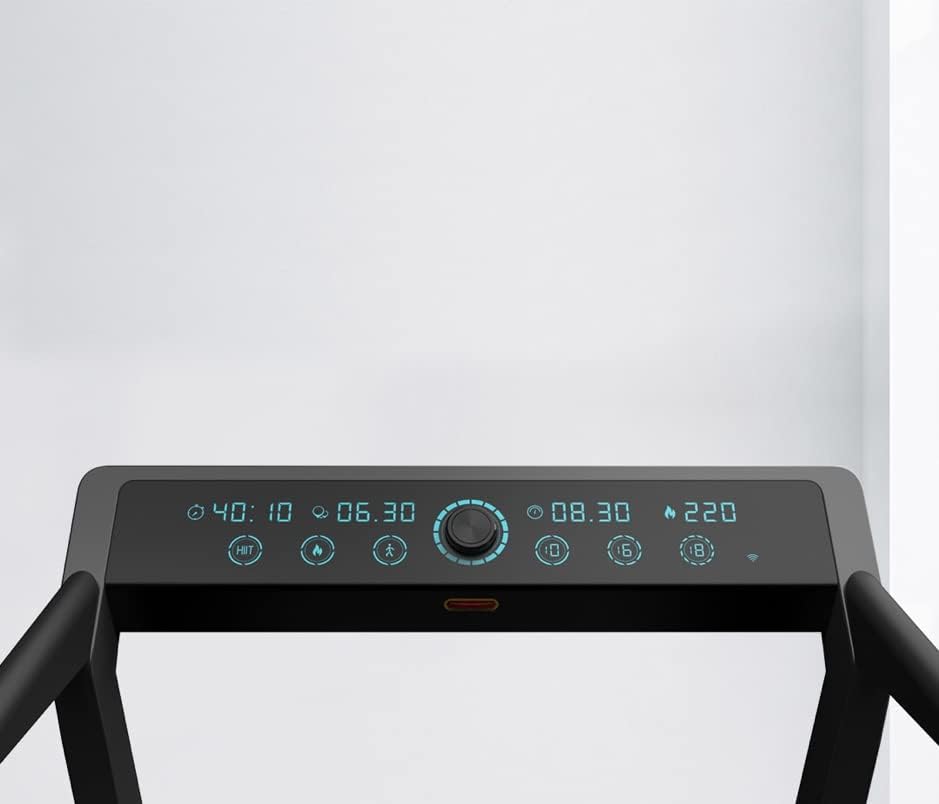
Figure 4.2: Side view of the K15 treadmill when folded, highlighting its compact design.
5. Operating the Treadmill
5.1 Power On/Off
- To power on, ensure the safety key is inserted and press the power button on the control panel.
- To power off, press and hold the power button, or remove the safety key.
5.2 Control Panel Functions
The LCD display provides real-time feedback on your workout. Use the central knob and buttons to control the treadmill.

Figure 5.1: User interacting with the K15 control panel, which includes a central knob for adjustments and a phone holder.
- Start/Stop: Press the central knob to start or stop the running belt.
- Speed Adjustment: Rotate the central knob clockwise to increase speed, counter-clockwise to decrease speed. The speed range is 0.5-15 km/h (0.5-9.4 MPH).
- Display Modes: Cycle through different display metrics (Time, Distance, Calories, Speed) by pressing the mode button (if available, otherwise it cycles automatically).
- Bluetooth Connectivity: The treadmill supports Bluetooth for connecting to fitness apps. Refer to the app's instructions for pairing.
5.3 Running and Walking
The K15 offers both walking and running modes. It has a fixed 4% incline for an enhanced workout.

Figure 5.2: A user demonstrating the K15 treadmill in use for running, showcasing its operational state.
- Always start at a low speed and gradually increase to your desired pace.
- Maintain a comfortable and controlled stride.
- Hold the handrails for balance if needed, especially when starting or stopping.
6. Folding and Storage
The K15 treadmill features a unique folding design for convenient storage.
- Stop the Treadmill: Ensure the treadmill is completely stopped and powered off. Remove the safety key.
- Fold the Running Deck: Lift the rear end of the running deck upwards until it folds parallel to the handrail assembly. Ensure it locks securely in place.
- Lower the Handrail (Optional): For more compact storage, the handrail can be folded down to align with the running belt.
- Relocate: Use the integrated transport wheels to move the folded treadmill to your desired storage location. It can be stored vertically to save space.

Figure 6.1: The K15 treadmill stored vertically, demonstrating its space-saving design.
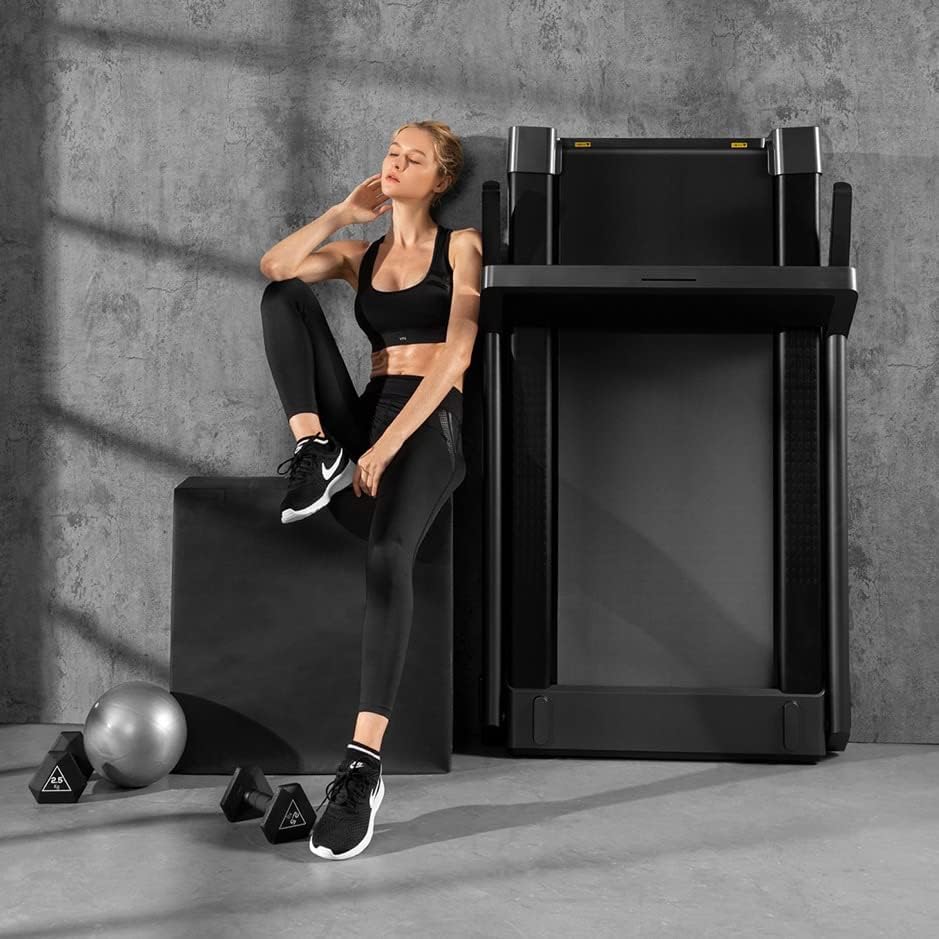
Figure 6.2: A user next to the K15 treadmill stored in an upright position, illustrating its compact footprint.
7. Maintenance
Regular maintenance ensures the longevity and optimal performance of your treadmill.
7.1 Cleaning
- Always unplug the treadmill before cleaning.
- Wipe down the display and exterior surfaces with a soft, damp cloth. Avoid abrasive cleaners.
- Periodically vacuum dust from under the treadmill.
7.2 Running Belt Lubrication
The running belt requires periodic lubrication to reduce friction and extend its lifespan. Refer to the included tool kit for lubricant and specific instructions. Generally, lubricate every 3-6 months depending on usage.
7.3 Running Belt Adjustment
If the running belt becomes off-center or slips, it may need adjustment. Use the provided Allen wrench to make small adjustments to the rear rollers. Consult the detailed instructions in the tool kit for proper procedure.
8. Troubleshooting
If you encounter issues with your Kingsmith WalkingPad K15, refer to the following common problems and solutions:
| Problem | Possible Cause | Solution |
|---|---|---|
| Treadmill does not power on. | Power cord not connected, safety key not inserted, power switch off. | Ensure power cord is securely plugged in, safety key is fully inserted, and power switch is on. |
| Running belt stops unexpectedly. | Safety key dislodged, motor overload. | Re-insert safety key. If overload, reduce usage intensity and allow motor to cool. |
| Running belt slips or is off-center. | Belt tension too loose, belt alignment incorrect. | Adjust belt tension and alignment using the provided tool kit. Refer to maintenance section. |
| Unusual noise during operation. | Lack of lubrication, loose components, foreign object. | Lubricate the running belt. Check for loose screws or foreign objects. If noise persists, contact customer support. |
8.1 Addressing a Stuck Walking Machine
If the walking machine mechanism appears stuck or difficult to fold/unfold, a specific procedure may be required.
Video 8.1: This video demonstrates a method to address a Kingsmith WalkingPad that appears stuck during folding or unfolding. It shows how to gently manipulate the deck to release the mechanism.
9. Specifications
| Model | K15 |
| Brand | OMG (Kingsmith) |
| Product Dimensions (Unfolded) | 142 x 82.8 x 114 cm (55.91 x 32.6 x 45.28 inches) |
| Maximum Speed | 15 km/h (9.4 MPH) |
| Minimum Speed | 0.5 km/h (0.3 MPH) |
| Fixed Incline | 4% |
| Motor Horsepower | 1.25 HP (Continuous), 2.75 HP (Peak) |
| Running Area | 120 cm x 48 cm |
| Maximum Weight Capacity | 120 kg (242 lbs) |
| Display Type | LCD |
| Frame Material | Aluminum |
| Special Features | Bluetooth, Foldable, Manual Incline, Wheeled |
| Power Source | Corded Electric |

Figure 9.1: Dimensional diagram of the Kingsmith WalkingPad K15 treadmill, indicating its length, width, and height.
10. Warranty and Support
Your Kingsmith WalkingPad K15 Treadmill is covered by a manufacturer's warranty. Please refer to the warranty card included in your package for specific terms and conditions.
For technical support, parts, or service inquiries, please contact your retailer or the manufacturer's customer service department. Contact information can typically be found on the product packaging or the official brand website.
Manufacturer: Beijing Kingsmith Technology Co., Ltd


