
1. Introduction
This manual provides instructions for the safe and efficient operation of your Philips Grind&Brew Coffee Machine, model HD7888/01. Please read these instructions carefully before first use and retain them for future reference.
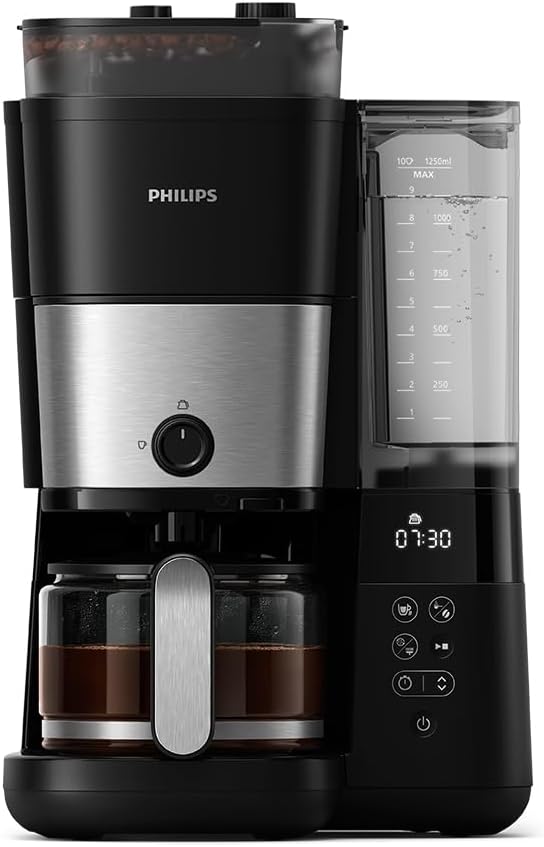
Figure 1: Philips Grind&Brew Coffee Machine HD7888/01. This image shows the complete coffee machine with its integrated grinder, water reservoir, control panel, and glass carafe.
2. Important Safety Instructions
When using electrical appliances, basic safety precautions should always be followed to reduce the risk of fire, electric shock, and/or injury to persons, including the following:
- Read all instructions.
- Do not touch hot surfaces. Use handles or knobs.
- To protect against fire, electric shock, and injury to persons, do not immerse cord, plugs, or appliance in water or other liquid.
- Close supervision is necessary when any appliance is used by or near children.
- Unplug from outlet when not in use and before cleaning. Allow to cool before putting on or taking off parts, and before cleaning the appliance.
- Do not operate any appliance with a damaged cord or plug or after the appliance malfunctions, or has been damaged in any manner. Return appliance to the nearest authorized service facility for examination, repair, or adjustment.
- The use of accessory attachments not recommended by the appliance manufacturer may result in fire, electric shock, or injury to persons.
- Do not use outdoors.
- Do not let cord hang over edge of table or counter, or touch hot surfaces.
- Do not place on or near a hot gas or electric burner, or in a heated oven.
- Always attach plug to appliance first, then plug cord into the wall outlet. To disconnect, turn any control to "off", then remove plug from wall outlet.
- Do not use appliance for other than intended use.
- Scalding may occur if the lid is removed during the brewing cycle.
3. Parts Overview
Familiarize yourself with the components of your coffee machine:
- Bean Hopper with Lid
- Integrated Grinder
- Water Reservoir with Level Indicator
- Control Panel (Display, Buttons for strength, cups, grind, timer, power)
- Filter Holder
- Drip Stop Mechanism
- Glass Carafe with Aroma Twister
- Warming Plate
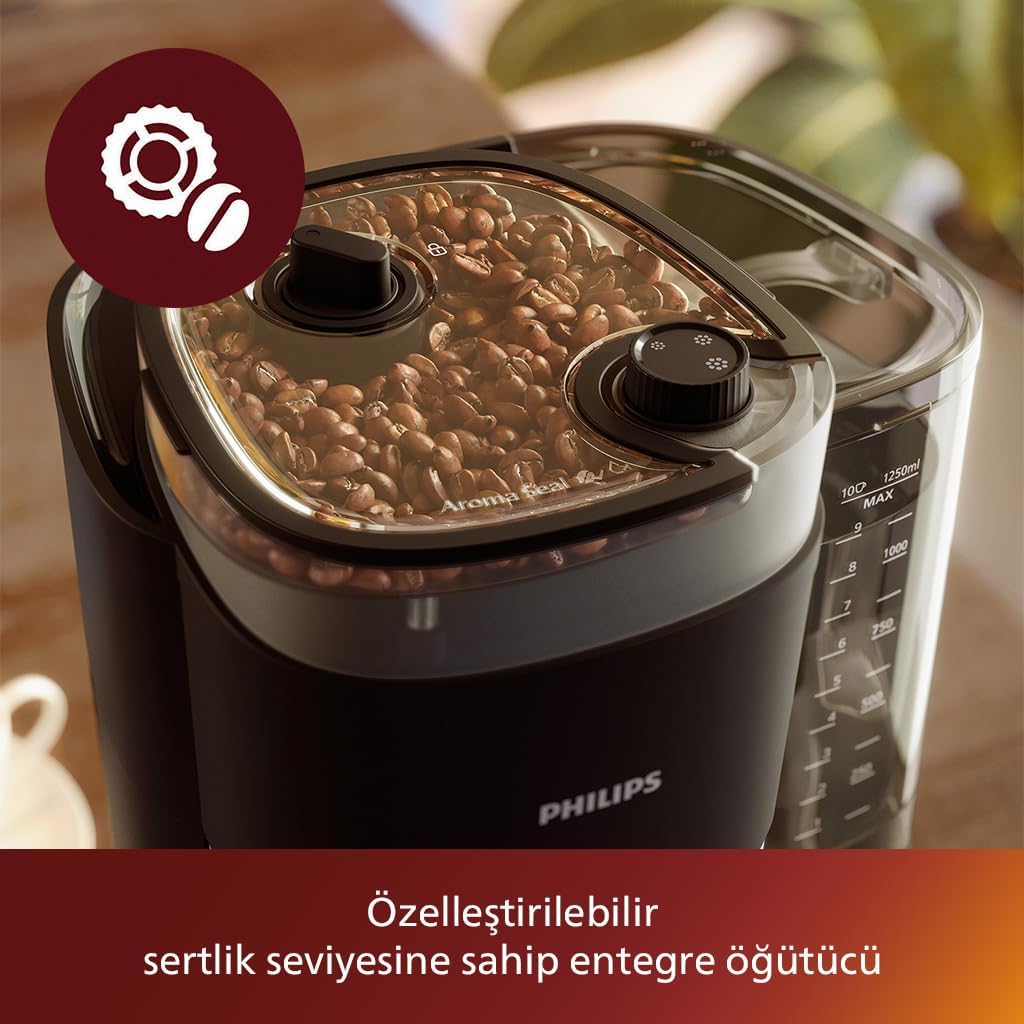
Figure 2: Close-up of the bean hopper and integrated grinder. This image highlights the top section of the coffee machine where whole coffee beans are stored and ground.
4. Setup
4.1 Unpacking
- Remove all packaging materials from the coffee machine.
- Ensure all parts listed in the "Parts Overview" section are present.
4.2 Initial Cleaning
- Wash the glass carafe, filter holder, and bean hopper lid in warm soapy water. Rinse thoroughly and dry.
- Wipe the exterior of the appliance with a damp cloth.
4.3 First Use (Rinsing Cycle)
- Fill the water reservoir with fresh cold water up to the MAX level.
- Place the empty glass carafe on the warming plate.
- Do not add coffee beans or ground coffee for this cycle.
- Press the power button to start a brewing cycle with only water.
- Allow the cycle to complete. Discard the water from the carafe.
- Repeat this process once more to ensure the machine is clean.
5. Operating Instructions
5.1 Preparing Coffee
- Fill Water Reservoir: Open the lid of the water reservoir and fill it with fresh, cold water to the desired number of cups indicated on the side.
- Add Coffee Beans: Open the lid of the bean hopper and add whole coffee beans. Do not overfill.
- Insert Filter: Place a paper filter (size 1x4 or similar) into the filter holder.
- Place Carafe: Ensure the glass carafe is correctly positioned on the warming plate.

Figure 3: The coffee machine brewing coffee into a glass carafe, with a single cup also shown. This illustrates the versatility of brewing options.
5.2 Adjusting Settings
- Coffee Strength: Use the strength button on the control panel to select your preferred coffee strength (e.g., mild, medium, strong).
- Number of Cups: Use the cup selection button to indicate the desired number of cups. This helps the machine optimize grinding and brewing.
- Grind Setting: The integrated grinder allows for adjustable grind settings. Refer to the control panel for options to fine-tune the grind size.
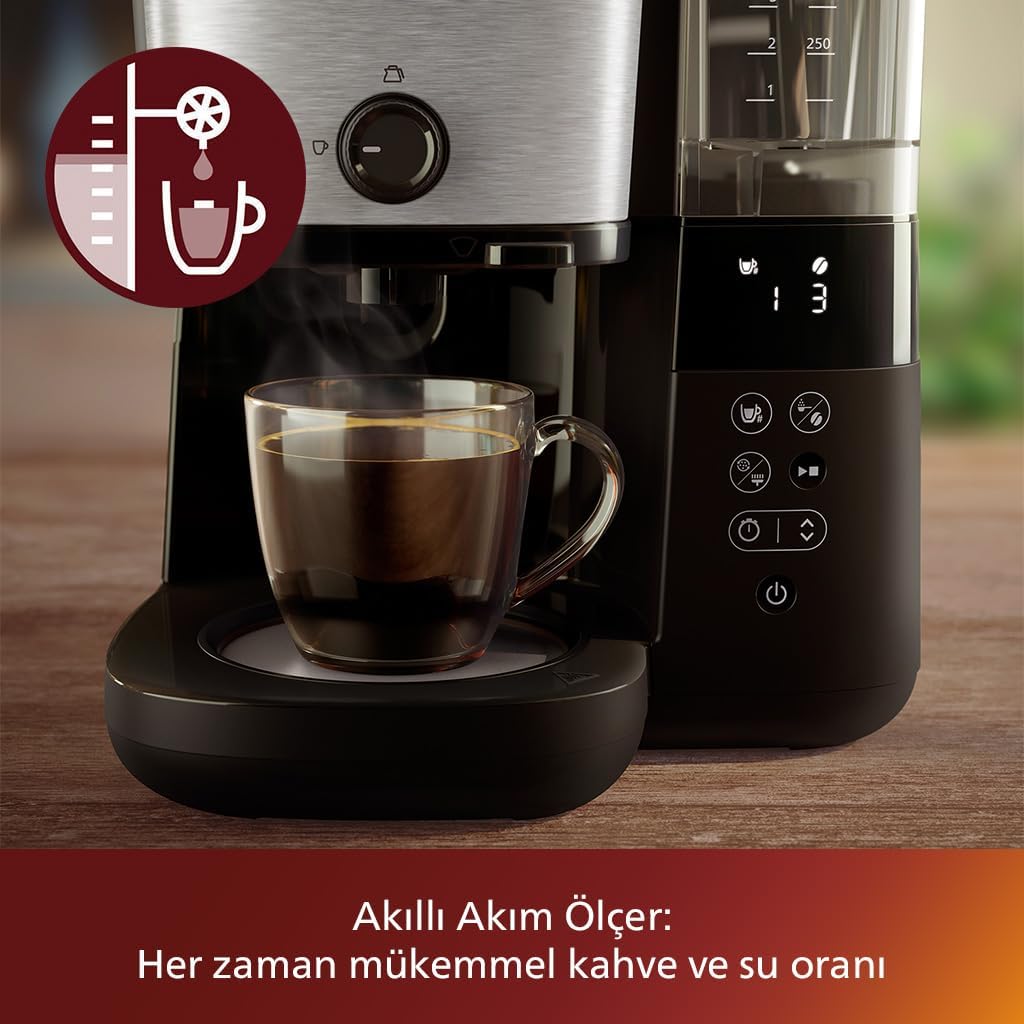
Figure 4: Close-up of the control panel and the smart flow meter. This image highlights the digital display and buttons for adjusting settings, ensuring an optimal coffee-to-water ratio.
5.3 Starting the Brewing Process
- Press the Start/Stop button to begin the grinding and brewing cycle.
- The machine will first grind the beans, then brew the coffee.
5.4 Drip Stop Feature
The drip stop feature allows you to temporarily remove the carafe during the brewing process to pour a cup of coffee without drips. Ensure to return the carafe within 20 seconds to prevent overflow.
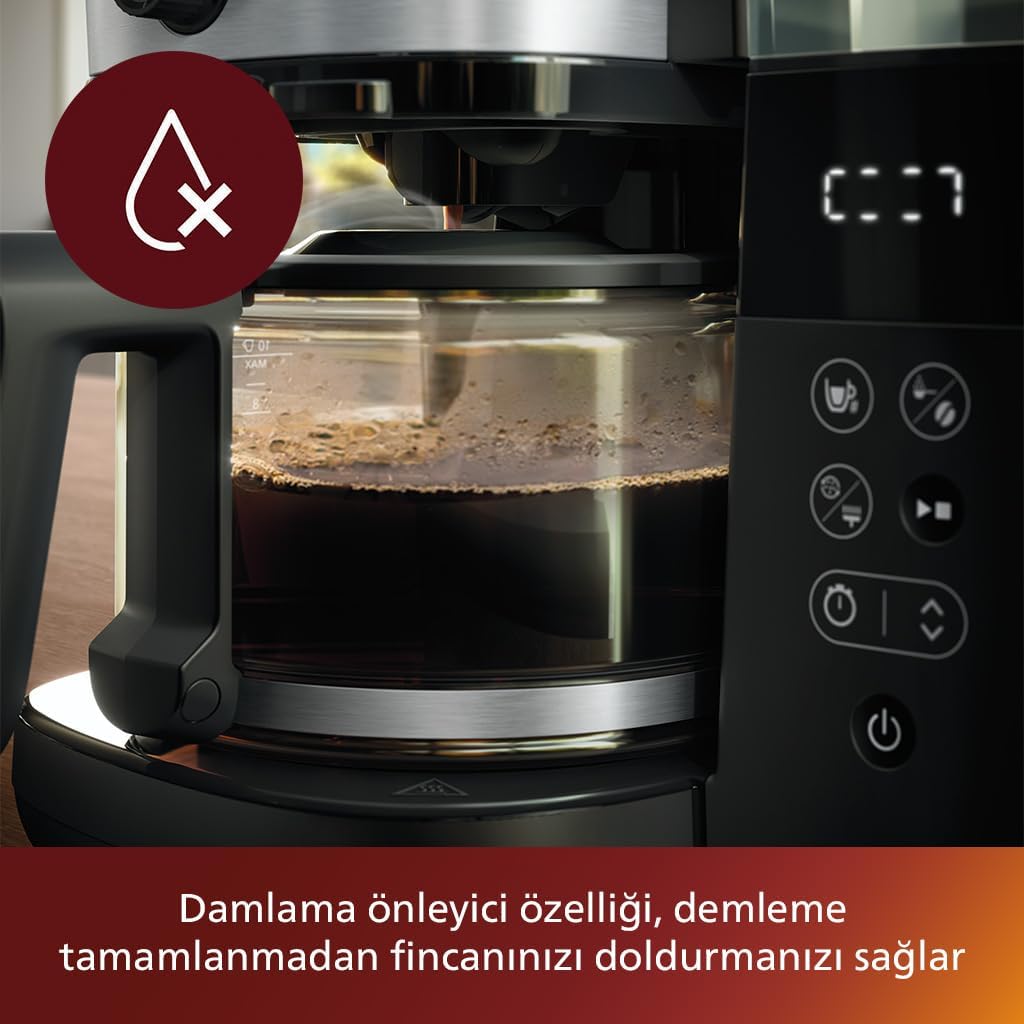
Figure 5: The drip stop mechanism preventing coffee from dripping when the carafe is removed. This feature allows for serving coffee mid-brew.
5.5 Aroma Twister
The Aroma Twister nozzle inside the carafe circulates the inflowing coffee, ensuring an optimal and consistent aroma from the first to the last cup.
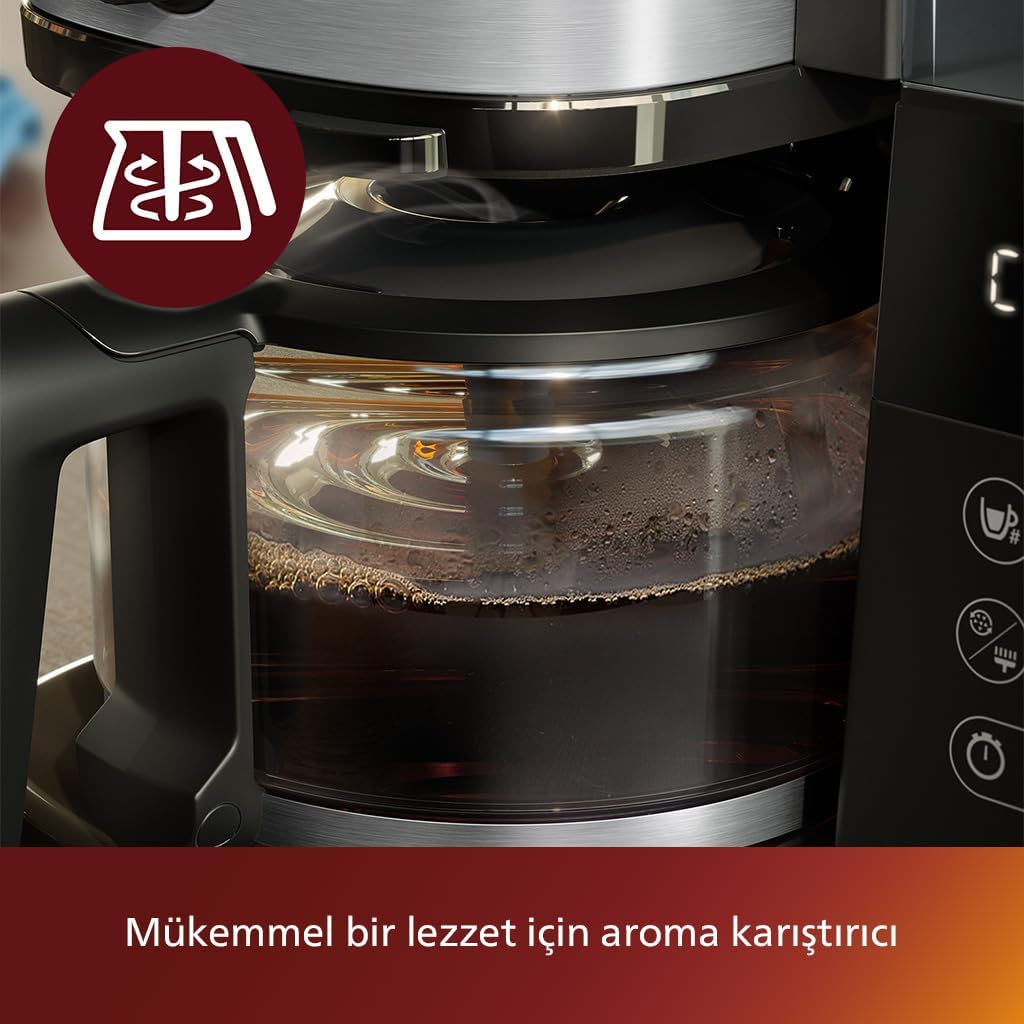
Figure 6: Close-up of the glass carafe with the Aroma Twister, ensuring even coffee distribution for consistent flavor.
5.6 Keep Warm Function
After brewing, the warming plate will keep your coffee warm for a set period, typically up to 5 hours. The machine will automatically shut off after this period for safety and energy saving.

Figure 7: The warming plate with an indicator for the keep-warm function. This shows the base of the coffee machine designed to maintain coffee temperature.
6. Maintenance
6.1 Daily Cleaning
- Always unplug the appliance before cleaning.
- Wash the glass carafe, filter holder, and bean hopper lid after each use. These parts are generally dishwasher safe (top rack) or can be hand-washed.
- Wipe the exterior of the machine with a damp cloth. Do not use abrasive cleaning agents.
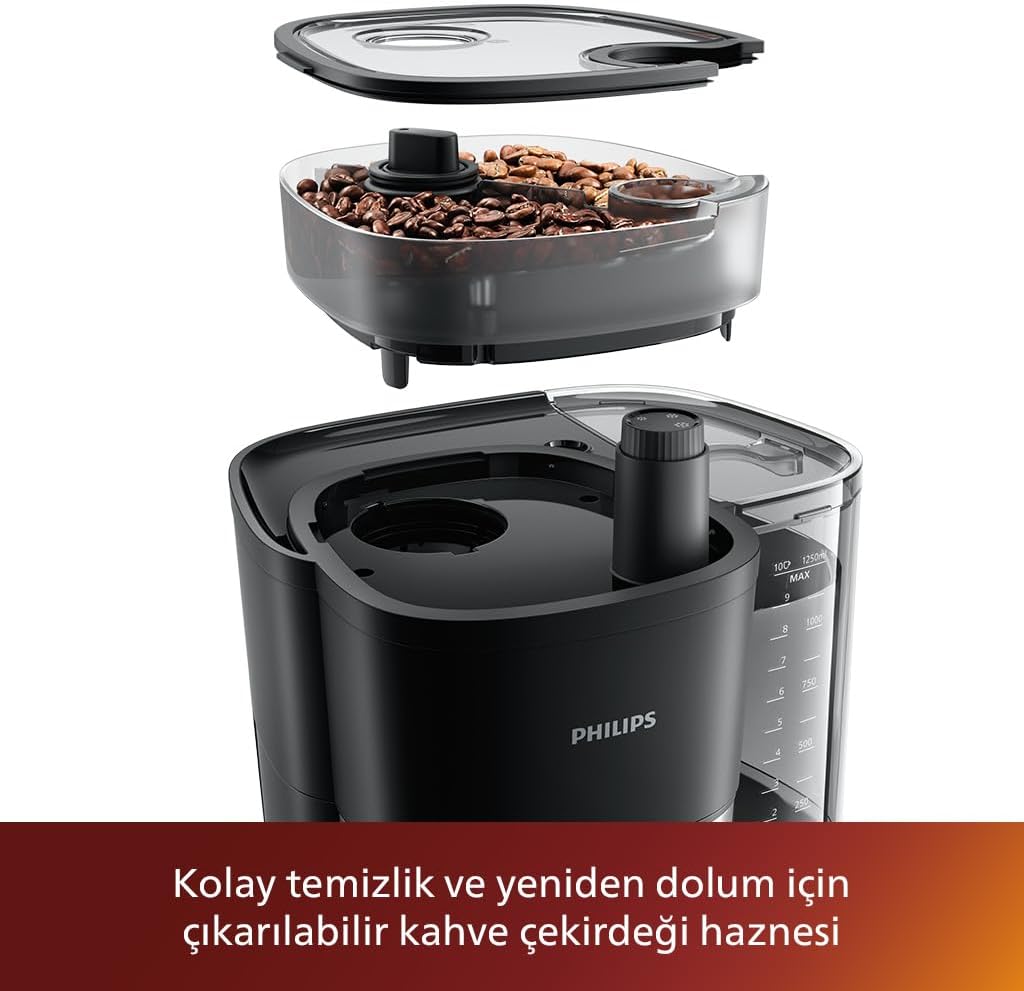
Figure 8: The removable bean hopper, detached for cleaning and refilling. This image demonstrates the ease of access for maintenance.
6.2 Descaling
Regular descaling is essential to maintain optimal performance and extend the lifespan of your coffee machine. The frequency depends on water hardness and usage.
- Prepare a descaling solution according to the descaler manufacturer's instructions (e.g., white vinegar and water, or a commercial descaling agent).
- Pour the solution into the water reservoir.
- Place the empty carafe on the warming plate.
- Start a brewing cycle without coffee.
- After half the solution has brewed through, turn off the machine and let it stand for 15-20 minutes.
- Turn the machine back on and let the remaining solution brew through.
- Repeat the brewing cycle with fresh water at least twice to rinse the machine thoroughly.
7. Troubleshooting
| Problem | Possible Cause | Solution |
|---|---|---|
| Coffee does not brew. | No water in reservoir, machine not plugged in, power button not pressed. | Fill water reservoir, check power connection, press power button. |
| Coffee is too weak/strong. | Incorrect coffee-to-water ratio, wrong strength setting, grind setting. | Adjust coffee strength setting, ensure correct water level, adjust grind setting. |
| Grinder is not working. | No beans in hopper, hopper lid not closed properly, grinder clogged. | Fill bean hopper, ensure lid is securely closed, clean grinder (refer to maintenance). |
| Water leaks from machine. | Carafe not positioned correctly, filter holder not seated, overfilling. | Ensure carafe and filter holder are correctly placed, do not overfill water reservoir. |
8. Specifications
- Model: HD7888/01
- Brand: Philips Domestic Appliance
- Capacity: 1.25 Liters
- Voltage: 230V
- Material: Plastic and Metal
- Product Dimensions: 27.7D x 24.5B x 43.4H cm
- Special Features: Integrated Grinder, Drip Stop, Keep Warm Function, Aroma Twister, Automatic Shut-off.
9. Warranty and Support
For detailed warranty information, please refer to the warranty card included with your product or visit the official Philips Domestic Appliance website. If you encounter any issues not covered in this manual, or require further assistance, please contact Philips customer support.
Online Support: Visit www.philips.com/support
Contact Information: Refer to your local Philips website for country-specific contact details.


