
Introduction
The SEHNLICH LED Candle Light is a versatile, cordless table lamp designed to provide ambient lighting with two distinct modes: steady light and a realistic candle-like flicker. Its portable and rechargeable design makes it suitable for various indoor settings and special events.
This lamp features a warm amber glow with a 1600K color temperature, offering flicker-free illumination that is gentle on the eyes. With five adjustable brightness levels, you can customize the atmosphere to your preference.
What's in the Box
- 1 x SEHNLICH LED Candle Light (Model FL-V1-GOLD)
- 1 x USB-C Charging Cable
- 1 x User Manual

Image: The SEHNLICH LED Candle Light, showing the device and its included USB-C charging cable within the product packaging.
Setup
Charging the Device
- Locate the USB-C charging port at the base of the lamp.
- Connect the provided USB-C cable to the lamp and a compatible USB power adapter (not included).
- The battery level indicator at the base will illuminate to show charging status. A full charge typically takes approximately 2.5 hours.
- Once fully charged, the lamp can provide up to 120 hours of continuous runtime on the lowest brightness setting.
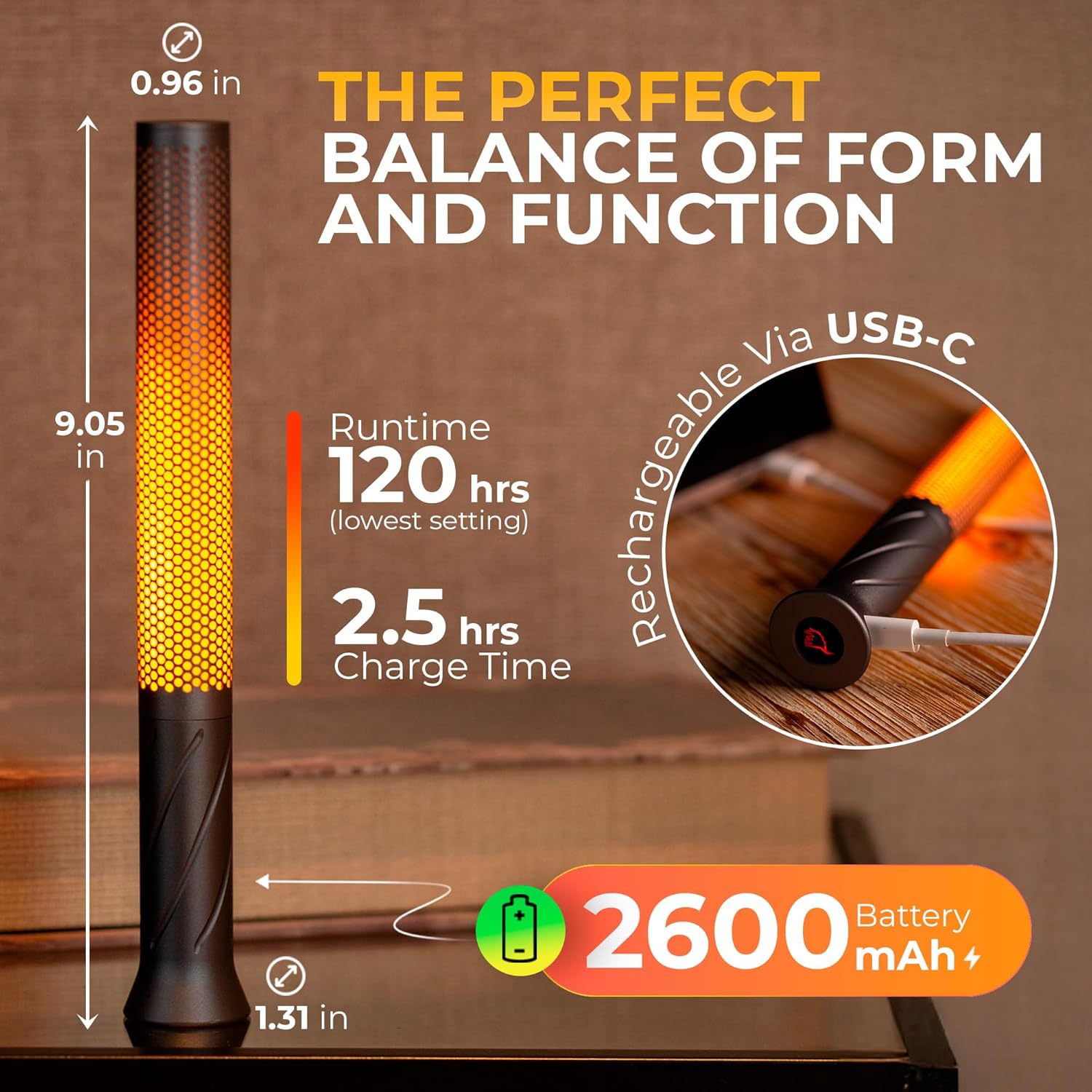
Image: A hand connecting a USB-C cable to the charging port at the base of the SEHNLICH LED Candle Light.
Video: An official product video demonstrating the charging process and various features of the SEHNLICH LED Candle Light.
Operating Instructions
Power On/Off and Mode Selection
- To turn the lamp ON or OFF, press the power button located at the base of the lamp once.
- To switch between lighting modes (Steady Light and Candle Light/Flicker Mode), double-tap the power button.
Adjusting Brightness
- While the lamp is on, press and hold the power button to cycle through five brightness levels. Release the button when the desired brightness is reached.

Image: Visual representation of the two lighting modes (steady and candle) and five dimming levels of the SEHNLICH LED Candle Light.
Video: An official product video demonstrating the operation of the SEHNLICH LED Candle Light, including mode switching and brightness adjustment.
Maintenance
Cleaning
- Wipe the lamp with a soft, dry cloth. Do not use abrasive cleaners or solvents.
- Ensure the charging port is free from dust and debris.
Storage
- Store the lamp in a cool, dry place when not in use.
- For prolonged storage, it is recommended to fully charge the battery every 3-6 months to maintain battery health.
Troubleshooting
| Problem | Possible Cause | Solution |
|---|---|---|
| Lamp does not turn on. | Low battery. | Charge the lamp using the provided USB-C cable. |
| Power button not pressed correctly. | Ensure a firm, single press on the power button. | |
| Lamp is not charging. | Faulty cable or adapter. | Try a different USB-C cable or power adapter. |
| Charging port is obstructed. | Clean the USB-C port gently. | |
| Light flickers unexpectedly in steady mode. | Accidentally switched to candle mode. | Double-tap the power button to return to steady light mode. |
Specifications
| Feature | Detail |
|---|---|
| Model Name | FL-V1-GOLD |
| Brand | SEHNLICH |
| Dimensions | 1.31"D x 1.31"W x 9.05"H |
| Item Weight | 4.2 ounces |
| Material | Aluminum |
| Finish Type | Anodized |
| Light Source Type | LED |
| Color Temperature | 1600 Kelvin |
| Number of Light Sources | 1 |
| Power Source | Battery Powered |
| Battery Capacity | 2600 mAh (Lithium Ion) |
| Max Runtime (Min. Brightness) | Up to 120 hours |
| Control Method | Touch (Button) |
| Special Features | Cordless, Dimmable, Flameless, Portable, Rechargeable |
| Indoor/Outdoor Usage | Indoor |
Warranty and Support
For warranty information or technical support, please refer to the contact details provided on the product packaging or visit the official SEHNLICH website. Keep your purchase receipt for warranty claims.