
WINH WINHa6rhbgp08i
WINH ME98 Smart Thermostat User Manual
Model: ME98
1. Introduction
This manual provides detailed instructions for the installation, operation, and maintenance of your WINH ME98 Smart Thermostat. Please read this manual thoroughly before installation and use to ensure proper function and safety.
The WINH ME98 Smart Thermostat is designed for controlling gas boilers and hot water heating systems. It features a 7-day programmable schedule, voice control compatibility, and precise temperature accuracy of 0.5 ℃. It is suitable for various environments including homes, offices, shopping malls, and hotels.
2. Safety Information
WARNING: To prevent accidental ingestion or choking, keep the product and its components separate from children's toys and other items.

Image: Multilingual warning label emphasizing the importance of keeping the product away from children to prevent choking hazards.
- Ensure all electrical connections are made by a qualified professional.
- Disconnect power before installation or maintenance.
- Do not expose the device to excessive moisture or extreme temperatures.
3. Package Contents
Verify that all items listed below are present in your package:
- 1 x Temperature Control Receiver
- 1 x Emitter (Thermostat Display Unit)
- 2 x User Manuals (this document)
- 4 x Screws
- 2 x Expansion Nuts
- 1 x Power Cord (USB Type-C)
- 2 x Accessory (Stands for Emitter)

Image: The WINH ME98 Smart Thermostat display unit, the wireless receiver, and all included accessories: USB power cable, mounting screws, expansion nuts, and two stands.
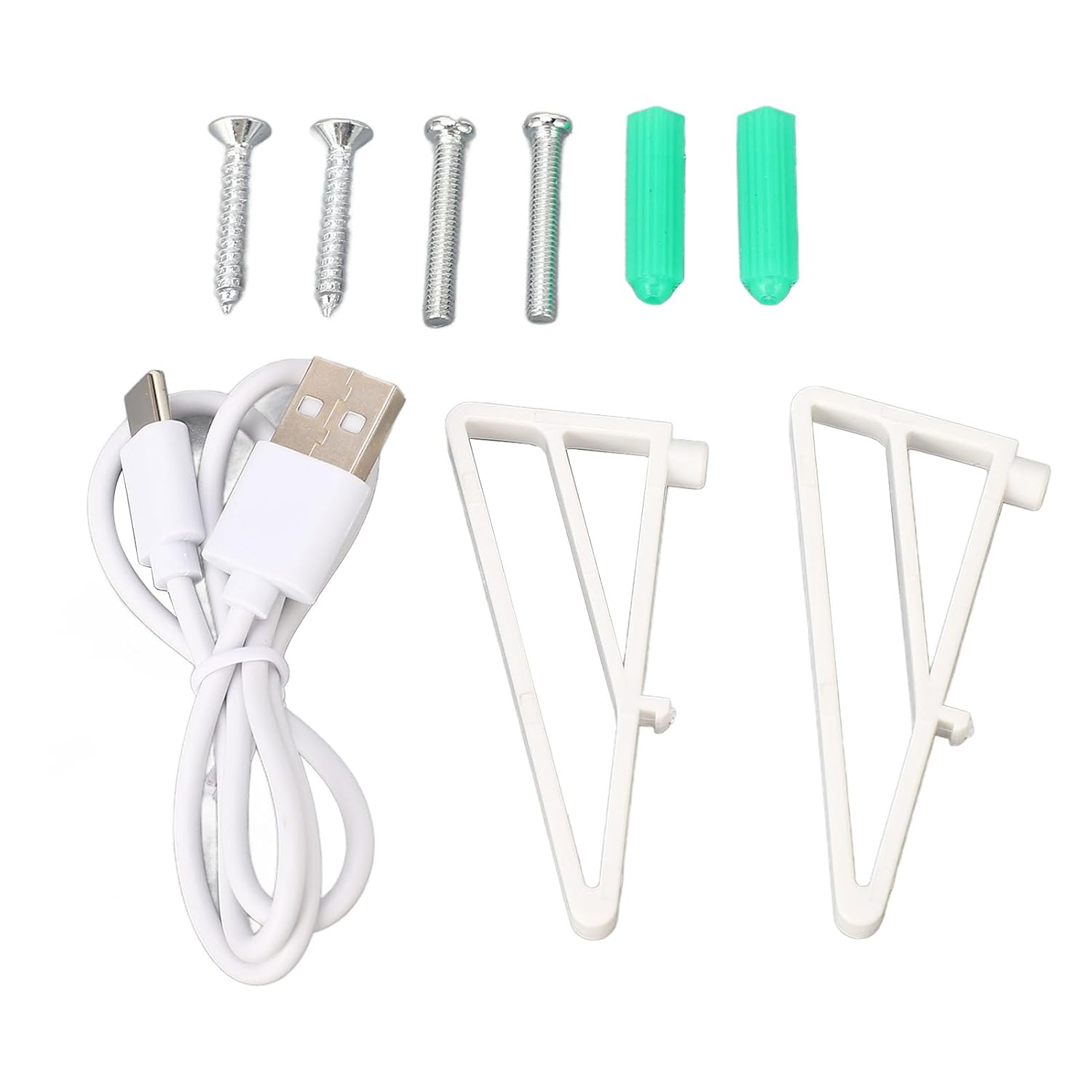
Image: A close-up view of the mounting accessories, including four screws, two green expansion nuts, a white USB Type-C power cable, and two white triangular stands.
4. Specifications
| Feature | Specification |
|---|---|
| Model | ME98 |
| Material | ABS |
| Emitter Power Supply | 2 x AA batteries (not included) or USB (Type-C port) |
| Temperature Sensor | NTC |
| Temperature Accuracy | ± 0.5 ℃ |
| Temperature Range | 0 to 90 ℃ |
| Temperature Setting Range | 5 to 70 ℃ |
| Environmental Temperature | 0 to 50 ℃ |
| Load Current | 3A |
| Wireless Receiver Power | AC230V, 50/60Hz |
| Wireless Frequency | 433MHZ |
| Wireless Transmission Distance | Approx. 100m / 328.1ft (open air) |
| Dimensions | 14 x 10 x 8 cm (Product) |
| Weight | 300 g |
5. Setup and Installation
The WINH ME98 Smart Thermostat is designed for easy installation. Follow these steps to set up your device.
5.1. Components Overview

Image: The WINH ME98 Smart Thermostat display unit (emitter) showing the screen with current temperature, set temperature, time, and various icons. Below it is the wireless receiver with "Pair Code" button, "Power" indicator, and "Heating on" indicator.

Image: The back of the wireless receiver unit, showing the model number ME98HCE and mounting points.
5.2. Wireless Receiver Installation
- Power Disconnection: Before starting, ensure the main power supply to your heating system is turned off at the circuit breaker.
- Mounting Location: Choose a suitable location for the wireless receiver near your gas boiler or hot water heating system. Ensure it is within the wireless transmission range of the emitter (approx. 100m in open air, less indoors).
- Mounting: Use the provided screws and expansion nuts to securely mount the receiver to a wall.
- Wiring: Connect the receiver to your heating system according to the wiring diagram provided in the separate wiring manual (if applicable) or consult a qualified electrician. The receiver operates on AC230V, 50/60Hz.
- Power Connection: Once wiring is complete, restore power to the heating system. The "Power" indicator on the receiver should illuminate.
5.3. Emitter (Display Unit) Setup
- Powering the Emitter:
- Battery Power: Insert 2 x AA batteries (not included) into the battery compartment on the back of the emitter.
- USB Power: Alternatively, connect the provided USB Type-C power cord to the emitter and a suitable USB power adapter (not included).
- Placement: The emitter can be placed on a flat surface using the provided stands or mounted on a wall. Choose a central location in the room where temperature can be accurately measured, away from direct sunlight, drafts, or heat sources.
- Pairing (if necessary): If the emitter and receiver are not automatically paired, press the "Pair Code" button on the receiver and follow the pairing instructions in the full manual.
6. Operating Instructions
The WINH ME98 Smart Thermostat offers various modes and settings for optimal temperature control.
6.1. Basic Operation
- Power On/Off: Use the power button on the emitter to turn the thermostat on or off.
- Temperature Adjustment: Use the up and down arrow buttons on the emitter to adjust the desired set temperature. The thermostat will maintain the room temperature within ± 0.5 ℃ of your setting.
- Display Information: The display shows the current room temperature, the set temperature, the current time, and various status icons (e.g., Wi-Fi, heating active).
6.2. 7-Day Programmable Schedule
The thermostat allows you to set a customized heating schedule for each day of the week. This feature helps optimize energy consumption and comfort.
- Access the scheduling menu through the emitter's interface (refer to the detailed manual for specific button presses).
- Set different temperature profiles for various periods of the day (e.g., "going home," "sleeping," "going out").
- Repeat for each day of the week to create a personalized heating plan.
6.3. Voice Control
The WINH ME98 Smart Thermostat supports voice control through compatible smart home platforms.
- Compatibility: Works with platforms such as Amazon Alexa, Google Assistant, Xiaodu, and Yandex.
- Setup: Refer to the instructions provided by your smart home platform to link your WINH ME98 thermostat. This typically involves enabling a skill or adding a device within the smart home app.
- Commands: Once linked, you can use voice commands to adjust temperature, change modes, or inquire about the current temperature.
7. Maintenance
The WINH ME98 Smart Thermostat requires minimal maintenance.
- Cleaning: Wipe the device surfaces with a soft, dry cloth. Do not use abrasive cleaners or solvents.
- Battery Replacement: If using battery power for the emitter, replace the AA batteries when the low battery indicator appears on the display.
- Firmware Updates: Check the manufacturer's website or associated app (if available) for any firmware updates that may improve performance or add features.
8. Troubleshooting
If you encounter issues with your WINH ME98 Smart Thermostat, refer to the following common problems and solutions:
- No Display on Emitter:
- Check if AA batteries are correctly inserted and charged, or if the USB power cable is securely connected.
- Ensure the emitter is powered on.
- Receiver Not Responding / No Heating:
- Verify that the receiver is receiving power (Power indicator light should be on).
- Check the wireless connection between the emitter and receiver. Re-pair if necessary (refer to Section 5.3).
- Ensure the heating system itself is operational and its power supply is active.
- Inaccurate Temperature Reading:
- Ensure the emitter is not placed near heat sources, direct sunlight, or drafts that could affect its sensor.
- Allow some time for the thermostat to stabilize after initial setup or significant temperature changes.
- Voice Control Not Working:
- Confirm that the thermostat is correctly linked to your smart home platform (e.g., Amazon Alexa, Google Assistant).
- Check your internet connection and the status of your smart home hub/device.
- Ensure you are using the correct voice commands.
For further assistance, please contact WINH customer support.
9. Warranty and Support
For information regarding warranty coverage, please refer to the warranty card included with your product or visit the official WINH website.
If you require technical support or have questions not covered in this manual, please contact WINH customer service through their official channels.
Ask a question about this manual
Ask about setup, troubleshooting, compatibility, parts, safety, or missing instructions. Manuals+ will review the question and use this page’s manual context to help answer it.