
Introduction
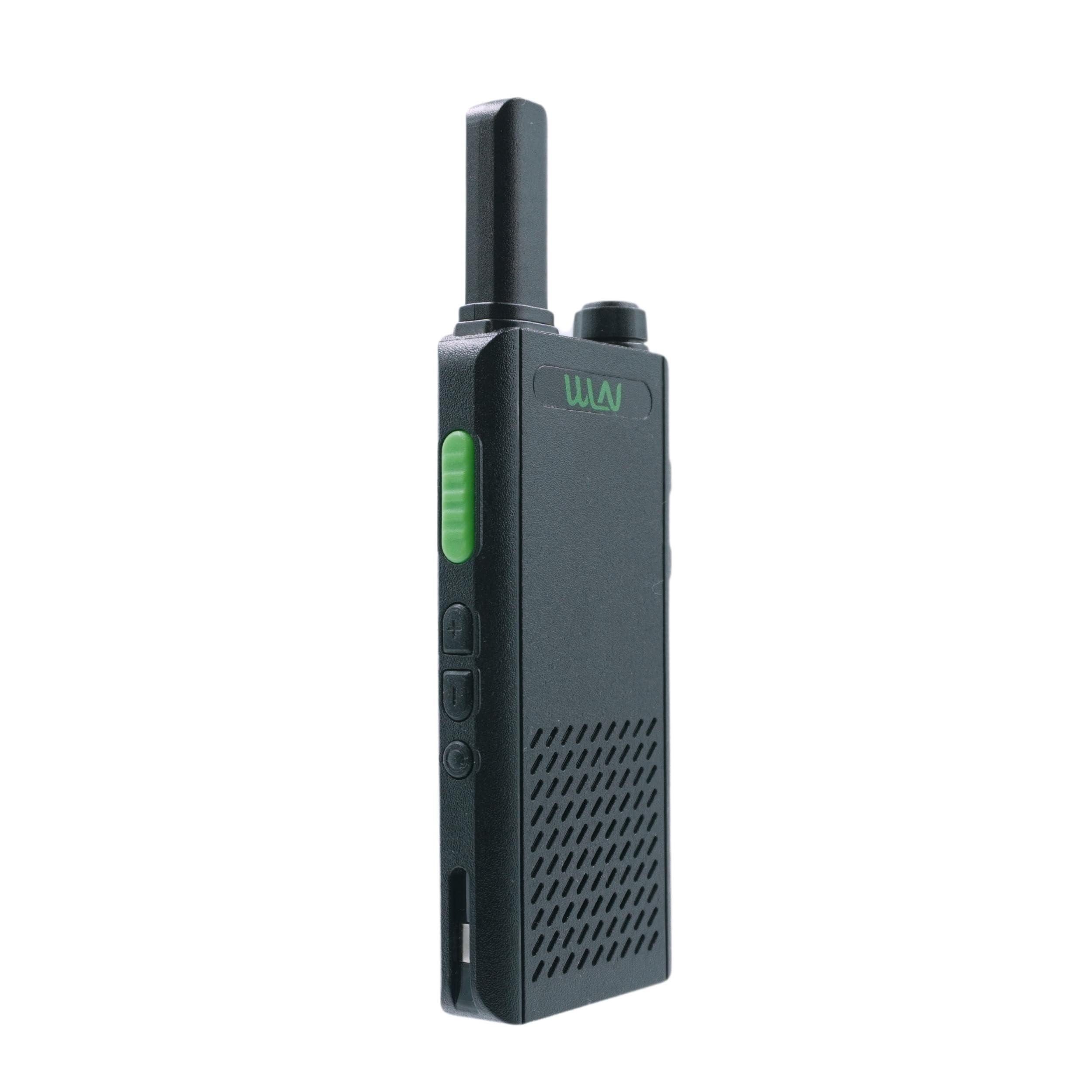
The WLN KD-C160 GMRS Radio is a smart, easy-to-use, high-performance 16 Channel GMRS/FRS Radio. It is capable of reaching GMRS frequency ranges between 462.5625MHz to 467.7250MHz. This radio features a sleek, super-thin design and includes a built-in lithium battery, charging cable, and adapter. It is ideal for on-site business applications such as hotel front desk, retail, restaurants, and grocery.
Package Contents
Upon opening your WLN KD-C160 package, you should find the following items:
- 1x WLN KD-C160 Radio
- 1x Power Adapter
- 1x USB Charging Cable
- 1x User Guide

This image displays the contents of the WLN KD-C160 package, including one radio unit, a USB charging adapter, a USB charging cable, and the user guide.
Product Overview
The WLN KD-C160 is lightweight and features a compact design for easy portability. Familiarize yourself with the radio's components:
This diagram highlights the key components of the WLN KD-C160 radio, including the Volume On/Off knob, PTT Button, Channel Up/Down buttons, USB Charging Cable port, Earphone Port, Mic. Port, and Speaker/Microphone area. It also indicates the built-in, unremovable battery and included charging accessories.

This image provides multiple views of the WLN KD-C160 radio, showing its front, side, and back profiles, emphasizing its sleek and compact design.
Setup
Battery Installation and Charging
The WLN KD-C160 radio comes with a built-in 1000mAh Li-ion rechargeable battery. This battery is unremovable.
- Connect the provided USB Charging Cable to the radio's USB Charging Port.
- Plug the USB Charging Cable into the Power Adapter.
- Insert the Power Adapter into a standard electrical outlet.
- The radio's indicator light will show charging status. A full charge provides up to 9 hours of use (based on 5/5/90 Standard Test: 5% transmit, 5% receive, 90% standby).
- A low battery alert will notify you when the battery level is critical.
Power On/Off and Volume Control
To power on the radio, rotate the Volume On/Off knob clockwise. To power off, rotate it counter-clockwise until it clicks. Adjust the volume by rotating the same knob.
Operating Instructions
Channel Selection
The radio features 16 preset channels. Use the "Channel up" and "Channel down" buttons located on the side of the radio to navigate between channels.
Push-to-Talk (PTT) Function
To transmit, press and hold the large PTT button on the side of the radio. Speak clearly into the microphone. Release the PTT button to listen for a response.
Compatibility
IMPORTANT: This radio MUST be paired with radios from the PrimeWireless store, as the channels are preset to work with PrimeWireless radios alone. It cannot be programmed or paired with any other radio from other stores.
This video demonstrates the basic operation and menu navigation of a two-way radio, including power on/off, channel selection, and accessing various settings. While it features a different model (BAOFENG 5RX), the general principles of two-way radio usage are applicable.
This video provides a general overview of a two-way radio product, showcasing its design and some features. Although it may not be specific to the KD-C160, it offers a visual representation of a similar device.
Pairing
The WLN KD-C160 radio is designed with 16 preset channels and privacy codes to minimize interference. For optimal performance, it is crucial to pair this radio with other WLN GMRS radios from the PrimeWireless store.
Compatible with radios from our store, including:
- KD-C1 (from PrimeWireless)
- KD-C160 (from PrimeWireless)

This image illustrates the pairing compatibility of the WLN KD-C160 radio with other WLN models (KD-C1 and KD-C160) from the PrimeWireless store, emphasizing the importance of using compatible devices for proper function.
Specifications
| Feature | Detail |
|---|---|
| Model | KD-C160 |
| Brand | WLN |
| Number of Channels | 16 |
| Frequency Range | 462.5625MHz to 467.7250MHz |
| Output Power | 2W |
| Battery Type | 1000mAh Li-ion (Built-in, unremovable) |
| Battery Average Life | Up to 9 hours (5/5/90 Standard Test) |
| Voltage | 3.7 Volts |
| Item Weight | 102 Grams |
| Product Dimensions | 2.6D x 5.4W x 14.7H Centimetres |
| Special Features | Rechargeable, Low battery alert |
| Water Resistance Level | Water Resistant |

This image provides a summary of key specifications for the WLN KD-C160 radio, including operating time (9 hours), output power (2W), unit weight (102g), and battery warranty (180 days).
Maintenance
Battery Care
To prolong battery life, avoid fully discharging the battery frequently. Recharge the radio when the low battery alert is activated. Store the radio in a cool, dry place when not in use for extended periods.
Cleaning
Clean the radio's exterior with a soft, damp cloth. Do not use harsh chemicals or abrasive cleaners. Ensure all ports are dry before charging.
Troubleshooting
No Power
- Ensure the battery is charged. Connect the radio to the charger and check if the charging indicator light activates.
- Verify the Volume On/Off knob is rotated clockwise to the "On" position.
Cannot Transmit or Receive
- Check if the radio is on the same channel as the other radio you are trying to communicate with.
- Ensure the PTT button is fully pressed when transmitting and released when receiving.
- Confirm that the radio is within range of the other unit. Obstacles like buildings or dense foliage can reduce range.
- Remember that this radio is specifically designed to pair with PrimeWireless store radios.
Poor Audio Quality
- Adjust the volume using the Volume On/Off knob.
- Ensure the microphone and speaker areas are not obstructed.
- Move to an area with fewer obstructions or potential interference.
Warranty and Support
The WLN KD-C160 radio comes with a 180-day battery warranty.
For product support, troubleshooting assistance, or warranty claims, please contact the PrimeWireless customer service. Refer to the included User Guide for detailed contact information.
