1. Introduction
This manual provides essential information for the safe and effective use of your SKKSource AC Adapter Charger. This power supply is designed to provide reliable power to compatible robot vacuum cleaners, ensuring optimal performance and charging.
Compatible Models: Goovi ONSON J30, J20, J20C, D380, J10C Robot Vacuum Cleaners.
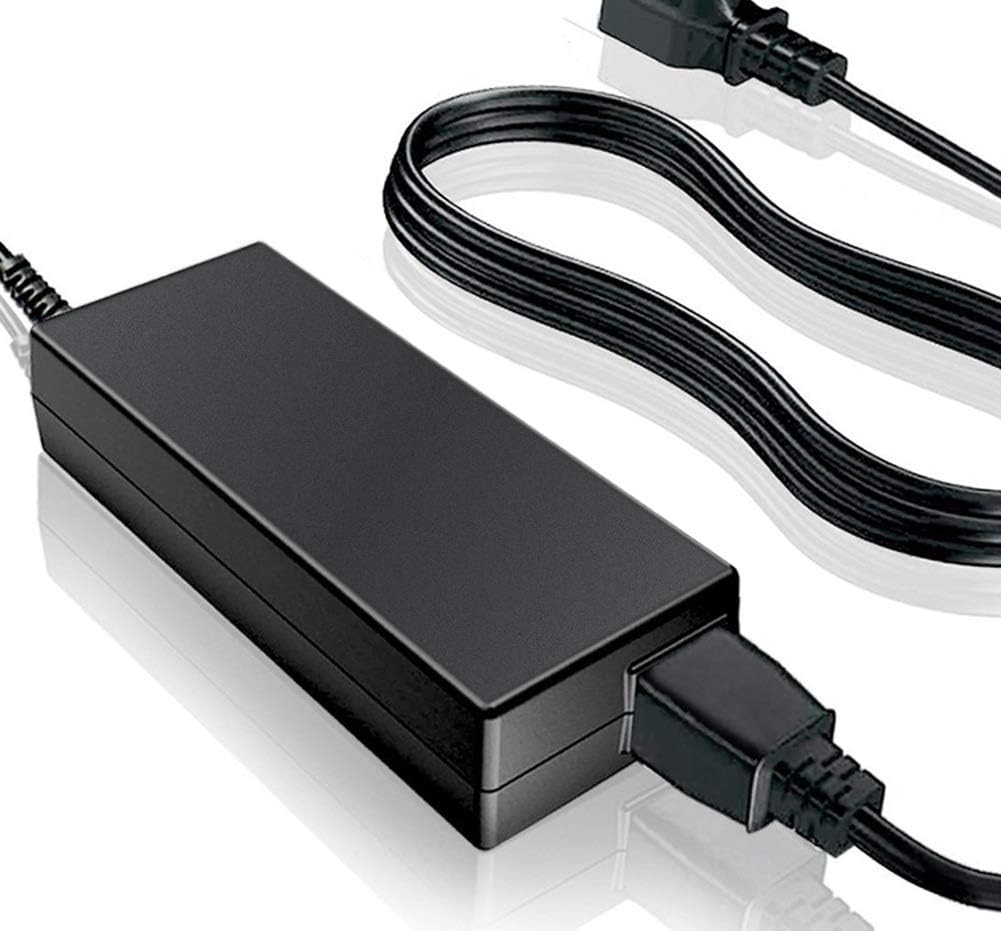
Image 1.1: The SKKSource AC Adapter Charger, showing the main adapter unit and connected power cord.
2. Safety Information
Please read and understand all safety instructions before using this product. Failure to follow these instructions may result in electric shock, fire, or other hazards.
- Compatibility Verification: Before connecting, ensure the DC output and tip size of this AC adapter are compatible with your device. Incorrect voltage or connector size can damage your equipment.
- Ventilation: When using the adapter for extended periods, ensure it is placed in a well-ventilated area. Avoid covering the adapter or placing it on surfaces that can trap heat, such as carpets or bedding.
- Environmental Conditions: Do not expose the adapter to moisture, rain, or extreme temperatures. Keep it away from direct sunlight and heat sources.
- Physical Integrity: Do not use the adapter if the cord or plug is damaged. Do not attempt to open or repair the adapter yourself. Refer all servicing to qualified personnel.
- Child Safety: Keep the adapter out of reach of children.
- Built-in Protections: This SKKSource adapter is manufactured with safety features including protection against incorrect voltage (IV), short circuits (SC), and internal overheating (IO). It is certified with CE and FCC standards.

Image 2.1: Illustration of the adapter's integrated safety features, such as over-charge, over-voltage, short-circuit, over-current, and over-temperature protection, highlighting its robust design.
WARNING: Proposition 65 Warning. This product may contain chemicals known to the State of California to cause cancer and birth defects or other reproductive harm.
3. Setup
Follow these steps to properly set up your SKKSource AC Adapter Charger:
- Unpack: Carefully remove the AC adapter and power cord from its packaging.
- Inspect: Check the adapter and cables for any visible damage. Do not use if damaged.
- Connect Power Cord: Insert the 2-pin connector of the power cord firmly into the AC input socket on the adapter unit.
- Connect to Device: Insert the barrel connector of the adapter's output cable into the power input port of your compatible Goovi ONSON robot vacuum cleaner.
- Connect to Power Outlet: Plug the power cord into a standard 100-240V AC wall outlet.
- Verify Connection: Ensure all connections are secure. The robot vacuum cleaner should now begin charging or receive power.

Image 3.1: The SKKSource AC Adapter Charger shown with its detachable 2-pin power cord, ready for connection.
4. Operating Instructions
The SKKSource AC Adapter Charger operates automatically once connected to a power source and a compatible device. It is designed for continuous use to power or charge your robot vacuum cleaner.
- Powering On: Once properly connected, the adapter will supply power to your robot vacuum cleaner.
- Charging: If your robot vacuum cleaner has a rechargeable battery, the adapter will initiate the charging process. Refer to your robot vacuum cleaner's manual for specific charging indicators.
- Disconnection: To disconnect, first unplug the power cord from the wall outlet, then disconnect the barrel connector from your device.

Image 4.1: Examples of the adapter's versatile use in different environments, such as business travel, vacations, in-car charging, and office settings, highlighting its compact and portable design.
5. Maintenance
Proper maintenance ensures the longevity and safe operation of your AC adapter.
- Cleaning: Disconnect the adapter from all power sources before cleaning. Use a soft, dry cloth to wipe the exterior. Do not use liquid cleaners or solvents.
- Storage: When not in use, store the adapter in a cool, dry place, away from direct sunlight and extreme temperatures. Avoid tightly coiling the cables to prevent damage.
- Inspection: Periodically inspect the adapter, power cord, and connectors for any signs of wear, cuts, or damage. If damage is found, discontinue use and replace the adapter.
- Ventilation: Always ensure adequate ventilation during operation to prevent overheating.
6. Troubleshooting
If you encounter issues with your SKKSource AC Adapter Charger, refer to the following common troubleshooting steps:
- No Power to Device:
- Ensure the adapter is securely plugged into a working wall outlet.
- Verify that the barrel connector is fully inserted into your robot vacuum cleaner's power port.
- Check if the wall outlet is functional by plugging in another device.
- Confirm that the adapter's specifications (voltage, current, connector type) match your device's requirements.
- Adapter Overheating:
- Ensure the adapter is in a well-ventilated area and not covered.
- Disconnect the adapter and allow it to cool down before resuming use.
- Device Not Charging:
- Confirm that your robot vacuum cleaner's charging port is clean and free of debris.
- Refer to your robot vacuum cleaner's manual for specific charging instructions or indicators.
If these steps do not resolve the issue, please contact customer support for assistance.
7. Specifications

Image 7.1: An exploded view highlighting the internal and external features of the adapter, including its quality microchip, robust plug, copper power cord, and fire-retardant casing.
| Feature | Specification |
|---|---|
| Brand | SKKSource |
| Model | AC Adapter Charger |
| Input Voltage | 100-240V AC |
| Connector Type | Barrel |
| Main Power Connector Type | 2 Pin |
| Material | Composite, Metal, Plastic |
| Product Dimensions | 4 x 3 x 2 inches |
| Power Source | Corded Electric |
| Certifications | CE, FCC |
| Manufacturer | Shenzhen Sunshine Technological Co., Ltd |
| Compatible Devices | Goovi ONSON J30, J20, J20C, D380, J10C Robot Vacuum Cleaners |
8. Warranty and Support
Your SKKSource AC Adapter Charger comes with a 24-month warranty from the date of purchase, covering manufacturing defects and material faults under normal use.
For any questions, concerns, or technical support regarding your product, please do not hesitate to contact us. We are committed to providing assistance and ensuring your satisfaction.
Contact Information: Please refer to your purchase documentation or the seller's contact details on the platform where the product was acquired.