
1. Introduction
The COOL RACING CE-NANO Chorus Electric Guitar Effect Pedal is designed to provide a classic chorus effect for electric guitar players. This compact pedal features a full metal shell for durability and true bypass switching to maintain signal integrity when the effect is disengaged. It offers intuitive control over the chorus effect with dedicated Rate and Depth knobs.
2. Safety Information
- Use only a regulated DC 9V AC adapter with a center-negative plug. Using an incorrect power supply can damage the unit and void the warranty.
- Do not expose the pedal to water, moisture, or extreme temperatures.
- Avoid dropping the pedal or subjecting it to strong impacts.
- Do not attempt to open or repair the unit yourself. Refer all servicing to qualified personnel.
- Keep out of reach of children.
3. Package Contents
- COOL RACING CE-NANO Chorus Electric Guitar Effect Pedal
- User Manual (this document)
Note: The DC 9V AC adapter is not included and must be purchased separately.
4. Product Features
- Electric guitar chorus effect pedal for guitar players.
- Two functional knobs (RATE/DEPTH) for adjusting the chorus effect.
- True bypass footswitch for seamless switching between effect and bypass status.
- LED light for indicating effect status (on/off).
- Full metal shell construction for durability and compact size for portability.
5. Controls and Functions
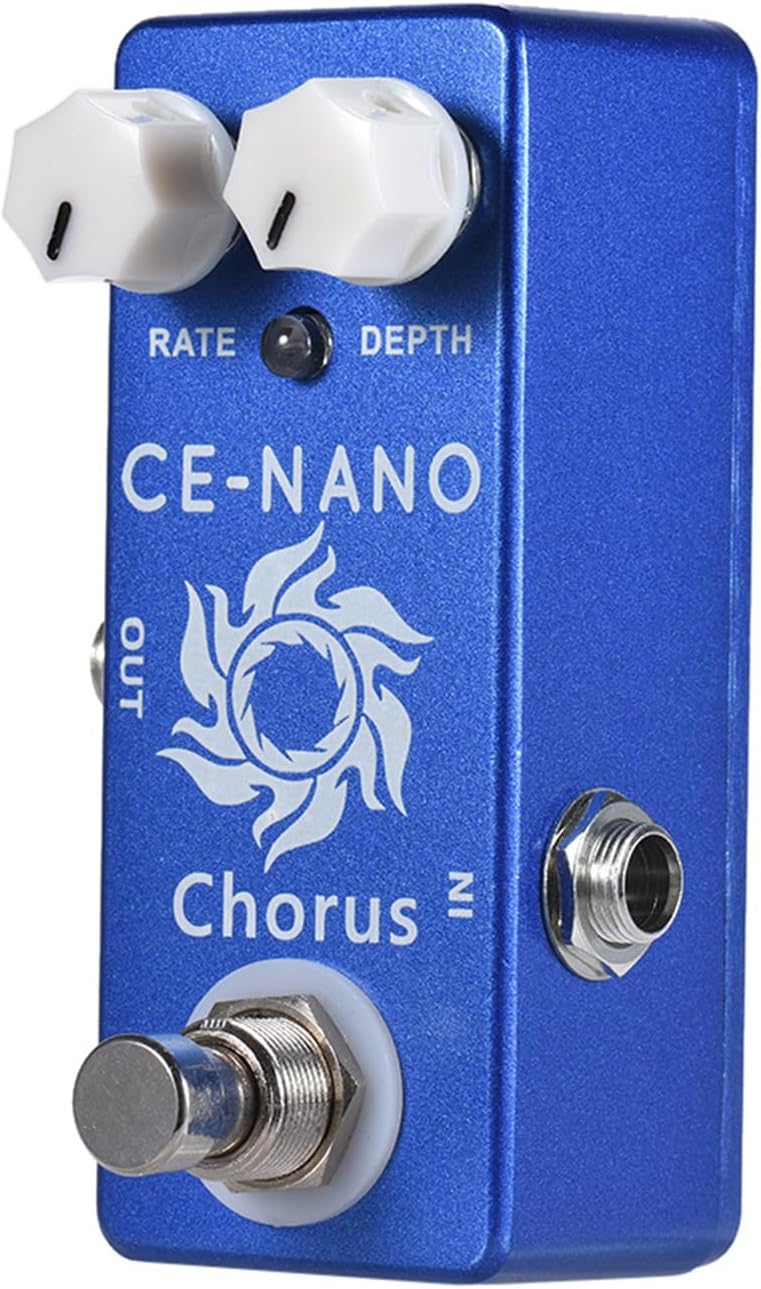
Image: Front view of the CE-NANO Chorus pedal, highlighting the control knobs and footswitch.
- RATE Knob: This knob controls the speed of the chorus effect. Turning it clockwise increases the modulation speed, while turning it counter-clockwise decreases it.
- DEPTH Knob: This knob adjusts the intensity or depth of the chorus effect. Turning it clockwise increases the depth of the modulation, resulting in a more pronounced chorus sound. Turning it counter-clockwise reduces the depth for a more subtle effect.
- Footswitch: Engages or disengages the chorus effect. When the effect is active, the LED indicator will illuminate.
- LED Indicator: Illuminates when the chorus effect is active. When the LED is off, the pedal is in true bypass mode.
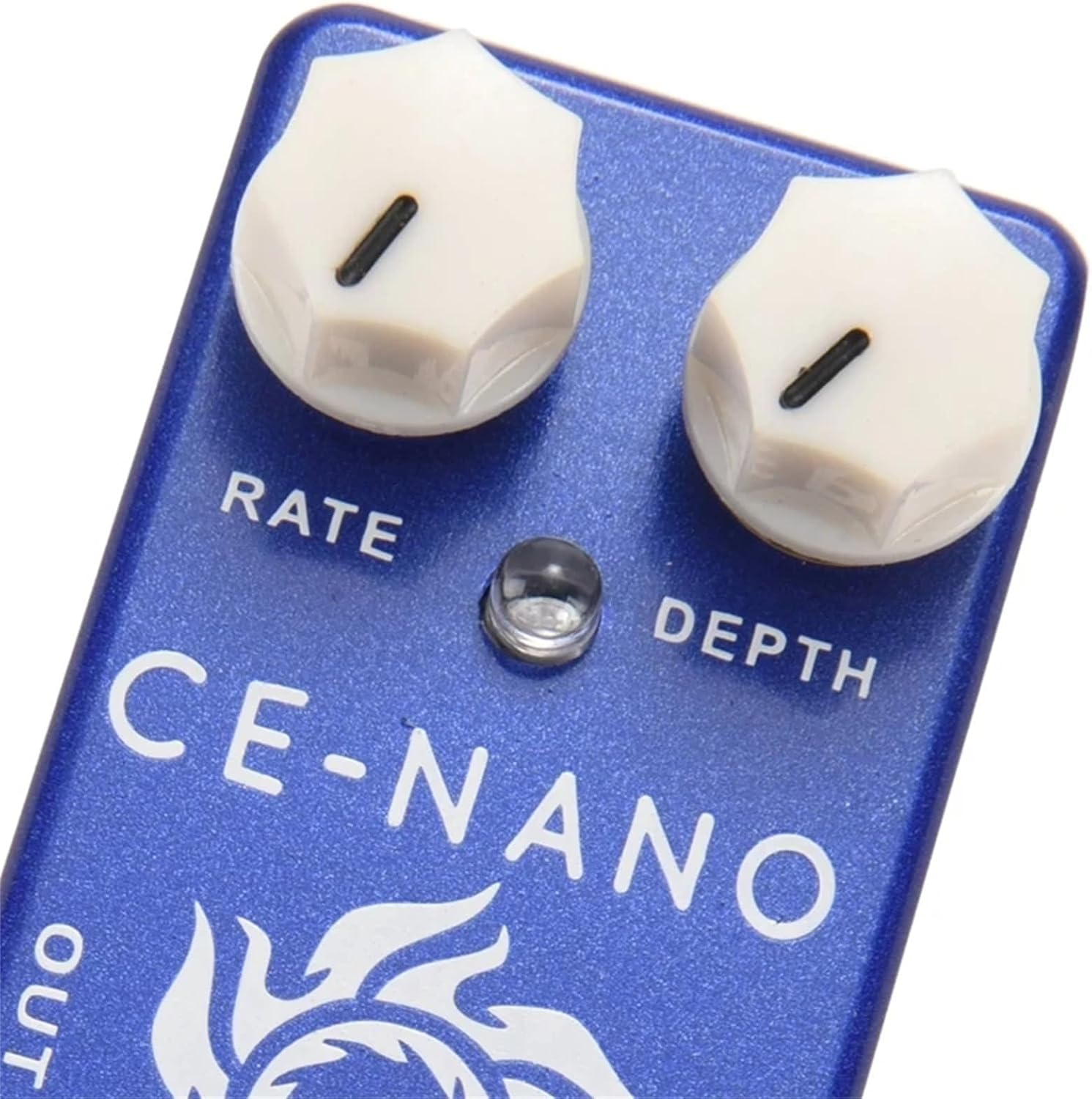
Image: Close-up of the Rate and Depth control knobs, showing their positions and labels.
6. Setup
- Power Connection: Connect a DC 9V center-negative AC adapter (not included) to the power input jack on the top of the pedal. Ensure the power source is stable.
- Input Connection: Connect your electric guitar or the output of a preceding effect pedal to the 1/4 inch monaural IN jack on the right side of the pedal using a standard instrument cable.
- Output Connection: Connect the 1/4 inch monaural OUT jack on the left side of the pedal to your amplifier's input or the input of the next effect pedal in your signal chain using a standard instrument cable.
- Power On: Once all connections are secure, turn on your amplifier and then the pedal's power supply.

Image: Top view of the pedal, illustrating the DC 9V power input jack.
7. Operating Instructions
- Engaging the Effect: Press the footswitch to activate the chorus effect. The LED indicator will light up, signifying that the effect is active.
- Disengaging the Effect: Press the footswitch again to bypass the chorus effect. The LED indicator will turn off, and your signal will pass through the pedal unaffected (true bypass).
- Adjusting the Chorus: Use the RATE knob to control the speed of the chorus modulation and the DEPTH knob to control its intensity. Experiment with different settings to achieve your desired sound.

Image: Angled view of the pedal, demonstrating its compact size and connection points.
8. Maintenance
- Cleaning: Use a soft, dry cloth to clean the pedal's exterior. Do not use abrasive cleaners or solvents.
- Storage: When not in use for extended periods, disconnect the power supply and store the pedal in a dry, cool place away from direct sunlight.
- Connections: Periodically check all cable connections for wear and tear. Replace damaged cables to ensure optimal performance.
9. Troubleshooting
- No Sound:
- Ensure all cables are securely connected to the input, output, and amplifier.
- Verify the power adapter is correctly connected and providing the specified DC 9V center-negative power.
- Check if your guitar and amplifier are functioning correctly by bypassing the pedal.
- Ensure the volume on your guitar and amplifier is turned up.
- Weak or Incorrect Effect:
- Adjust the RATE and DEPTH knobs to ensure they are not set to minimum or extreme positions that might produce an undesirable sound.
- Check the power supply for proper voltage and current delivery.
- LED Not Lighting Up:
- Confirm the power supply is connected and functioning.
- Press the footswitch to ensure the effect is engaged.
10. Specifications

Image: Dimensions of the CE-NANO Chorus pedal.
| Input | 1/4 inch monaural Jack |
| Output | 1/4 inch monaural Jack |
| Power Supply | DC 9V AC adapter (center minus plug, adapter not included) |
| Item Size | 9.3 x 3.8 x 3.2 cm / 3.7 x 1.5 x 1.3 inches |
| Item Weight | 145 g / 5.1 oz |
| Material | Zinc aluminum alloy (Full metal shell) |
| Signal Format | Analog |

Image: Bottom label of the pedal, indicating power requirements (9VDC adapter, center negative polarity).
11. Warranty and Support
Warranty: The manufacturer states that warranty information is not applicable (N/a) for this product. Please refer to your retailer's return policy for details on returns or exchanges.
Support: For any operational questions or technical assistance, please contact the retailer from whom you purchased this product. They can provide guidance or direct you to appropriate support resources.