
1. Introduction
This manual provides essential instructions for the safe and effective use of your SKKSource AC Adapter Charger. This adapter is designed to provide reliable power to compatible Hover-1 electric scooters, specifically the Gambit (H1-GAM), Helios (H1-HLOS), and Jive (H1-JVE) models. Please read this manual thoroughly before use and retain it for future reference.
Important Note:
- Ensure the DC output and tip size of this AC adapter are compatible with your device before connecting.
- This adapter is a high-quality replacement unit.
2. Safety Information
Your safety is paramount. Please observe the following precautions:
- Ventilation: When using the adapter for extended periods, ensure adequate ventilation and avoid placing it on heat-retaining surfaces or materials.
- Environment: Do not expose the adapter to moisture, rain, or extreme temperatures. Use indoors only.
- Damage: Do not use the adapter if the cord or plug is damaged. Contact support for a replacement.
- Compatibility: Only use this adapter with devices specified as compatible. Using it with incompatible devices may cause damage or fire.
- Protection Features: This adapter is equipped with multiple safety features, including protection against incorrect voltage (IV), short circuits (SC), and internal overheating (IO). It is CE and FCC certified.
- Children: Keep out of reach of children.

Image: Safety features of the SKKSource AC Adapter, highlighting built-in protections.
3. Package Contents
Please verify that all items are present:
- 1 x SKKSource AC Adapter Charger
- 1 x AC Power Cord
- 2 x USB Cable (as per product listing, though the primary function is AC charging)

Image: Contents of the SKKSource AC Adapter package.
4. Setup Instructions
- Inspect the Adapter: Before first use, carefully inspect the AC adapter and all cables for any signs of damage. Do not use if damaged.
- Connect AC Power Cord: Plug the AC power cord into the adapter's AC socket. Ensure it is firmly seated.
- Connect to Wall Outlet: Plug the AC power cord into a standard wall outlet (100-240V AC).
- Connect to Device: Carefully insert the barrel connector of the adapter into the charging port of your compatible Hover-1 scooter (Gambit, Helios, or Jive). Ensure the connection is secure.
- Charging Indicator: Your device may have an indicator light to show charging status. Refer to your scooter's manual for details.
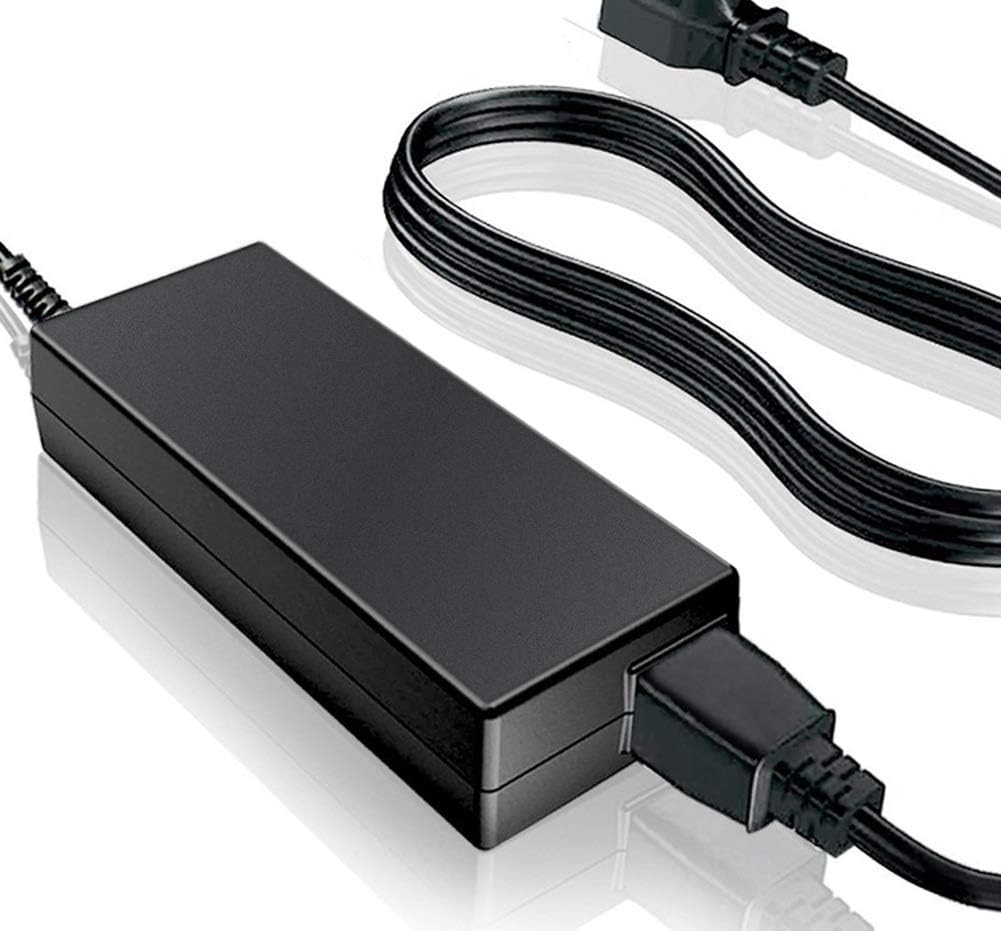
Image: SKKSource AC Adapter connected to its power cord.
5. Operating Instructions
Once connected, the adapter will begin charging your device. The adapter is designed for straightforward operation:
- Charging: Allow your device to charge until its battery indicator shows a full charge.
- Disconnection: Once charging is complete, first disconnect the adapter from your device, then unplug the AC power cord from the wall outlet.
- Usage Scenarios: The compact design makes this adapter suitable for various uses, including travel, office, or home charging.

Image: The SKKSource AC Adapter's portability for various usage scenarios.
6. Maintenance and Care
To ensure the longevity and optimal performance of your adapter:
- Cleaning: Disconnect the adapter from all power sources before cleaning. Use a soft, dry cloth to wipe the surface. Do not use liquid cleaners or solvents.
- Storage: Store the adapter in a cool, dry place away from direct sunlight and extreme temperatures. When storing, coil the cables loosely to prevent damage.
- Cable Care: Avoid sharp bends or kinks in the cables. Do not place heavy objects on the cables. The power supply uses a high-quality copper core wire for durability.
- Ventilation: Ensure the adapter has adequate airflow during operation to prevent overheating.

Image: Product details highlighting the quality components and design of the SKKSource AC Adapter.
7. Troubleshooting
If you encounter issues with your adapter, try the following steps:
- No Power/Charging:
- Ensure all connections are secure: AC cord to adapter, adapter to wall outlet, and adapter to device.
- Test the wall outlet with another device to confirm it is functional.
- Verify the adapter's specifications match your device's power requirements.
- Adapter Overheating:
- Disconnect the adapter and allow it to cool down.
- Ensure it is placed in a well-ventilated area, not covered by anything.
- If overheating persists, discontinue use and contact support.
- Device Not Recognizing Charger:
- Confirm the adapter's barrel connector size and voltage output are correct for your Hover-1 scooter model.
- Check your scooter's charging port for any obstructions or damage.
If these steps do not resolve the issue, please contact customer support.
8. Specifications
| Brand | SKKSource |
| Model Compatibility | Hover-1 Gambit (H1-GAM), Helios (H1-HLOS), Jive (H1-JVE) |
| Input Voltage | 100-240V AC |
| Connector Type | Barrel |
| Product Dimensions | 4 x 3 x 2 inches (approximate adapter block size) |
| Material | Composite, Metal, Plastic (VO-Grade Fire-Retardant Casing) |
| Color | Black |
| Certifications | CE, FCC |
| Special Feature | Portable |
| Manufacturer | Shenzhen Sunshine Technological Co., Ltd |
9. Warranty and Support
SKKSource products are manufactured with high-quality materials and undergo rigorous testing. For any questions or concerns regarding your AC adapter, please do not hesitate to contact us.
- Warranty: While specific warranty duration is not detailed here, SKKSource products are designed for durability and safety. Please refer to your purchase documentation for warranty specifics.
- Customer Support: For technical assistance, troubleshooting, or warranty claims, please contact your retailer or the manufacturer directly.