
Pro60
TWS Pro60 Wireless Bluetooth Headset User Manual
Model: Pro60 | Brand: Generic
1. Introduction
Thank you for choosing the TWS Pro60 Wireless Bluetooth Headset. This manual provides detailed instructions on how to set up, operate, and maintain your new earbuds, ensuring you get the best possible audio experience. The Pro60 features advanced Bluetooth 5.3 technology for stable and fast connections, HiFi sound quality with deep bass, and an IPX7 waterproof rating, making them ideal for various activities.
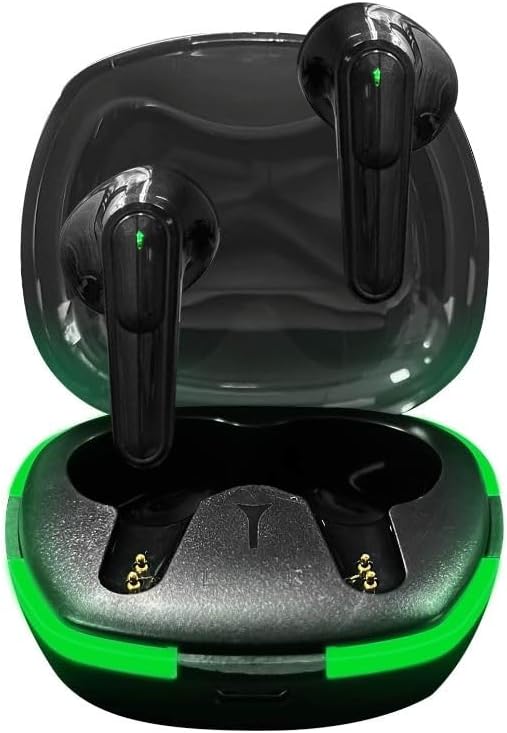
Figure 1.1: TWS Pro60 Wireless Bluetooth Earbuds in their charging case, showcasing their sleek black design with green accents.
2. What's in the Box
Please check the package contents to ensure all items are present:
- Bluetooth Earbuds (TWS Pro60)
- Wireless Charging Case
- USB Charging Cable
- User Manual
3. Setup Guide
3.1 Charging the Earbuds and Case
Before first use, fully charge the earbuds and the charging case. The charging time for the earbuds is approximately 1 hour.
- Place the earbuds into the charging case, ensuring they are correctly seated.
- Connect the provided USB charging cable to the charging port on the case and plug the other end into a USB power source (e.g., computer, wall adapter).
- The indicator lights on the case and earbuds will show charging status. They will typically turn off or change color when fully charged.
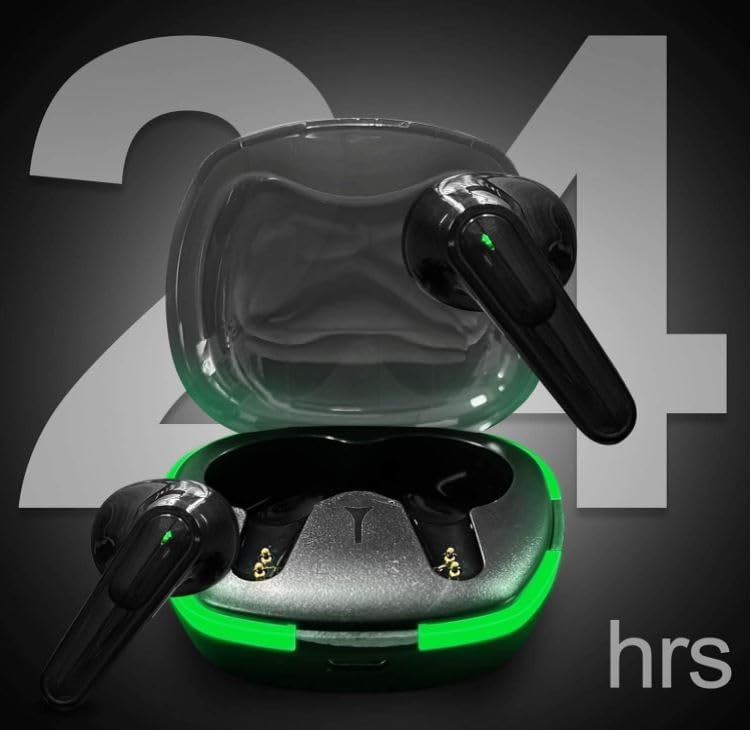
Figure 3.1: The TWS Pro60 charging case and earbuds, highlighting the extended battery life of up to 24 hours with the charging case, while individual earbuds offer approximately 6 hours of playback.
3.2 Pairing with Your Device
The TWS Pro60 earbuds feature one-step auto-pairing for convenience.
- Ensure Bluetooth is enabled on your smartphone, tablet, or other compatible device.
- Open the charging case. The earbuds will automatically power on and enter pairing mode.
- On your device, search for Bluetooth devices and select "PRO60" from the list.
- Once connected, you will hear a confirmation tone, and the earbuds will be ready for use.
The earbuds support Single Mode (using one earbud), Binaural Mode (using both earbuds for stereo sound), and Sharing Mode (allowing two people to listen to the same audio from one device, each with one earbud).
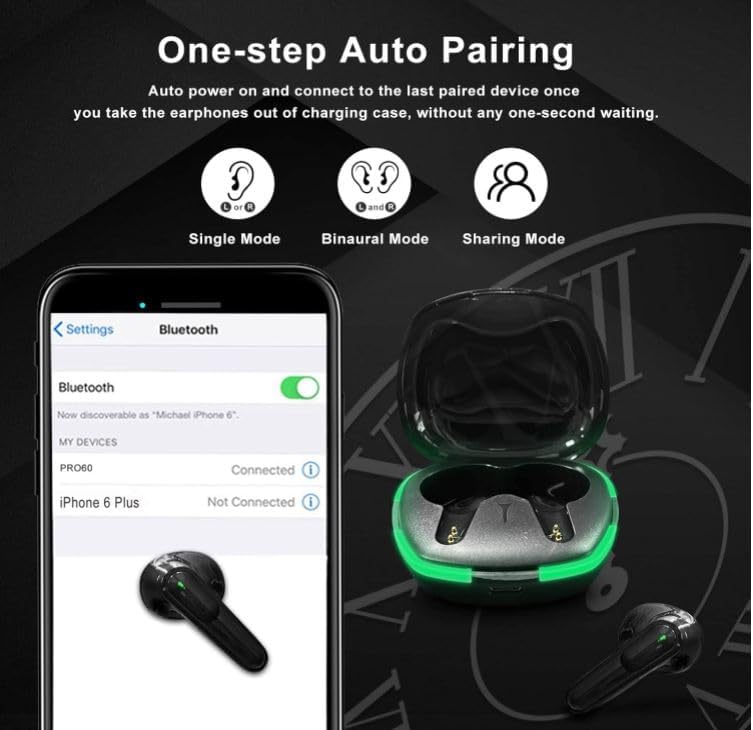
Figure 3.2: Illustration of the one-step auto-pairing process for the TWS Pro60 earbuds, showing how they connect to a device via Bluetooth.
4. Operating Instructions
4.1 Touch Controls
The TWS Pro60 earbuds feature intuitive touch controls for easy management of music and calls.
| Action | Control |
|---|---|
| Play/Pause Music | Tap once on either earbud |
| Answer/End Call | Tap once on either earbud |
| Hang Up Call | Tap once on either earbud during a call |
| Next Song | Double-tap the Right earbud |
| Previous Song | Double-tap the Left earbud |
| Volume Up | Hold the Right earbud |
| Volume Down | Hold the Left earbud |
| Activate Voice Assistant | Triple-tap either earbud |

Figure 4.1: Diagram illustrating the ergonomic design and smart touch controls of the TWS Pro60 earbuds, showing various tap and hold functions.
4.2 Wearing the Earbuds
The earbuds are ergonomically designed for a secure and comfortable fit. Gently insert each earbud into your ear canal and rotate slightly until it feels snug and stable. This ensures optimal sound quality and noise isolation.
4.3 Sound Quality and Features
Experience enhanced bass stereo sound powered by 13mm dual coil dynamic drivers and a titanium membrane shock speaker. The earbuds feature an intelligent denosing engine and reverse noise cancelling for a clear audio experience.

Figure 4.2: Detailed view of the TWS Pro60's internal components, illustrating the advanced speaker technology that delivers Super Hi-Fi Sound Quality.
4.4 Water Resistance
The TWS Pro60 earbuds boast an IPX7 waterproof rating, meaning they are protected against immersion in water up to 1 meter for 30 minutes. This makes them suitable for workouts and use in various weather conditions. However, they are not designed for swimming or prolonged submersion.
4.5 Device Compatibility
The TWS Pro60 earbuds are compatible with most Bluetooth-enabled devices, including smartphones, tablets, laptops, and desktops.

Figure 4.3: The TWS Pro60 earbuds demonstrating compatibility with a wide range of devices, including laptops, desktops, smartphones, and tablets.
5. Maintenance
Proper maintenance ensures the longevity and optimal performance of your TWS Pro60 earbuds.
- Cleaning: Regularly clean the earbuds and charging case with a soft, dry, lint-free cloth. Do not use abrasive cleaners or solvents.
- Storage: When not in use, store the earbuds in their charging case to protect them and keep them charged. Store in a cool, dry place away from extreme temperatures.
- Charging Contacts: Ensure the charging contacts on both the earbuds and the case are clean and free of debris to maintain a good connection.
- Water Exposure: While IPX7 rated, always dry the earbuds thoroughly after exposure to water or sweat before placing them back in the charging case.
6. Troubleshooting
If you encounter any issues with your TWS Pro60 earbuds, refer to the following common problems and solutions:
- Earbuds not pairing or connecting:
- Ensure both earbuds are fully charged.
- Make sure Bluetooth is enabled on your device.
- Place earbuds back into the charging case, close the lid, wait a few seconds, then open the lid and try pairing again.
- Forget "PRO60" from your device's Bluetooth settings and try to pair again.
- Ensure no other Bluetooth devices are interfering.
- No sound from one or both earbuds:
- Check the volume level on both your device and the earbuds.
- Ensure earbuds are properly connected to your device.
- Try resetting the earbuds (refer to manufacturer's specific reset instructions if available, otherwise, place in case and reconnect).
- Charging issues:
- Verify the charging cable is securely connected to both the case and the power source.
- Ensure the charging contacts on the earbuds and case are clean.
- Try a different USB port or power adapter.
- Poor sound quality or disconnections:
- Move closer to your connected device to reduce interference. The Bluetooth range is approximately 15 meters.
- Ensure there are no physical obstructions between the earbuds and your device.
- Check for any firmware updates for your device or earbuds (if applicable).
7. Specifications
Key technical specifications for the TWS Pro60 Wireless Bluetooth Headset:
| Feature | Detail |
|---|---|
| Model Name | TWS Pro60 |
| Connectivity Technology | Wireless (Bluetooth) |
| Bluetooth Version | 5.3 |
| Bluetooth Range | 15 Meters |
| Battery Life (Earbuds) | 6 Hours |
| Charging Time | 1 Hour |
| Water Resistance Level | IPX7 (Water Resistant) |
| Control Type | Touch Control |
| Noise Control | Active Noise Cancellation (Denosing Engine) |
| Earpiece Shape | Bud (In Ear) |
| Item Weight | 1.48 Ounces |
| Material | Composite |
| Compatible Devices | Laptops, Smart Phones |
| Recommended Uses | Calling, Cycling, Exercising, Running, Travel |
8. Warranty and Support
Information regarding product warranty and customer support was not provided in the available data. For details on warranty coverage, technical support, or service inquiries, please refer to the product packaging, any included warranty cards, or visit the manufacturer's official website.
Manufacturer: TWS
Related documentsPro60


Ask a question about this manual
Ask about setup, troubleshooting, compatibility, parts, safety, or missing instructions. Manuals+ will review the question and use this page’s manual context to help answer it.