
Introduction
Thank you for choosing the Bolanle PH400 4-Channel Headphone Amplifier. This manual provides essential information for the safe and efficient operation of your device. Please read it thoroughly before use and retain it for future reference.
Safety Information
- Do not expose this device to rain or moisture.
- Do not disassemble the unit. Refer all servicing to qualified personnel.
- Use only the provided DC 12V 2A power adapter.
- Avoid placing the unit near heat sources or in direct sunlight.
- Ensure proper ventilation to prevent overheating.
- Keep out of reach of children.
Package Contents
- PH400 Portable Amplifier x1
- DC Charger x1
- User Manual x1
Product Overview
The Bolanle PH400 is a compact 4-channel stereo headphone amplifier designed to provide clear, low-distortion audio for multiple users. It features independent volume controls, mono/stereo switching, and versatile input/output options.

Figure 1: This image displays the Bolanle PH400, showing its front panel with four volume knobs, mute buttons, and 3.5mm/6.35mm hybrid output jacks. The rear panel shows the Type-C power input and stereo input jack. Arrows indicate the flow of power and audio.

Figure 2: This image illustrates the operational layout of the Bolanle PH400. It highlights the independent volume controls for each of the four channels and the corresponding 3.5mm/6.35mm hybrid headphone output jacks. A power light is also indicated.
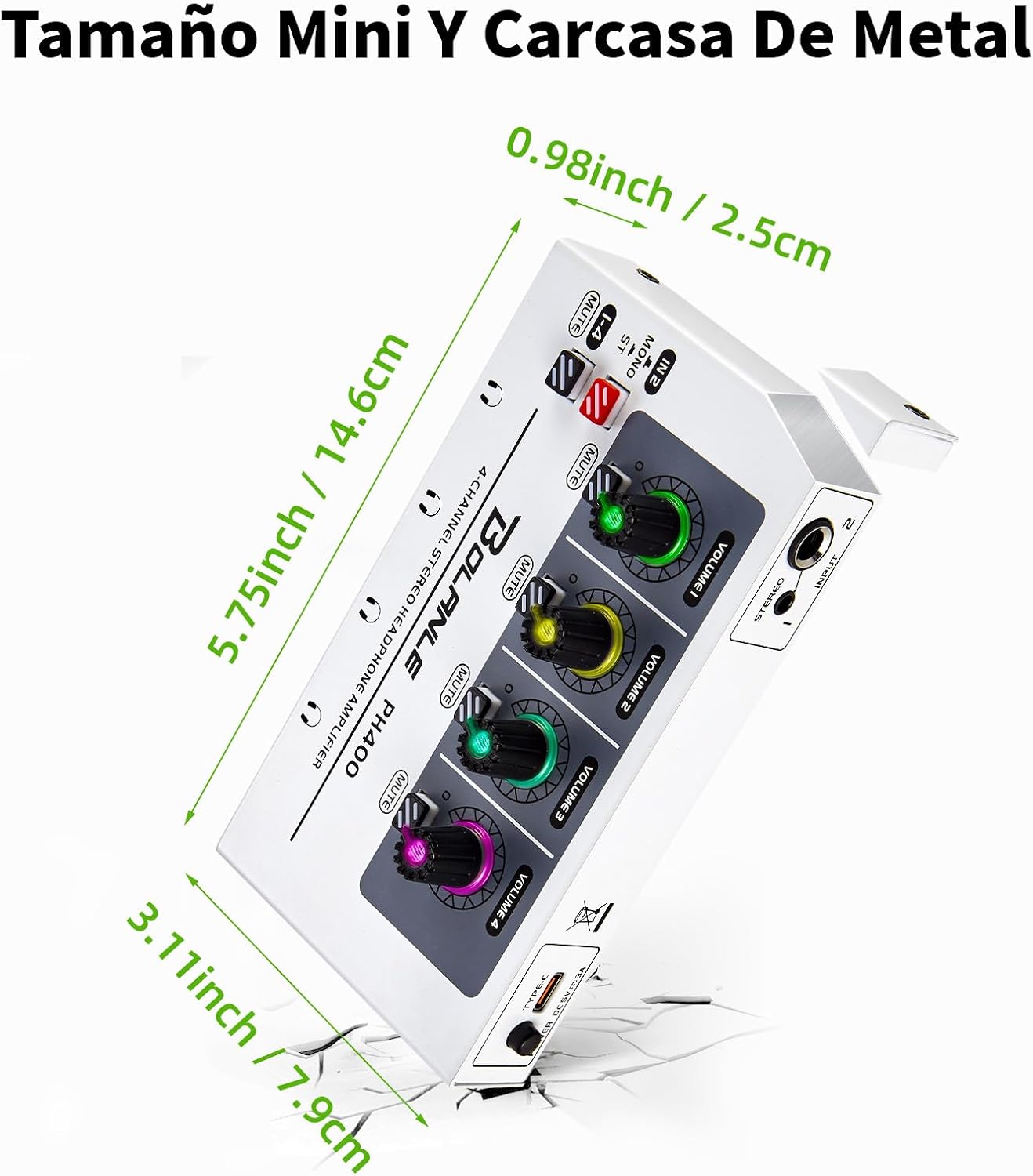
Figure 3: This image provides the compact dimensions of the Bolanle PH400: 5.75 inches (14.6 cm) in length, 3.11 inches (7.9 cm) in width, and 0.98 inches (2.5 cm) in height, emphasizing its ultra-compact metal design.
Setup
- Power Connection: Connect the provided DC Charger to the Type-C power input port on the rear of the PH400. Plug the charger into a suitable power outlet.
- Audio Input: Connect your audio source (e.g., mixer, computer, smartphone) to the stereo input jack on the rear panel. The PH400 supports both 3.5mm and 6.35mm input jacks.
- Headphone Output: Plug your headphones into any of the four 3.5mm/6.35mm hybrid output jacks on the front panel. Each output channel has an independent volume control.
Video 1: This video provides a visual guide on how to set up the Bolanle PH400 headphone amplifier, including connecting the power supply, audio input, and headphones, as well as demonstrating basic operational features.
Operating Instructions
- Power On/Off: Press the 'POWER' button on the front panel to turn the unit on or off.
- Volume Control: Each of the four channels has an independent volume knob. Rotate the knob clockwise to increase volume and counter-clockwise to decrease it.
- Mono/Stereo Switch: Use the 'MONO/ST' switch to select between mono and stereo audio output modes, depending on your audio source and preference.
- Mute Function: Each channel features a 'MUTE' button. Press it to mute the audio output for that specific channel.
- 7-Color Breathing Light: The volume knobs are equipped with 7-color breathing lights that illuminate when adjusting volume, enhancing the visual experience.
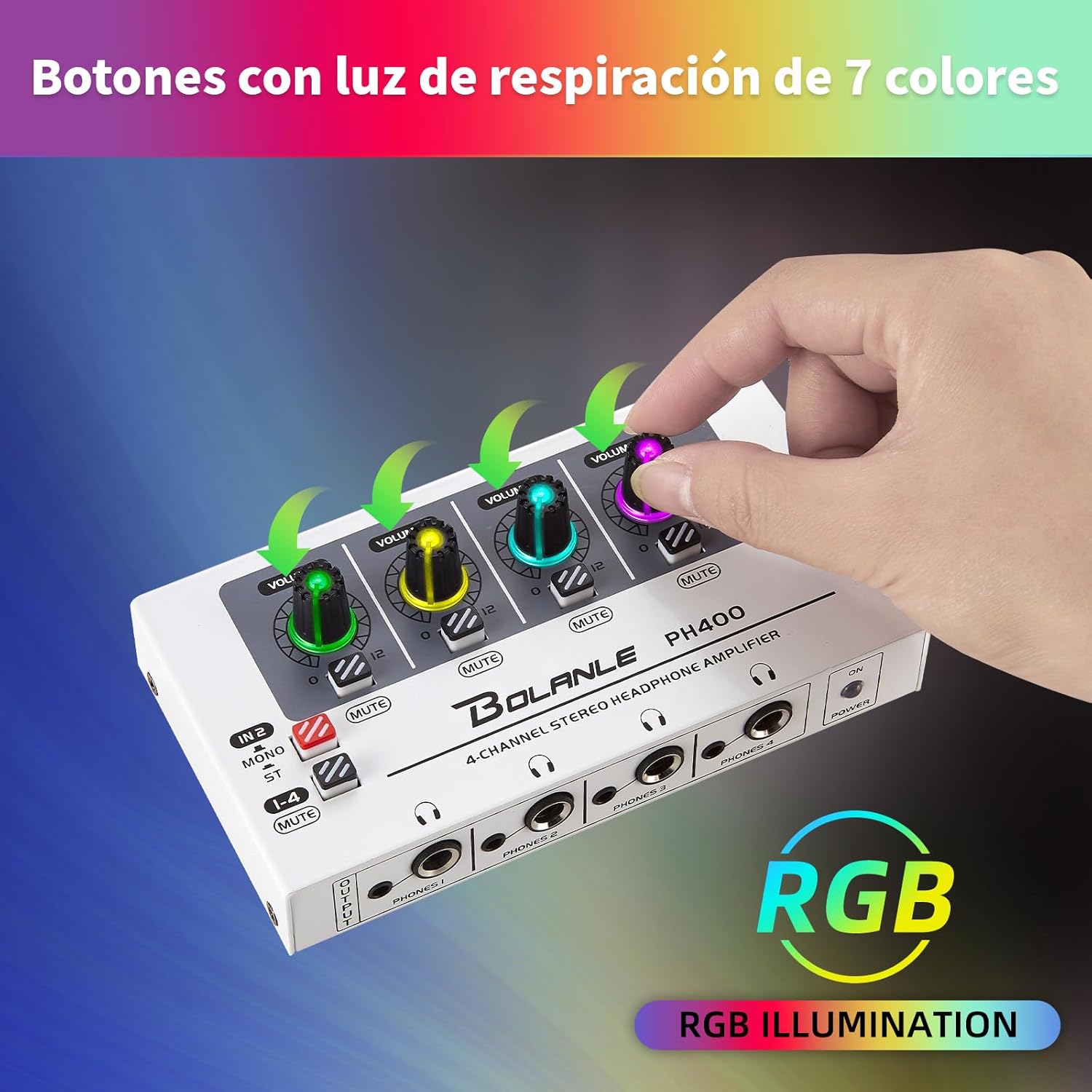
Figure 4: This image highlights the 7-color breathing light feature on the volume knobs of the Bolanle PH400, which illuminates when adjusting volume, adding a visual element to the user experience.

Figure 5: This image shows the Type-C USB power input on the rear of the Bolanle PH400, indicating its modern and convenient power connection.
Specifications
| Model Name | PH400 |
| Brand | Bolanle |
| Connectivity Technology | Wired |
| Headphones Jack | 3.5mm, 6.35mm |
| Frequency Response | 20 KHz |
| Sensitivity | 100 dB |
| Item Weight | 12.3 ounces (0.77 Pounds) |
| Product Dimensions | 5.75 x 3.11 x 0.98 inches |
| Material | Metal |
| Power Input | DC 12V 2A |
Troubleshooting
- No Sound: Ensure the power adapter is correctly connected and the unit is powered on. Check all audio cables for secure connections. Verify that the audio source is playing and its volume is adequate. Confirm that the individual channel mute button is not engaged.
- Distorted Sound: Reduce the volume on both the audio source and the PH400. Check for damaged audio cables. Ensure the audio source output is not overdriven.
- Intermittent Sound: Check all cable connections for looseness. Try different cables or headphones to isolate the issue.
- Breathing Lights Not Working: The breathing lights activate when adjusting the volume knobs. If they do not light up, ensure the unit is powered on.
Maintenance
- Cleaning: Use a soft, dry cloth to clean the exterior of the unit. Do not use liquid cleaners or solvents.
- Storage: Store the device in a cool, dry place away from direct sunlight and extreme temperatures when not in use.
- Cable Care: Avoid bending or twisting cables excessively to prevent internal damage.
Warranty and Support
Bolanle products are designed for reliability and performance. For warranty information or technical support, please refer to the contact details provided with your purchase or visit the official Bolanle website. Keep your proof of purchase for any warranty claims.