
DEATTI BM101-C, BM101-M
DEATTI Baby Monitor User Manual
Model: BM101-C, BM101-M
1. Introduction
Thank you for choosing the DEATTI Baby Monitor. This device is designed to provide comprehensive monitoring of your baby, combining a dedicated 5-inch LCD display with smartphone app control for flexible viewing. Key features include crying, motion, and noise detection, pan-tilt-zoom (PTZ) camera functionality, infrared night vision, two-way audio communication, and soothing lullabies.
This manual provides detailed instructions for setting up, operating, and maintaining your DEATTI Baby Monitor to ensure optimal performance and safety.
2. Package Contents
Before proceeding with the setup, please verify that all components are present in the package:
- DEATTI Baby Camera Unit (Rabbit design)
- DEATTI 5-inch LCD Monitor Unit
- Power Adapter for Camera
- Power Adapter for Monitor
- USB Charging Cables (x2)
- Wall Mount Kit (screws and anchors)
- Reset Pin
- User Manual (this document)

Image: All components included in the DEATTI Baby Monitor package, laid out clearly.
3. Setup Guide
3.1 Charging and Powering On
- Camera Unit: Connect the camera unit to a power outlet using its dedicated power adapter and USB cable. The camera requires continuous power to operate.
- Monitor Unit: Connect the monitor unit to a power outlet using its dedicated power adapter and USB cable. The monitor has a built-in rechargeable battery. For first use, fully charge the monitor.
- Press and hold the power button on the monitor unit to turn it on. The camera and monitor should automatically pair.
3.2 Camera Placement
Position the camera in a location that provides a clear and unobstructed view of your baby. Ensure it is placed at a safe distance from the crib or play area, out of reach of children. The camera can be placed on a flat surface or wall-mounted using the provided kit.

Image: The DEATTI baby monitor camera and parent unit, along with a smartphone displaying the app interface, illustrating the complete system.
3.3 App Connection (Optional)
For remote viewing and additional features, download the DEATTI app on your smartphone. The app allows you to monitor your baby from anywhere with an internet connection and share access with family members.
- Scan the QR code provided in the manual or on the product packaging to download the "DEATTI" app from the App Store or Google Play.
- Follow the in-app instructions to add your camera. Ensure your phone is connected to a 2.4GHz Wi-Fi network during the setup process.

Image: A split image showing the baby monitor's display in a home setting and a smartphone displaying the DEATTI app interface, highlighting dual viewing options.
4. Operating Instructions
4.1 Monitor Controls
The 5-inch LCD monitor provides a clear view of your baby and allows control over various camera functions.

Image: A close-up of the DEATTI baby monitor's 5-inch LCD screen, showing a clear image of a baby and the monitor's control buttons.
- MENU Button: Access monitor settings and features.
- OK Button: Confirm selections.
- Directional Buttons: Navigate menus and control camera pan/tilt.
- Microphone Button: Activate two-way audio.
- Return Button: Go back to the previous screen.
4.2 Pan, Tilt, and Zoom (PTZ)
Use the directional buttons on the monitor or the app to remotely adjust the camera's viewing angle. The camera offers 340° pan and 50° tilt capabilities to cover every corner of the room. Digital zoom up to 4x is also available.

Image: A baby in a crib with the DEATTI camera, illustrating the camera's 340-degree pan and 50-degree tilt capabilities, along with digital zoom functionality shown on the monitor screen.
4.3 Two-Way Audio Communication
Press and hold the microphone button on the monitor to speak to your baby. Your voice will be transmitted through the camera's speaker. Release the button to hear your baby's sounds.

Image: A woman in a kitchen interacting with the DEATTI baby monitor, demonstrating the two-way audio feature with speech bubbles indicating "Hi, sweety!" and "Mom!".
4.4 Crying, Motion, and Noise Detection
The monitor is equipped with advanced detection features. When crying, motion, or significant noise is detected, the monitor screen will automatically activate, and you will receive visual and/or audible alerts on the parent unit or via the app notification.

Image: A crying baby on the floor with the DEATTI camera nearby, illustrating the crying and motion detection capabilities with visual alert icons.
4.5 Infrared Night Vision
The camera automatically switches to infrared night vision mode in low-light conditions, providing clear greyscale images of your baby even in complete darkness. All indicator lights on the camera can be switched off for undisturbed sleep.

Image: A baby sleeping peacefully in a dark room, with the DEATTI monitor displaying a clear greyscale image, demonstrating the night vision feature.
4.6 Lullabies and Temperature Sensor
Access the menu on the monitor to play soothing lullabies to help your baby sleep. The integrated temperature sensor displays the room temperature on the monitor, helping you ensure a comfortable environment for your baby.
5. Maintenance
5.1 Cleaning
Wipe the camera and monitor units with a soft, dry cloth. Do not use abrasive cleaners or solvents. Ensure the devices are unplugged before cleaning.
5.2 Battery Life
The monitor unit's battery provides extended usage. A full charge can last up to 6 days in Sleep Mode or 10 hours in Real-Time Mode, depending on usage patterns.
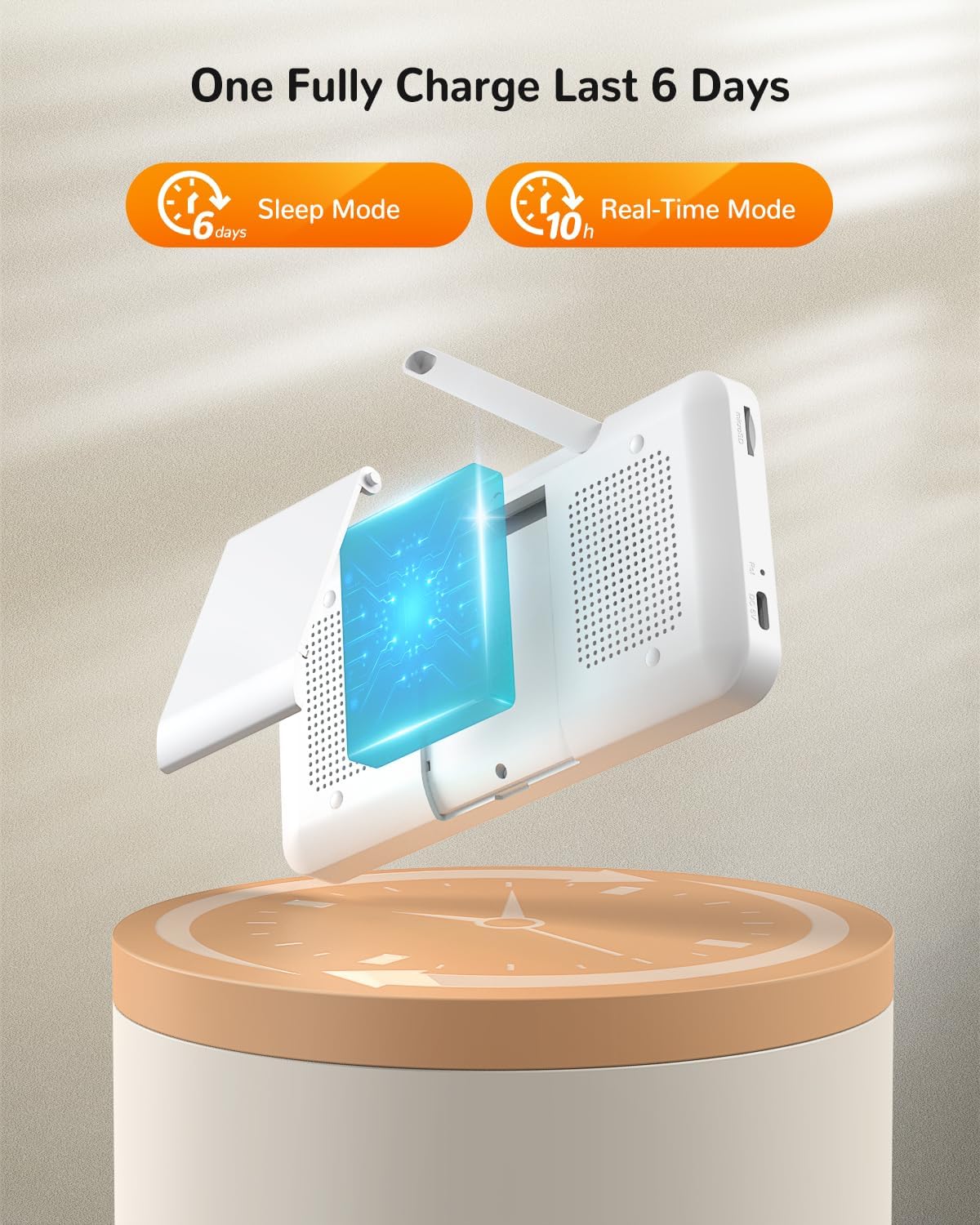
Image: An illustration showing the DEATTI monitor's battery life, indicating up to 6 days in Sleep Mode and 10 hours in Real-Time Mode on a single full charge.
5.3 Storage
When not in use for extended periods, store the monitor and camera in a cool, dry place, away from direct sunlight and extreme temperatures.
6. Troubleshooting
| Problem | Possible Cause | Solution |
|---|---|---|
| No image/sound on monitor | Camera or monitor not powered on; out of range; pairing lost. | Ensure both units are powered and charged. Move monitor closer to camera. Re-pair units if necessary (refer to manual for pairing instructions). |
| App connection issues | Incorrect Wi-Fi password; not connected to 2.4GHz Wi-Fi; camera offline. | Verify Wi-Fi password. Ensure your router supports 2.4GHz and your phone is connected to it during setup. Restart camera and router. |
| Poor image quality | Low light conditions; camera lens dirty; poor signal. | Night vision should activate automatically. Clean the camera lens. Improve signal by reducing obstacles or moving units closer. |
| Two-way audio not working | Microphone button not pressed; volume too low. | Ensure you are pressing and holding the microphone button. Adjust volume settings on both units. |
| False alarms for detection | Sensitivity set too high; environmental factors. | Adjust the sensitivity settings for crying, motion, or noise detection in the monitor's menu or app. |
7. Specifications
| Feature | Detail |
|---|---|
| Manufacturer | DEATTI |
| Model Numbers | BM101-C, BM101-M |
| Product Dimensions | 22 x 20 x 9.1 cm |
| Item Weight | 880 g |
| Monitor Screen Size | 5 Inches |
| Power Source | Battery Powered (Monitor), Wall Mount (Camera) |
| Battery Type | 1 Lithium Polymer battery (included) |
| Material | Plastic |
| Colour | Grau (Grey) |
| Compatible Devices | Smartphones (via app) |
| Sensor Type | Temperature |
| Usage Environment | Inside |
8. Warranty and Support
8.1 Warranty Information
Please refer to the warranty card included in your product packaging or visit the official DEATTI website for detailed warranty terms and conditions. Keep your purchase receipt as proof of purchase for warranty claims.
8.2 Customer Support
For any questions, technical assistance, or support, please contact DEATTI customer service:
- Email: support@deatti.com
Ask a question about this manual
Ask about setup, troubleshooting, compatibility, parts, safety, or missing instructions. Manuals+ will review the question and use this page’s manual context to help answer it.