
HWWR D20 bluetooth speaker
HWWR Bluetooth Speaker User Manual
Model: D20 Bluetooth Speaker
Introduction
Thank you for choosing the HWWR Bluetooth Speaker. This portable speaker is designed to deliver powerful audio with dynamic LED lighting, making it perfect for various indoor and outdoor activities. Its robust design and versatile connectivity options ensure a superior listening experience.

The HWWR Bluetooth Speaker is designed for ultra-portability, featuring a convenient handle for easy transport.
What's in the Box
Please check the package contents to ensure all items are present:
- 1 x HWWR Bluetooth Speaker
- 1 x Power Cable
- 1 x AUX Cable
Setup
Charging the Speaker
Before first use, fully charge the speaker. Connect the provided power cable to the charging port on the speaker and plug the other end into a compatible USB power adapter (not included). The charging indicator light will illuminate during charging and turn off when fully charged. A full charge takes approximately 4 hours and provides up to 24 hours of playback.
Powering On/Off
Press and hold the Power button (⏻) for 2-3 seconds to turn the speaker on or off.
Bluetooth Pairing
To connect your device via Bluetooth:
- Turn on the speaker. It will automatically enter Bluetooth pairing mode, indicated by a flashing LED light.
- On your smartphone, tablet, or other Bluetooth-enabled device, enable Bluetooth and search for available devices.
- Select "HWWR D20" from the list of devices.
- Once connected, the speaker will emit a confirmation tone, and the LED light will stop flashing.

The speaker supports multiple input methods including Bluetooth 5.3 for quick and stable connections.
Operating the Speaker
Basic Controls
- Volume Up (+): Short press to increase volume.
- Volume Down (-): Short press to decrease volume.
- Play/Pause (▶||): Short press to play or pause music.
- Next Track (▶▶|): Long press the Volume Up button to skip to the next track.
- Previous Track (|◀◀): Long press the Volume Down button to go to the previous track.
- Mode (M): Short press to switch between Bluetooth, USB, TF Card, and AUX modes.
Sound Features
The speaker delivers 60W (peak 120W) of powerful audio with deep bass and clear highs, enhanced by dual 3.5-inch subwoofers and a dual-diaphragm design.
- Bass Boost: Press the "BASS BOOST" button to activate or deactivate the enhanced bass mode. This function allows you to adjust bass and echo effects for a richer 3D experience.

Experience captivating 2-channel audio with broader and richer soundstage, featuring dynamic rhythm lights and 3.5-inch subwoofers.
Official video demonstrating the sound quality and features of the HWWR Bluetooth Speaker.
LED Light Effects
The speaker features dynamic LED lights that sync with the beat of your music, creating an engaging visual experience.
- Light Mode Button (*): Short press to cycle through different light modes or turn the lights off.
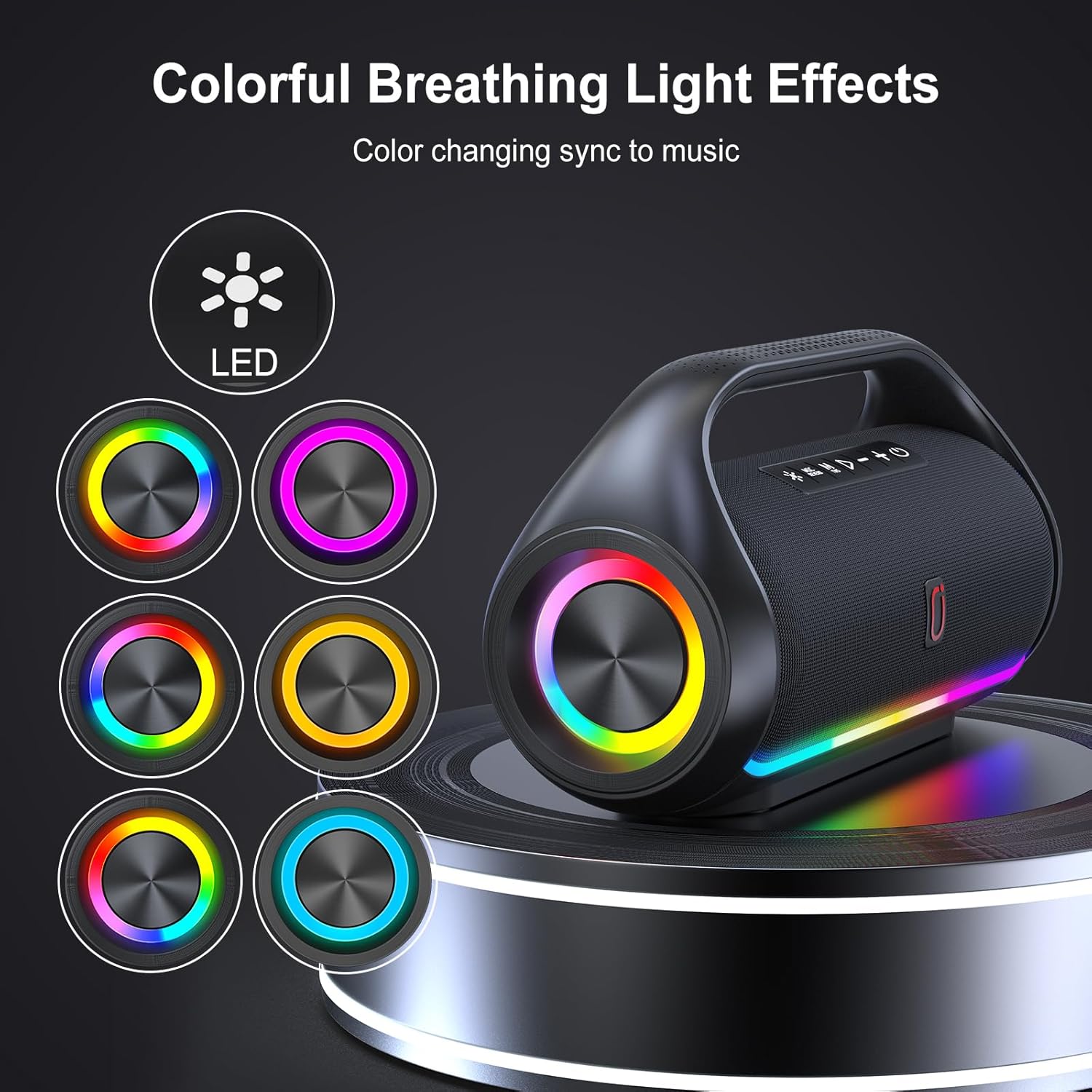
The speaker offers colorful breathing light effects that change and sync with the music.
Official video showcasing the Bluetooth party speaker's light effects and sound in a party setting.
True Wireless Stereo (TWS) Pairing
You can pair two HWWR D20 speakers together for a 360° 3D surround sound experience:
- Ensure both speakers are turned on and not connected to any other Bluetooth device.
- On one speaker, long press the TWS button (often combined with the Play/Pause button or a dedicated TWS button, refer to button labels on your speaker). The speaker will indicate it's searching for another speaker.
- The two speakers will automatically connect to each other. A confirmation tone will sound once paired.
- Once TWS paired, connect your device to one of the speakers via Bluetooth as described in the "Bluetooth Pairing" section. Audio will now play through both speakers.

Achieve a broader and richer soundstage with True Wireless Stereo Pairing, connecting two speakers for a surround sound experience.
Maintenance
To ensure the longevity and optimal performance of your HWWR Bluetooth Speaker, please follow these maintenance guidelines:
- Cleaning: Use a soft, dry cloth to clean the speaker's exterior. Do not use abrasive cleaners, alcohol, or chemical solvents, as these may damage the surface.
- Water Resistance: The speaker has an IPX5 waterproof rating, meaning it is protected against low-pressure water jets from any direction. Do not submerge the speaker in water or expose it to high-pressure water. Ensure the charging port cover is securely closed when near water.
- Storage: Store the speaker in a cool, dry place away from direct sunlight and extreme temperatures.
- Battery Care: To preserve battery life, charge the speaker regularly, even if not in frequent use. Avoid fully discharging the battery for extended periods.

The IPX5 water-resistance rating protects the speaker from splashes and light rain, making it suitable for outdoor use.
Troubleshooting
If you encounter any issues with your speaker, please refer to the following common problems and solutions:
| Problem | Possible Cause | Solution |
|---|---|---|
| Speaker does not turn on. | Battery is low or dead. | Charge the speaker fully. |
| Cannot pair with Bluetooth device. | Speaker is not in pairing mode; Device's Bluetooth is off; Speaker is already connected to another device. | Ensure speaker is in pairing mode (flashing LED). Turn on Bluetooth on your device. Disconnect speaker from any other device. |
| No sound or low volume. | Volume too low on speaker or device; Device not properly connected; Incorrect input mode. | Increase volume on both speaker and device. Re-pair Bluetooth or re-insert AUX/USB/TF card. Press 'M' button to select correct input mode. |
| TWS pairing fails. | Speakers are too far apart; One speaker is already connected to a Bluetooth device. | Ensure speakers are within 10 meters of each other. Disconnect both speakers from any Bluetooth devices before TWS pairing. |
Specifications
Detailed technical specifications for the HWWR D20 Bluetooth Speaker:
| Feature | Detail |
|---|---|
| Model Name | D20 Bluetooth Speaker |
| Connectivity Technology | Bluetooth 5.3, USB, TF Card, AUX |
| Wireless Range | Up to 20 meters (65.62 feet) |
| Speaker Output Power | 60W (Peak 120W) |
| Battery Life | Up to 24 Hours |
| Charging Time | Approx. 4 Hours |
| Water Resistance Rating | IPX5 |
| Product Dimensions | 9"D x 6"W x 9"H |
| Item Weight | 6.58 pounds |
| Material | Metal, Acrylonitrile Butadiene Styrene (ABS) |
| Included Components | Bluetooth Speaker, Power Cable, AUX Cable |

The speaker's dimensions are approximately 9"D x 6"W x 9"H.
Warranty and Support
Warranty Information
The HWWR Bluetooth Speaker comes with a 1-year limited warranty from the date of purchase. This warranty covers manufacturing defects and workmanship. It does not cover damage caused by misuse, accidents, unauthorized modifications, or normal wear and tear.
Customer Support
For any questions, technical assistance, or warranty claims, please contact HWWR customer support. We offer 7/24 hour customer support and have a US local after-sales center to assist you.
Please refer to the contact information provided on the product packaging or the official HWWR website for the most up-to-date support details.
Ask a question about this manual
Ask about setup, troubleshooting, compatibility, parts, safety, or missing instructions. Manuals+ will review the question and use this page’s manual context to help answer it.