
1. Introduction
The Hilti PM 2 Green Line Laser Level is a compact, self-leveling tool designed for precise alignment, squaring, and leveling tasks in various construction and renovation applications. Its green laser beams offer enhanced visibility, making it suitable for use in bright conditions. This manual provides essential information for the safe and efficient operation of your Hilti PM 2 laser level.
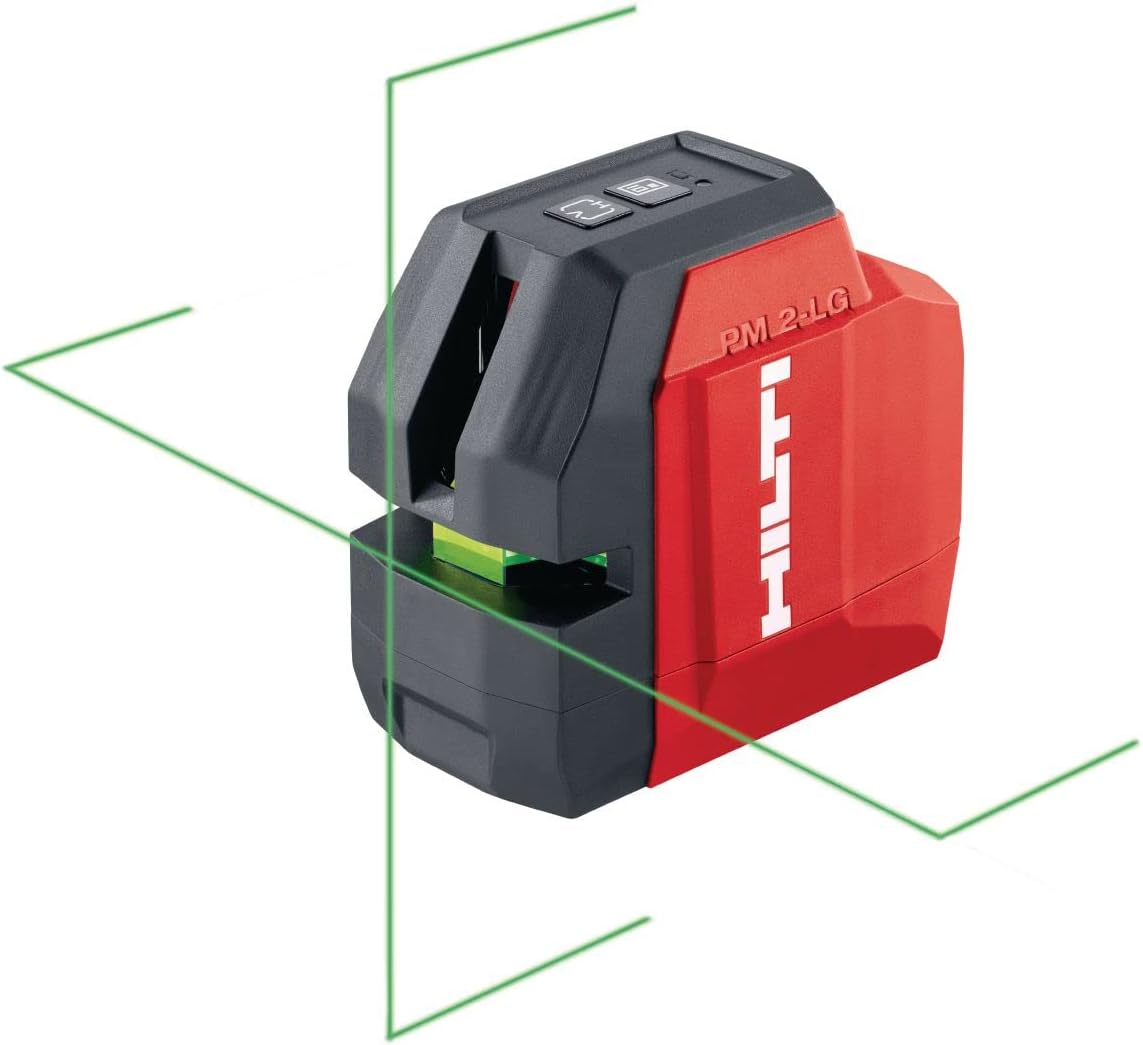
Image: Front view of the Hilti PM 2 Green Line Laser Level, showing the projected green horizontal and vertical laser lines.
2. Safety Instructions
Always adhere to the following safety guidelines to prevent injury and damage to the device:
- Laser Radiation: This product emits Class 2 laser radiation. Do not stare directly into the laser beam or view it with optical instruments. Direct eye exposure can cause eye injury.
- Eye Protection: While not strictly required for Class 2 lasers, avoid prolonged direct exposure. Use caution when operating in areas with reflective surfaces.
- Children: Keep the device out of reach of children and unauthorized personnel.
- Operating Environment: Use the laser level only in dry conditions. Protect it from moisture and extreme temperatures.
- Maintenance: Only qualified personnel should perform repairs. Do not attempt to modify the device.
- Batteries: Use only the specified battery type (AA). Ensure correct polarity when inserting batteries. Do not mix old and new batteries or different types of batteries. Remove batteries if the device will not be used for an extended period.
3. Product Features
The Hilti PM 2 Green Line Laser Level offers several key features for professional use:
- Professional-grade durability: Equipped with rubber bumpers to enhance drop-resistance and IP 54 protection against dust and splashes, ensuring longevity in demanding jobsite conditions.
- High Visibility Green Laser Beams: Provides optimal visibility up to 66 ft (20 m) operating distance, facilitating accurate vertical and horizontal layout tasks even in bright environments.
- Self-Leveling Function: Automatically levels within a certain range, simplifying setup and ensuring accuracy.
- Alerts: Features out-of-level and low-battery alerts to prevent errors and unexpected downtime during critical leveling and alignment tasks.
- Versatile Applications: Ideal for aligning drop ceilings, sockets, cable trays, radiators, doors, windows, or pipes.
4. Setup
4.1 Battery Installation
- Locate the battery compartment cover on the device.
- Open the cover.
- Insert four (4) AA batteries, ensuring correct polarity (+/-) as indicated inside the compartment.
- Close the battery compartment cover securely.
The device is designed for approximately 8 hours of operating time with fresh AA batteries.
4.2 Initial Placement and Self-Leveling
Place the Hilti PM 2 on a stable, level surface or mount it on a suitable tripod or bracket. The device will automatically self-level. If the device is outside its self-leveling range, an out-of-level alert will activate, typically by the laser lines flashing or an audible signal. Adjust the device's position until it self-levels.
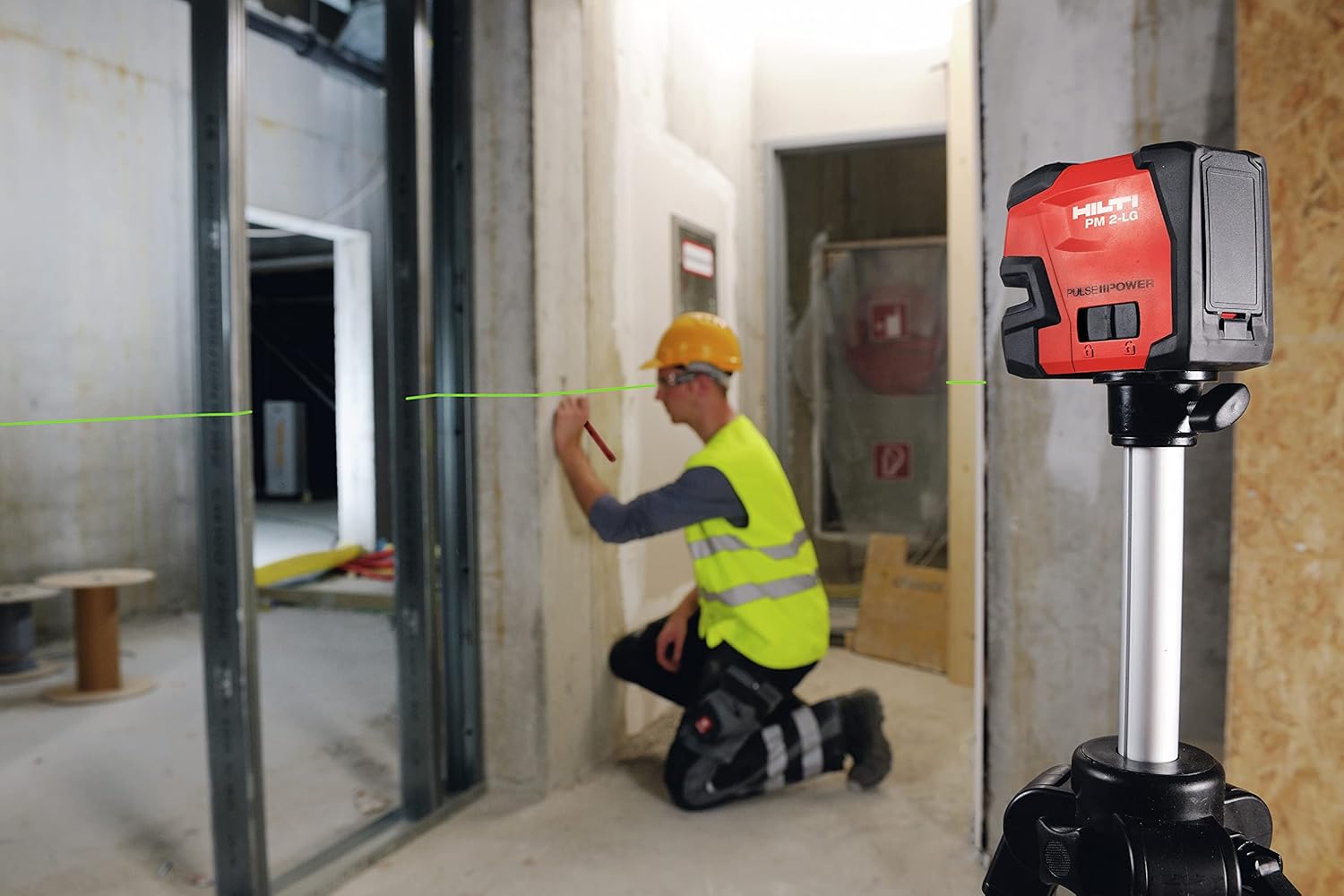
Image: The Hilti PM 2 laser level mounted on a tripod, projecting a horizontal green line for wall marking.
5. Operating Instructions
5.1 Powering On/Off
To turn the device on, press the power button. To turn it off, press the power button again. The laser lines will activate upon powering on.
5.2 Mode Selection (Horizontal/Vertical Lines)
The Hilti PM 2 typically features buttons to switch between horizontal line, vertical line, or both lines simultaneously. Refer to the symbols on the device's control panel for specific button functions.
5.3 Applications
- Leveling: Use the horizontal laser line for tasks such as installing cabinets, shelves, or aligning electrical outlets.

Image: Diagram illustrating the use of the laser level for general leveling tasks across a room.
- Aligning: Use the vertical laser line for plumbing walls, installing door frames, or aligning vertical elements.

Image: Diagram illustrating the use of the laser level for vertical alignment, such as for door frames.
- Ceiling Installation: The laser can project lines onto ceilings for precise grid installation.

Image: The Hilti PM 2 laser level mounted on a wall bracket, assisting with ceiling grid installation.

Image: Diagram illustrating the use of the laser level for ceiling grid alignment.
- Pipe Installation: Use the laser for aligning pipes horizontally or vertically.

Image: Diagram illustrating the use of the laser level for pipe alignment.
6. Maintenance
Proper maintenance ensures the longevity and accuracy of your Hilti PM 2 laser level.
- Cleaning: Keep the laser level clean. Wipe off dust and dirt with a soft, damp cloth. Do not use abrasive cleaners or solvents. Pay special attention to keeping the laser exit windows clean for optimal beam clarity.
- Storage: Store the device in its soft pouch (PMA 65) in a dry, cool place, away from direct sunlight and extreme temperatures. Remove batteries if storing for extended periods.
- Durability: The device features rubber bumpers and IP 54 protection, but avoid unnecessary drops or impacts.
7. Troubleshooting
If you encounter issues with your Hilti PM 2 laser level, refer to the following common problems and solutions:
| Problem | Possible Cause | Solution |
|---|---|---|
| Laser lines are dim or not visible. | Low battery; dirty laser exit window; extremely bright ambient light. | Replace batteries; clean laser exit window; use in less bright conditions or with a laser receiver (if compatible). |
| Laser lines are flashing or device is beeping. | Device is out of its self-leveling range; low battery. | Adjust the device's position until it is within its self-leveling range; replace batteries. |
| Device does not turn on. | Batteries are dead or incorrectly inserted. | Check battery polarity; replace batteries. |
| Inaccurate measurements. | Device not self-leveling; device has been dropped or damaged. | Ensure device is self-leveled (no flashing lines); if accuracy issues persist after a drop, contact Hilti service for calibration. |
8. Specifications
| Specification | Value |
|---|---|
| Model Number | 2322754 (PM 2-LG) |
| Laser Type | Green Line Laser |
| Operating Distance | Up to 66 ft (20 m) |
| Self-Leveling Range | Automatic |
| IP Protection Class | IP 54 (dust and splash protected) |
| Power Source | 4x AA Batteries |
| Approx. Operating Time | 8 hours |
| Material | Rubber (housing) |
| Item Weight | 1.04 kg |
| Parcel Dimensions | 19 x 16.8 x 10.2 cm |
9. Warranty and Support
The Hilti PM 2 Green Line Laser Level is covered by the Hilti Tool Service, which includes:
- 20-Year Warranty: Against manufacturing defects.
- 2-Year No-Cost Repairs: A period of two years with rapid turnaround for repairs at no cost.
- 1-Month No-Cost Period: After any paid repairs, an additional one-month no-cost period is provided.
For customer service or support, please contact Hilti at 1-800-363-4458.