
1. Introduction
Thank you for purchasing the AMERLIFE Floating Fireplace TV Stand. This manual provides essential information for the safe assembly, installation, operation, and maintenance of your new entertainment center. Please read these instructions thoroughly before beginning assembly or operation and retain for future reference.

Image: The AMERLIFE Floating Fireplace TV Stand, black with a white central fireplace, installed beneath a wall-mounted television in a modern living room setting.
2. Important Safety Information
To reduce the risk of fire, electric shock, or injury, please observe the following:
- Do not attempt to move or assemble the product without assistance.
- Ensure the wall mounting is secure and can support the weight of the product.
- Keep children and flammable materials away from the fireplace.
- Do not exceed the maximum load capacity of 200 LBS.
- Be cautious of sharp edges and small parts during assembly.
- Ensure all electrical connections are properly grounded and meet local codes.
- Do not cover the heater vent of the electric fireplace.
3. Package Contents
Your AMERLIFE Floating Fireplace TV Stand is shipped in two packages (Box A and Box B), which may arrive at different times. Please verify all components are present before beginning assembly.
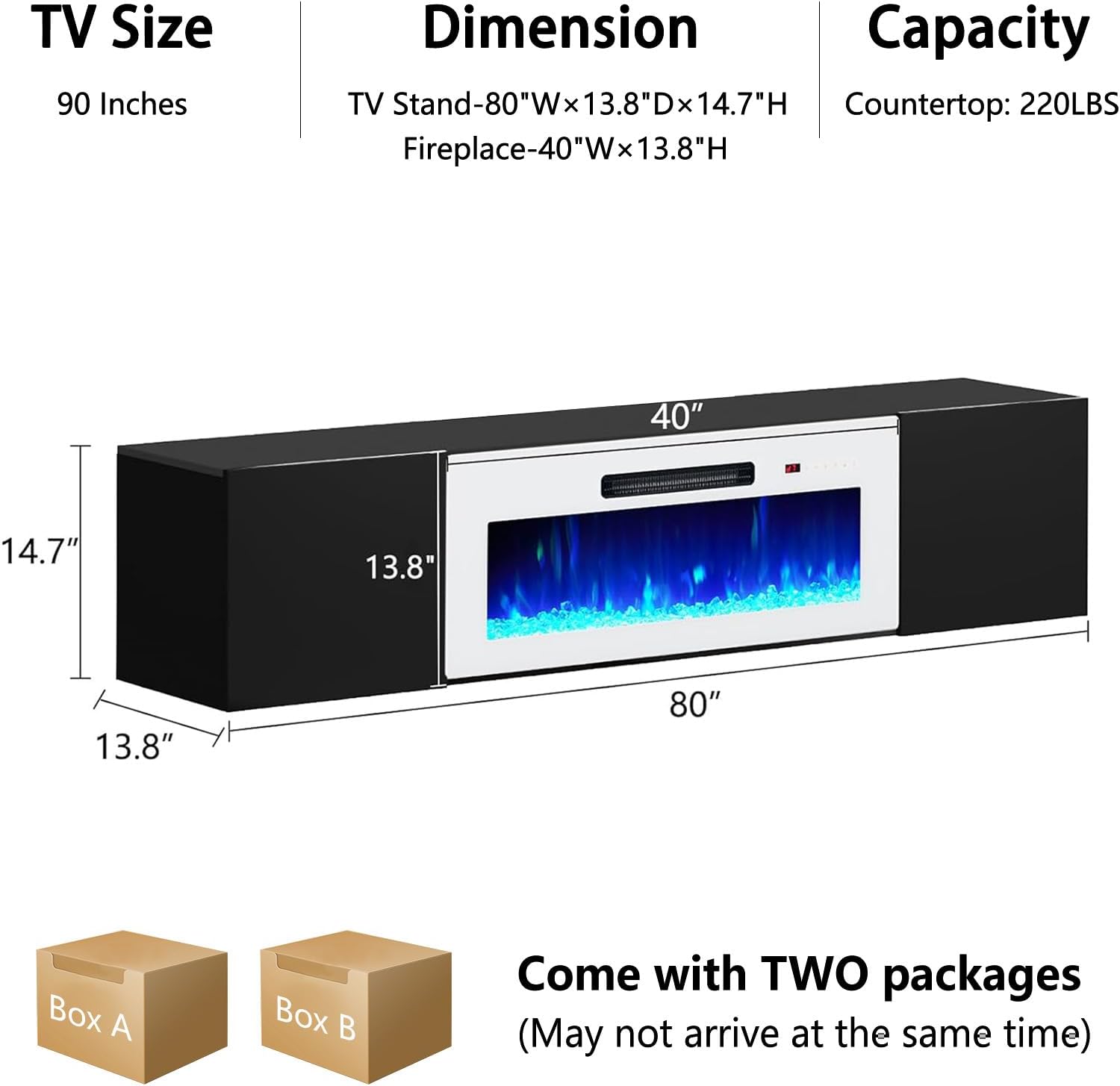
Image: Packaging diagram showing two boxes, Box A and Box B, with a note that they may arrive separately.
Included Components:
- Floating TV Stand components (panels, shelves, doors)
- 40" Electric Fireplace unit
- Assembly hardware (screws, dowels, hinges, wall mounting brackets)
- Remote control for fireplace and LED lights
- Detailed instruction manual
4. Specifications
| Feature | Detail |
|---|---|
| Model Number | FT126A68C |
| Dimensions (TV Stand) | 80" W × 13.8" D × 14.7" H |
| Dimensions (Fireplace) | 40" W × 9.8" H |
| Material | Engineered Wood |
| Item Weight | 95 pounds |
| Maximum Load Capacity | 200 LBS (Countertop: 220 LBS) |
| Fireplace Features | 40" Electric Fireplace, Intelligent Touchscreen, Remote Control, Flame Color & Intensity Control, Thermostat, On/Off Timer, Brightness Control |
| LED Lights | Integrated LED lights with multiple color options |
| Product Care | Dry Cloth |
Image: Detailed dimensions of the AMERLIFE Floating Fireplace TV Stand, including width, depth, and height for both the stand and the integrated 40-inch fireplace. Also shows maximum TV size of 90 inches and a countertop capacity of 220 LBS.
5. Assembly Instructions
Assembly is required. All parts are labeled for easy identification. Follow the detailed instructions and diagrams provided in the separate assembly booklet. It is recommended to have two people for assembly and installation.
General Assembly Steps:
- Unpack all components and verify against the parts list.
- Assemble the main cabinet structure using the provided hardware.
- Install the adjustable shelves in the side compartments.
- Integrate the 40-inch electric fireplace unit into the central opening.
- Attach the cabinet doors using the provided hinges.
- Connect the LED lights (if not pre-installed) and route wiring as instructed.
Note: The LED lights are typically found in the box with the electric fireplace.

Image: The AMERLIFE Floating Fireplace TV Stand with its storage compartments open, revealing adjustable shelves and integrated LED lighting. The central fireplace displays blue flames.
6. Installation
This TV stand is designed for wall mounting. Proper installation is crucial for safety and stability.
Wall Type Compatibility:
- Suitable for: Concrete walls, Brick walls.
- Not suitable for: Wooden walls, Hollow walls (e.g., drywall without stud reinforcement).

Image: A visual guide indicating that the floating TV stand is suitable for mounting on concrete and brick walls, but not recommended for wooden or hollow walls without additional reinforcement.
Mounting Procedure:
- Use the provided template to mark drilling locations on the wall.
- Drill pilot holes and install the wall mounting brackets securely. Ensure these are anchored into solid wall material (concrete, brick) or reinforced studs.
- With assistance, lift the assembled TV stand and carefully align it with the wall brackets.
- Secure the TV stand to the brackets as per the assembly instructions.
- For optimal viewing and comfort, position the cabinet around 17 to 20 inches high from the floor.
Important: If mounting to drywall, additional reinforcement (e.g., wood lumber secured to studs) may be necessary to ensure adequate support for the unit's weight and any items placed on it.
Video: Demonstration of the AMERLIFE Floating TV Stand with Electric Fireplace, showcasing its features and installation in a modern living space. This video highlights the aesthetic appeal and functionality of the unit.
Video: A user review demonstrating the ease of installation and high quality of the AMERLIFE Floating TV Stand. The video highlights the product's features and its suitability for a home theater setup.
7. Operating Instructions
Your floating TV stand features an integrated electric fireplace and LED lighting. Both can be controlled via the intelligent touchscreen panel or the included remote control.

Image: The control panel and remote for the 40-inch electric fireplace, illustrating options for power, flame color, heat, timer, ember bed, and brightness adjustment. Multiple flame color examples are shown below.
7.1 Electric Fireplace Operation:
- Power On/Off: Press the power button on the touchscreen or remote.
- Flame Color: Cycle through various flame colors (e.g., red, blue, purple, green, orange) using the flame color button.
- Heat Settings: Adjust the thermostat to your desired temperature. The fireplace offers adjustable temperature settings and 5 levels of dimmers for flame intensity.
- Timer: Set an on/off timer for automatic operation.
- Brightness: Adjust the brightness of the flame effect.
- Ember Bed: Select from various ember bed colors.
7.2 LED Lights Operation:
- The integrated LED lights in the side compartments can be controlled independently.
- Use the remote control or dedicated buttons (if available) to change colors and turn them on/off.
8. Maintenance
- Cleaning: Wipe surfaces with a dry, soft cloth. Avoid abrasive cleaners or harsh chemicals that may damage the high-gloss finish.
- Fireplace: Ensure the fireplace vents are clear of obstructions. Periodically check the power cord for damage.
- General: Regularly check all screws and connections to ensure they remain tight.
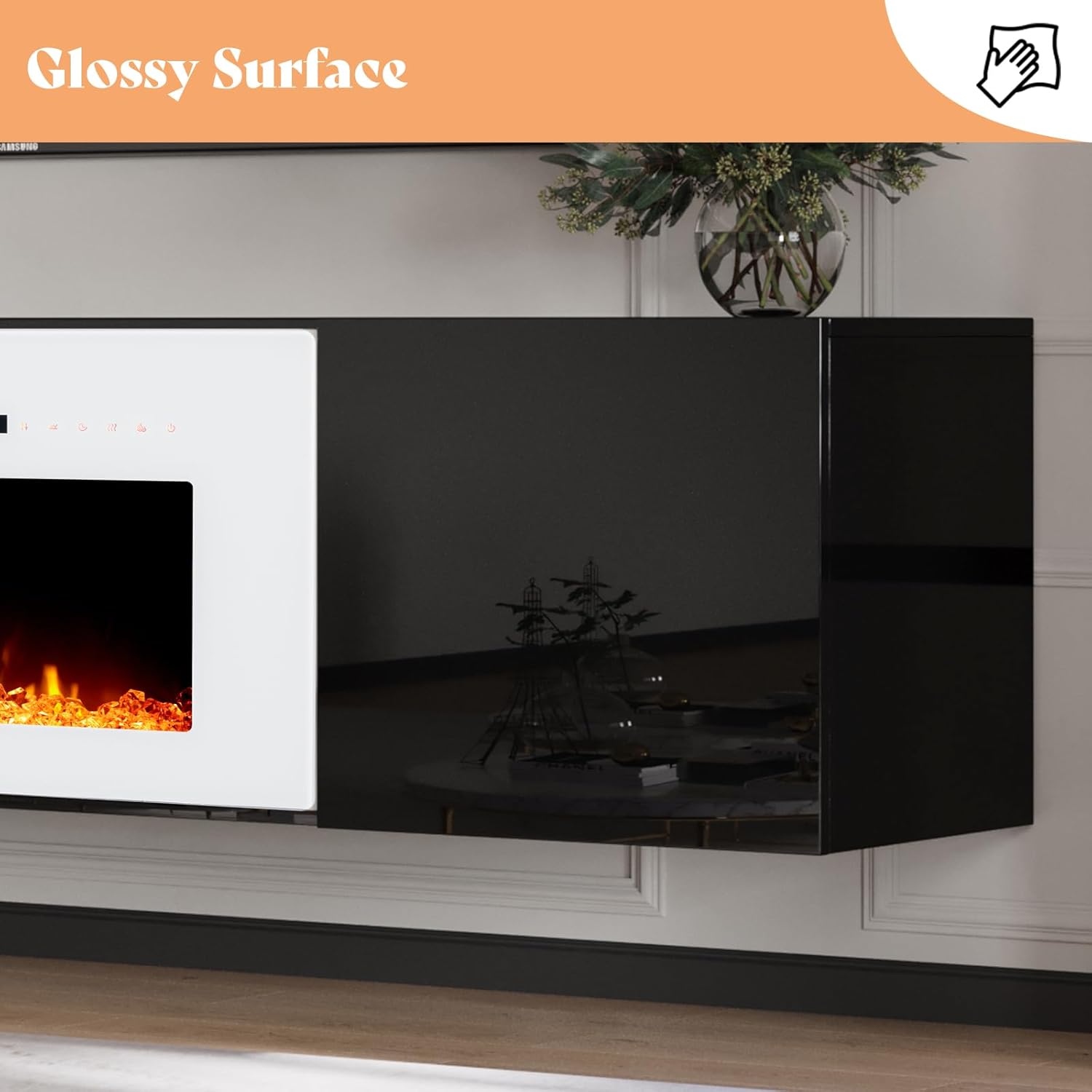
Image: A close-up view of the high-gloss surface of the AMERLIFE Floating Fireplace TV Stand, emphasizing its sleek, easy-to-clean finish.
9. Troubleshooting
| Problem | Possible Cause | Solution |
|---|---|---|
| Fireplace not turning on. | No power, remote battery low, unit off. | Check power outlet, replace remote batteries, ensure unit is switched on. |
| No heat output. | Heat function off, thermostat set too low, vents blocked. | Activate heat function, increase thermostat setting, clear any obstructions from vents. |
| LED lights not working. | Power issue, loose connection. | Check power supply to LED lights, ensure connections are secure. |
| Unit feels unstable after mounting. | Improper wall anchoring, loose brackets. | Re-check wall type compatibility. Ensure brackets are securely fastened into studs or appropriate anchors. Tighten all connections. Seek professional assistance if unsure. |
10. Warranty and Support
For warranty information or technical support, please refer to the contact details provided with your purchase documentation or visit the official AMERLIFE website. Keep your purchase receipt for warranty claims.