
VINABTY SDVD6655-B, SDVD6670, SDVD1041-DG, SDVD1096
User Manual: VINABTY Replacement Remote Control
For Sylvania DVD Player Models: SDVD6655-B, SDVD6670, SDVD1041-DG, SDVD1096
Introduction
This manual provides instructions for the VINABTY replacement remote control, designed to operate specific Sylvania DVD Player models. This remote control is a direct replacement and requires no programming for the listed compatible models. Please read this manual thoroughly to ensure proper use and maintenance of your new remote control.
Product Overview
The VINABTY replacement remote control features a standard layout for DVD player functions. Familiarize yourself with the buttons and their corresponding actions.
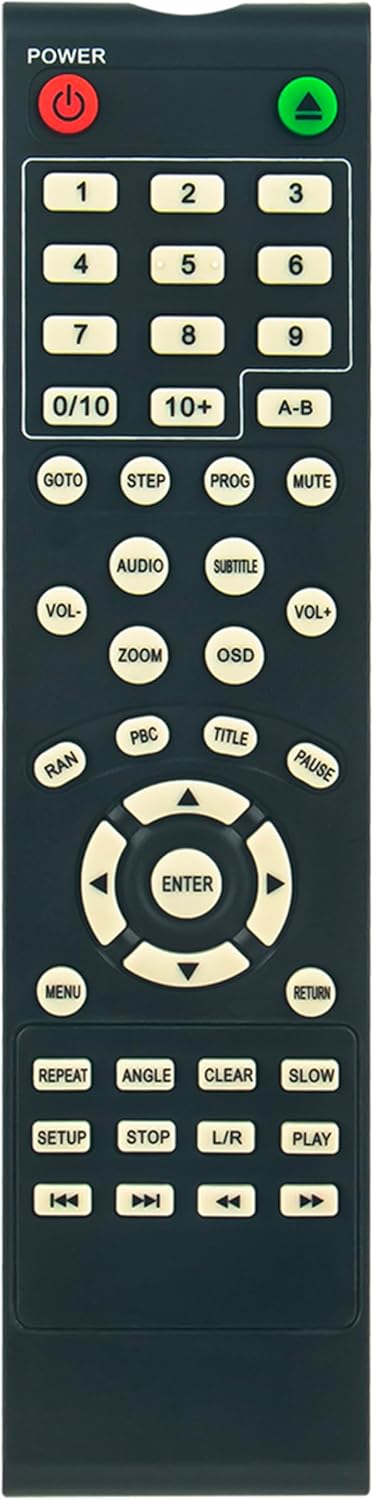
Figure 1: Front View of Remote Control. This image displays the front of the VINABTY replacement remote control, showing all buttons and their labels, including the power button, number pad, navigation controls, and function buttons.

Figure 2: Angled View of Remote Control. This image provides an angled perspective of the remote control, highlighting its ergonomic design and button layout from a side view.
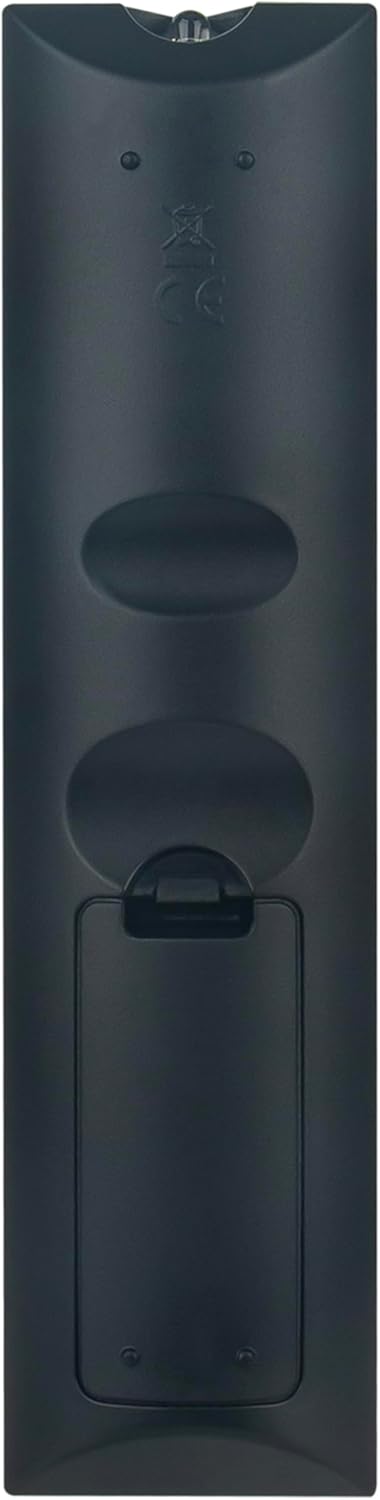
Figure 3: Back View of Remote Control. This image shows the rear of the remote control, clearly displaying the battery compartment cover and the overall ergonomic shape.
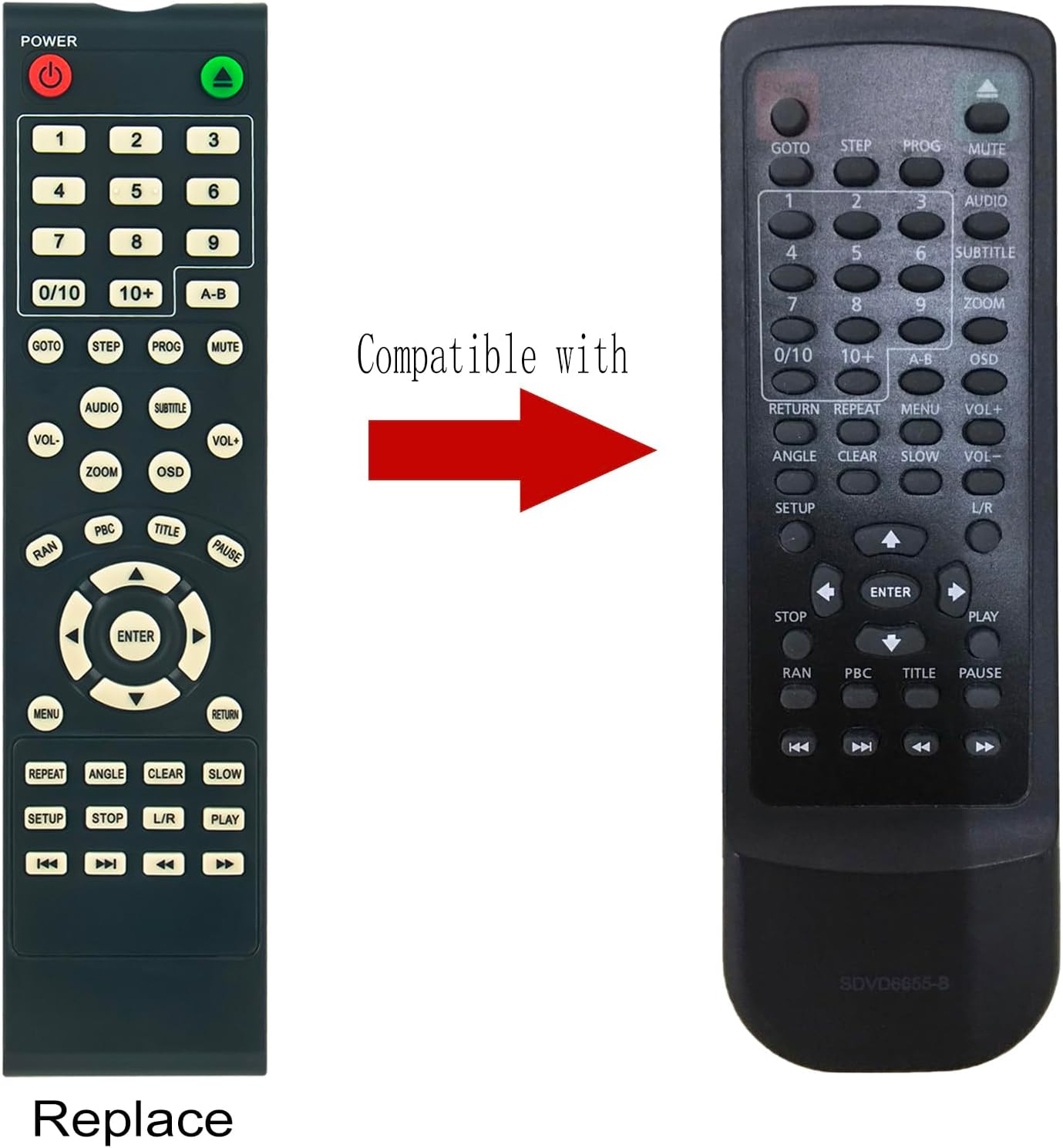
Figure 4: Remote Control Compatibility Comparison. This image illustrates the VINABTY replacement remote control alongside an original Sylvania remote, demonstrating their visual similarity and indicating compatibility.
Button Functions
- POWER (Red/Green): Turns the DVD player on or off.
- Number Pad (0-9, 0/10, 10+): Used for direct track selection or inputting numerical values.
- A-B: Repeats a specific section between two marked points (A and B).
- GOTO: Allows you to jump to a specific time, chapter, or track.
- STEP: Advances playback frame by frame.
- PROG: Accesses the program menu to create a custom playback sequence.
- MUTE: Silences the audio output.
- VOL- / VOL+: Decreases or increases the volume.
- AUDIO: Changes the audio track or language.
- SUBTITLE: Toggles or selects subtitle tracks.
- ZOOM: Magnifies a portion of the screen.
- OSD (On-Screen Display): Displays information about the current playback status.
- RAN (Random): Plays tracks in a random order.
- PBC (Playback Control): Activates or deactivates Playback Control for VCDs.
- TITLE: Returns to the DVD title menu.
- PAUSE: Pauses playback.
- Navigation Arrows (Up, Down, Left, Right) & ENTER: Used to navigate menus and confirm selections.
- MENU: Accesses the DVD disc menu.
- RETURN: Goes back to the previous menu or screen.
- REPEAT: Repeats the current track, chapter, or disc.
- ANGLE: Changes the camera angle if available on the disc.
- CLEAR: Clears numerical input or selections.
- SLOW: Initiates slow-motion playback.
- SETUP: Accesses the DVD player's system setup menu.
- STOP: Stops playback.
- L/R: Selects left or right audio channel.
- PLAY: Starts or resumes playback.
- Rewind/Fast Forward (Double Arrows): Skips backward or forward through tracks/chapters.
- Previous/Next Track (Single Arrows): Jumps to the previous or next track/chapter.
Setup
Battery Installation
- Locate the battery compartment on the back of the remote control (refer to Figure 3).
- Slide the battery compartment cover downwards or in the direction indicated by an arrow to open it.
- Insert two (2) AAA batteries, ensuring the positive (+) and negative (-) terminals align correctly with the markings inside the compartment. Incorrect battery orientation can prevent the remote from functioning.
- Slide the battery compartment cover back into place until it clicks securely.
Note: This replacement remote control requires no programming. Once batteries are installed, it is ready for use with compatible Sylvania DVD Player models.
Operating Instructions
To operate your Sylvania DVD player with this remote control, point the remote directly at the DVD player's infrared sensor. Ensure there are no obstructions between the remote and the player.
- Power On/Off: Press the POWER button.
- Disc Playback: Insert a DVD disc into your player. Use the PLAY button to start playback.
- Navigation: Use the Up, Down, Left, Right arrow buttons to navigate through menus and options. Press ENTER to confirm a selection.
- Volume Control: Adjust the audio level using the VOL+ and VOL- buttons.
- Mute Audio: Press the MUTE button to temporarily silence the sound. Press again to restore.
- Track/Chapter Selection: Use the Previous/Next Track buttons to skip between tracks or chapters. For direct access, use the Number Pad.
- Stopping Playback: Press the STOP button to halt playback.
- Pausing Playback: Press the PAUSE button to temporarily stop playback. Press PLAY to resume.
Maintenance
Battery Replacement
Replace batteries when the remote control's response becomes sluggish or stops working. Always replace both batteries at the same time with new AAA batteries. Do not mix old and new batteries, or different types of batteries.
Cleaning
To clean the remote control, gently wipe its surface with a soft, dry cloth. For stubborn dirt, slightly dampen the cloth with water. Do not use abrasive cleaners, solvents, or alcohol, as these can damage the remote's finish or internal components. Avoid getting any liquid inside the remote.
Troubleshooting
| Problem | Possible Cause | Solution |
|---|---|---|
| Remote control is not working. |
|
|
| Certain buttons do not respond. |
|
|
Specifications
- Brand: VINABTY
- Compatible DVD Player Models: Sylvania SDVD6655-B, SDVD6670, SDVD1041-DG, SDVD1096
- Internal Model Number: a6725f84-f7f5-4fb0-a43d-e7a6f44fc993
- Product Dimensions: 7.5 x 2 x 0.7 inches (approximately)
- Item Weight: 2.5 ounces (without batteries)
- Battery Type: 2 x AAA batteries (not included)
- Color: Black
- Special Feature: Ergonomic design
- Programming Required: No
Support
For further assistance, technical support, or inquiries regarding your VINABTY replacement remote control, please contact the seller directly through the platform where the purchase was made. Provide your order details and a clear description of the issue for prompt support.
Seller: Promotion-Shopping store
Ask a question about this manual
Ask about setup, troubleshooting, compatibility, parts, safety, or missing instructions. Manuals+ will review the question and use this page’s manual context to help answer it.