
1. Product Overview
The POMUIC Q53-D Wireless Earbuds are designed for an immersive audio experience with stable connectivity and a comfortable fit. This manual provides essential information for setting up, operating, and maintaining your earbuds.
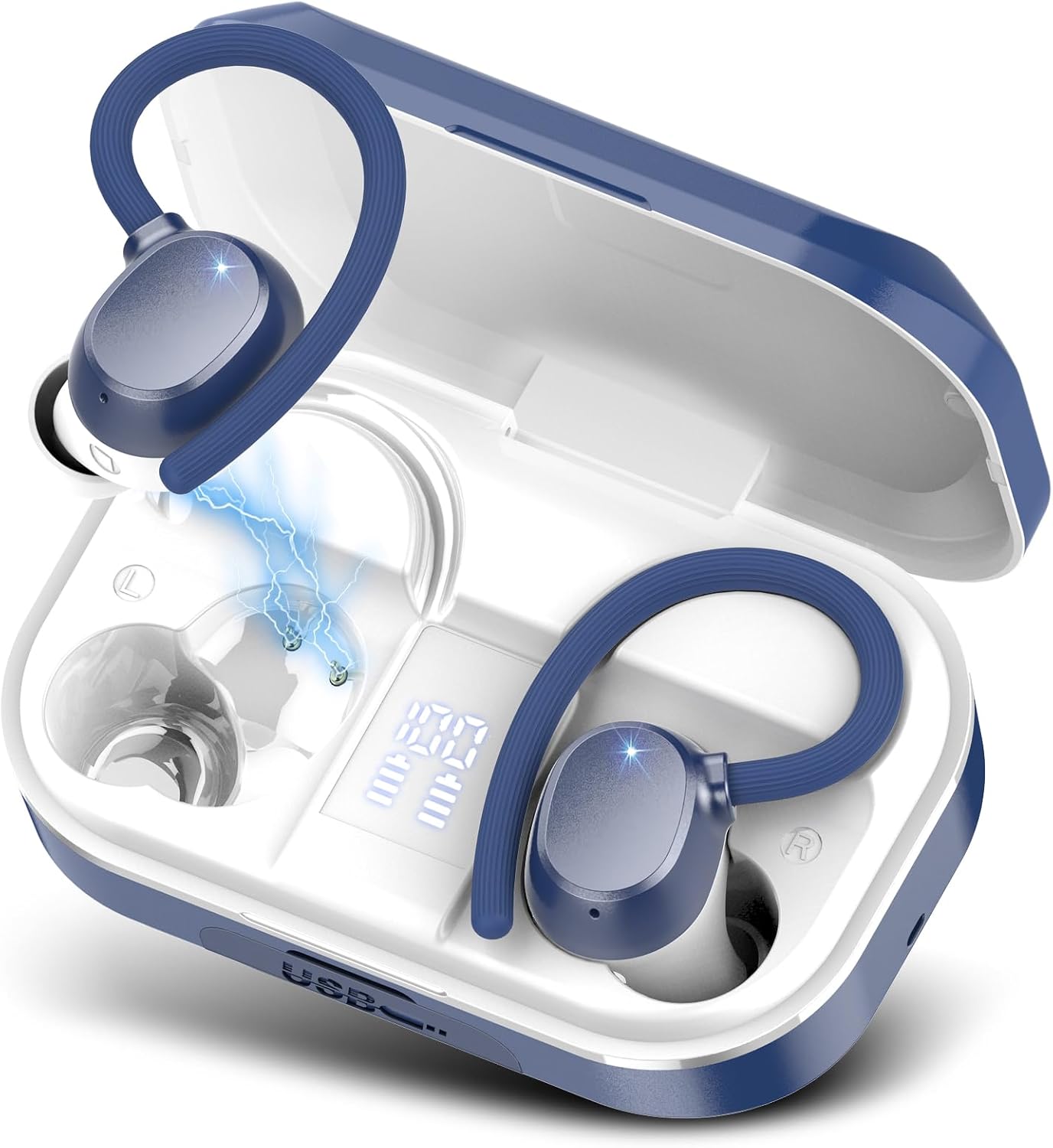
Image 1: POMUIC Q53-D Wireless Earbuds in their charging case, illustrating the design and LED battery indicators.
2. Package Contents
Please verify that all items are present in your package:
- POMUIC Q53-D Wireless Earbuds (Left and Right)
- Charging Case
- USB-C Charging Cable
- Multiple Sizes of Eartips (S, M, L)
- User Manual
3. Setup
3.1 Charging the Earbuds and Case
Before first use, fully charge the earbuds and charging case.
- Place the earbuds into the charging case. Ensure they are correctly seated.
- Connect the USB-C charging cable to the charging port on the case and to a power source.
- The dual LED display on the charging case will show the battery level. When fully charged, the display will indicate 100%.

Image 2: Earbuds in the charging case, demonstrating the LED display for battery levels and Type-C fast charging.
3.2 Emergency Power Bank Function
The charging case can also serve as an emergency power bank for other devices.
- Connect your mobile phone or other compatible device to the USB-C output port on the charging case using an appropriate cable.
- The charging case will begin to charge your device.

Image 3: The charging case connected via USB-C to a smartphone, illustrating its emergency power bank capability.
3.3 Bluetooth Pairing
The earbuds feature one-step pairing and auto-pairing with previously connected devices.
- Open the charging case. The earbuds will automatically power on and enter pairing mode.
- On your device (smartphone, tablet, laptop), enable Bluetooth and search for available devices.
- Select "Q53" from the list of devices.
- Once connected, the earbuds will indicate successful pairing.
- For subsequent uses, the earbuds will automatically connect to the last paired device when removed from the case.

Image 4: The earbuds in their case, with a smartphone displaying Bluetooth pairing options, highlighting Bluetooth 5.3 connectivity.

Image 5: Illustration of the earbuds' compatibility with mobile phones, computers, and smartwatches, emphasizing one-step pairing and wide compatibility.
4. Operating Instructions
4.1 Wearing the Earbuds
The Q53-D earbuds feature flexible ear hooks for a secure and comfortable fit, especially during physical activity.
- Choose the eartip size (S, M, L) that best fits your ear canal for optimal sound quality and comfort.
- Gently insert the earbud into your ear.
- Adjust the flexible ear hook over your ear to secure the earbud in place.

Image 6: A person wearing the earbuds with ear hooks during a workout, demonstrating the secure fit and the availability of three eartip sizes.

Image 7: A diagram illustrating the comfortable and secure fit design with flexible ear hooks, and the option to use either earbud independently.
4.2 Touch Controls
The earbuds feature smart touch controls for easy management of audio and calls.
- Play/Pause: Double tap (X2) on either earbud.
- Switch Song: Double tap (X2) on the right earbud for next track, double tap (X2) on the left earbud for previous track.
- Answer Call: Double tap (X2) on either earbud.
- Reject Call: Long press (2S) on either earbud.
- Adjust Volume: Single tap (X1) on the right earbud to increase volume, single tap (X1) on the left earbud to decrease volume.
- Voice Assistant (SIRI): Double tap (X2) on either earbud.

Image 8: Detailed diagram illustrating the smart touch control functions for both the left and right earbuds.
5. Maintenance
5.1 Cleaning
Regular cleaning helps maintain optimal performance and hygiene.
- Use a soft, dry, lint-free cloth to wipe the earbuds and charging case.
- Remove eartips and clean them with mild soap and water, then dry thoroughly before reattaching.
- Avoid using abrasive materials or harsh chemicals.
5.2 Water Resistance (IPX7)
The earbuds feature an IPX7 waterproof nano-coating, protecting them from sweat and rain. This rating means they can withstand immersion in water up to 1 meter for 30 minutes.
- Do not intentionally submerge the earbuds for extended periods or in depths greater than specified.
- The charging case is not waterproof.
- Ensure earbuds are dry before placing them back into the charging case.

Image 9: Earbuds shown with water droplets, highlighting their IPX7 waterproof coating for protection against sweat and rain.
6. Troubleshooting
If you encounter issues, please refer to the following common solutions:
- Earbuds not pairing: Ensure earbuds are charged, Bluetooth is enabled on your device, and no other devices are currently connected. Try resetting the earbuds by placing them back in the case and then taking them out again.
- No sound from one earbud: Check if both earbuds are charged. Try re-pairing them with your device.
- Charging issues: Verify the USB-C cable and power source are working. Ensure the charging contacts on the earbuds and case are clean and free of debris.
- Poor sound quality: Adjust the eartips for a better seal in your ear. Ensure the earbuds are within Bluetooth range of your device.
7. Specifications
| Feature | Specification |
|---|---|
| Model Number | Q53-D |
| Bluetooth Version | 5.3 |
| Audio Driver Type | Dynamic Driver |
| Audio Driver Size | 13.4 mm |
| Battery Life (Earbuds) | Up to 8 hours (single charge) |
| Total Playtime (with case) | Up to 120 hours |
| Charging Port | USB-C |
| Water Resistance | IPX7 (Earbuds only) |
| Control Method | Touch |
| Item Weight | 5.3 ounces |
| Package Dimensions | 3.62 x 3.15 x 1.34 inches |

Image 10: An exploded view diagram of the earbud's internal components, highlighting the 13.4mm dynamic speaker for high-fidelity audio.

Image 11: A close-up illustration of the Bluetooth 5.3 chip, emphasizing its role in stable and fast connections.
8. Official Product Video
Video 1: An official product video from POMUIC showcasing the Q53-D Wireless Earbuds, their features, and usage scenarios.
9. Warranty and Support
For warranty information, technical support, or further assistance, please refer to the product's detail page on Amazon or contact POMUIC customer service directly. Keep your purchase receipt for warranty claims.
You can visit the POMUIC Store for more information: POMUIC Store on Amazon