
1. Introduction
This manual provides essential information for the safe and effective operation of your GuliTech FY1100-2M DDS Signal Generator. Please read this manual thoroughly before using the device and retain it for future reference. The FY1100 series is a single-channel signal generator designed for various testing and measurement applications, featuring DDS technology for stable and accurate waveform output.
2. Safety Information
Always observe the following safety precautions to prevent injury and damage to the instrument:
- Ensure the power supply voltage matches the requirements specified for the device.
- Do not operate the device in wet or damp conditions.
- Avoid exposing the device to direct sunlight or high temperatures.
- Do not open the device casing; there are no user-serviceable parts inside. Refer all servicing to qualified personnel.
- Use only the provided power adapter and accessories.
3. Product Overview
The GuliTech FY1100-2M is a compact and versatile DDS signal generator. It features a 2.4-inch color display for clear parameter visualization and offers high frequency resolution and accuracy.
3.1 Key Features
- 2.4-inch (320*240 pixel) color display for waveform parameter display.
- High frequency resolution: 10mHz (0.01Hz) across the full range.
- Sampling rate of 150MSa/s with 12-bit vertical resolution.
- DDS technology for accurate, stable, and low-distortion output signals.
- High frequency accuracy, reaching 10-2 orders of magnitude.
3.2 Device Layout
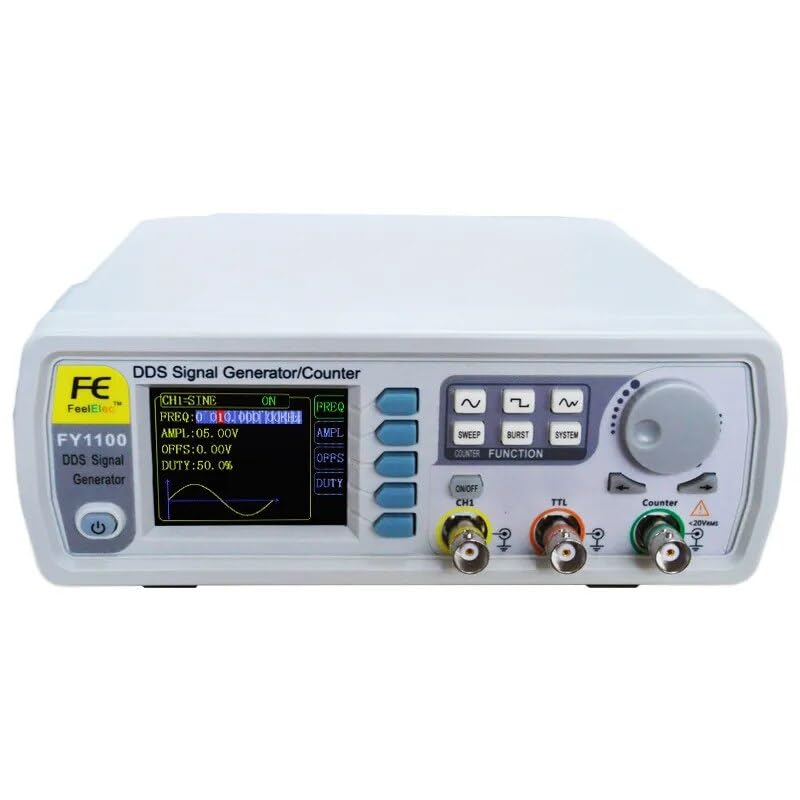
Figure 3.2.1: Front view of the GuliTech FY1100-2M DDS Signal Generator. This image shows the main display, control buttons, rotary encoder, and output ports (CH1, TTL, Counter).
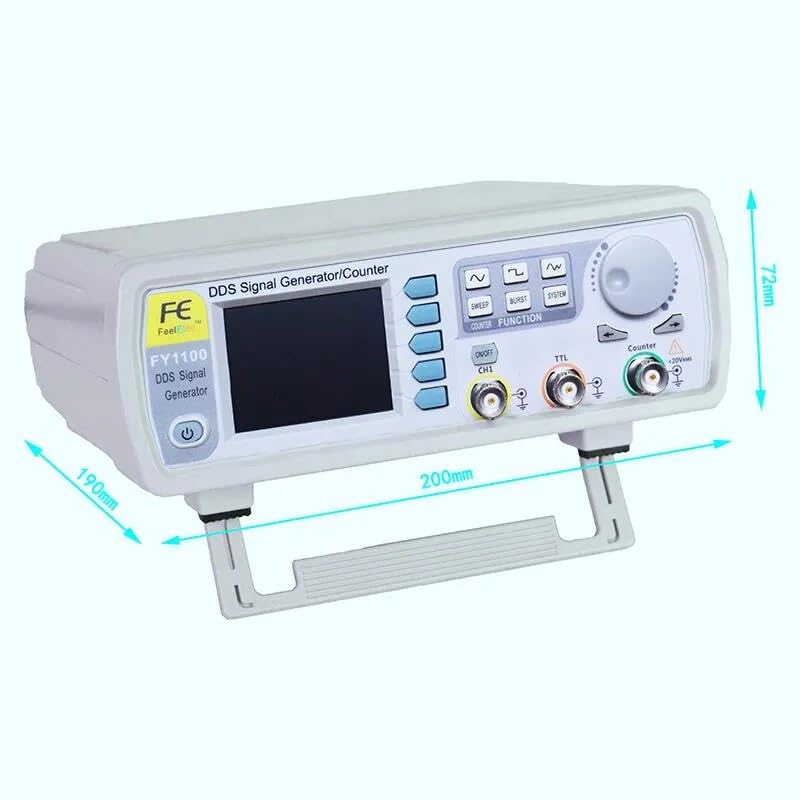
Figure 3.2.2: Side view with dimensions of the GuliTech FY1100-2M. The device measures approximately 200mm in width, 190mm in depth, and 72mm in height.
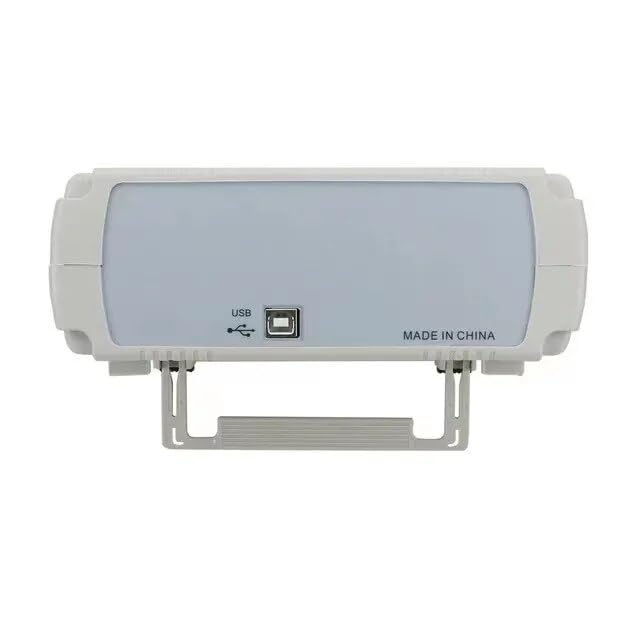
Figure 3.2.3: Rear view of the GuliTech FY1100-2M, showing the USB port for connectivity and the 'MADE IN CHINA' label.
4. Setup
Follow these steps to set up your signal generator:
- Unpacking: Carefully remove the signal generator and all accessories from the packaging. Inspect for any signs of damage.
- Power Connection: Connect the appropriate power adapter to the device and then to a suitable power outlet. Ensure the correct plug type is used for your region.
- Power On: Press the power button located on the front panel to turn on the device. The display should illuminate.
- Output Connection: Connect your test leads or cables to the desired output ports (CH1, TTL, or Counter input) on the front panel, depending on your application.
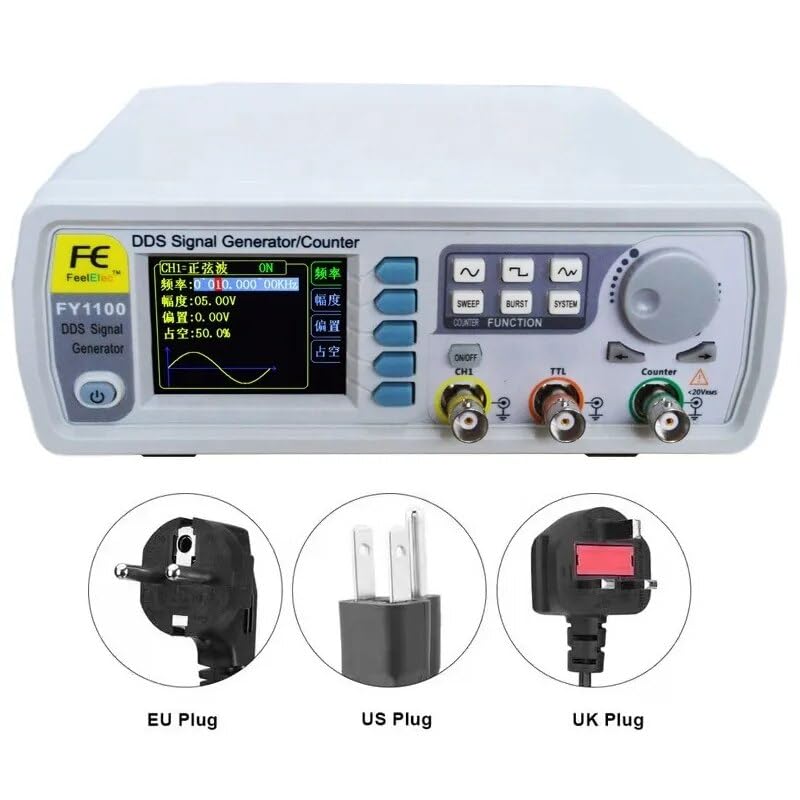
Figure 4.1: Various power plug types (EU, US, UK) compatible with the GuliTech FY1100-2M, illustrating the flexibility for different regions.
5. Operating Instructions
The FY1100-2M features an intuitive interface for waveform generation and parameter adjustment.
5.1 Basic Operation
- Display: The 2.4-inch color display shows the current waveform type, frequency, amplitude, offset, and duty cycle.
- Navigation Buttons: Use the buttons adjacent to the display to select parameters for adjustment.
- Rotary Encoder: Turn the large rotary knob on the right to adjust the value of the selected parameter. Press the knob to confirm or switch between coarse and fine adjustment modes.
- Waveform Selection: Use the dedicated waveform buttons (sine, square, triangle, etc.) to select the desired output waveform.
- Function Buttons: Buttons like SWEEP, BURST, and SYSTEM provide access to advanced functions and system settings.
- Output Enable: Use the ON/OFF CH1 button to enable or disable the main channel output.
5.2 Setting Parameters
To set a parameter (e.g., frequency, amplitude):
- Press the corresponding navigation button next to the display to highlight the parameter you wish to change.
- Turn the rotary encoder to adjust the value.
- Press the rotary encoder to confirm the value or to move to the next digit for fine-tuning.
6. Maintenance
Proper maintenance ensures the longevity and accuracy of your signal generator.
- Cleaning: Use a soft, dry cloth to clean the exterior of the device. Do not use abrasive cleaners or solvents.
- Storage: When not in use, store the device in a cool, dry place, away from direct sunlight and extreme temperatures.
- Battery: The device includes a Lithium Ion battery. Follow local regulations for battery disposal if replacement is ever needed.
7. Troubleshooting
If you encounter issues with your GuliTech FY1100-2M, refer to the following common problems and solutions:
| Problem | Possible Cause | Solution |
|---|---|---|
| Device does not power on | No power, faulty adapter, or power button issue. | Check power cable connection. Ensure power outlet is functional. Try a different power adapter if available. |
| No output signal | Output channel disabled, incorrect settings, or faulty cable. | Ensure CH1 output is enabled. Verify frequency, amplitude, and waveform settings. Check test leads for continuity. |
| Display is blank or frozen | Software glitch or internal error. | Power off the device, wait a few seconds, then power it back on. If the problem persists, contact support. |
8. Specifications
The following table details the technical specifications for the GuliTech FY1100-2M and FY1100-5M models.

Figure 8.1: Detailed specifications for the FY1100 series, including frequency ranges, resolution, accuracy, and sampling rate.
| Parameter | FY1100-2M | FY1100-5M |
|---|---|---|
| Product Name | FY1100-2M | FY1100-5M |
| Sine Wave Frequency Range | 0~2MHz | 0~5MHz |
| Square Wave Frequency Range | 0~2MHz | 0~2MHz |
| Triangle Wave Frequency Range | 0~3MHz | 0~3MHz |
| TTL Digital Wave Range | 0~5MHz | 0~5MHz |
| Minimum Frequency Resolution | 10mHz (0.01Hz) | 10mHz (0.01Hz) |
| Frequency Accuracy | ±5x10⁻⁶ | ±5x10⁻⁶ |
| Frequency Stability | ±1x10⁻⁶/3 hours | ±1x10⁻⁶/3 hours |
| Output Impedance | 50Ω+10% (typical) | 50Ω+10% (typical) |
| Waveform Sampling Rate | 150MSa/s | 150MSa/s |
| Product Dimensions | 8.66 x 5.91 x 4.72 inches | 8.66 x 5.91 x 4.72 inches |
| Item Model Number | GL-FY1100-2M | GL-FY1100-5M |
| Batteries | 1 Lithium Ion battery (included) | 1 Lithium Ion battery (included) |
9. Warranty and Support
GuliTech products are designed for reliability and performance. For warranty information, technical support, or service inquiries, please refer to the contact information provided with your purchase or visit the official GuliTech website. Please have your model number (FY1100-2M) and purchase details ready when contacting support.