
PINHUI D16
PINHUI MP3 Player D16 User Manual
Model: D16
1. Introduction
This manual provides instructions for the PINHUI MP3 Player D16. This portable music player features Bluetooth 5.3 connectivity, 64GB of internal storage expandable up to 128GB, a 2.4-inch screen, and a built-in speaker. It supports various functions including music playback, video playback, eBook reading, pedometer, and FM radio. Please read this manual thoroughly before using the device to ensure proper operation and maintenance.

PINHUI MP3 Player D16 with 2.4-inch screen displaying music playback.
2. Package Contents
Verify that all items are present in the package:
- PINHUI MP3 Player D16
- USB-C Charging Cable
- User Manual
- Wired Earphones (may vary by package)
3. Product Overview
The PINHUI MP3 Player D16 features a robust aluminum casing and a 2.4-inch glossy screen. Its ultra-thin body design makes it highly portable.

Diagram of PINHUI MP3 Player D16 showing 2.4-inch screen, 64GB storage, 128GB memory card slot, touch buttons, volume controls, ON/OFF switch, 3.5mm plug, Type-C port, and dimensions (10.6cm length, 4.8cm width, 0.9cm thickness).
3.1. Device Layout
- 2.4-inch Glossy Screen: For navigation and content display.
- Touch Buttons: For menu navigation and control.
- Volume Controls: Adjust audio output level.
- ON/OFF Switch: Power the device on or off.
- 3.5mm Audio Jack: For connecting wired headphones.
- Type-C Port: For charging and data transfer.
- Micro SD Card Slot: For memory expansion up to 128GB.
- Built-in Speaker: For audio playback without headphones.
4. Setup
4.1. Charging the Device
Before first use, fully charge the MP3 player. Connect the provided USB-C cable to the device's Type-C port and the other end to a USB power adapter (not included) or a computer's USB port. A full charge typically takes approximately 1.5 hours.
4.2. Powering On/Off
- To Power On: Press and hold the ON/OFF button until the screen illuminates.
- To Power Off: Press and hold the ON/OFF button until the power-off prompt appears, then confirm.
4.3. Transferring Files
To transfer music, videos, eBooks, or other files to the device:
- Connect the MP3 player to your computer using the USB-C cable.
- The device will appear as a removable disk drive on your computer.
- Drag and drop your desired files into the appropriate folders on the MP3 player (e.g., 'Music' for audio files, 'Video' for video files).
- Safely eject the device from your computer before disconnecting the cable.
The player has 64GB of internal memory and supports expansion up to 128GB via a Micro SD card (not included).

Close-up of the PINHUI MP3 Player D16 showing a Micro SD card being inserted into the slot.
5. Operating Instructions
5.1. Navigation
Use the touch buttons on the device to navigate through menus and select functions. The central button typically acts as 'Enter' or 'Select', while directional buttons allow movement. The 'back' button (often an arrow) returns to the previous screen.
5.2. Music Playback
From the main menu, select 'Music'. You can browse your music by artist, album, genre, or folder. The player supports MP3, WMA, WAV, FLAC, APE, AAC, DRM, OGG, and ACELP audio formats. Functions like shuffle and A-B repeat are available during playback.

PINHUI MP3 Player D16 displaying music playback, surrounded by bubbles listing supported audio formats: DRM, APE, FLAC, MP3, WMA, OGG, ACELP.
5.3. Bluetooth Connectivity
The device features Bluetooth 5.3 for stable wireless connections. To pair with Bluetooth headphones or speakers:
- Ensure your Bluetooth accessory is in pairing mode.
- On the MP3 player, navigate to 'Settings' and then 'Bluetooth'.
- Turn Bluetooth 'On' and select 'Search for devices'.
- Select your accessory from the list to pair.
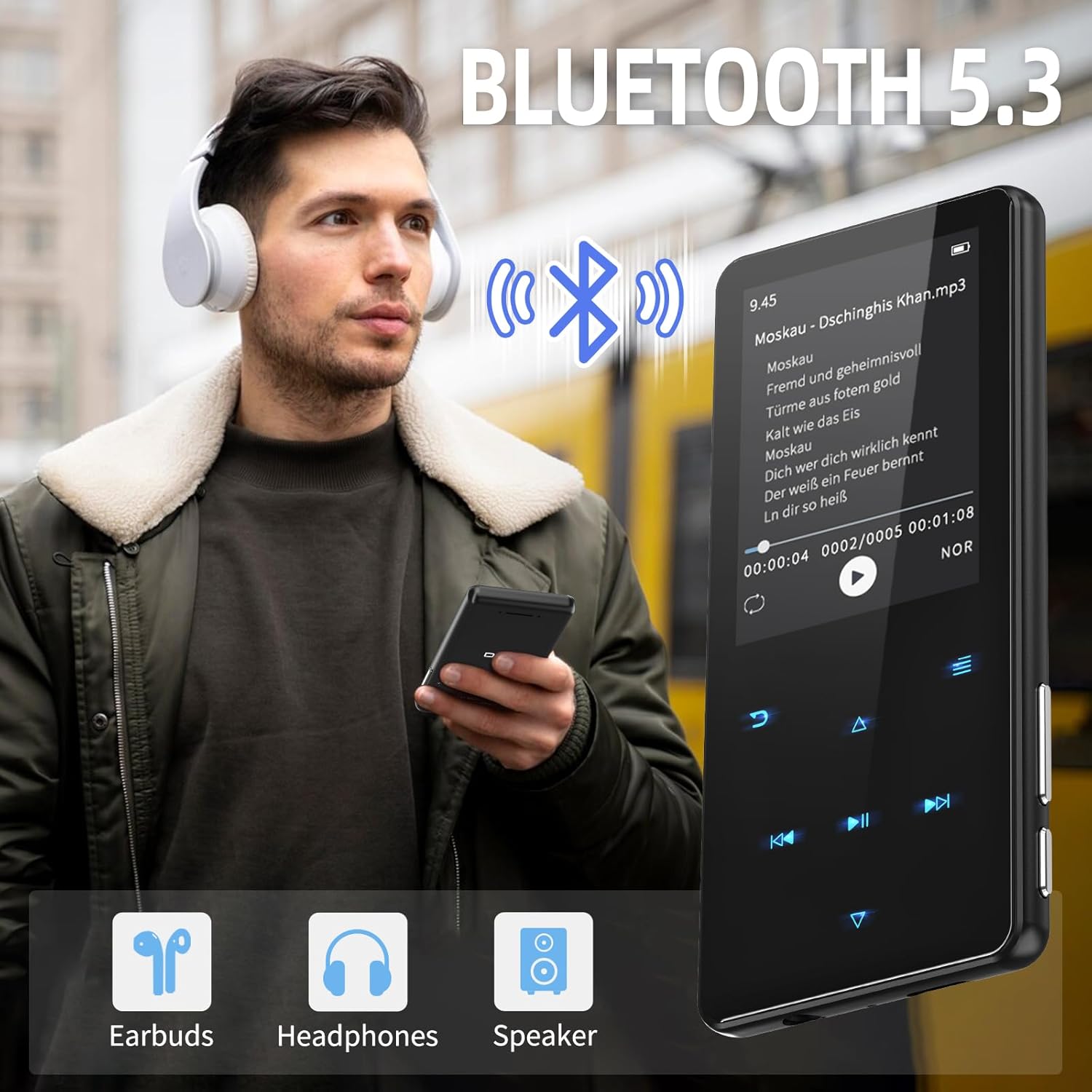
User wearing white headphones connected via Bluetooth 5.3 to the PINHUI MP3 Player D16, with a music track displayed on the screen.
5.4. Built-in Speaker
If you prefer to listen without headphones, the device includes a built-in speaker. This can be activated or deactivated through the audio settings or by disconnecting headphones.

Two PINHUI MP3 Players D16, one displaying music playback with lyrics and the other showing a colorful wallpaper, emphasizing the 2.4-inch screen and built-in speaker.
5.5. Video Playback
The player supports AMV/AVI video formats. Transfer compatible video files to the 'Video' folder and select 'Video' from the main menu to browse and play them.
5.6. FM Radio
To use the FM radio function, connect wired earphones as they act as the antenna. Navigate to 'FM Radio' from the main menu. You can scan for stations and save your favorites. The device also supports FM recording.

Woman happily listening to FM radio on the PINHUI MP3 Player D16 with wired headphones.
5.7. E-Book Reader
Transfer compatible eBook files (typically TXT format) to the 'E-Book' folder. Select 'E-Book' from the main menu to read your digital books.
5.8. Pedometer
The built-in pedometer tracks your steps. Activate it from the main menu to monitor your activity. This function can be used concurrently with FM radio.

Person exercising with the PINHUI MP3 Player D16, demonstrating FM radio and pedometer functions. Battery life details: 1.5H charging, 48H playback, 65H standby, 500mAh battery.
5.9. Voice Recorder
Select 'Recorder' from the main menu to use the device's voice recording function. Recordings are saved internally.

PINHUI MP3 Player D16 displaying the recording interface next to a microphone, illustrating its voice recording capability.
5.10. Other Functions
The device also includes additional tools such as an alarm clock, calendar, and stopwatch, accessible from the main menu or 'Tools' section.

Four screens of the PINHUI MP3 Player D16 demonstrating different functions: FM Radio, Voice Recorder, E-Book reader, and Pedometer/Stopwatch.
6. Maintenance
- Cleaning: Use a soft, dry cloth to clean the device. Avoid liquid cleaners or abrasive materials.
- Storage: Store the device in a cool, dry place away from direct sunlight and extreme temperatures.
- Battery Care: To prolong battery life, avoid fully discharging the battery frequently. Charge the device regularly, even if not in use for extended periods.
- Water Resistance: This device is not waterproof. Avoid exposure to water or high humidity.
7. Troubleshooting
7.1. Device Will Not Turn On
- Ensure the battery is charged. Connect the device to a power source and try again.
- If the device is unresponsive, try holding the power button for an extended period (10-15 seconds) to force a restart.
7.2. Cannot Connect via Bluetooth
- Ensure Bluetooth is enabled on both the MP3 player and the target device (headphones, speaker).
- Make sure the target device is in pairing mode.
- Move the devices closer to each other to ensure they are within range.
- Try unpairing and re-pairing the devices.
7.3. Files Not Appearing After Transfer
- Ensure files were transferred to the correct folders (e.g., music to 'Music').
- Verify the file formats are supported by the device.
- Safely eject the device from your computer before disconnecting.
7.4. Poor FM Radio Reception
- Ensure wired earphones are properly connected, as they serve as the antenna.
- Try moving to a location with better signal reception.
8. Specifications
| Feature | Detail |
|---|---|
| Brand | PINHUI |
| Model Number | D16 |
| Screen Size | 2.4 Inches |
| Internal Storage | 64 GB |
| Expandable Memory | Up to 128 GB (Micro SD card) |
| Connectivity | Bluetooth 5.3, USB Type-C |
| Battery Type | Lithium-polymer |
| Charging Time | Approx. 1.5 hours |
| Music Playback Time | Up to 48 hours |
| Standby Time | Up to 65 hours |
| Special Features | Video Playback, FM Radio, Built-in Speaker, Equalizer, Pedometer, E-Book Reader, Voice Recorder, Alarm Clock, Stopwatch |
| Supported Audio Formats | MP3, WMA, WAV, FLAC, APE, AAC, DRM, OGG, ACELP |
| Supported Video Formats | AMV, AVI |
| Compatible Devices | Laptop (for file transfer) |
9. Warranty and Support
Specific warranty information for the PINHUI MP3 Player D16 is not provided in the product details. Please refer to your purchase documentation or contact the retailer for details regarding warranty coverage.
For technical support or further assistance, please consult the seller or the official PINHUI website if available.
Related Documents - D16
 |
D16 Smart Glasses Product Specification Comprehensive technical specifications for the D16 smart glasses, detailing features, hardware components, and software functionalities including Bluetooth, camera, and AI capabilities. |
 |
Orange Love Internet 4G/Telefon Komórkowy - Cennik Produktów na Raty Szczegółowy cennik urządzeń dostępnych w ramach ofert Orange Love Internet 4G/Telefon Komórkowy z płatnością ratalną. Sprawdź ceny telefonów, routerów i innych akcesoriów w ramach umów 24-miesięcznych, obowiązujący od 27-10-2022. |
 |
Cennik produktów na raty - Orange Love Internet 4G/Telefon Komórkowy Aktualny cennik ofert Orange Love Internet 4G/Telefon Komórkowy oraz Orange Love Internet 4G/TV/Telefon Komórkowy z opłatami ratalnymi na 24 i 36 miesięcy. Sprawdź ceny urządzeń i miesięczne raty dostępne od 06-12-2022. |
 |
Cennik Orange Love Internet 4G/Telefon Komórkowy - Oferty Ratalne 24 i 36 Miesięcy Przeglądaj cennik ofert Orange Love Internet 4G i Telefon Komórkowy, zawierający szczegółowe informacje o cenach urządzeń dostępnych na raty 24-miesięczne i 36-miesięczne, w tym telefony, laptopy, tablety i akcesoria. Sprawdź całkowity koszt urządzenia oraz miesięczną ratę. |
 |
Orange Love Internet 4G/TV/Phone Installment Price List Price list for devices and plans available with Orange Love Internet 4G/Phone and Orange Love Internet 4G/TV/Phone services on a 24-month installment plan. Includes phones, laptops, tablets, and more. |
 |
B2B Device Price List - Phones, Laptops, Tablets | Polkomtel Comprehensive B2B price list from Polkomtel featuring a wide range of mobile phones, smartphones, laptops, tablets, smartwatches, modems, and routers from leading brands like Apple, Samsung, Xiaomi, and Huawei. Prices include VAT. |
Ask a question about this manual
Ask about setup, troubleshooting, compatibility, parts, safety, or missing instructions. Manuals+ will review the question and use this page’s manual context to help answer it.