
1. Introduction
Thank you for choosing the Langsdom TG12 True Wireless Noise Cancelling Earbuds. These earbuds are designed to provide a superior audio experience with advanced features such as environmental noise cancellation and ultra-low latency, making them ideal for music, gaming, and calls. This manual will guide you through the setup, operation, and maintenance of your new earbuds.
2. What's in the Box
- 1 x Pair of Langsdom TG12 Wireless Earbuds (Left and Right)
- 1 x Charging Case
- 1 x TYPE-C Charging Cable
- 1 x User Manual
- 4 x Earplugs (various sizes)
3. Product Overview
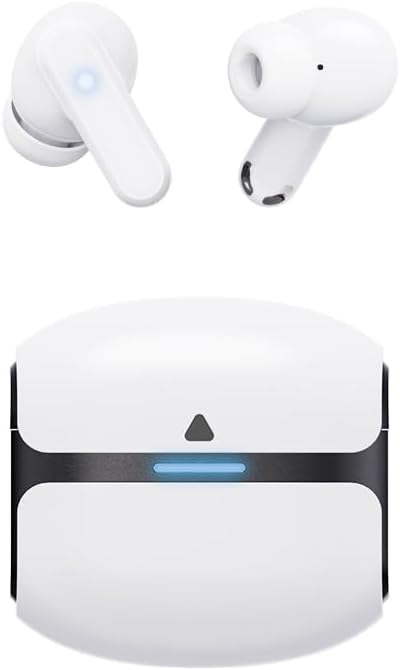
Figure 3.1: Langsdom TG12 True Wireless Earbuds and Charging Case. The image displays the two white earbuds and their compact white charging case with a black accent and a blue indicator light.
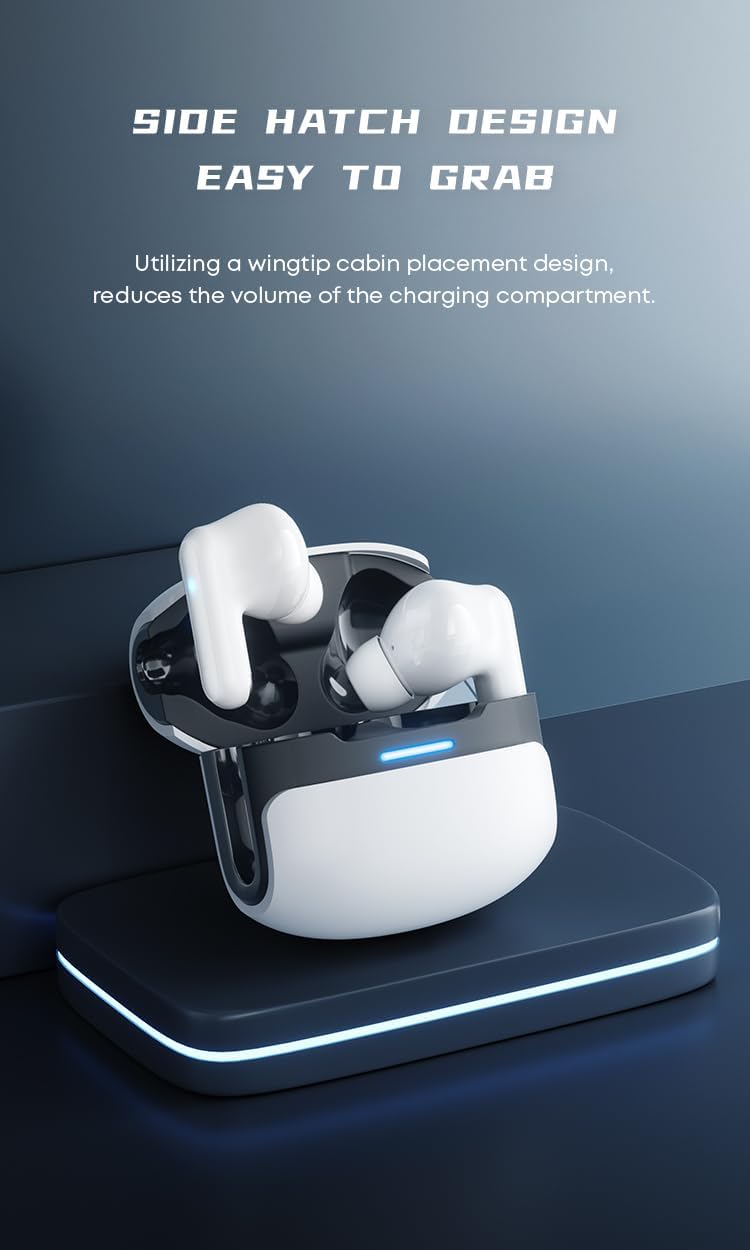
Figure 3.2: Side Hatch Design of the Charging Case. This image illustrates the unique side-opening design of the charging case, which reduces its overall volume and makes the earbuds easy to access.
The Langsdom TG12 earbuds feature a lightweight design for comfortable wear and a compact charging case for portability. Key components include the earbuds with touch control areas, charging contacts, microphones, and the charging case with a USB-C port and LED indicator.
4. Setup
4.1 Charging the Earbuds and Case
Before first use, fully charge the earbuds and the charging case. The charging case holds multiple charges for the earbuds, extending their usage time.
- Place the earbuds into the charging case. Ensure they are correctly seated, and the charging contacts align.
- Connect the TYPE-C charging cable to the charging port on the case and the other end to a USB power adapter (not included) or a computer's USB port.
- The LED indicator on the charging case will illuminate to show charging status. A full charge for the case typically takes about 60 minutes, and for the earbuds, approximately 1 hour.
The earbuds offer up to 30 hours of total listening time with the charging case, and the case itself can provide power for approximately 4 days on a single charge.
4.2 Bluetooth Pairing
To connect your Langsdom TG12 earbuds to your device:
- Ensure the earbuds are charged.
- Open the charging case. The earbuds will automatically enter pairing mode, and their indicator lights will flash.
- On your smartphone, tablet, or other Bluetooth-enabled device, go to the Bluetooth settings.
- Search for available devices and select "Langsdom TG12" from the list.
- Once connected, the earbud indicator lights will turn off or show a steady light, indicating successful pairing.
The earbuds support Bluetooth 5.3 for stable and efficient wireless communication with a range of up to 10 meters.

Figure 4.2.1: Dual Bluetooth 5.3 Chip. This image highlights the advanced Bluetooth 5.3 technology, emphasizing its low power consumption, fast transmission, wide coverage, and signal stability for anti-interference performance.
5. Operating Instructions
5.1 Touch Controls
The Langsdom TG12 earbuds feature intuitive touch controls. The specific functions may vary slightly depending on the device and application, but common controls include:
| Action | Function |
|---|---|
| Single Tap | Play/Pause music, Answer/End call |
| Double Tap (Left Earbud) | Previous Track |
| Double Tap (Right Earbud) | Next Track |
| Triple Tap | Activate Voice Assistant |
| Long Press (2 seconds) | Reject Call, Toggle Noise Cancellation/Transparency Mode |
Refer to the specific APP or device settings for customization options if available.
5.2 Noise Cancellation (ENC)
The earbuds feature Environmental Noise Cancellation (ENC) technology. This technology effectively blocks out ambient noise and ensures clear sound pickup for your voice during calls, facilitating clear face-to-face conversations even in noisy environments.

Figure 5.2.1: Environmental Noise Cancellation. This image visually represents how environmental noise cancellation technology works to block out external sounds and ensure clear audio for calls and listening.
5.3 Ultra-Low Latency Mode (Theta Pro Awakening)
For an optimized gaming or video experience, the Langsdom TG12 earbuds incorporate the LSD2.0 low latency algorithm, reducing audio latency to as low as 45 milliseconds. This ensures audio and image synchronization, providing a more immersive experience.
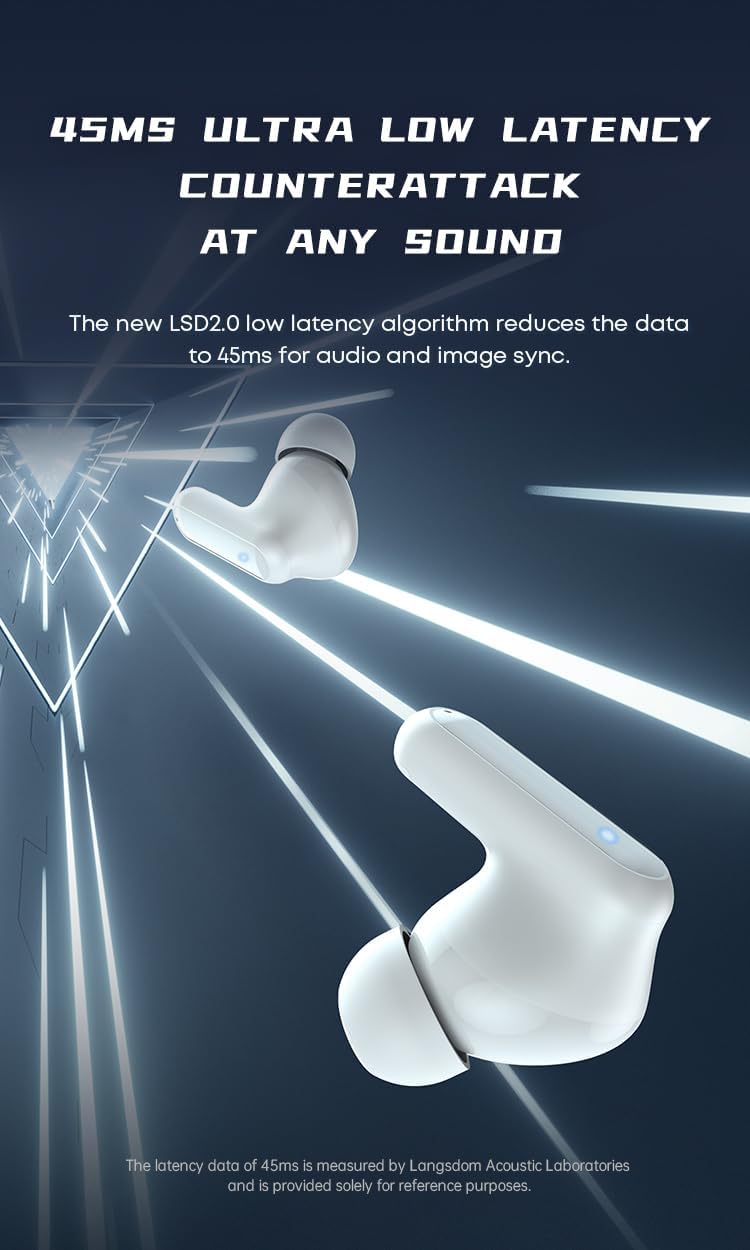
Figure 5.3.1: 45ms Ultra Low Latency. This image illustrates the rapid audio processing capability, highlighting the 45ms ultra-low latency for synchronized audio and video, crucial for gaming and media consumption.
5.4 Special Sound Modes (Game & Music)
The earbuds are equipped with dual special sound modes, meticulously tuned by the LSD2.0 acoustics algorithm to deliver an exclusive audio experience:
- Game Mode: Provides enhanced ambient stereo sound, optimizing the audio for gaming scenarios.
- Music Mode: Focuses on maintaining frequency balance and clear sound for an optimal music listening experience.

Figure 5.4.1: Dual Special Sound Modes. This image depicts the two distinct audio modes: Game Mode for enhanced stereo sound and Music Mode for balanced, clear audio, both contributing to an immersive experience.

Figure 5.4.2: Theta Pro Awakening Overview. This image summarizes the key features of the earbuds, including 45ms ultra-low latency, upgraded stereo sound, special game & music sound modes, 30 hours lasting time, and cool light control.
6. Maintenance
6.1 Cleaning
- Regularly clean the earbuds and charging case with a soft, dry, lint-free cloth.
- Use a cotton swab or a small, soft brush to gently clean the charging contacts on both the earbuds and the case.
- Do not use abrasive cleaners, alcohol, or chemical solvents.
6.2 Storage
- When not in use, always store the earbuds in their charging case to protect them and keep them charged.
- Store the device in a cool, dry place, away from extreme temperatures and direct sunlight.
The earbuds are designed to be lightweight (3.6g per earbud) for air-comfort wearing, making them easy to handle and store.

Figure 6.2.1: Lightweight Design. This image emphasizes the ergonomic and lightweight nature of the earbuds, ensuring comfortable and secure wear for extended periods.
7. Troubleshooting
If you encounter issues with your Langsdom TG12 earbuds, please refer to the following common solutions:
| Problem | Possible Solution |
|---|---|
| Earbuds not pairing | Ensure earbuds are charged. Place them back in the case, close, then open again to re-enter pairing mode. Forget the device on your phone's Bluetooth settings and try pairing again. |
| Only one earbud working | Place both earbuds back in the charging case, close the lid, wait a few seconds, then open the lid and take them out. This often re-syncs them. Check battery levels for both earbuds. |
| No sound or low volume | Check the volume on both your device and the earbuds. Ensure the earbuds are properly connected. Clean any debris from the earbud speaker mesh. |
| Charging case not charging | Try a different TYPE-C cable and power adapter. Ensure the charging port is clean and free of debris. |
| Poor call quality | Ensure the microphone is not obstructed. Move closer to your connected device. Environmental Noise Cancellation (ENC) helps, but extreme noise may still affect clarity. |
If the issue persists, please contact customer support.
8. Specifications
| Feature | Detail |
|---|---|
| Model Name | Langsdom TG12 |
| Connectivity Technology | Wireless (Bluetooth 5.3) |
| Bluetooth Range | 10 Meters |
| Audio Latency | 45 Milliseconds (LSD2.0 algorithm) |
| Noise Control | Environmental Noise Cancellation (ENC) |
| Battery Life (Earbuds) | Up to 30 Hours (with charging case) |
| Charging Time (Earbuds) | 1 Hour |
| Charging Time (Case) | 60 Minutes |
| Earbud Weight | 0.13 Ounces (approx. 3.6g) |
| Material | Acrylonitrile Butadiene Styrene (ABS) |
| Control Type | Touch Control / APP (if applicable) |
| Water Resistance Level | Waterproof (specific rating not provided, implies splash resistance) |
| Frequency Response | 20 KHz (Upper limit, typical for audio devices) |
9. Warranty and Support
Langsdom products are manufactured to high-quality standards. For warranty information, technical support, or any product-related inquiries, please refer to the warranty card included in your product packaging or visit the official Langsdom website. Please retain your proof of purchase for warranty claims.
For customer service, please contact your retailer or the manufacturer directly through their official support channels.