
Introduction
Thank you for choosing Purity Air Open Ear Headphones. These headphones are designed to provide a unique audio experience by delivering clear, natural sound directly to your ear without blocking the ear canal, ensuring comfort and situational awareness. This manual provides detailed instructions for setting up, operating, maintaining, and troubleshooting your new headphones.
Key Features
- Open Ear Technology: Enjoy powerful audio with air conduction technology that delivers clear, natural sound without hurting your hearing.
- Comfortable Longtime Wearing: Designed for comfort with a lightweight build, perfect for extended periods of use.
- Environmental Noise Cancellation: Dual microphones actively cancel ambient background noise, ensuring clear voice quality during calls.
- Powerful & Natural Sound: Equipped with two 15mm large high-quality speaker drivers for detailed music reproduction.
- Best Fitness Partner: Features IPX5 water resistance and a secure fit, ideal for outdoor activities, running, cycling, and other sports.
What's in the Box
- Purity Air Open Ear Wireless Headphones
- USB-A Charging Cable (2 included)
- User Manual
Product Overview

A top-down view of the Purity Air Open Ear Headphones, showcasing their unique design with the pink chevron pattern on the earpieces and the flexible white neckband.
The Purity Air Open Ear Headphones feature a lightweight, flexible neckband design that rests comfortably behind your head, with the speaker units positioned just outside your ear canals. The main control unit is integrated into one of the earpieces, housing the charging port, control buttons, and microphones.
Setup
1. Charging the Headphones
Before first use, fully charge your Purity Air Open Ear Headphones. Connect the provided USB-A charging cable to the charging port on the headphone unit and plug the other end into a compatible USB power source (e.g., computer USB port, wall adapter). The LED indicator will show charging status. A full charge provides approximately 6 hours of battery life.
Note: These headphones use a proprietary charging cable. Two cables are included for your convenience.
2. Bluetooth Pairing
- Ensure the headphones are powered off.
- Press and hold the Power button until the LED indicator flashes, indicating pairing mode.
- On your device (smartphone, tablet, computer), enable Bluetooth and search for available devices.
- Select "P Air k7" from the list of found devices.
- Once connected, the LED indicator will turn solid blue. You are now ready to use your headphones.

This image demonstrates how the Purity Air Open Ear Headphones sit comfortably over the ear, delivering sound without blocking the ear canal, allowing for situational awareness.
Operating Instructions
Power On/Off
- Power On: Press and hold the Power button until you hear the power-on prompt.
- Power Off: Press and hold the Power button until you hear the power-off prompt.
Music Playback
- Play/Pause: Press the Multi-function button once.
- Next Track: Double-press the Multi-function button.
- Previous Track: Triple-press the Multi-function button.
Call Management
- Answer/End Call: Press the Multi-function button once during an incoming call or active call.
- Reject Call: Press and hold the Multi-function button for 2 seconds during an incoming call.
Volume Control
Use the dedicated Volume Up (+) and Volume Down (-) buttons located on the headphone unit to adjust the audio volume. Be mindful that pressing these buttons too long may trigger track skipping functions on some devices.
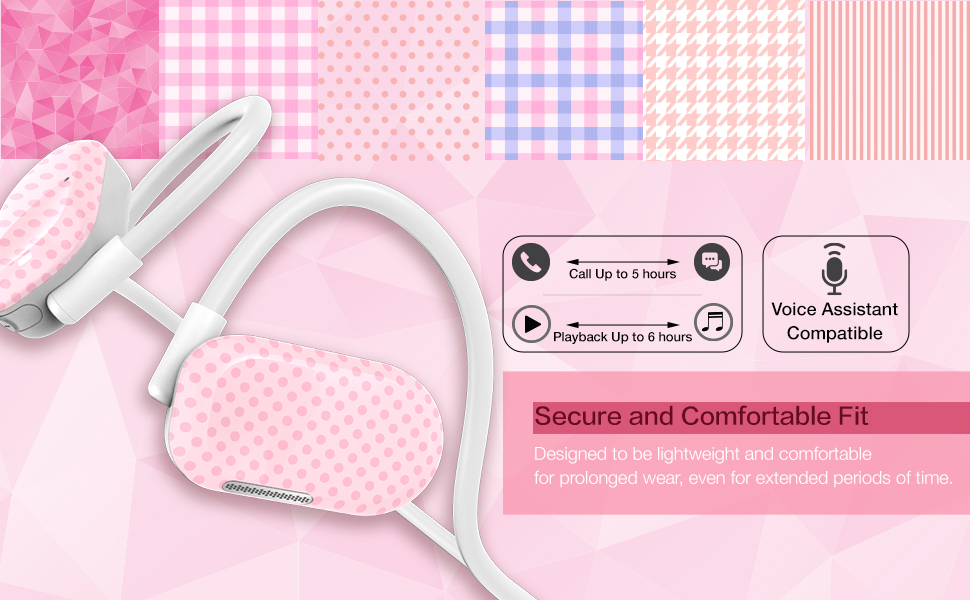
This image highlights the secure and comfortable design of the headphones, along with icons indicating up to 5 hours of call time, 6 hours of playback, and voice assistant compatibility.
Environmental Noise Cancellation (ENC)
The Purity Air Open Ear Headphones are equipped with dual microphones that utilize Environmental Noise Cancellation technology. This feature reduces ambient background noise during phone calls, ensuring your voice is transmitted clearly to the other party.

A user is depicted wearing the headphones, with an overlay indicating the dual microphones' ability to cancel ambient background noise for clear calls.
Wearing Comfort and Fit
These headphones are designed for all-day wearing comfort. Their lightweight construction and open-ear design prevent discomfort often associated with in-ear earbuds or over-ear headphones, making them suitable for prolonged use.

The headphones are shown on a user, highlighting their lightweight design and comfortable fit for extended wear, with visual cues of sound projection.
Maintenance and Care
- Cleaning: Wipe the headphones with a soft, dry, lint-free cloth. Do not use harsh chemicals or abrasive materials.
- Storage: Store the headphones in a cool, dry place away from direct sunlight and extreme temperatures.
- Water Resistance: The headphones are IPX5 water resistant, meaning they can withstand splashes and sweat. Do not submerge them in water or expose them to heavy rain. Dry them thoroughly after exposure to moisture.

This image shows the headphones being used during a workout, emphasizing their secure fit and IPX5 water resistance, making them suitable for sports and outdoor activities.
Troubleshooting
| Problem | Possible Cause | Solution |
|---|---|---|
| Headphones do not power on. | Low battery. | Charge the headphones fully. |
| Cannot pair with device. | Headphones not in pairing mode; Bluetooth off on device; previously paired to another device. | Ensure headphones are in pairing mode (flashing LED). Turn Bluetooth off and on on your device. Forget "P Air k7" from previously paired devices and try again. |
| No sound or low volume. | Volume too low on headphones or device; headphones not connected. | Increase volume on both headphones and your device. Ensure headphones are properly connected via Bluetooth. |
| Loud voice prompts (e.g., "Power On", "Battery Low"). | System voice prompt volume is fixed. | This is a characteristic of the product and cannot be adjusted. Be aware of this when powering on or when the battery is low. |
| Sound audible to others. | Open-ear design; high volume. | This is inherent to the open-ear design. Reduce volume in quiet environments to minimize sound leakage. |
Specifications
| Feature | Detail |
|---|---|
| Model Name | Purity Open Ear Headphone (K7) |
| Model Number | UU000157 |
| Connectivity Technology | Wireless (Bluetooth 5.3) |
| Bluetooth Range | 10 Meters |
| Audio Driver Size | 15 Millimeters |
| Frequency Response | 20 Hz - 20,000 Hz |
| Impedance | 18 Ohm |
| Battery Life | Up to 6 Hours (Playback) / Up to 5 Hours (Call) |
| Water Resistance Level | IPX5 (Water Resistant) |
| Item Weight | 2.8 Ounces |
| Product Dimensions | 7.1 x 5.2 x 0.6 inches |
| Material | Plastic |
| Color | Pink Chevron |

An illustrative diagram detailing the internal 15mm audio drivers and the air conduction mechanism that delivers powerful, natural stereo sound without ear canal penetration.
Warranty and Support
For warranty information and customer support, please refer to the documentation included with your purchase or visit the official Purity website. If you encounter any issues not covered in this manual, please contact Purity customer service for assistance.
