
Airshi Airshifmqs1gri40
Airshi Climate Control LCD Touchscreen User Manual
Model: Airshifmqs1gri40
Replacement for Land Rover Range Rover Sport L494 (2013-2017)
1. Introduction
This manual provides comprehensive instructions for the installation, operation, and maintenance of your Airshi Climate Control LCD Touchscreen. This 10-inch IPS LCD screen is designed as a direct replacement and upgrade for the climate control system in Land Rover Range Rover Sport L494 models manufactured between 2013 and 2017.
The unit features a high-definition 1080P display, offering clear visuals and quick response times for an enhanced user experience. It integrates seamlessly with your vehicle's existing systems, supporting original car functions such as air conditioning, cooling, heating, and rear seat AC control.

Image 1.1: Airshi Climate Control LCD Touchscreen in a vehicle.
2. Package Contents
Please verify that all items listed below are present in your package:
- 1 x Airshi Car AC Touchscreen
- 1 x Mounting Bracket
- 1 x User Manual (this document)
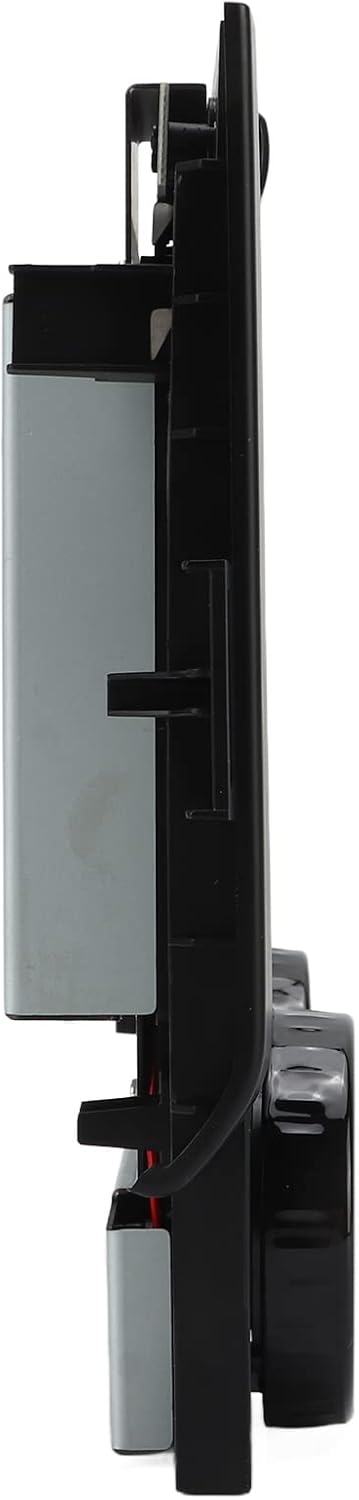
Image 2.1: Airshi Car AC Touchscreen and Mounting Bracket.
3. Setup and Installation
The Airshi Climate Control LCD Touchscreen is designed for a plug-and-play installation, minimizing modifications to your vehicle's control panel. Professional installation is recommended to ensure proper fitment and functionality.
3.1 Compatibility
This unit is specifically designed as a replacement for:
- Land Rover Range Rover Sport L494 (2013-2017 models)
3.2 Installation Process Overview
- Preparation: Ensure the vehicle's ignition is off and the battery is disconnected before beginning installation.
- Removal of Original Unit: Carefully remove the existing climate control panel from your vehicle's dashboard. Refer to your vehicle's service manual for specific instructions on panel removal.
- Mounting: Attach the Airshi Car AC Touchscreen to the provided mounting bracket. Ensure it is fixed firmly to prevent movement.
- Connection: Connect the necessary wiring harnesses from the vehicle to the new touchscreen unit. These connections are typically plug-and-play, matching existing connectors.
- Integration: Carefully insert the new touchscreen assembly into the dashboard opening. Ensure all clips and fasteners are securely engaged.
- Final Check: Reconnect the vehicle battery and turn on the ignition to test the unit's functionality.

Image 3.1: Before and After installation comparison.
4. Operating Instructions
The 10-inch IPS LCD touchscreen provides intuitive control over your vehicle's climate and other integrated functions. The interface is designed for quick response and ease of use.
4.1 Basic Touchscreen Functions
- Touch Interaction: Navigate menus and select options by tapping the corresponding icons or areas on the screen.
- Swiping: Swipe left or right to access additional screens or settings, if available.
- Responsiveness: The 1080P display ensures clear images and quick responses to touch inputs.
4.2 Climate Control
The unit retains and enhances all original climate control functions:
- Temperature Adjustment: Use the rotary dials or on-screen controls to adjust the desired temperature for driver and passenger zones. The screen displays current temperature settings.
- Day and Night Mode: The screen features adjustable day and night modes to optimize visibility and reduce glare based on ambient light conditions. This can be set manually or automatically.
- Air Conditioning (AC): Activate or deactivate the AC function via the dedicated on-screen button.
- Heating/Cooling: Control the vehicle's heating and cooling systems directly from the touchscreen.
- Air Outlet Adjustment: Adjust the direction and intensity of air flow through the vehicle's vents using the on-screen controls.
- Temperature Memory: The system includes an air conditioning temperature memory function, recalling your preferred settings.
- Rear Seat AC Control: If your vehicle is equipped, the unit supports control over rear seat air conditioning settings.

Image 4.1: Detailed view of the touchscreen interface.

Image 4.2: Rotary dial for temperature adjustment.
4.3 Original CD/DVD Player Functions
The unit is designed to retain the original CD or DVD player functions of your vehicle, ensuring no loss of existing media capabilities.
5. Maintenance
To ensure the longevity and optimal performance of your Airshi Climate Control LCD Touchscreen, follow these simple maintenance guidelines:
- Screen Cleaning: Use a soft, lint-free cloth specifically designed for electronic screens. Lightly dampen the cloth with water or a screen-safe cleaning solution. Avoid harsh chemicals, abrasive materials, or excessive moisture.
- Dust Removal: Regularly wipe down the screen and surrounding bezel to prevent dust accumulation.
- Avoid Direct Sunlight: Prolonged exposure to direct sunlight can affect screen performance and lifespan. When parked, consider using a sunshade.
- Temperature Extremes: Avoid exposing the unit to extreme temperatures for extended periods.
6. Troubleshooting
If you encounter issues with your Airshi Climate Control LCD Touchscreen, refer to the following common troubleshooting steps:
- No Power/Screen Blank:
- Check all power connections to ensure they are securely plugged in.
- Verify the vehicle's fuse related to the climate control system.
- Ensure the vehicle battery is fully charged and properly connected.
- Touchscreen Unresponsive:
- Restart the vehicle to perform a soft reset of the unit.
- Ensure the screen is clean and free of debris or moisture that might interfere with touch input.
- Climate Control Functions Not Working:
- Verify that all wiring harnesses are correctly connected.
- Ensure the unit is properly seated in the dashboard.
- Consult your vehicle's service manual for specific climate control system diagnostics.
- Display Issues (e.g., distorted image, incorrect colors):
- Check video cable connections.
- Restart the vehicle. If the issue persists, contact customer support.
If these steps do not resolve the issue, please contact Airshi customer support for further assistance.
7. Specifications
| Item Type | Car AC Touchscreen |
| Brand | Airshi |
| Model | Airshifmqs1gri40 |
| Material | ABS + Metal |
| Screen Type | 10-inch IPS LCD Touch Screen |
| Display Resolution | 1080P |
| Color | Black |
| Compatibility | Replacement for Land Rover Range Rover Sport L494 (2013-2017) |
| Key Functions | Air conditioning temperature memory, Air outlet adjustment, Day/Night mode, Retains original CD/DVD functions, Rear seat AC control |
| Package Dimensions | 13.39 x 9.45 x 4.33 inches |
8. Warranty and Support
For warranty information, technical support, or any inquiries regarding your Airshi Climate Control LCD Touchscreen, please refer to the contact details provided with your purchase documentation or visit the official Airshi website.
When contacting support, please have your product model number (Airshifmqs1gri40) and purchase date available.
Ask a question about this manual
Ask about setup, troubleshooting, compatibility, parts, safety, or missing instructions. Manuals+ will review the question and use this page’s manual context to help answer it.