
Introduction
This manual provides essential information for the installation, maintenance, and specifications of the Generic Black & Decker Hedge Trimmer Brush, Part# 90525135. This brush is a replacement component designed for specific Black & Decker hedge trimmer models.
Compatibility: This brush is compatible with the following Black & Decker hedge trimmer models:
- HH2400 Type 1
- HH2400 Type 2
- HH2400 Type 3
- HH2450 Type 3
- HH2455 Type 1
- HH2455 Type 2
- HH2455 Type 3
Please ensure your hedge trimmer model is listed above before proceeding with installation.
Package Contents
Upon opening the package, verify that all components are present and undamaged. Your package should contain:
- (1) Black & Decker Hedge Trimmer Brush (Part# 90525135)
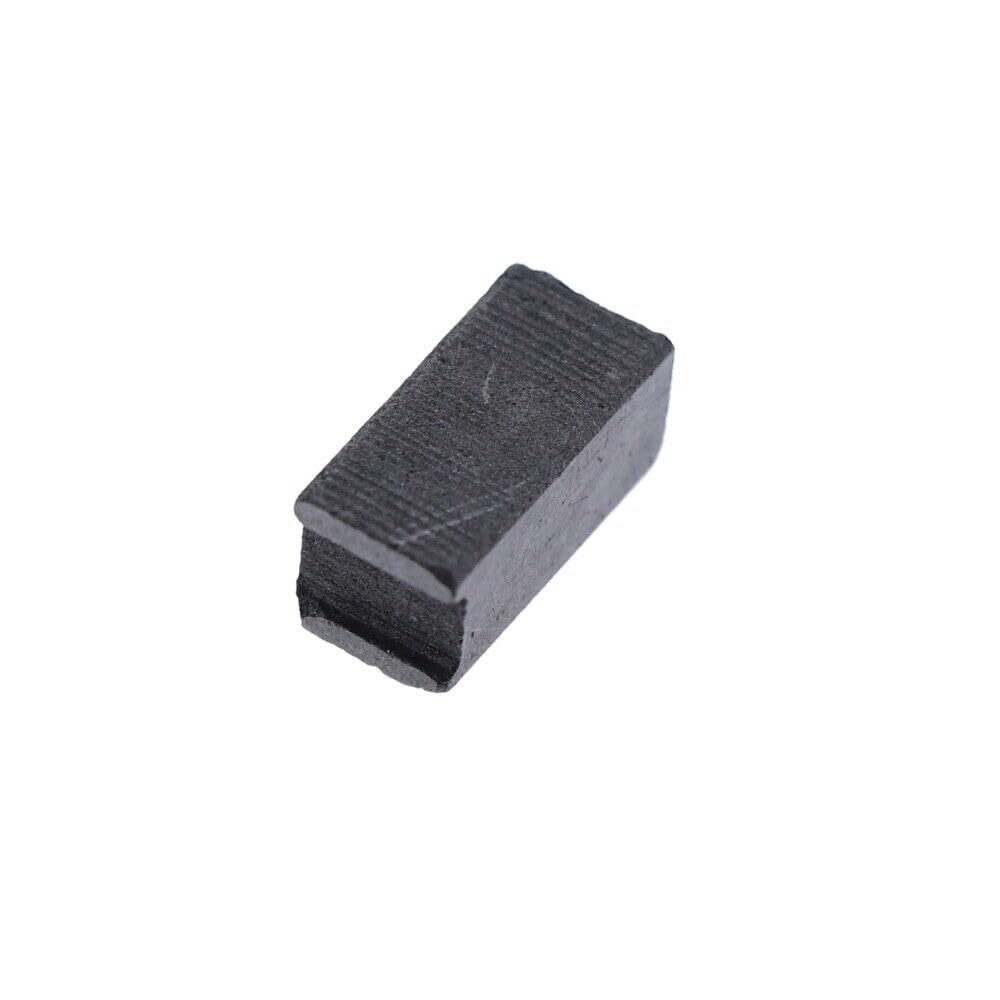
Figure 1: The Black & Decker Hedge Trimmer Brush (Part# 90525135). This image shows the compact, rectangular carbon brush, which is a critical component for the motor's operation in compatible hedge trimmers.
Installation (Setup)
The brush is designed for easy installation, but proper procedure is crucial for safety and optimal performance. Always ensure the hedge trimmer is unplugged from the power source before beginning any maintenance or installation.
- Safety First: Disconnect the hedge trimmer from its power supply. This is a critical safety step to prevent accidental startup.
- Locate Brush Holders: Identify the brush holders on your Black & Decker hedge trimmer. These are typically small compartments on the motor housing, often secured by screws or caps. Consult your hedge trimmer's original manual for precise locations if unsure.
- Remove Old Brush: Carefully remove the old, worn brush from its holder. Note its orientation for correct installation of the new brush.
- Clean Brush Holder: Gently clean any carbon dust or debris from the brush holder using a soft brush or compressed air. Ensure the area is free of obstructions.
- Insert New Brush: Insert the new Black & Decker Hedge Trimmer Brush (Part# 90525135) into the brush holder. Ensure it slides in smoothly and is oriented correctly. The brush should make firm contact with the commutator.
- Secure Brush Holder: Re-secure the brush holder cap or screws. Do not overtighten.
- Repeat for Other Brush (if applicable): If your hedge trimmer uses two brushes, repeat the process for the second brush. It is generally recommended to replace both brushes at the same time for balanced wear and performance.
- Test Functionality: Once both brushes are installed and secured, reconnect the hedge trimmer to power and perform a brief test to ensure proper operation. Listen for unusual noises and observe for smooth motor function.
Operating Considerations
The hedge trimmer brush is an internal component that facilitates the transfer of electrical current to the motor's commutator, enabling the motor to spin. Once correctly installed, the brush operates automatically as part of the hedge trimmer's motor system.
No specific user operation is required for the brush itself beyond its proper installation. The brush's function is integral to the hedge trimmer's overall performance.
Maintenance
Carbon brushes are wear-and-tear components that gradually shorten with use. Regular inspection and timely replacement are key to maintaining your hedge trimmer's performance and extending its lifespan.
- Inspection Frequency: It is recommended to inspect the carbon brushes every 50-100 hours of operation, or if you notice a decrease in motor power, excessive sparking, or intermittent operation.
- Signs of Wear: Look for brushes that are significantly shortened, chipped, or have uneven wear patterns. The spring mechanism should also be checked to ensure it provides adequate pressure.
- Cleaning: Periodically clean the brush holders and commutator area of any accumulated carbon dust. This helps prevent electrical shorts and ensures smooth brush movement.
- Replacement: Replace brushes when they are worn down to approximately one-quarter of their original length, or if they show signs of damage. Always replace both brushes if your tool uses two, even if only one appears worn.
Troubleshooting
If your Black & Decker hedge trimmer is experiencing issues after brush replacement, consider the following:
| Problem | Possible Cause | Solution |
|---|---|---|
| Motor not starting or intermittent operation | Brushes not seated correctly; dirty commutator; incorrect brush type; damaged brush spring. | Re-check brush seating and orientation. Clean commutator. Ensure correct part number (90525135) was used. Inspect brush springs. |
| Excessive sparking at the motor | Worn brushes; dirty or damaged commutator; improper brush contact. | Replace brushes if worn. Clean commutator. Ensure brushes move freely in their holders. |
| Reduced motor power or speed | Worn brushes; poor electrical connection. | Replace brushes. Verify all connections are secure. |
If issues persist after troubleshooting, it is recommended to consult a qualified service technician or refer to your hedge trimmer's comprehensive service manual.
Specifications
| Attribute | Detail |
|---|---|
| Part Number | 90525135 |
| Brand | Generic (Compatible with Black & Decker) |
| Material | Plastic (housing), Carbon (brush) |
| Color | Gray |
| Compatibility | Black & Decker HH2400 (Type 1, 2, 3), HH2450 (Type 3), HH2455 (Type 1, 2, 3) |
Warranty and Support
Specific warranty information for this replacement part is not provided in the product details. Please refer to the seller's return policy or contact the seller directly for details regarding warranty coverage and support for Part# 90525135.
For general Black & Decker product support or inquiries about your hedge trimmer, please visit the official Black & Decker website or contact their customer service.


