Introduction
Thank you for purchasing the UrbanX Bluetooth Speaker FM0190. This manual provides detailed instructions for the proper setup, operation, maintenance, and troubleshooting of your speaker. Please read this manual thoroughly before using the product to ensure optimal performance and longevity.
Product Overview
The UrbanX FM0190 is a portable Bluetooth speaker designed for various environments. It features IPX7 waterproofing, True Wireless Stereo (TWS) pairing capability, and multiple playback options.
Key Features:
- Bluetooth V5.2 Connectivity: For stable wireless audio streaming.
- IPX7 Waterproof Rating: Protects against water immersion up to 1 meter for 30 minutes.
- True Wireless Stereo (TWS) Pairing: Connect two FM0190 speakers for a stereo sound experience.
- Multiple Playback Modes: Supports Bluetooth, SD/TF card, and AUX input.
- Built-in Microphone: For hands-free calling.
- Long Battery Life: Up to 20 hours of playback on a single charge.
Speaker Components and Design:
Refer to the images below for a visual guide to the speaker's components, controls, and design features.

Image: The UrbanX FM0190 speaker, highlighting its powerful audio driver and the control panel with volume and power buttons.
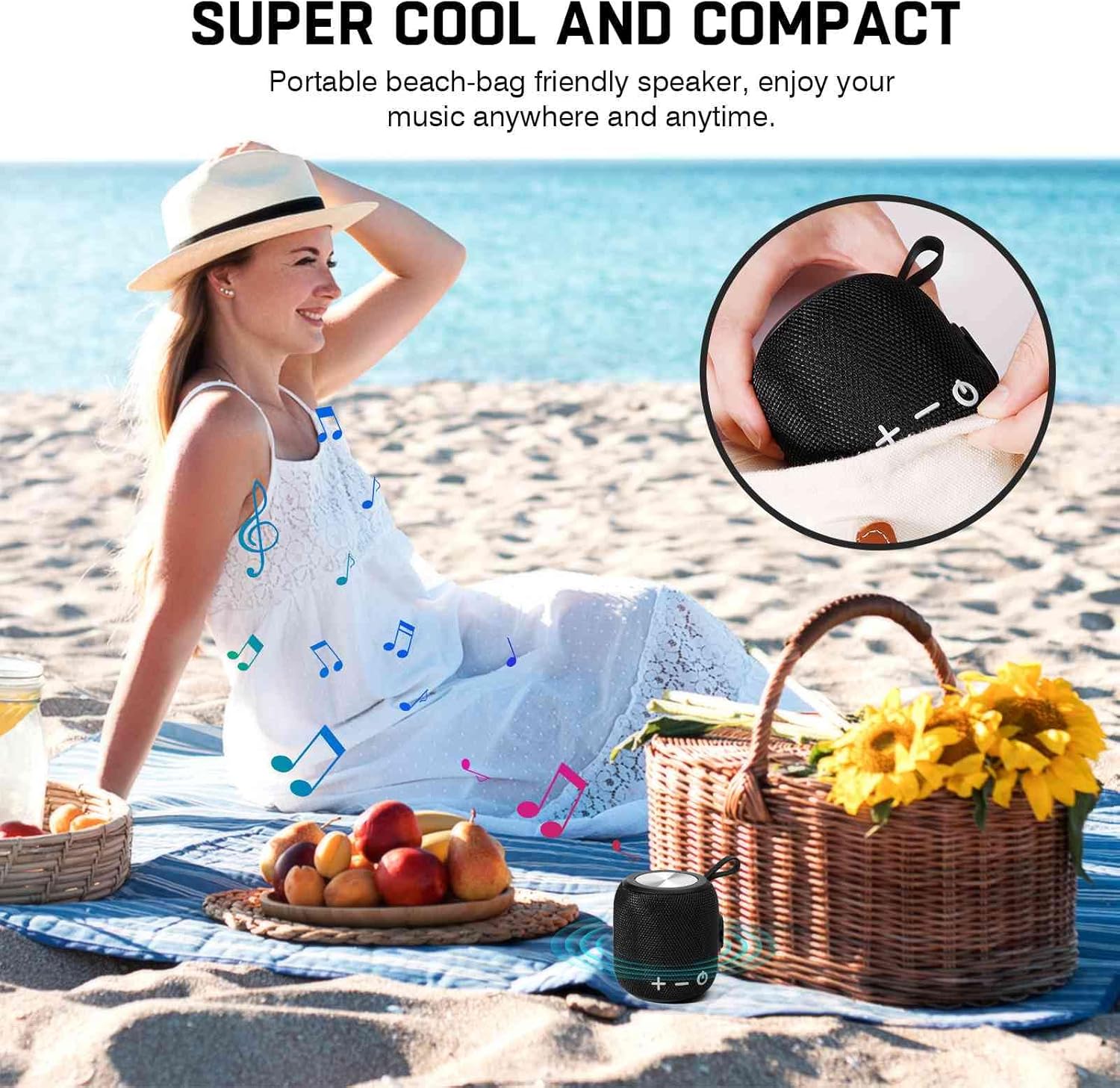
Image: The UrbanX FM0190 speaker's compact and portable design, shown being held in a hand.

Image: The UrbanX FM0190 speaker attached to a bag, illustrating its ultra-compact and lightweight design for easy carrying during activities like scootering.

Image: The UrbanX FM0190 speaker hanging from a bicycle handlebar, demonstrating its slim and light profile for on-the-go use.
Setup
1. Charging the Speaker
- Connect the provided USB Type-C charging cable to the speaker's charging port.
- Connect the other end of the cable to a USB power adapter (not included) or a computer's USB port.
- The charging indicator light will illuminate.
- A full charge typically takes 3-4 hours. The indicator light will change or turn off once charging is complete.
Note: Ensure the charging port cover is securely closed after charging to maintain the IPX7 waterproof rating.
2. Power On/Off
- To Power On: Press and hold the Power button (⏻) for approximately 3 seconds until you hear an audible prompt.
- To Power Off: Press and hold the Power button (⏻) for approximately 3 seconds until you hear an audible prompt.
3. Bluetooth Pairing
- Ensure the speaker is powered on and in Bluetooth pairing mode (indicated by a flashing LED).
- On your device (smartphone, tablet, etc.), enable Bluetooth and search for available devices.
- Select "UrbanX FM0190" from the list of devices.
- Once paired, the speaker will emit an audible confirmation, and the LED indicator will stop flashing.
- The speaker will automatically reconnect to the last paired device when powered on, if the device is within range and Bluetooth is enabled.
4. True Wireless Stereo (TWS) Pairing
TWS allows you to connect two UrbanX FM0190 speakers for a synchronized stereo sound experience.

Image: Two UrbanX FM0190 speakers demonstrating True Wireless Stereo (TWS) pairing for an immersive audio experience.
- Ensure both UrbanX FM0190 speakers are powered off.
- Power on both speakers. They will enter Bluetooth pairing mode.
- On one of the speakers (this will be the primary speaker), double-press the Power button (⏻). The speakers will attempt to pair with each other.
- Once successfully paired, you will hear an audible confirmation. The LED on the primary speaker will flash, and the LED on the secondary speaker will be solid.
- Now, connect your device to the primary speaker via Bluetooth as described in "3. Bluetooth Pairing". Only one speaker will appear in your device's Bluetooth list.
- To disconnect TWS, double-press the Power button (⏻) on either speaker.
5. SD/TF Card Playback
- Insert a microSD (TF) card (up to 32GB) with audio files into the designated slot.
- The speaker will automatically switch to SD/TF card playback mode.
- Use the speaker's control buttons to play, pause, and skip tracks.
6. AUX Input Playback
- Connect one end of a 3.5mm audio cable (not included) to the speaker's AUX input port.
- Connect the other end to the audio output jack of your device.
- The speaker will automatically switch to AUX input mode.
- Control playback and volume from your connected device.
Operating Instructions
Control Buttons:
| Button | Function (Short Press) | Function (Long Press) |
|---|---|---|
| + (Volume Up) | Increase Volume | Next Track |
| - (Volume Down) | Decrease Volume | Previous Track |
| ⏻ (Power/Play/Pause) | Play/Pause music; Answer/End Call | Power On/Off; Reject Call |
Call Functions:
- Answer Call: Short press the Power/Play/Pause button (⏻) when an incoming call rings.
- End Call: Short press the Power/Play/Pause button (⏻) during a call.
- Reject Call: Long press the Power/Play/Pause button (⏻) when an incoming call rings.
- Redial Last Number: Double-press the Power/Play/Pause button (⏻) in standby or music playback mode.
Maintenance
Cleaning:
- Wipe the speaker with a soft, damp cloth.
- Do not use abrasive cleaners, alcohol, or chemical solvents, as these may damage the surface.
- Ensure all port covers are closed before cleaning with a damp cloth.
Storage:
- Store the speaker in a cool, dry place away from direct sunlight and extreme temperatures.
- If storing for an extended period, charge the battery to approximately 50% every few months to prolong battery life.
Waterproofing (IPX7):

Image: The UrbanX FM0190 speaker demonstrating its IPX7 waterproof capability by being partially submerged in water.
- The speaker is rated IPX7, meaning it can be immersed in water up to 1 meter (3 feet) for up to 30 minutes.
- Ensure all port covers (charging port, AUX port, SD/TF card slot) are securely closed before exposing the speaker to water.
- Do not expose the speaker to saltwater or other chemicals, as this may damage the seals and internal components.
- After exposure to water, wipe the speaker dry before charging or opening any port covers.
Troubleshooting
| Problem | Possible Cause | Solution |
|---|---|---|
| Speaker does not power on. | Low battery. | Charge the speaker for 3-4 hours. |
| Cannot pair via Bluetooth. | Speaker not in pairing mode; device Bluetooth off; too far from speaker. | Ensure speaker is in pairing mode. Turn device Bluetooth off/on. Move device closer to speaker (within 5m). |
| No sound. | Volume too low; incorrect input mode; speaker not connected. | Increase speaker and device volume. Check if the correct input mode (Bluetooth, SD/TF, AUX) is selected. Re-pair Bluetooth if necessary. |
| TWS pairing fails. | Incorrect pairing procedure; speakers too far apart. | Ensure both speakers are FM0190 models. Follow TWS pairing steps carefully. Place speakers within 1-2 meters during pairing. |
| Poor sound quality. | Low battery; interference; device audio quality. | Charge the speaker. Move away from other wireless devices. Check audio source quality. |
Specifications
| Model Name | FM0190 (Waterproof Bluetooth Speaker) |
| Brand | UrbanX |
| Bluetooth Version | V5.2 |
| Waterproof Rating | IPX7 |
| Speaker Output Power | 5 Watts |
| Battery Capacity | 1800mAh Lithium-ion |
| Playback Time | Up to 20 hours (at 50% volume) |
| Charging Time | 3-4 hours |
| Charging Port | USB Type-C |
| Dimensions (L x W x H) | 5.4" x 3.76" x 3.82" (140mm x 95.5mm x 97mm approx.) |
| Weight | 15 Ounces (approx. 425g) |
| Material | ABS plastic, nylon fabric, rubber oil, metal |
| Supported Media | Bluetooth, SD/TF Card (up to 32GB), AUX Input |
Warranty and Support
UrbanX products are designed for reliability and performance. For warranty information, please refer to the warranty card included with your purchase or visit the official UrbanX website.
If you encounter any issues or have questions regarding your UrbanX Bluetooth Speaker FM0190, please contact our customer support team:
- Online Support: Visit the UrbanX store on Amazon or the official UrbanX website for FAQs and contact options.
- Email Support: Refer to your product packaging or warranty card for specific email addresses.
Please have your model number (FM0190) and purchase date ready when contacting support.

