
1. Introduction
Thank you for choosing Lekaby Q26 Wireless Bluetooth 5.3 Earbuds. This manual provides essential information for the proper use, setup, and maintenance of your new earbuds. Please read it carefully before use and retain it for future reference.
2. Package Contents
Ensure all items are present in your package:
- 2 x Lekaby Q26 Wireless Earbuds
- 1 x Charging Case
- 1 x USB Type-C Charging Cable
- 3 x Pairs of Eartips (S/M/L)
- 1 x User Manual
3. Product Overview
The Lekaby Q26 earbuds feature advanced Bluetooth 5.3 technology, an ENC microphone for clear calls, and a charging case with an LED display for battery status. They are designed for comfort and durability with an IPX7 waterproof rating.
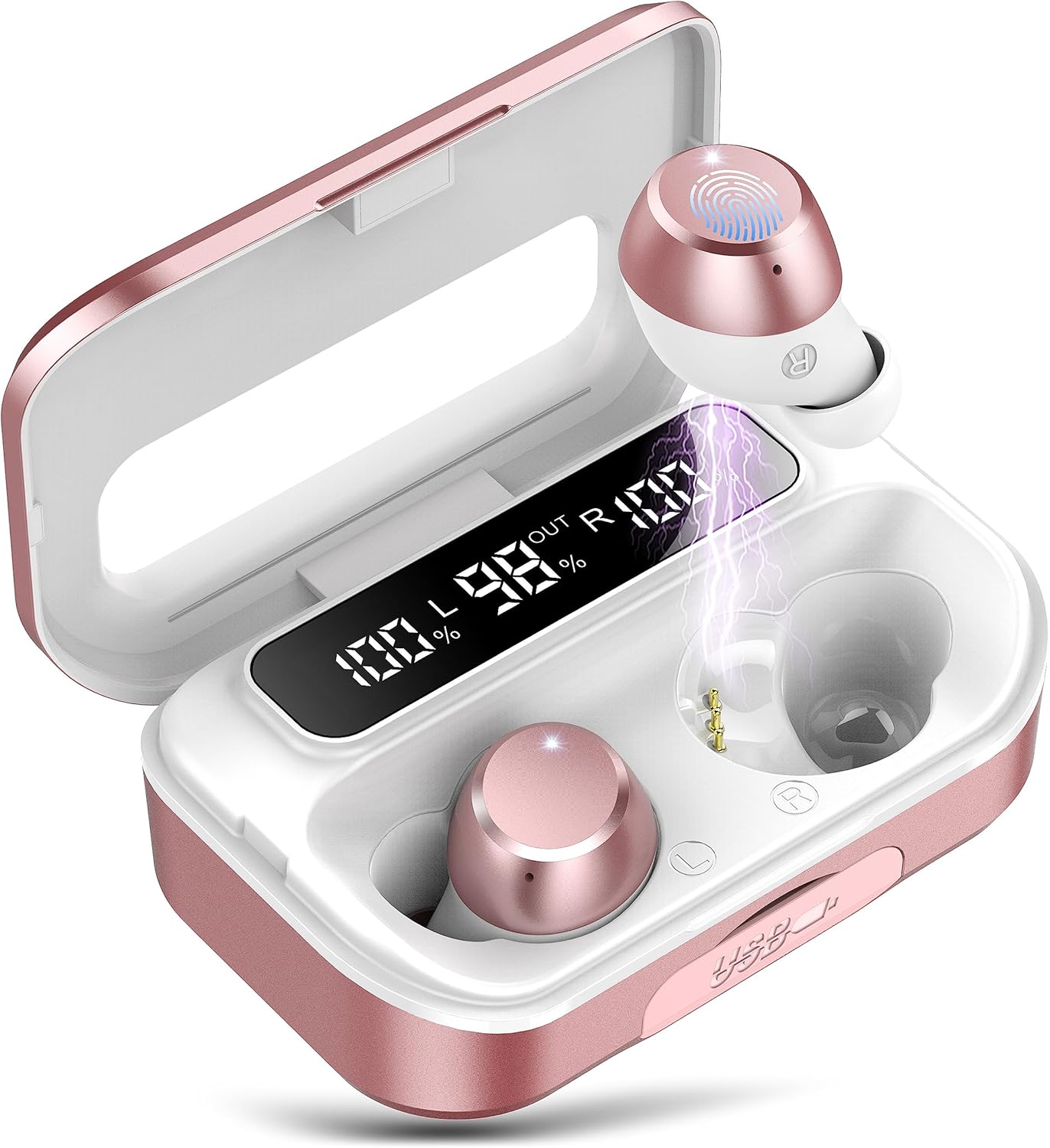
Image: Lekaby Q26 Wireless Earbuds and Charging Case. The earbuds are shown inside the open charging case, which features a digital LED display indicating battery percentages for both earbuds and the case itself. The earbuds are rose gold and white.

Image: Dual LED Battery Power Display. This image highlights the LED screen on the charging case, showing individual battery levels for the left (L) and right (R) earbuds, as well as the charging case's own battery capacity. This allows for precise monitoring of power status.
4. Setup
4.1 Charging the Earbuds and Case
Before first use, fully charge the earbuds and charging case.
- Place the earbuds into the charging case. Ensure they are correctly seated.
- Connect the USB Type-C charging cable to the charging port on the case and plug the other end into a USB power adapter (not included) or a computer's USB port.
- The LED display on the charging case will show the charging status. The numbers will increase as the case charges. The individual earbud indicators will show charging status for each earbud.
- Charging typically takes approximately 2 hours for a full charge.

Image: Earbuds Charging and Battery Life. This graphic illustrates the battery performance: up to 8 hours of music playtime per earbud charge, and up to 100 hours of total playtime with the charging case. It also shows a quick charge time of 1.5 hours via Type-C.
4.2 Pairing with Your Device
The Lekaby Q26 earbuds feature one-step automatic pairing.
- Open the charging case. The earbuds will automatically power on and enter pairing mode.
- On your device (smartphone, tablet, laptop, etc.), enable Bluetooth.
- Search for Bluetooth devices and select "Q26" from the list.
- Once connected, you will hear a confirmation prompt, and the earbuds will be ready for use.
- After the initial pairing, the earbuds will automatically connect to the last paired device when removed from the case.

Image: Bluetooth 5.3 Pairing. This image shows a smartphone screen with Bluetooth settings open, displaying 'Q26' as a connected device. It emphasizes the upgraded Bluetooth 5.3 technology for improved transmission efficiency.

Image: One-step Automatic Pairing. This visual demonstrates the simple pairing process: remove earbuds from the case, and they automatically power on and connect. The image shows the earbuds in the case next to a phone displaying the Bluetooth connection menu with 'Q26' selected.
5. Operating Instructions
5.1 Touch Controls
The Lekaby Q26 earbuds feature intuitive touch controls on each earbud. The functions are as follows:
| Action | Left Earbud (L) | Right Earbud (R) |
|---|---|---|
| Play/Pause Music | Single Tap | Single Tap |
| Next Track | Press and Hold 2s | |
| Previous Track | Press and Hold 2s | |
| Volume Up | Triple Tap | |
| Volume Down | Triple Tap | |
| Answer/End Call | Single Tap | Single Tap |
| Reject Call | Double Tap | Double Tap |
| Activate Voice Assistant (Siri/Google Assistant) | Double Tap | Double Tap |

Image: Smart Touch Controls Diagram. This diagram visually explains the various touch gestures for controlling music playback, calls, and activating voice assistants on both the left and right earbuds.
5.2 Wearing the Earbuds
For optimal sound quality and comfort, ensure the earbuds are worn correctly.
- Choose the correct size of eartips (S/M/L) that best fit your ears.
- Insert the earbud gently into your ear canal.
- Rotate the earbud slightly until it feels secure and comfortable. The ergonomic design ensures a stable fit for various activities.
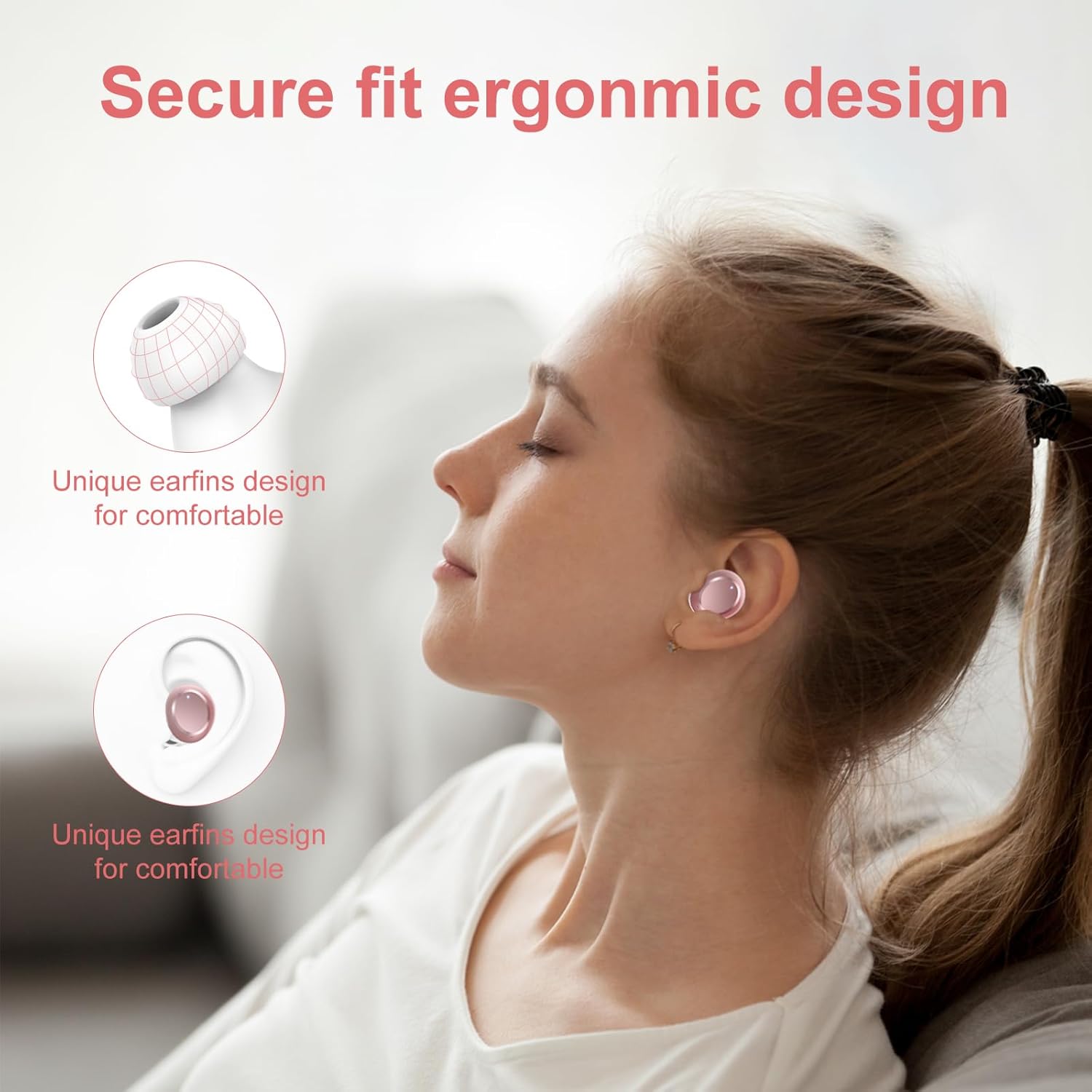
Image: Secure Fit Ergonomic Design. This image shows a person wearing the earbuds, illustrating how the unique earfin design provides a comfortable and secure fit within the ear, preventing them from falling out during movement.

Image: Simple and Stable Wearing Instructions. This graphic provides a three-step guide on how to properly insert and adjust the earbuds for a secure and comfortable fit, along with icons highlighting IPX7 waterproof rating and flexible design.
6. Features
6.1 Extended Battery Life
Enjoy up to 8 hours of continuous music playback on a single charge. The portable charging case extends the total listening time to approximately 100 hours, ensuring your music accompanies you throughout the day.
6.2 Crystal-Clear Sound and Calls
Equipped with 13.44mm composite cone speakers, the Q26 earbuds deliver HiFi stereo sound with enhanced bass. The integrated ENC (Environmental Noise Cancellation) microphone technology filters out ambient noise, providing clear voice calls even in noisy environments.

Image: Crystal-Clear Sound Technology. This image illustrates the internal components of the earbud, highlighting the 10mm speaker (likely a typo in the image, product spec says 13.44mm) and SBC/AAC HD decoding for powerful bass and clear audio.
6.3 IPX7 Waterproof Rating
The earbuds feature an IPX7 waterproof coating, making them resistant to splashes, sweat, and rain. This makes them suitable for workouts and outdoor activities.

Image: IPX7 Waterproof Earbuds. The image shows the earbuds with water droplets, demonstrating their IPX7 waterproof capability, which protects them from sweat and rain.
6.4 Emergency Charging Function
The 2600mAh charging case can also serve as an emergency power bank for your mobile phone or other small electronic devices. Simply connect your device to the USB output port on the charging case.

Image: Emergency Charging for Cell Phones. This image shows the charging case connected via a USB cable to a smartphone, indicating its function as a portable power bank with a built-in 2600mAh rechargeable lithium-ion battery.
6.5 Wide Compatibility
The Lekaby Q26 earbuds are compatible with a wide range of Bluetooth-enabled devices, including smartphones, tablets, laptops, smart TVs, and smartwatches.

Image: One-step Pairing Wide Compatibility. This image displays the earbuds and charging case surrounded by various devices like a laptop, TV, desktop, watch, phone, and tablet, illustrating their broad compatibility and simple pairing process.
7. Maintenance
To ensure the longevity and optimal performance of your Lekaby Q26 earbuds, follow these maintenance guidelines:
- Cleaning: Regularly clean the earbuds and charging case with a soft, dry, lint-free cloth. Do not use harsh chemicals or abrasive materials.
- Eartips: Remove and clean the eartips periodically with water and mild soap. Ensure they are completely dry before reattaching.
- Charging Ports: Keep the charging contacts on the earbuds and inside the case clean and free of debris.
- Storage: When not in use, store the earbuds in their charging case to protect them from dust and damage. Store in a cool, dry place.
- Avoid Extreme Conditions: Do not expose the earbuds to extreme temperatures, humidity, or direct sunlight for extended periods.
8. Troubleshooting
If you encounter issues with your Lekaby Q26 earbuds, refer to the following common solutions:
| Problem | Possible Cause | Solution |
|---|---|---|
| Earbuds not pairing | Earbuds not in pairing mode; Bluetooth off on device; previously paired device interfering. | Ensure earbuds are out of the case and in pairing mode. Turn off and on Bluetooth on your device. Forget "Q26" from your device's Bluetooth list and re-pair. |
| Only one earbud working | Earbuds not properly connected to each other; low battery on one earbud. | Place both earbuds back into the charging case, close it, then open it again. Ensure both earbuds are charged. |
| No sound or low volume | Volume too low on device or earbuds; earbuds not properly seated; connection issue. | Increase volume on both your device and the earbuds. Re-seat earbuds in your ears. Reconnect earbuds to your device. |
| Charging case not charging | Charging cable or adapter faulty; charging port dirty. | Try a different USB Type-C cable and power adapter. Clean the charging port gently. |
| Poor call quality | Microphone obstructed; environmental noise; weak Bluetooth connection. | Ensure microphone is clear. Move to a quieter environment. Ensure earbuds are within range of your device. |
9. Specifications
| Feature | Detail |
|---|---|
| Model Name | Q26 |
| Brand | Lekaby |
| Connectivity Technology | Wireless (Bluetooth 5.3) |
| Ear Placement | In-Ear |
| Water Resistance Level | IPX7 |
| Microphone Technology | Bi-directional Noise Cancellation (ENC) |
| Control Type | Touch Control, Voice Assistant (Google Assistant/Siri) |
| Battery Composition | Lithium Polymer |
| Charging Time | Approx. 2 hours |
| Music Playtime (Earbuds) | Up to 8 hours |
| Total Playtime (with Charging Case) | Up to 100 hours |
| Charging Case Capacity | 2600mAh (with emergency charging function) |
| Speaker Size | 13.44mm Composite Cone |
| Weight (per earbud) | Approx. 5.3 grams |
| Compatible Devices | Smartphones, Laptops, Smart TVs, Smartwatches, Tablets |
10. Warranty and Support
Lekaby products are designed for reliability and performance. For warranty information, technical support, or customer service inquiries, please refer to the contact details provided with your purchase or visit the official Lekaby website. Please retain your proof of purchase for warranty claims.