
Introduction
This manual provides detailed instructions for the installation, operation, and maintenance of your Uetmulik Power Recliner Remote Hand Control, model HC HR3B 01. This replacement remote is designed for Raffel Systems power recliners and includes a junction box combo.
It is crucial to read this manual thoroughly before installation and use to ensure proper function and longevity of the product.
Product Overview
The Uetmulik HC HR3B 01 remote is a 9-button, 5-pin hand control designed to operate various functions of a power recliner, including back, leg, headrest, lift (open-close), and heat. It comes as a combo with a compatible junction box.

Figure 1: Front view of the Uetmulik HC HR3B 01 remote control, showing the nine illuminated buttons for various recliner functions.
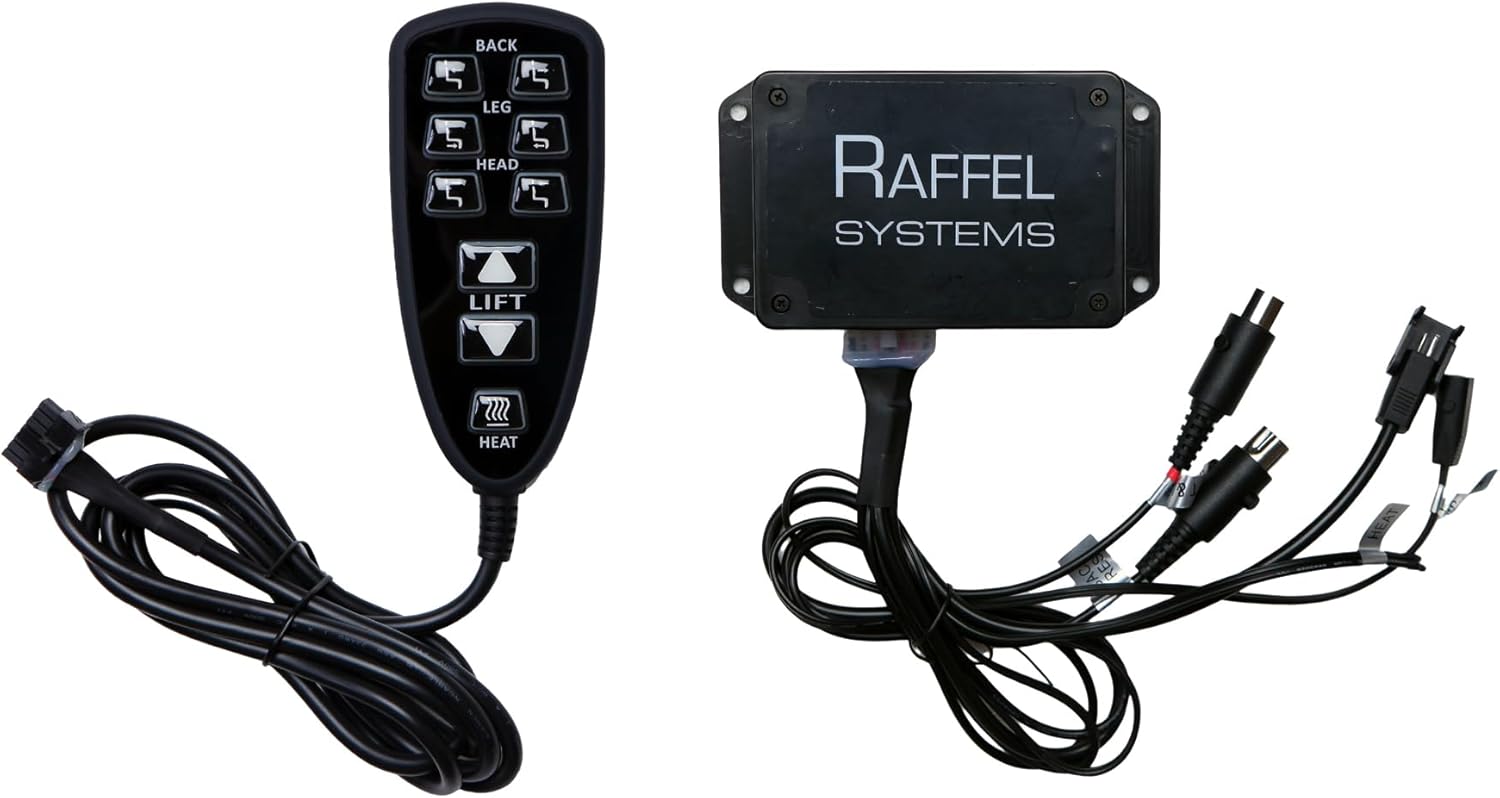
Figure 2: The Uetmulik HC HR3B 01 remote control alongside its compatible junction box, illustrating the complete replacement kit.
Key Features:
- 9-button functionality for comprehensive control.
- Controls back, leg, headrest, lift (open-close), and heat functions.
- 5-pin connector for compatibility with specific Raffel Systems models.
- Includes a junction box for complete replacement.
- Easy installation with a 90-degree angle plug.
Setup and Installation
Before beginning installation, ensure the power to your recliner is disconnected from the wall outlet to prevent electrical shock.
- Verify Compatibility: Confirm that your existing remote has a 5-pin connector and that your recliner system is compatible with Raffel Systems HC HR3B 01. If your current remote has a different pin configuration, this replacement will not be compatible.
- Locate Existing Components: Identify the current hand control and junction box connected to your recliner's motor.
- Disconnect Old Components: Carefully unplug the old hand control and junction box from the motor and any other connected wires. Note the orientation of the plugs if possible.
- Connect New Junction Box: Connect the new junction box to the appropriate ports on your recliner's motor. Ensure all connections are secure.
- Connect Hand Control: Plug the 5-pin connector of the new hand control into the designated port on the new junction box. The 90-degree angle plug is designed for easy insertion into the motor connector.
- Restore Power: Once all connections are secure, plug your recliner back into the wall outlet.
- Test Functions: Test all buttons on the hand control to ensure proper operation of the recliner's back, leg, headrest, lift, and heat functions.
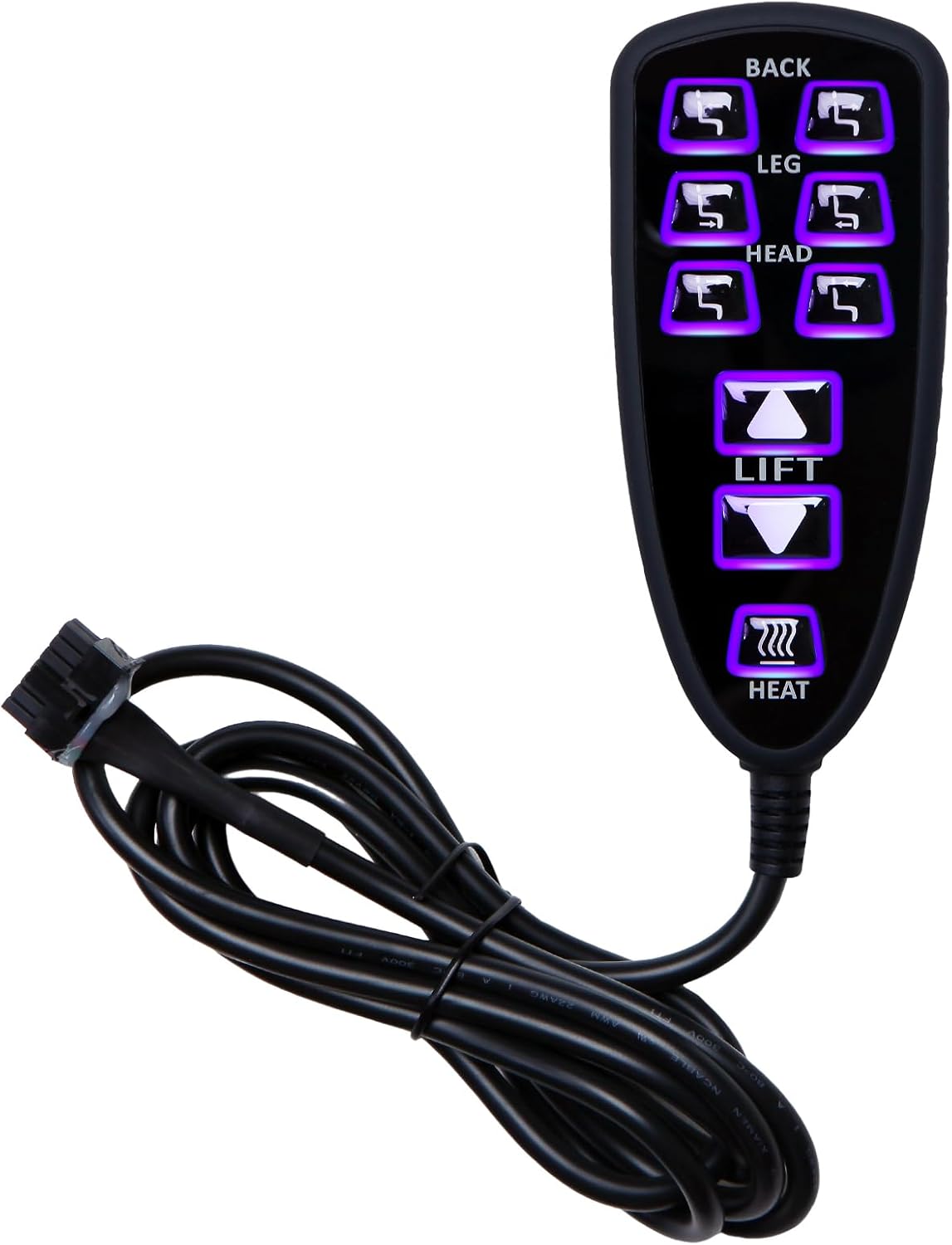
Figure 3: Close-up view of the junction box with its various connectors, including those for the remote, motor, and other chair functions like heat.

Figure 4: Side profile of the remote control, showing its ergonomic design and the cable connection point.
Operating Instructions
The Uetmulik HC HR3B 01 remote control features intuitive buttons for easy operation of your power recliner. Each button is clearly labeled and often illuminated for visibility.
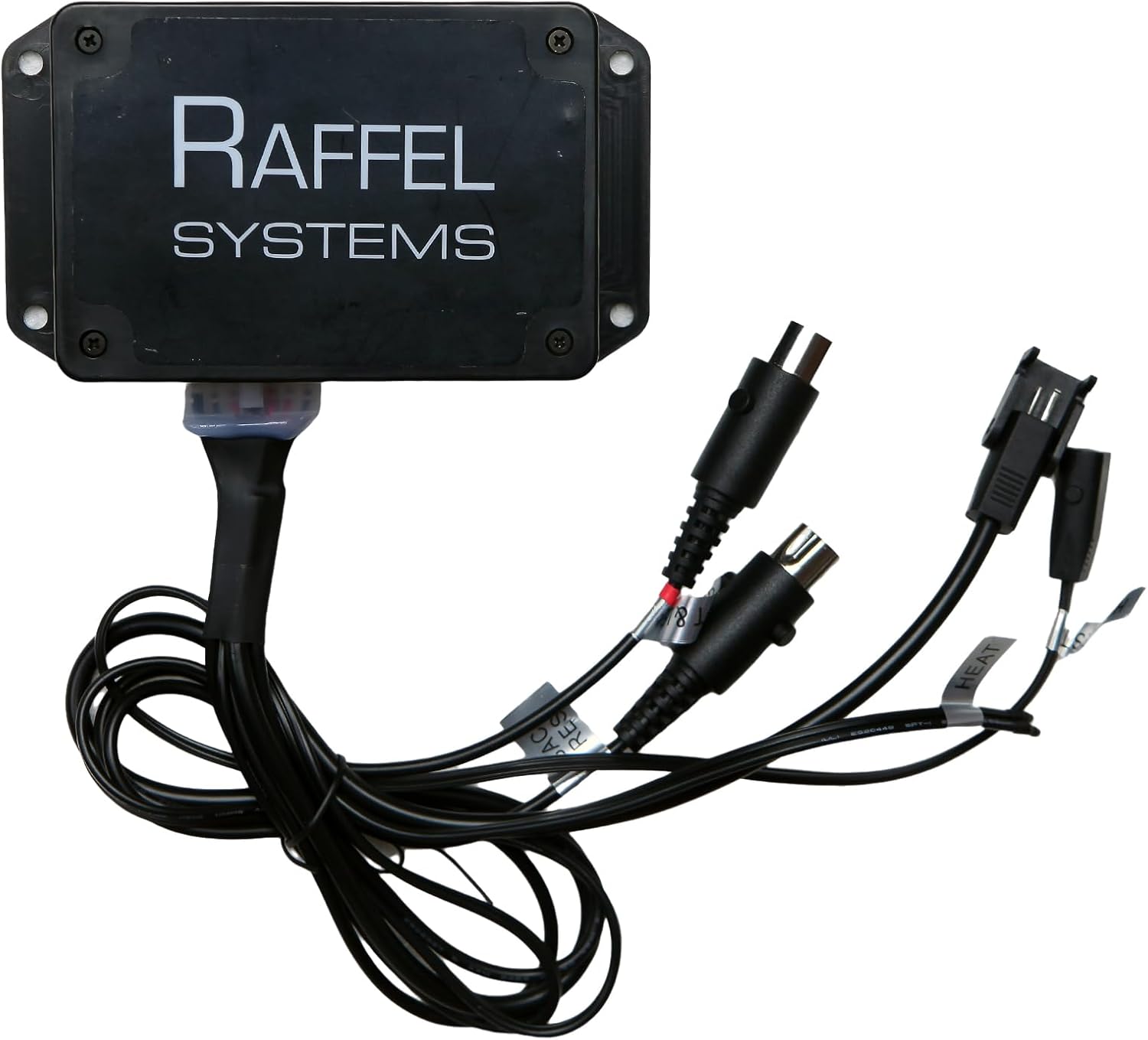
Figure 5: Detailed view of the remote control's buttons, showing the labels for BACK, LEG, HEAD, LIFT, and HEAT functions.
- BACK Buttons: Use the top pair of buttons to adjust the recliner's backrest position. Press the upper button to recline the back, and the lower button to bring it upright.
- LEG Buttons: The second pair of buttons controls the leg rest. Press the upper button to extend the leg rest, and the lower button to retract it.
- HEAD Buttons: The third pair of buttons adjusts the headrest. Use the upper button to raise the headrest and the lower button to lower it.
- LIFT Buttons: The central pair of buttons manages the lift function. The upper button will initiate the lift mechanism to assist in standing, while the lower button will lower the chair back to a seated position.
- HEAT Button: The bottom button activates or deactivates the heat function of the recliner. Press once to turn on, press again to turn off.
Note: The specific range of motion for each function is determined by your recliner's design.
Maintenance and Care
Proper care of your remote control and junction box will ensure long-lasting performance.
- Cleaning: Wipe the remote control and junction box with a soft, dry cloth. Do not use abrasive cleaners, solvents, or excessive moisture, as this can damage the electronic components.
- Storage: When not in use, keep the remote in a safe place where it will not be dropped or exposed to extreme temperatures or direct sunlight.
- Cable Management: Avoid kinking or sharply bending the cable. Ensure the cable is not pinched by the recliner mechanism or furniture.
- Liquid Exposure: Keep the remote and junction box away from liquids. In case of accidental spills, immediately disconnect power to the recliner and dry the components thoroughly before reconnecting.
Troubleshooting
If you experience issues with your Uetmulik remote control, refer to the following common problems and solutions:
| Problem | Possible Cause | Solution |
|---|---|---|
| Remote not responding / No power |
|
|
| Specific function not working (e.g., heat, lift) |
|
|
| Buttons feel sticky or unresponsive |
|
|
If these troubleshooting steps do not resolve the issue, please contact customer support.
Specifications
| Model Number | HC HR3B 01 |
| Brand | Uetmulik |
| Manufacturer | Raffel Systems |
| Connector Type | 5-pin |
| Number of Buttons | 9 |
| Functions Controlled | Back, Leg, Headrest, Lift (Open-Close), Heat |
| Included Components | Hand Control Remote, Junction Box |
| Item Weight | 1.21 pounds (approx.) |
| Package Dimensions | 8.98 x 7.09 x 2.36 inches (approx.) |
Warranty Information
Specific warranty details for this Uetmulik product are typically provided at the point of purchase or within the product packaging. Please refer to your purchase receipt or contact the seller directly for information regarding warranty coverage and terms.
Generally, replacement parts like this remote control are covered against manufacturing defects for a limited period. Keep your proof of purchase for any warranty claims.
Customer Support
For further assistance, technical support, or inquiries regarding your Uetmulik Power Recliner Remote Control, please contact the seller or manufacturer directly.
When contacting support, please have the following information ready:
- Product Model Number: HC HR3B 01
- Date of Purchase
- Description of the issue
You may also visit the Uetmulik Store on Amazon for more product information and contact options.


