
Tunturi V10
Tunturi Cardio Fit V10 Vibration Plate User Manual
Model: V10
1. Product Overview
The Tunturi Cardio Fit V10 Vibration Plate is designed to provide an effective and joint-friendly workout through oscillation. It offers various programs and speed settings to support muscle building, fat burning, improved blood circulation, and bone density.

Image: The Tunturi Cardio Fit V10 Vibration Plate, showcasing the main unit, the detachable seat, two resistance bands with handles, and the remote control. The plate is dark grey with green Tunturi branding.
2. Setup and Assembly
Before first use, ensure all components are present and the device is placed on a stable, level surface.
2.1 Attaching Resistance Bands
- Locate the attachment points on the sides of the vibration plate.
- Securely attach the resistance bands to these points. Ensure they are firmly connected before use.
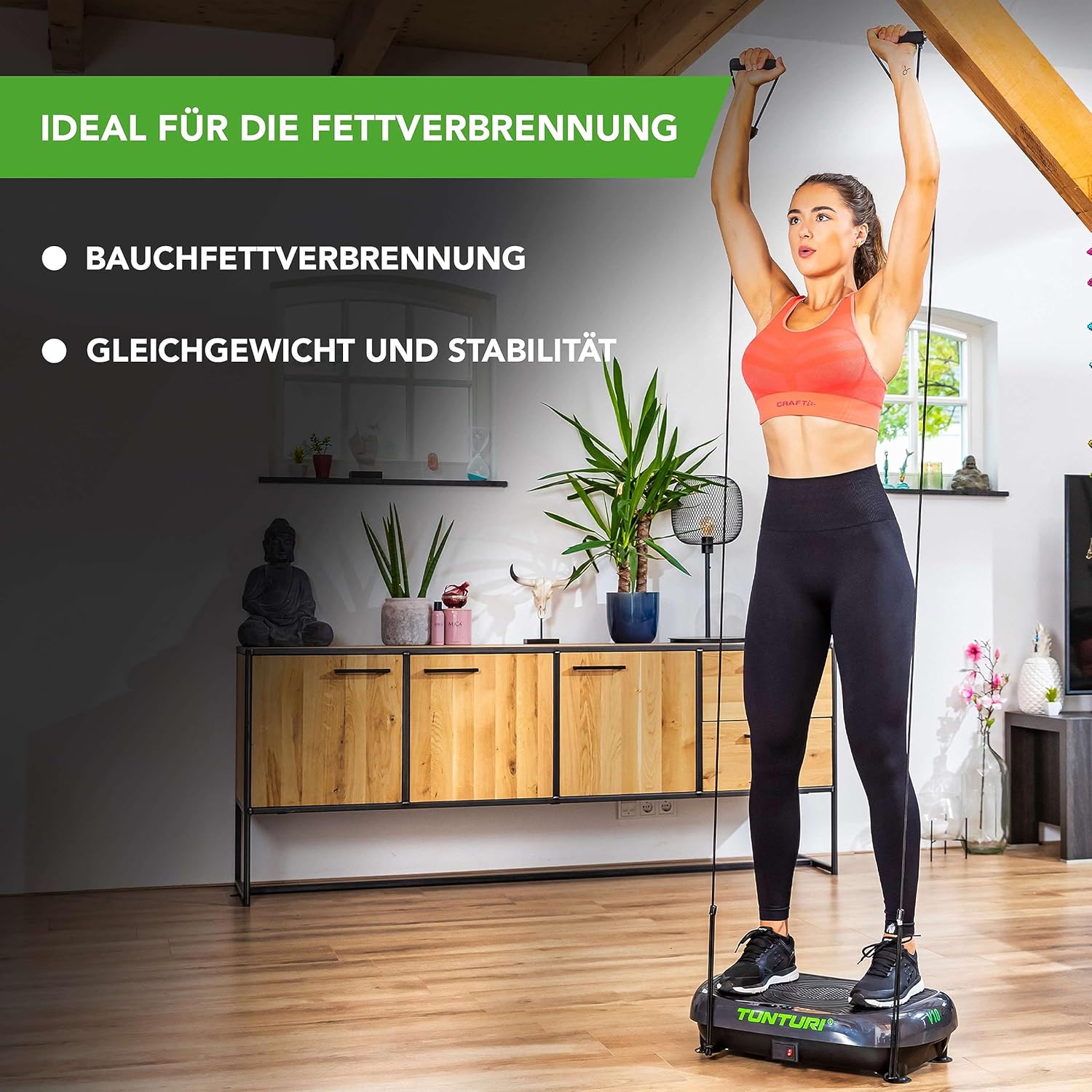
Image: A woman performing an overhead press exercise while standing on the Tunturi V10 Vibration Plate, holding the resistance bands attached to the plate. This demonstrates the use of the resistance bands.
2.2 Attaching the Seat/Push-up Handles
The included hocker (seat) can be used for seated exercises or its legs can be detached and used as push-up handles.
- To use as a seat: Place the hocker securely on the vibration plate.
- To use as push-up handles: Detach the legs from the hocker and attach them to the designated slots on the vibration plate.

Image: The Tunturi V10 Vibration Plate with its detachable seat securely placed on top. A smartphone next to the plate shows the Tunturi training app interface, suggesting various exercises.
3. Operating Instructions
The Tunturi Cardio Fit V10 offers multiple training options for varied workouts.
3.1 Control Panel and Remote Control
The device can be controlled via the integrated control panel or the included remote control.
- Power Button: Turns the device on/off.
- Speed Adjustment: Use the arrow buttons to increase or decrease the oscillation speed (30 levels available).
- Program Selection: Choose from 3 pre-set programs or a manual mode.
- Start/Pause: Initiates or pauses the workout.

Image: A detailed view of the Tunturi V10 Vibration Plate's control panel. It features buttons for adjusting speed, selecting programs, and starting/pausing, along with two digital displays for showing current settings.
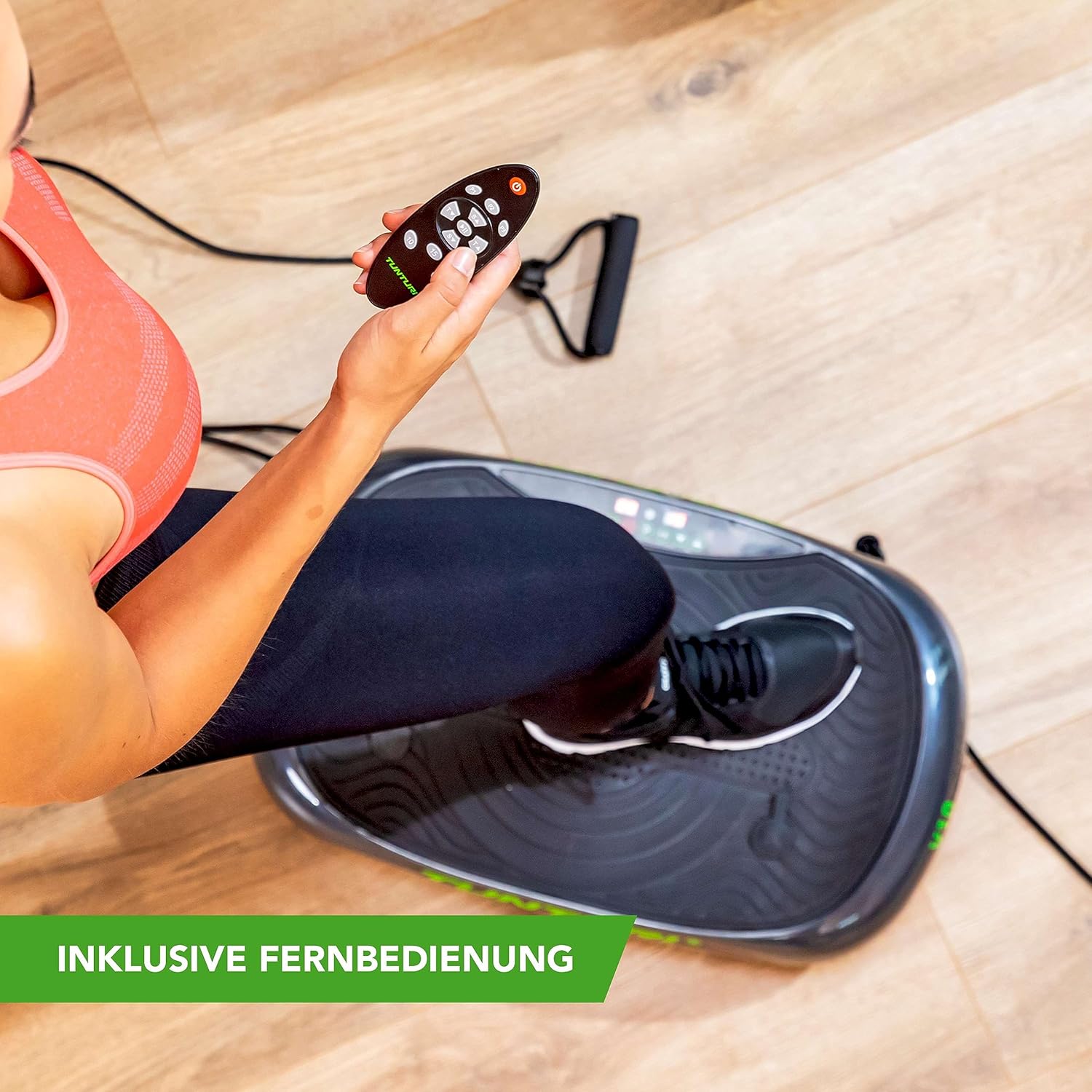
Image: A hand holding the compact remote control for the Tunturi V10 Vibration Plate. The remote allows for convenient adjustment of settings during a workout.
3.2 Exercise Examples
The vibration plate can be used for a variety of exercises. The oscillation forces the body to maintain balance, engaging various muscle groups.
- Squats: Stand on the plate with feet shoulder-width apart, perform squats while the plate oscillates.
- Lunges: Place one foot on the plate and perform lunges.
- Push-ups: Use the detachable handles on the plate for push-ups.
- Seated Knee Raises: Sit on the hocker and perform knee raises.
- Shoulder Presses: Use the resistance bands for overhead shoulder presses.

Image: A collage demonstrating multiple exercises that can be performed with the Tunturi V10 Vibration Plate, including standing squats, lunges, and resistance band workouts, highlighting its versatility.
3.3 Official Product Video
Watch the official Tunturi V10 Vibration Plate video for a visual guide on setup and exercise demonstrations.
Video: An official product video demonstrating the features and various exercises possible with the Tunturi V10 Vibration Plate. It provides a comprehensive visual guide for users.
4. Maintenance and Care
Regular maintenance ensures the longevity and optimal performance of your Tunturi Cardio Fit V10.
- Cleaning: Wipe the surface of the vibration plate with a damp cloth after each use. Avoid abrasive cleaners or solvents.
- Storage: Store the device in a dry, cool place away from direct sunlight and extreme temperatures.
- Inspection: Periodically check all cables, connections, and moving parts for any signs of wear or damage.
5. Troubleshooting
If you encounter any issues with your Tunturi Cardio Fit V10, refer to the following common solutions:
| Problem | Possible Cause | Solution |
|---|---|---|
| Device does not power on. | Power cable not connected; Power switch off; No power from outlet. | Ensure power cable is securely plugged in. Check if the main power switch on the device is ON. Test the outlet with another device. |
| Vibration is weak or inconsistent. | Incorrect speed setting; Uneven surface; Overload. | Increase the speed setting. Ensure the plate is on a flat, stable surface. Verify user weight is within the maximum limit (120 kg). |
| Remote control not working. | Dead batteries; Obstruction between remote and device. | Replace the AAA batteries (2 required). Ensure no objects are blocking the signal path. |
6. Specifications
| Feature | Detail |
|---|---|
| Brand | Tunturi |
| Model | V10 |
| Control Type | Remote Control |
| Display Type | LCD (2 displays) |
| Number of Programs | 3 |
| Number of Resistance Levels (Speeds) | 30 |
| Operation Mode | Automatic |
| Power Source | Wired |
| Material Type | Plastic, Metal |
| Product Dimensions (L x W x H) | 710 x 390 x 340 cm (approx. 279.5 x 153.5 x 133.9 inches) |
| Item Weight | 11.3 Kilograms (approx. 24.9 lbs) |
| Maximum Recommended Weight | 120 Kilograms (approx. 264.5 lbs) |
| Batteries Required (for remote) | 2 AAA Batteries (not included) |
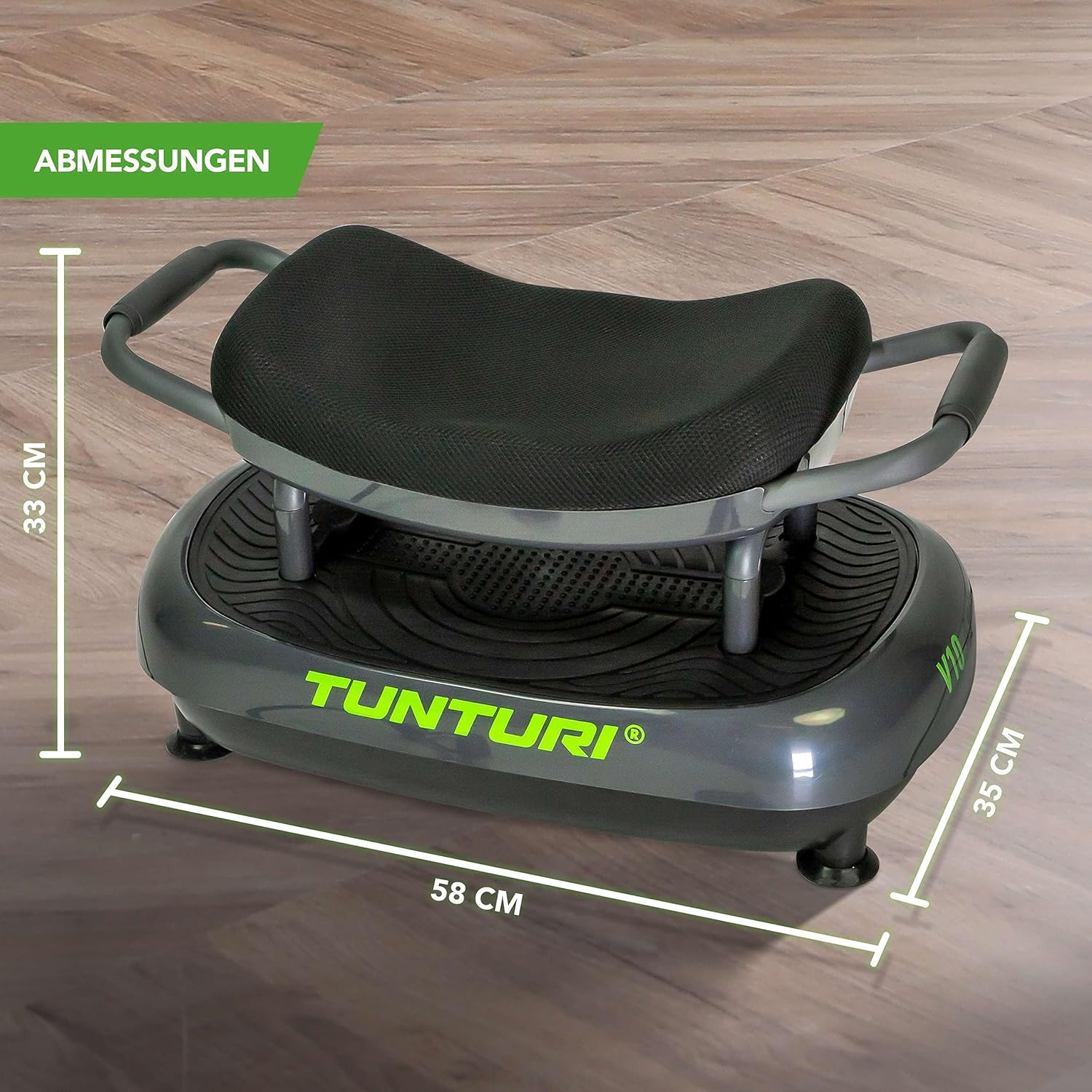
Image: A visual representation of the Tunturi V10 Vibration Plate's dimensions, indicating a length of 58 cm, a width of 35 cm, and a height of 33 cm when the seat is attached.
7. Warranty and Support
Tunturi is committed to providing quality fitness products and support.
- For product support, please contact Tunturi directly.
- Contact Information: +31 36 54 60 050 or sales.online@tunturi.com
- For detailed warranty information, please refer to the documentation included with your product or visit the official Tunturi website.
Tunturi has been a pioneer in the fitness world since 1922, introducing the first ergometer home trainer in 1969. Their mission is to inspire active living and help you achieve your personal fitness goals, offering products designed to maximize performance for every training, exercise, and goal.
Ask a question about this manual
Ask about setup, troubleshooting, compatibility, parts, safety, or missing instructions. Manuals+ will review the question and use this page’s manual context to help answer it.