
1. Introduction
This manual provides detailed instructions for the assembly, operation, and maintenance of your St.Mandyu LED TV Stand. Please read all instructions carefully before beginning assembly and retain this manual for future reference. This entertainment center is designed to accommodate televisions ranging from 65 to 85 inches, offering both functional storage and ambient LED lighting.

Image 1: St.Mandyu LED TV Stand with a television and illuminated blue LED lights.
2. Safety Information
- Do not load more than 220 pounds (approximately 100 kg) onto the TV stand. Exceeding this weight limit may cause instability and damage.
- Exercise caution around sharp edges during assembly and use to prevent injury.
- Ensure all screws and fasteners are securely tightened before placing a television or other items on the stand. Periodically check for tightness.
- Keep small parts and packaging materials away from children to prevent choking hazards.
- Place the TV stand on a level and stable surface to prevent tipping.
3. Package Contents
Before beginning assembly, verify that all components and hardware are present. Refer to the included assembly guide for a complete list of parts. All necessary hardware for assembly is included.
- Main structural panels (top, side, bottom, shelves)
- Drawer components
- LED light strip and remote control
- Assembly hardware (screws, dowels, cam locks, etc.)
- Tempered glass shelves

Image 2: Detail of construction materials including hardware, wood board, and tempered glass.
4. Assembly Instructions
The St.Mandyu LED TV Stand is designed for straightforward assembly. Easy-to-follow instructions are included with the product to ensure a stress-free setup. It is recommended to have two individuals for assembly, especially when handling larger components or placing the television onto the stand.
- Unpack and Organize: Carefully unpack all components and hardware. Lay them out on a clean, soft surface to prevent scratches. Verify all parts against the included parts list.
- Assemble the Main Frame: Follow the step-by-step diagrams in the provided manual to connect the main structural panels using the designated hardware. Ensure all connections are firm.
- Install Shelves and Drawers: Insert the tempered glass shelves into their designated slots. Assemble the drawers according to the instructions and slide them into place.
- Attach LED Lighting: Secure the LED light strip to the designated areas. Connect the power supply and remote receiver.
- Final Placement: With assistance, carefully lift and place your television onto the stand. Ensure it is centered and stable.
For visual guidance, refer to the detailed diagrams provided in your product's physical assembly manual.
5. Operating Instructions
LED Lighting System
The TV stand features an adjustable LED lighting system with 20 colors and 4 modes to enhance your viewing or gaming experience. The lights are controlled via the included remote control.
- Power On/Off: Use the power button on the remote to turn the LED lights on or off.
- Color Selection: Press the colored buttons on the remote to select from 20 different static colors.
- Mode Selection: Use the 'MODE+' and 'MODE-' buttons to cycle through 4 dynamic lighting modes (e.g., flash, strobe, fade, smooth).
- Brightness Adjustment: Use the brightness up/down buttons to adjust the intensity of the selected color or mode.
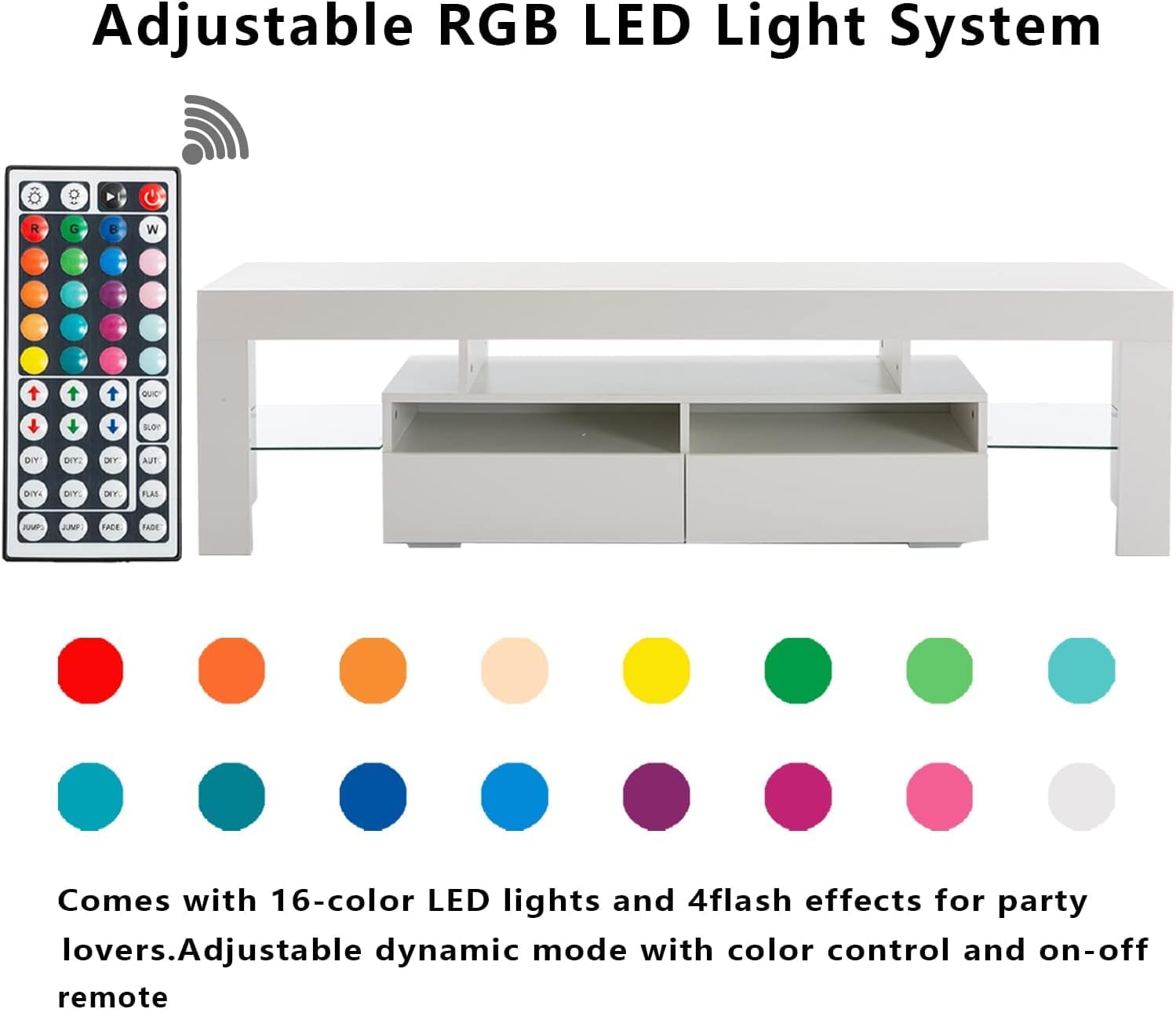
Image 3: LED remote control and the TV stand with active blue lighting.
Drawer Usage
The integrated drawers provide convenient storage for media accessories, remote controls, or other items, helping to keep your living space organized.
- Gently pull the drawer fronts to open and push to close.
- Avoid overloading drawers to ensure smooth operation and prevent damage to the runners.

Image 4: The TV stand in use, displaying its storage and lighting features.
6. Maintenance
To maintain the appearance and longevity of your St.Mandyu LED TV Stand, follow these simple care instructions:
- Cleaning: Wipe the surfaces with a dry, soft cloth. Avoid using abrasive cleaners, harsh chemicals, or excessive moisture, as these can damage the high-gloss finish and wood material.
- Dusting: Regularly dust the stand to prevent buildup, which can dull the finish.
- Spills: In case of spills, wipe immediately with a dry cloth.
- LED Lights: The LED lights are designed for long-term use. If a light strip malfunctions, contact customer support for assistance. Do not attempt to repair or replace the LED strip yourself.
7. Troubleshooting
If you encounter any issues with your St.Mandyu LED TV Stand, please refer to the following common troubleshooting tips:
- LED Lights Not Working:
- Check if the power adapter is securely plugged into both the wall outlet and the LED controller.
- Ensure the remote control has working batteries and is pointed directly at the LED receiver.
- Try unplugging the power adapter for 30 seconds and plugging it back in to reset the system.
- Drawers Not Sliding Smoothly:
- Verify that the drawer runners are correctly installed and free of obstructions.
- Ensure the drawer is not overloaded.
- Check that all assembly screws for the drawer and its runners are tightened.
- Stand Instability:
- Confirm that the stand is placed on a flat, level surface.
- Re-tighten all assembly screws and fasteners.
- Ensure the weight on the stand does not exceed the maximum capacity of 220 pounds.
If these steps do not resolve the issue, please contact St.Mandyu customer support for further assistance.
8. Specifications
| Feature | Detail |
|---|---|
| Brand | St.Mandyu |
| Model Number | St.Mandyu |
| Color | White |
| Material | Wood (P2 grade particleboard) |
| Product Dimensions (L x W x H) | 71 x 13.8 x 17.7 inches |
| Item Depth | 36 inches |
| Item Weight | 70 pounds |
| Weight Capacity | Up to 220 pounds |
| Recommended TV Size | 65/75/85 inch TVs |
| LED System | 20 colors, 4 modes, remote control |

Image 5: Product dimensions diagram.
9. Warranty and Support
St.Mandyu is committed to providing high-quality products. For information regarding warranty coverage, product support, or to report any issues not covered in this manual, please contact St.Mandyu customer service through the retailer where the product was purchased or visit the official St.Mandyu website. Please have your purchase receipt and product model information ready when contacting support.