
1. Introduction
Thank you for choosing the Rychi D11 Portable DAB+ Radio. This manual provides essential information for the safe and efficient operation of your device. Please read it thoroughly before use and retain it for future reference.
2. Product Overview
The Rychi D11 is a versatile portable radio offering DAB/DAB+ and FM reception, Bluetooth 5.3 connectivity, and media playback from Micro SD cards and USB sticks. It features a 4000 mAh battery with multiple charging options, white noise functions, an SOS alarm, and a built-in flashlight. Its compact design makes it suitable for various environments.

Image: The Rychi D11 Portable DAB+ Radio, demonstrating its compact size and ability to charge a smartphone.
3. Setup
3.1 Initial Charging
Before first use, fully charge the radio using the provided Type-C cable. Connect the cable to the radio's Type-C port and a compatible USB power adapter (not included).
3.2 Powering On/Off
Press and hold the Power button (usually marked with ⚡) to turn the device on or off.
3.3 Antenna Extension
For optimal radio reception, fully extend the telescopic antenna.
4. Operating Instructions
4.1 DAB/DAB+ and FM Radio
- Switching Modes: Press the 'MODE' button to cycle between DAB, FM, Bluetooth, and other playback modes.
- Scanning Stations: In DAB or FM mode, press the 'SCAN' button to automatically search for and store available stations. The radio can store up to 40 DAB and 40 FM presets.
- Selecting Presets: Use the navigation buttons (e.g., ◄ / ►) to browse through stored stations.
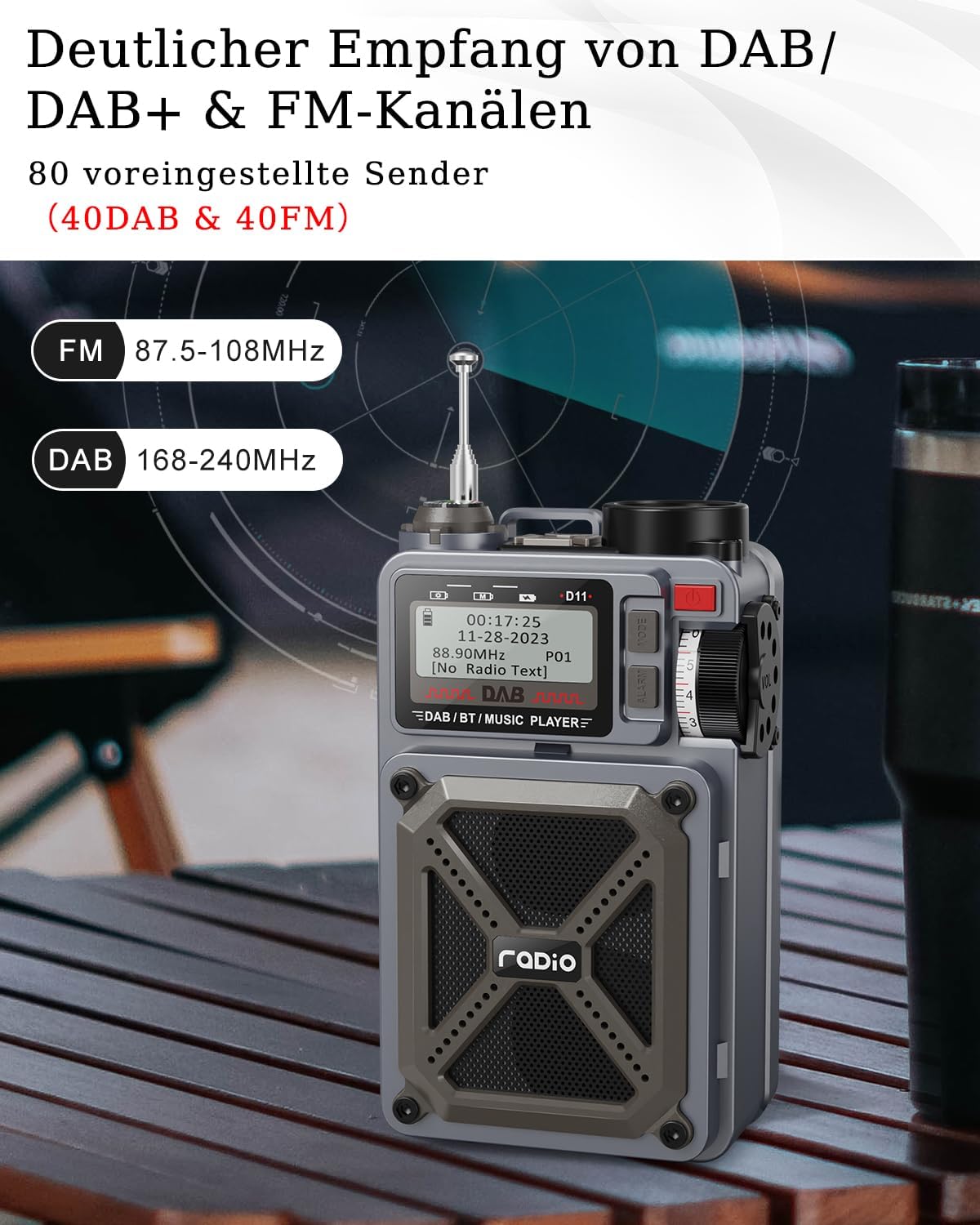
Image: The Rychi D11 radio showing its display with DAB and FM frequency ranges (87.5-108MHz for FM, 168-240MHz for DAB).
4.2 Bluetooth 5.3 Playback
- Enter Bluetooth Mode: Press the 'MODE' button until 'Bluetooth' is displayed. The radio will enter pairing mode.
- Pairing: On your mobile device, search for 'Rychi D11' in the Bluetooth settings and connect.
- Playback: Once connected, audio from your device will play through the radio. Use the radio's controls or your device to manage playback.
4.3 Micro SD / USB Stick Playback
- Insert Media: Insert a Micro SD card into the 'TF' slot or a USB stick into the 'USB' port.
- Enter Playback Mode: The radio should automatically switch to the corresponding playback mode. If not, press 'MODE' to select it.
- Playback: The radio will begin playing audio files from the inserted media.

Image: The Rychi D11 radio showing a smartphone connected via Bluetooth and the Micro SD and USB stick input slots.
4.4 White Noise & Sleep Mode
- Activate White Noise: Press the dedicated 'White Noise' button (if available) or cycle through modes until white noise is active.
- Select Sound: Use navigation buttons to choose from 8 different white noise sounds (e.g., rain, waves, birdsong).
- Set Sleep Timer: Press the 'Sleep' button repeatedly to set a sleep timer (15, 30, 45, 60, or 90 minutes). The radio will automatically turn off after the set time.
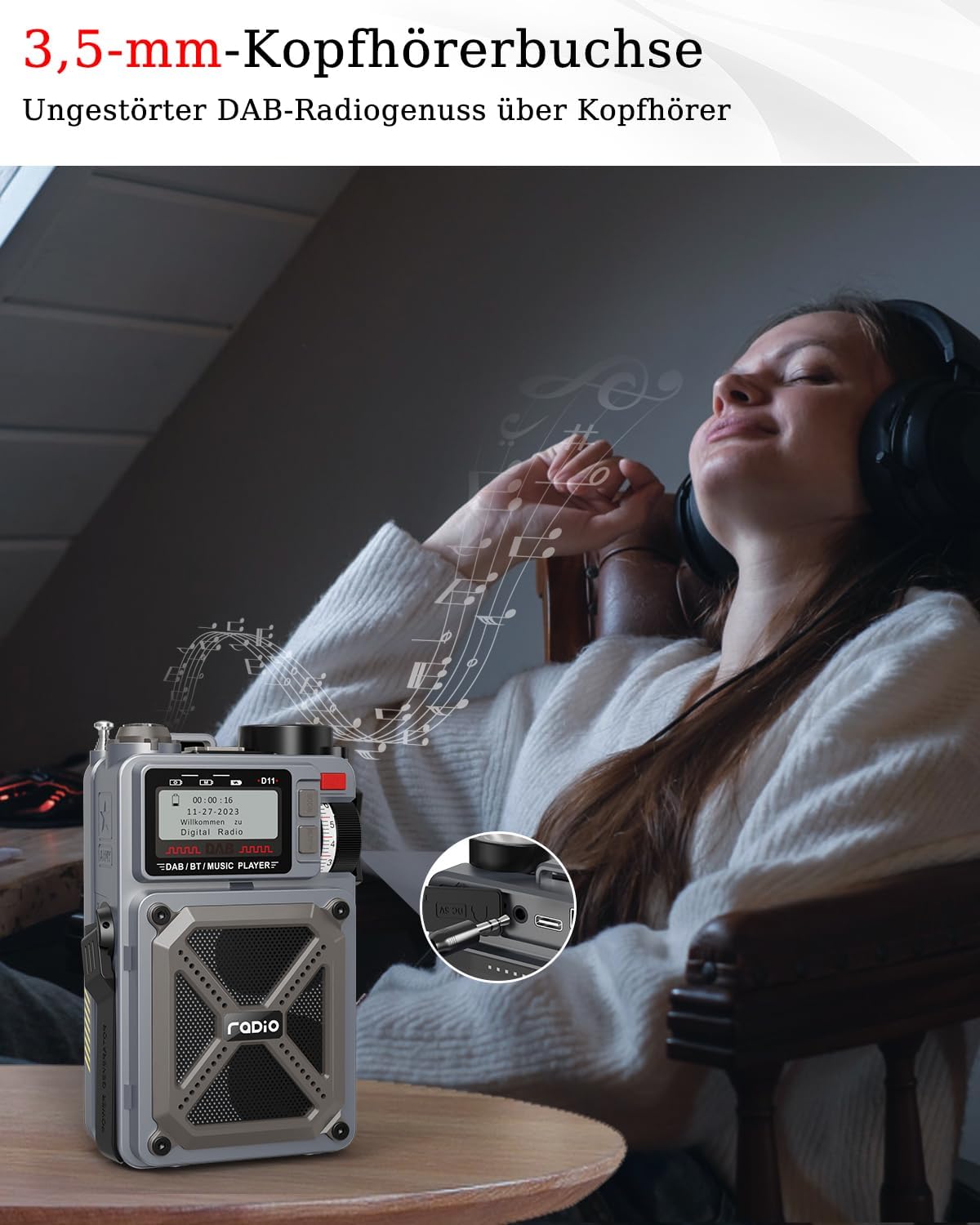
Image: The Rychi D11 radio in a bedroom setting, illustrating its white noise and sleep mode features for relaxation.
4.5 SOS Alarm
To activate the SOS alarm, press and hold the 'SOS' button. The alarm will sound, and the flashlight may flash to attract attention.
4.6 Flashlight
Press the 'Torch' button to turn the built-in flashlight on or off.
4.7 Headphone Jack
Connect 3.5mm headphones to the headphone jack for private listening. The radio's speaker will be muted automatically.
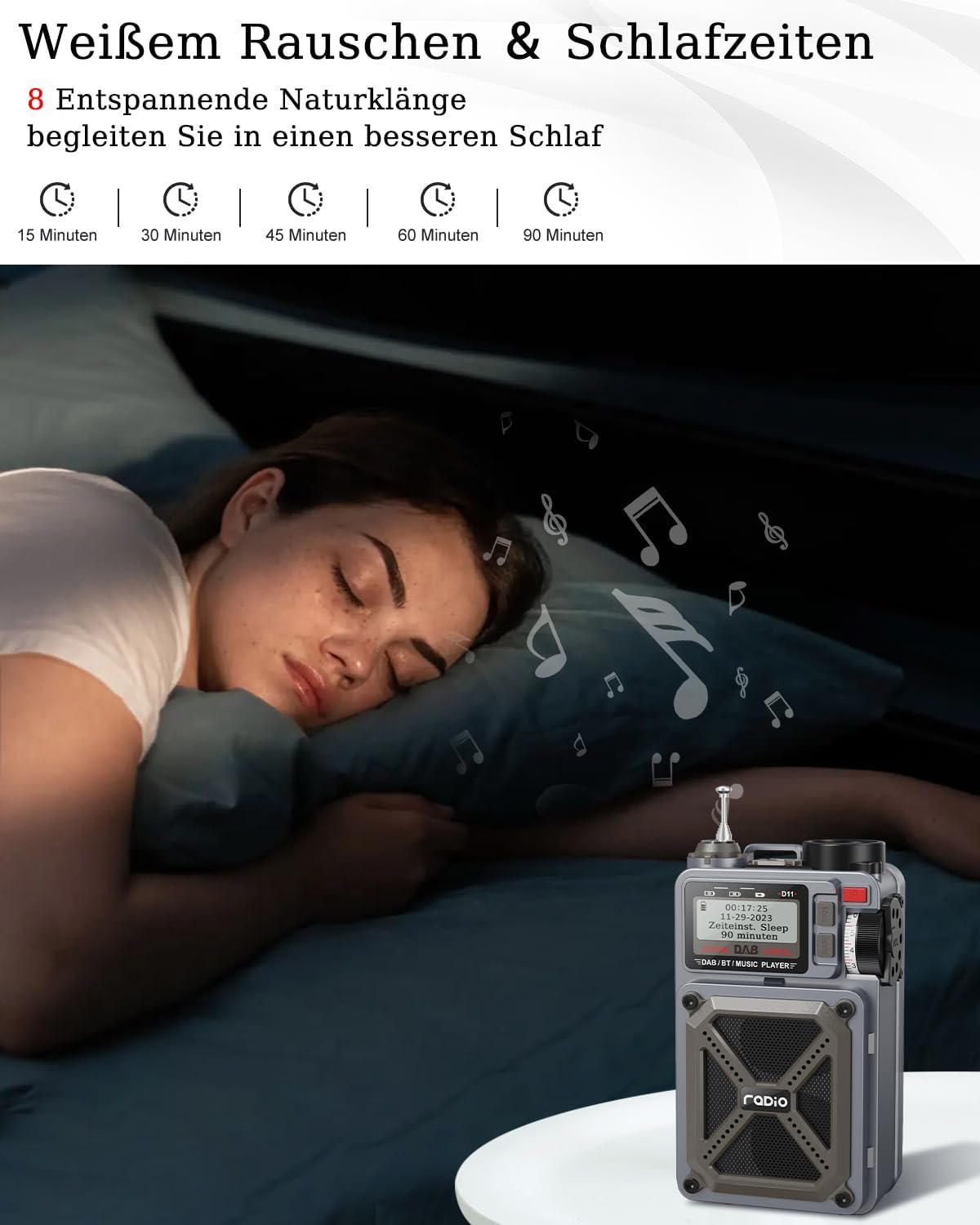
Image: The Rychi D11 radio with headphones plugged into the 3.5mm jack, demonstrating private listening capability.
5. Charging Options
The Rychi D11 radio features a 4000 mAh battery and offers three charging methods:
- Type-C Charging: Connect a Type-C cable to the radio's DC 5V input port and a USB power source.
- Solar Panel Charging: Place the radio with its solar panel facing direct sunlight. The solar panel provides a trickle charge, ideal for maintaining battery life or slow charging in emergencies.
- Hand-Crank Charging: Rotate the hand crank clockwise or counter-clockwise to generate power. This method is suitable for emergency charging when other power sources are unavailable.
5.1 Power Bank Function
The 4000 mAh battery can also be used to charge external devices, such as mobile phones, via the USB output port. Connect your device using a compatible USB cable.

Image: Detailed view of the Rychi D11 radio highlighting its three charging methods: Type-C port, hand-crank, and solar panel.
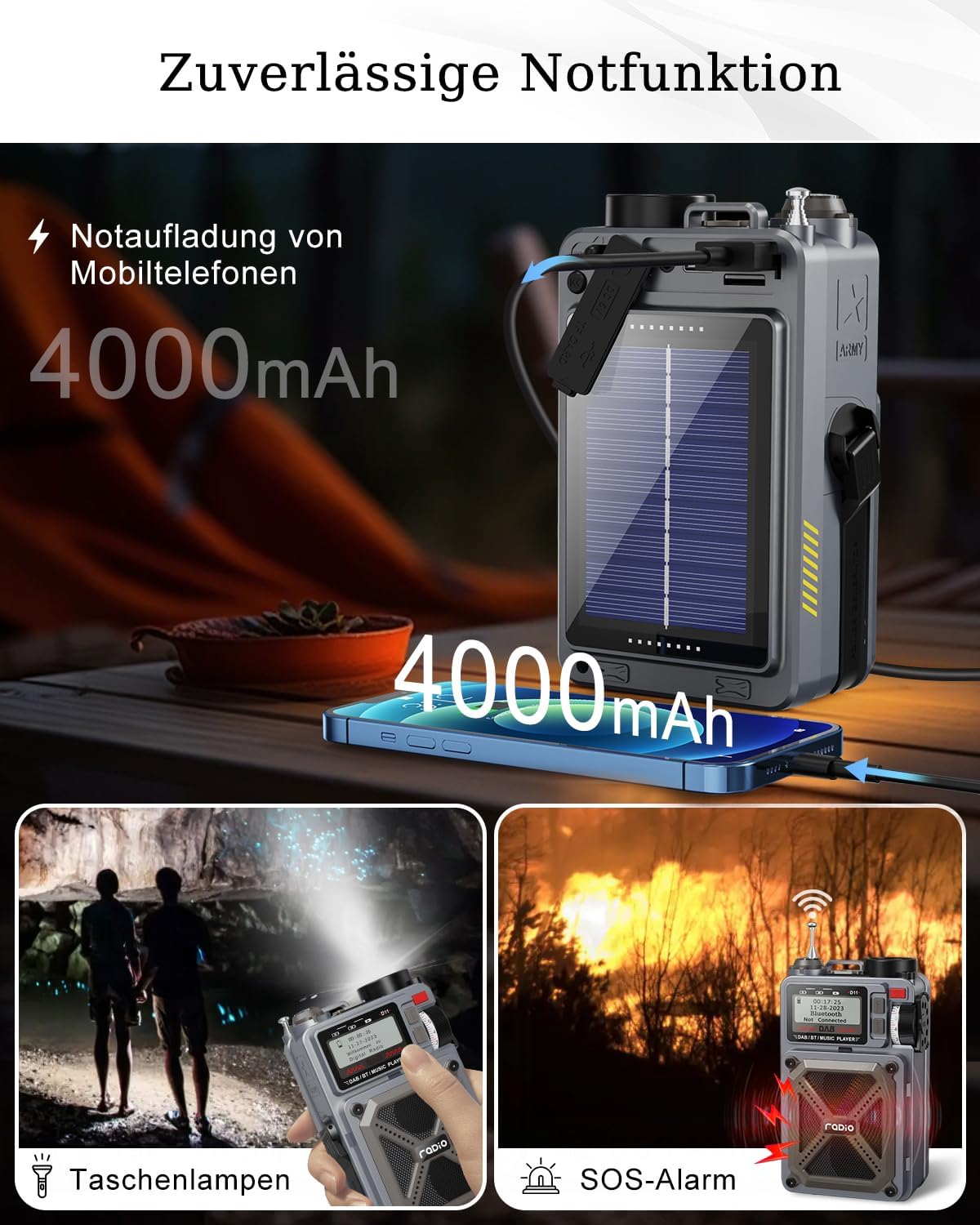
Image: The Rychi D11 radio illustrating its emergency features: charging a mobile phone, activating the flashlight, and the SOS alarm function.
6. Maintenance
6.1 Cleaning
Wipe the radio with a soft, dry cloth. Do not use abrasive cleaners or solvents. Avoid exposing the device to excessive moisture.
6.2 Battery Care
To prolong battery life, avoid fully discharging the battery frequently. If storing the radio for an extended period, charge it to approximately 50% every few months.
6.3 Storage
Store the radio in a cool, dry place away from direct sunlight and extreme temperatures.
7. Troubleshooting
| Problem | Possible Cause | Solution |
|---|---|---|
| Radio does not power on. | Battery is depleted. | Charge the radio using Type-C, solar, or hand-crank methods. |
| Poor radio reception. | Antenna not extended; weak signal area. | Fully extend the antenna. Relocate the radio to an area with better signal. |
| Bluetooth not connecting. | Radio not in pairing mode; device already connected. | Ensure the radio is in Bluetooth pairing mode. Disconnect from other devices. Restart both devices. |
| Micro SD/USB playback not working. | Incorrect file format; media not inserted correctly. | Ensure audio files are in a supported format. Reinsert the Micro SD card or USB stick. |
8. Specifications
- Model: D11
- Dimensions: 8L x 5.2W x 12.8H centimeters (3.19 x 2.05 x 5.2 inches)
- Weight: 540 g (0.77 lb)
- Battery: 4000 mAh Lithium Ion (included)
- Radio Bands: DAB/DAB+ (168 - 240 MHz), FM (87.5 - 108 MHz)
- Connectivity: Bluetooth 5.3, Micro SD, USB
- Special Features: White Noise (8 sounds), Sleep Mode, SOS Alarm, Flashlight, Power Bank Function, Compass
- Charging Options: Type-C, Solar Panel, Hand-Crank
9. Warranty and Support
The Rychi D11 Portable DAB+ Radio comes with a 12-month warranty from the date of purchase. This warranty covers manufacturing defects under normal use. It does not cover damage caused by misuse, accidents, unauthorized modifications, or normal wear and tear.
For warranty claims or technical support, please contact your retailer or the manufacturer's customer service. Please have your purchase receipt and product model number (D11) available when contacting support.


