1. Introduction
Thank you for choosing the WHYKJTEK G18 Wireless Earbuds. This manual provides detailed instructions on how to set up, operate, and maintain your earbuds to ensure optimal performance and longevity. Please read this manual carefully before use.
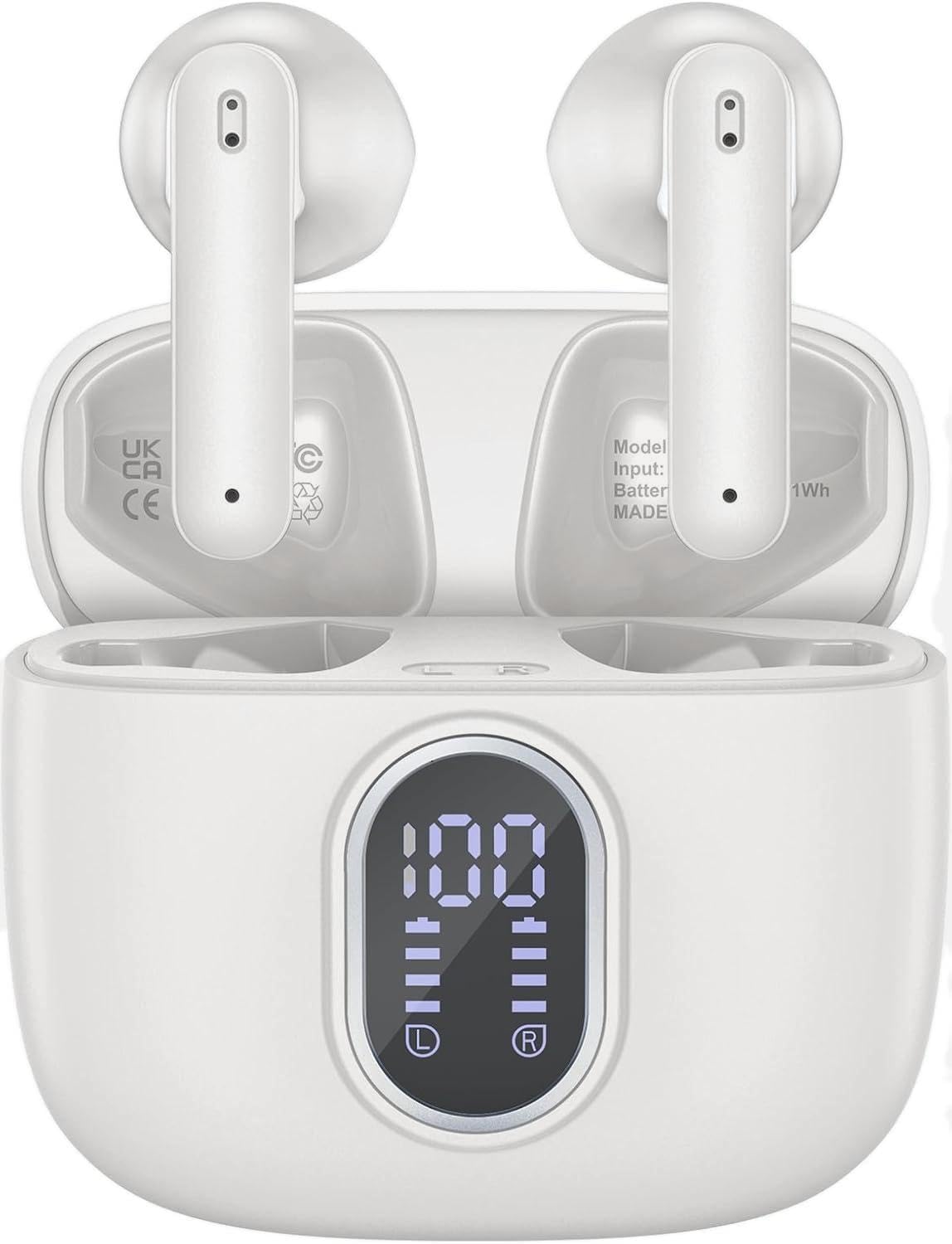
Image 1.1: WHYKJTEK G18 Wireless Earbuds in their charging case, displaying battery levels on the LED screen.
2. Package Contents
- WHYKJTEK G18 Wireless Earbuds (Left and Right)
- Charging Case
- USB-C Charging Cable
- User Manual
3. Product Overview
The G18 earbuds feature a compact design with advanced Bluetooth 5.3 technology, 13mm dynamic drivers for clear audio, and an IPX7 waterproof rating. The charging case includes an LED digital display to show battery status.
3.1 LED Digital Display
The charging case is equipped with a clear LED digital display that shows the remaining battery percentage of the charging case and the individual charge levels of each earbud. This allows for easy monitoring of power status.

Image 3.1: The charging case's LED display indicating full charge (100%) for the case and both earbuds.
4. Charging the Earbuds and Case
To ensure optimal performance, fully charge the earbuds and charging case before first use.
4.1 Charging the Earbuds
- Place the earbuds into the charging case. Ensure they are correctly seated in their respective slots (L for left, R for right).
- The earbuds will automatically begin charging. The LED display on the case will show their individual charge status.
4.2 Charging the Case
- Connect the provided USB-C charging cable to the charging port on the case.
- Connect the other end of the cable to a USB power adapter (not included) or a computer's USB port.
- The LED display will show the charging progress of the case. When fully charged, the display will indicate 100%.
A single charge provides approximately 8 hours of listening time for the earbuds. The charging case provides an additional 5 charges, extending total playtime to up to 40 hours.

Image 4.1: Illustration of the G18 earbuds' battery life, indicating 6 hours on a single charge and 40 hours total with the charging case.
5. Pairing and Connection
The G18 earbuds utilize Bluetooth 5.3 technology for stable and efficient connections.
5.1 Initial Pairing
- Open the charging case. The earbuds will automatically power on and enter pairing mode.
- On your device (smartphone, tablet, laptop), enable Bluetooth.
- Search for "G18" in the list of available Bluetooth devices and select it to connect.
- Once connected, a voice prompt will confirm successful pairing.
5.2 Automatic Reconnection
After the initial pairing, the earbuds will automatically connect to the last paired device when removed from the charging case, provided Bluetooth is enabled on the device and it is within range.

Image 5.1: Illustration of the one-step pairing process, showing the earbuds connecting to a smartphone via Bluetooth.
6. Wearing the Earbuds
For optimal sound quality and comfort, ensure the earbuds are properly seated in your ears.
- Identify the Left (L) and Right (R) earbuds.
- Gently insert each earbud into the corresponding ear canal.
- Adjust the earbud until it feels secure and comfortable. The lightweight design (3.5g per earbud) is intended for extended wear without discomfort.

Image 6.1: A user wearing the G18 earbud, demonstrating its comfortable and lightweight fit.
7. Touch Controls
The G18 earbuds feature intuitive touch controls on each earbud for managing audio playback, calls, and voice assistant activation.
| Action | Left Earbud | Right Earbud |
|---|---|---|
| Play/Pause Music | Single tap | Single tap |
| Next Track | Tap twice | |
| Previous Track | Tap twice | |
| Volume Up | Long press for 2s | |
| Volume Down | Long press for 2s | |
| Answer/End Call | Single tap | Single tap |
| Reject Call | Tap twice | Tap twice |
| Activate Voice Assistant (Siri) | Triple tap | Triple tap |

Image 7.1: Visual guide to the touch control functions on each earbud.
8. Water Resistance (IPX7)
The G18 earbuds are rated IPX7 waterproof, meaning they are protected against immersion in water up to 1 meter for up to 30 minutes. This makes them suitable for daily splashes, sweat, and rain.
Important Note:
- The IPX7 rating applies to the earbuds only, not the charging case.
- Do not use the earbuds while swimming, as sound transmission is significantly impaired underwater.
- Avoid exposing the earbuds to hot water, steam, or saltwater.
- Ensure the earbuds are completely dry before placing them back into the charging case to prevent damage.
9. Maintenance
9.1 Cleaning
- Regularly clean the earbuds and charging case with a soft, dry, lint-free cloth.
- Do not use abrasive cleaners, alcohol, or chemical solvents.
- Gently remove any earwax or debris from the earbud mesh using a small, soft brush.
9.2 Storage
- When not in use, store the earbuds in their charging case to protect them and keep them charged.
- Store the device in a cool, dry place, away from extreme temperatures and direct sunlight.
10. Troubleshooting
If you encounter any issues with your WHYKJTEK G18 earbuds, please refer to the following common solutions:
| Problem | Possible Solution |
|---|---|
| Earbuds not pairing |
|
| Only one earbud working |
|
| Low volume or poor sound quality |
|
| Charging case not charging |
|
11. Specifications
Below are the technical specifications for the WHYKJTEK G18 Wireless Earbuds:
| Feature | Detail |
|---|---|
| Model Name | G18 |
| Brand | WHYKJTEK |
| Connectivity Technology | Wireless (Bluetooth 5.3) |
| Driver Size | 13mm Dynamic |
| Playtime (Earbuds) | Up to 8 hours |
| Total Playtime (with Case) | Up to 40 hours |
| Water Resistance Rating | IPX7 (Earbuds only) |
| Earbud Weight | Approx. 3.5g per earbud |
| Control Method | Touch |
| Microphones | 4 (with ENC for calls) |
| Compatible Devices | Desktops, Phones, Laptops, Tablets |
| Battery Composition | Lithium-polymer |

Image 11.1: Internal view of an earbud highlighting the 13mm dynamic driver responsible for audio output.
12. Safety Information
- Do not disassemble, repair, or modify the product.
- Keep the product away from extreme temperatures, direct sunlight, and open flames.
- Avoid dropping or subjecting the product to strong impacts.
- Keep out of reach of children and pets.
- Do not use the earbuds at high volume for extended periods to prevent hearing damage.
- Be aware of your surroundings when using earbuds, especially in traffic or hazardous environments.
13. Warranty and Support
Information regarding product warranty and availability of spare parts is not provided in the current product data. For support or further inquiries, please refer to the retailer or manufacturer's official contact channels.


