
Runleader RL-HM200
Runleader RL-HM200 9999 Days Countdown Clock Instruction Manual
Model: RL-HM200
1. Product Overview
The Runleader RL-HM200 is a versatile digital countdown clock designed to track important events up to 9999 days. It features a clear backlight display, a customizable scene card system, and a buzzer alarm to notify you when your target time arrives. This device also functions as a calendar and real-time clock.
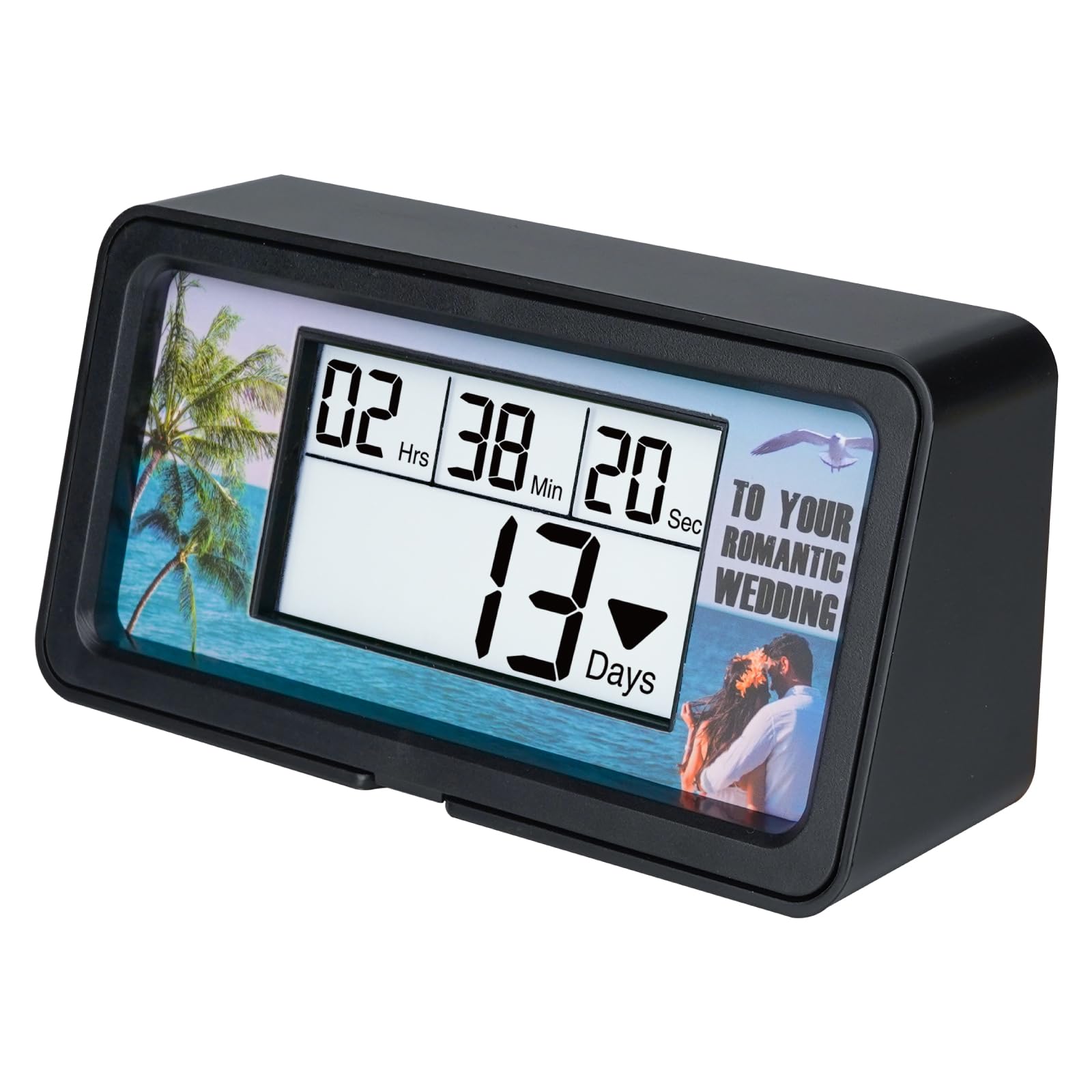
Image: The Runleader RL-HM200 countdown clock, displaying time and days remaining.
2. Product Components and Accessories
The package includes the following items:
- Runleader RL-HM200 Countdown Clock
- User Manual
- 10 Replaceable Scene Cards
- Magnetic Frame

Image: Contents of the product package, including the clock, user manual, and box.
2.1 Replaceable Scene Cards
The RL-HM200 comes with 10 unique scene cards to personalize your countdown for various occasions:
- Important Moments: Birthday, Graduation, Wedding, Retirement
- Festivals: Christmas, Halloween, Children's Day
- Personal Schedule: Daily life, Vacation
- Big Event: 2026 World Cup

Image: A selection of scene cards for important moments like Birthday, Graduation, Wedding, and Retirement.
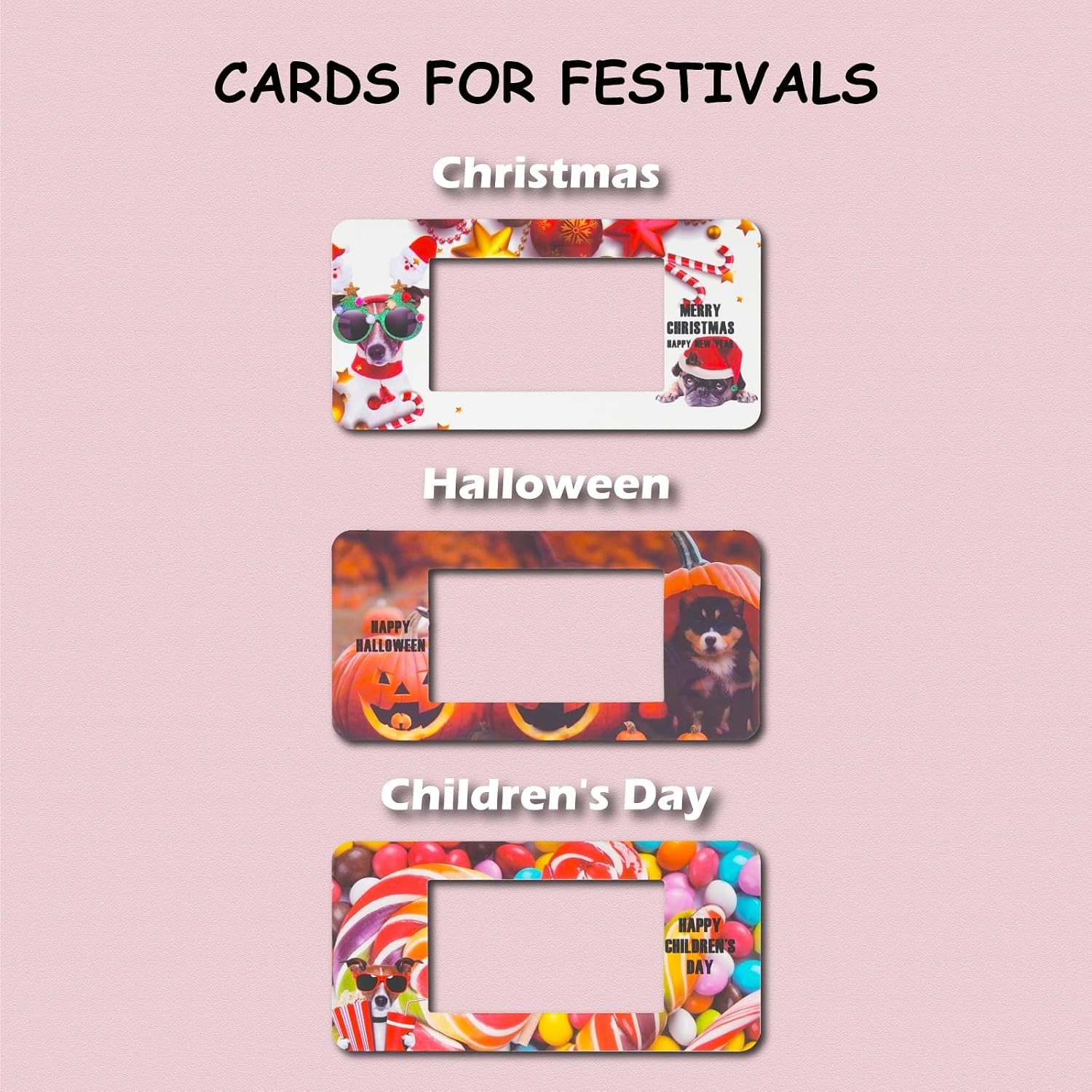
Image: Scene cards designed for festivals such as Christmas, Halloween, and Children's Day.

Image: Scene cards for personal schedules, including Daily Life and Vacation themes.

Image: A scene card featuring the 2026 World Cup, suitable for tracking major events.
3. Product Dimensions
The physical dimensions of the Runleader RL-HM200 countdown clock are as follows:
- Length: 128.83 mm (5.07 inches)
- Width: 65.00 mm (2.56 inches)
- Height: 63.81 mm (2.51 inches)
- Display Area: 35.13 mm (1.38 inches)

Image: Diagram illustrating the dimensions of the Runleader RL-HM200 countdown clock in millimeters and inches.
4. Setup
4.1 Battery Installation
The RL-HM200 operates on 2 AAA batteries. To install or replace batteries:
- Locate the battery compartment on the back of the device.
- Open the battery cover.
- Insert 2 AAA batteries, ensuring correct polarity (+/-).
- Close the battery cover securely.
4.2 Inserting Scene Cards
Customize your countdown clock with the provided scene cards:
- Select your desired scene card.
- Slide the scene card into the slot behind the display.
- Secure the scene card with the magnetic frame provided.

Image: Diagram showing how to insert a scene card into the clock and secure it with the magnetic frame.
5. Operating Instructions
The RL-HM200 features several buttons for operation, located on the back of the device:

Image: Rear view of the Runleader RL-HM200, labeling the "Finish", "Look", "Clear", "Enter", and "Current" buttons, along with the buzzer reminder.
- Finish (▲): Used to increase values during setting.
- Look (▼): Used to decrease values during setting.
- Clear: Deletes the current countdown tracking.
- Enter: Confirms settings and begins tracking.
- Current: Switches between current time/calendar display and target time setting mode.
5.1 Setting Current Time and Calendar
To set the current date and time:
- Press the "Current" button to enter current time setting mode.
- Use the "Finish" (▲) and "Look" (▼) buttons to adjust the Year (2000-2099), Month (1-12), Day (1-31), Hour (0-23), Minute (0-59), and Second (0-59).
- Press "Enter" to confirm each setting and move to the next.
- After setting seconds, press "Enter" again to save and exit.
5.2 Setting Target Countdown Time
To set a target date and time for your countdown:
- Press the "Enter" button to enter target time setting mode.
- Use the "Finish" (▲) and "Look" (▼) buttons to adjust the Target Year (2000-2099), Month (1-12), Day (1-31), Hour (0-23), Minute (0-59), and Second (0-59).
- Press "Enter" to confirm each setting and move to the next.
- After setting seconds, press "Enter" again to save and begin the countdown tracking.
Note: The target time value must be later than the current time value for the countdown to function correctly.
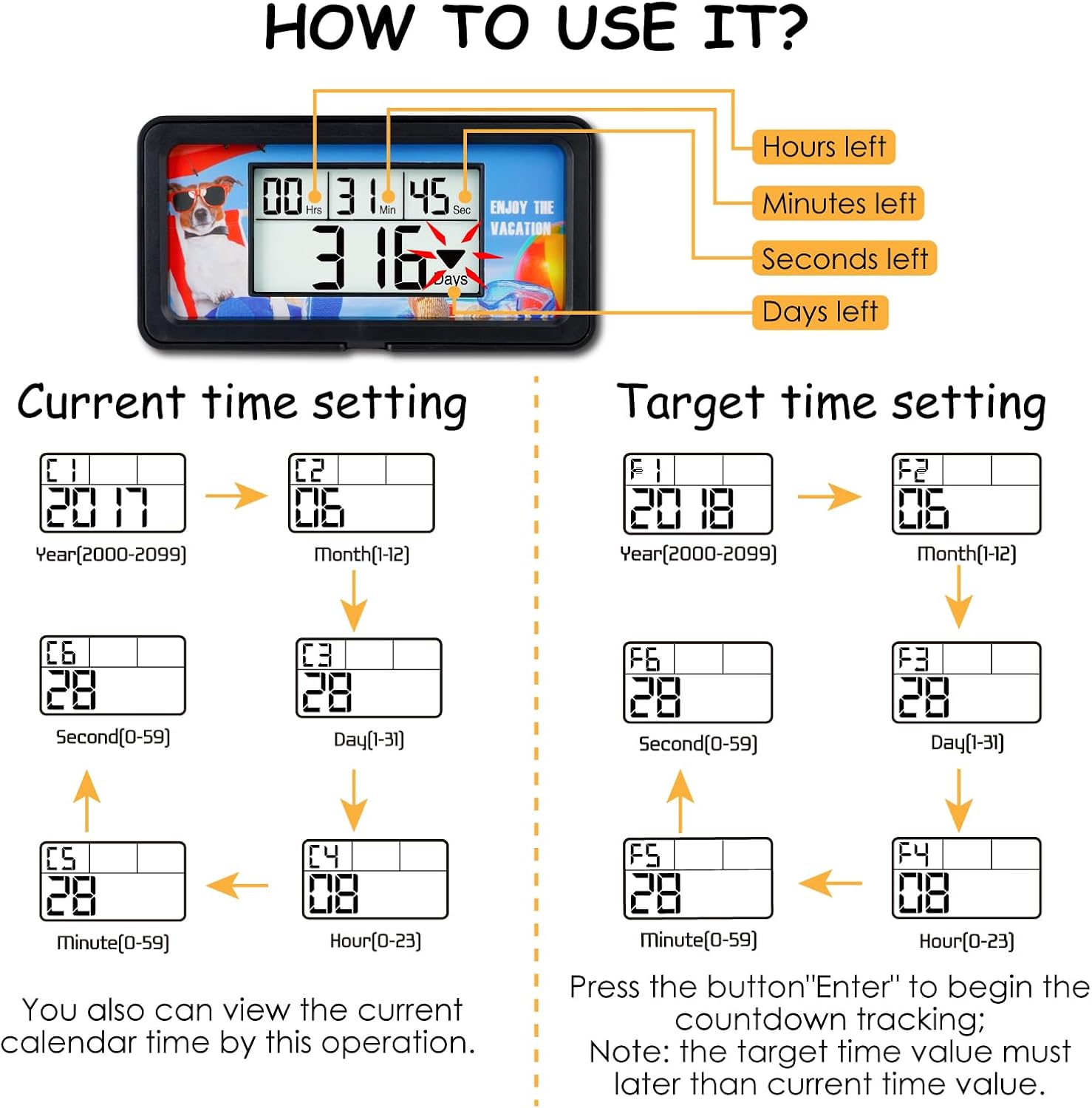
Image: Flowchart demonstrating the steps to set both the current time/calendar and the target countdown time.
5.3 Buzzer Alarm Reminder
When the target tracking time is reached, the device will activate a loud buzzer alarm to notify you. This alarm is designed to be audible throughout your home.

Image: Illustration of the buzzer alarm feature on the Runleader RL-HM200, indicating its sound output.
5.4 Data Reset
To clear the current countdown tracking, press the "Clear" button. This will reset the countdown and allow you to set a new target time.
6. Maintenance
6.1 Cleaning
To clean the device, use a soft, dry cloth. Do not use abrasive cleaners or immerse the device in water.
6.2 Battery Replacement
When the display dims or the device stops responding, it is time to replace the batteries. Refer to section 4.1 for battery installation instructions.
7. Troubleshooting
| Problem | Possible Cause | Solution |
|---|---|---|
| Display is blank or dim. | Low or depleted batteries. | Replace with new AAA batteries (refer to section 4.1). |
| Countdown does not start. | Target time is not set correctly or is earlier than current time. | Ensure the target time is set to a future date/time (refer to section 5.2). |
| Buzzer alarm does not sound. | Batteries are low or alarm function is not enabled (if applicable). | Replace batteries. Ensure the target time has been reached. |
| Incorrect time/date displayed. | Current time/calendar not set accurately. | Re-set the current time and calendar (refer to section 5.1). |
8. Specifications
| Feature | Detail |
|---|---|
| Model Number | RL-HM200 |
| Brand | Runleader |
| Countdown Range | Up to 9999 Days |
| Power Source | 2 x AAA Batteries |
| Display | Backlight LCD |
| Alarm | Buzzer Reminder |
| Material | Acrylonitrile Butadiene Styrene |
| Product Dimensions (L x W x H) | 5.07" x 1.97" x 2.52" (128.83mm x 65.00mm x 63.81mm) |
| Calendar Range | Year: 2000-2099, Month: 1-12, Day: 1-31 |
| Time Range | Hour: 0-23, Minute: 0-59, Second: 0-59 |
9. Warranty and Support
Runleader products are designed for reliability and performance. For specific warranty information, please refer to the documentation included with your purchase or visit the official Runleader website. For technical support or inquiries, please contact Runleader customer service.
Manufacturer: Ningbo Jiangbei Run Leader Electronics Co., Ltd
Ask a question about this manual
Ask about setup, troubleshooting, compatibility, parts, safety, or missing instructions. Manuals+ will review the question and use this page’s manual context to help answer it.