1. Introduction
This manual provides detailed instructions for the installation, operation, and maintenance of your SUNVIE KTW-W8SA 8-Pack LED Landscape Lighting Kit. This kit is designed for outdoor use, providing warm white 3000K illumination for your house, yard, garden, paths, fences, walls, and trees. It includes a 60W light-sensing transformer, 65ft UL-listed landscape wire, 8 aluminum spotlights, and 8 fastlock2 wire connectors.
2. What's in the Box
Verify that all components are present before beginning installation.
- 8 x 3W Aluminum Landscape Spotlights
- 1 x 60W Light-Sensing Transformer (IP65 rated)
- 1 x 65ft UL-Listed 20/2 AWG Low Voltage Landscape Wire
- 8 x Fastlock2 Wire Connectors
- 8 x Metal Ground Stakes

Image: All components included in the SUNVIE KTW-W8SA 8-Pack LED Landscape Lighting Kit, showing 8 spotlights, 8 connectors, 1 transformer, and 1 roll of 65ft wire.
4. Setup & Installation
Follow these steps for proper installation of your landscape lighting kit. Ensure power is disconnected before handling any electrical components.
4.1 Plan Your Layout
Determine the desired locations for each spotlight to achieve optimal illumination for your house, garden, or pathways. The 65ft wire allows for flexible placement.

Image: An illustration demonstrating a typical landscape lighting setup, showing the transformer connected to a main wire, with spotlights branching off to illuminate various outdoor features.
4.2 Mount the Transformer
Mount the 60W transformer in a suitable outdoor location, ensuring it is protected from direct heavy rain and easily accessible. Use the provided metal brackets to securely hang the transformer on a wall or post.
Video: Demonstrates the easy installation of the transformer, showing it being mounted on a brick wall and connected to the power supply.
4.3 Lay the Landscape Wire
Unroll the 65ft UL-listed landscape wire and lay it along your planned path. The wire can be buried directly in the ground (SPT-2 insulation protects from corrosion) or concealed under mulch or rocks.
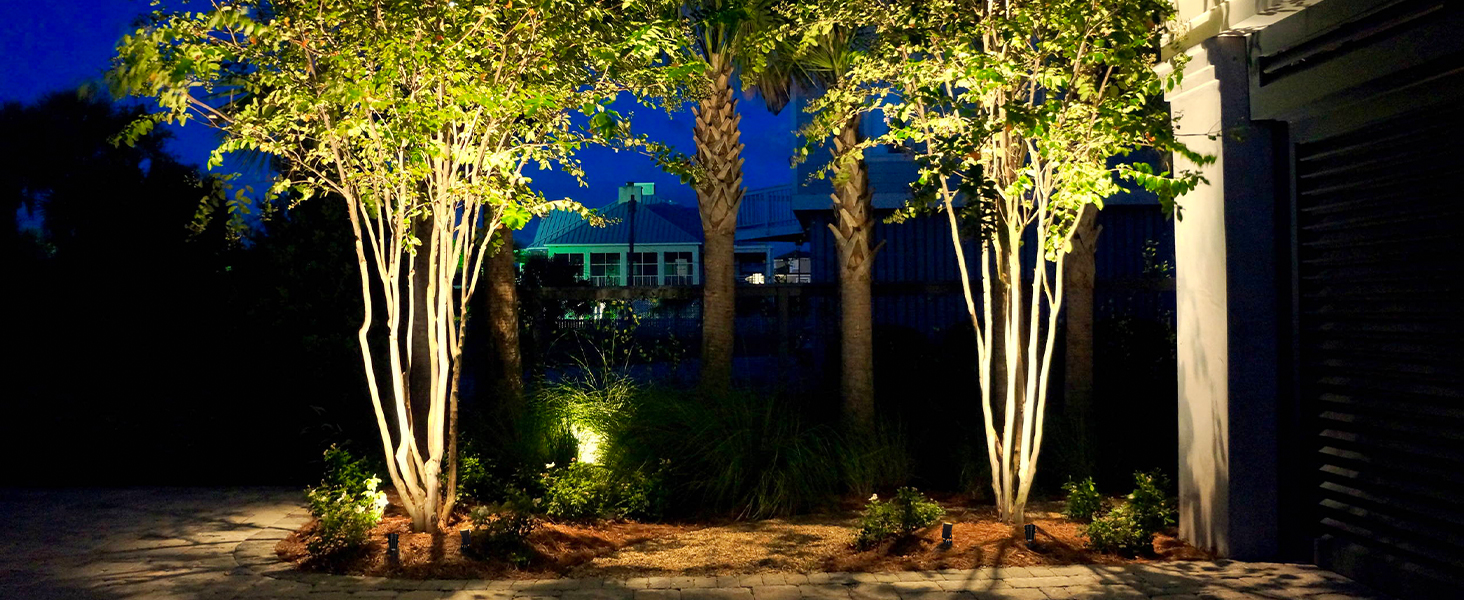
Image: The UL-listed landscape wire features SPT-2 insulation, allowing for direct burial in various outdoor conditions, protecting it from corrosion over time.
4.4 Connect the Spotlights
At each desired spotlight location, use the provided Fastlock2 wire connectors to tap into the main landscape wire. Ensure a secure connection to prevent power issues.
- Insert the main landscape wire into the connector's designated slot.
- Insert the spotlight's wire into the other slot.
- Tighten the caps on the connector firmly until the internal spikes pierce the wire insulation and establish contact.
Video: Shows the process of connecting the main wire to the Fastlock2 connector, demonstrating how to insert and secure the wires.
After connecting, push the spotlight's ground stake into the soil at the desired angle. The spotlight head is 270° adjustable for precise lighting direction.

Image: Detailed view of a single SUNVIE landscape spotlight, highlighting its aluminum construction, adjustable head, and ground stake for installation.
5. Operating Instructions
The 60W transformer features a photocell sensor and a countdown timer for automated operation. Use the control button on the transformer to cycle through the available modes.
5.1 Transformer Modes
- OFF: Lights remain off.
- ON: Lights remain continuously on.
- AUTO (Dusk-to-Dawn): Lights turn on automatically at dusk and turn off at dawn.
- Countdown Timer (2H/4H/6H/8H/10H): Lights turn on at dusk and turn off after the selected duration (2, 4, 6, 8, or 10 hours).

Image: Close-up of the SUNVIE transformer's control panel, showing the button and LED indicators for various operating modes including manual ON/OFF, Dusk-to-Dawn, and countdown timer options.

Image: Illustrates the two primary automatic operating modes: Dusk to Dawn (lights on at dusk, off at dawn) and Countdown Off (lights on at dusk, off after a set number of hours).
5.2 Memory Function
The transformer includes a memory function that retains your last selected operating mode even after a power interruption.
6. Maintenance
Regular maintenance ensures optimal performance and longevity of your SUNVIE landscape lighting system.
- Cleaning: Periodically clean the lenses of the spotlights and the photocell sensor on the transformer to ensure proper light detection and maximum light output. Use a soft, damp cloth.
- Connection Check: Annually inspect all wire connections, especially the Fastlock2 connectors, to ensure they remain secure and free from corrosion. Re-tighten if necessary.
- Wire Inspection: Check the landscape wire for any signs of damage, such as cuts or fraying, especially if buried. Repair or replace damaged sections promptly.
- Position Adjustment: Adjust the spotlight angles as needed to accommodate plant growth or changes in your landscape design.
8. Warranty & Support
SUNVIE offers comprehensive customer support for this product:
- 30-Day Money-Back Guarantee: If you are not satisfied with your purchase, you may return it within 30 days for a full refund.
- 24-Month Replacement Warranty: The product is covered by a 24-month warranty for manufacturing defects or malfunctions.
- Lifetime After-Sales Support: SUNVIE provides lifetime technical support and assistance for your lighting kit.
For warranty claims, technical assistance, or any other inquiries, please contact SUNVIE customer service through their official channels or the retailer where the product was purchased.
