
irianu 08
Gimbal Stabilizer for Smartphone User Manual
Brand: irianu | Model: 08
1. Product Overview
The irianu 1-Axis Multifunction Gimbal Stabilizer is designed to enhance your smartphone photography and videography experience. It combines the functionality of a gimbal stabilizer, a retractable selfie stick, and a stable tripod, offering versatility for various shooting scenarios. Its compact and lightweight design makes it an ideal companion for VLOGs, live videos, YouTube, TikTok, and live streaming.

Figure 1: The irianu Gimbal Stabilizer showcasing its multi-functional design as a selfie stick, tripod, and stabilizer, compatible with smartphones and GoPro cameras.
Key Features:
- Superior Image Stabilization: 1-Axis gimbal for smooth, stable footage.
- Easy and Intuitive Operation: No app required; simple controls for horizontal/vertical switching.
- Portable Selfie Stick: Lightweight (0.49lb), foldable (7.5 inches), and extendable (31.5 inches) aluminum alloy rod.
- Stable Tripod: Integrated tripod for hands-free stability.
- Wide Compatibility: Fits most smartphones (4.0-6.2 inches) and adaptable for GoPro cameras.
- Wireless Remote: Bluetooth remote for convenient photo and video capture.
2. Setup Guide
2.1 Unboxing and Initial Inspection
Carefully remove all components from the packaging. Ensure the following items are present:
- Gimbal Stabilizer Unit
- Wireless Remote Control
- User Manual
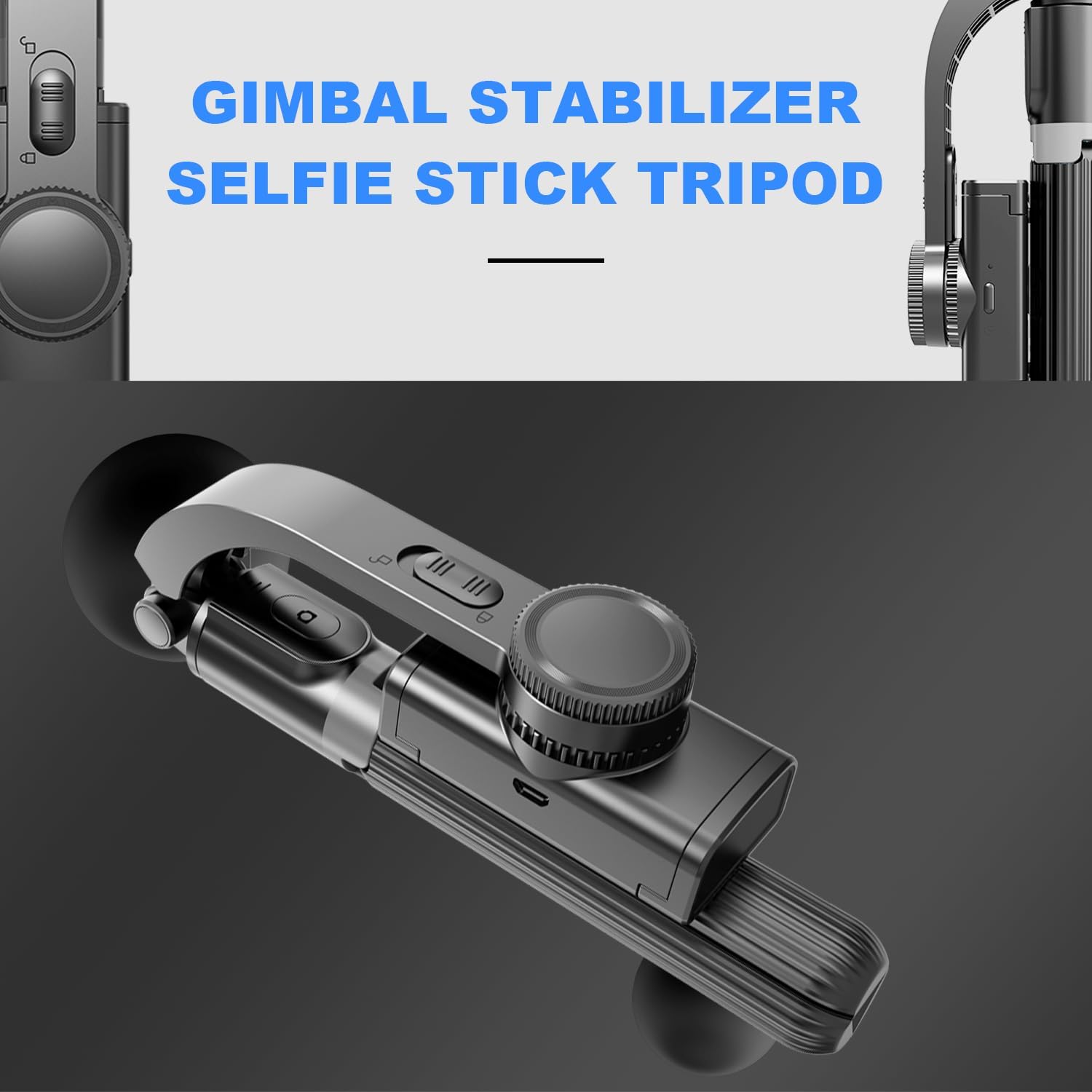
Figure 2: The gimbal stabilizer in its compact, folded state, ready for transport.

Figure 3: Demonstrating the gimbal's lightweight and portable design, easily fitting into a small bag.
2.2 Attaching Your Smartphone
- Gently pull open the phone clip head.
- Insert your smartphone into the clip, ensuring it is securely held. The clip is designed to accommodate phones between 4.0 and 6.2 inches.
- For optimal balance in gimbal mode, ensure your phone is centered within the clip.
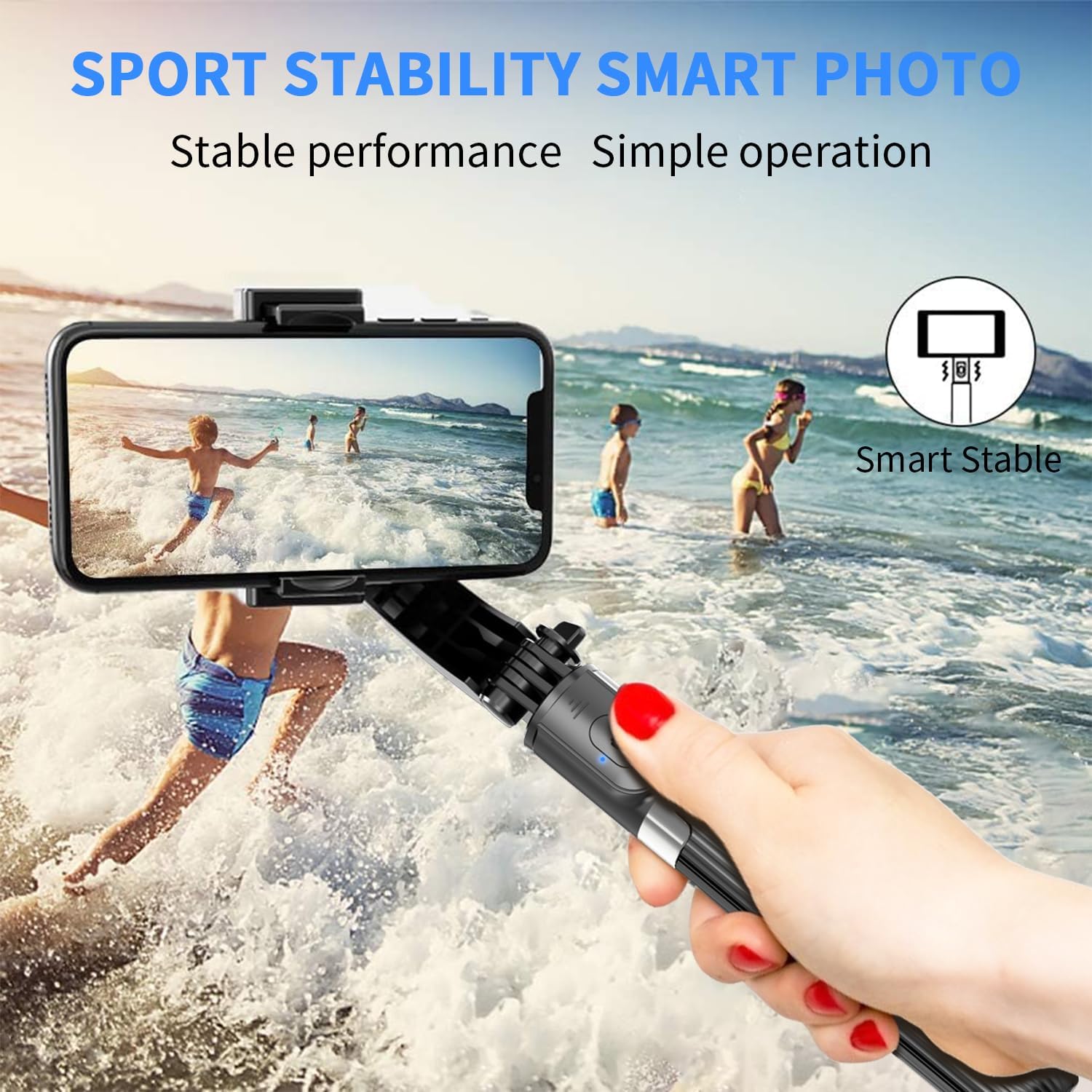
Figure 4: The gimbal stabilizer in use, providing stable footage for dynamic activities.
2.3 Pairing the Wireless Remote Control
- Locate the wireless remote control, typically integrated into the handle.
- Press and hold the power button on the remote until the indicator light begins to flash, indicating it is in pairing mode.
- On your smartphone, navigate to Bluetooth settings and search for available devices.
- Select the device named "Gimbal" or similar from the list to complete pairing. The indicator light on the remote will become solid once paired.

Figure 5: The wireless remote control enables convenient hands-free operation for group photos and videos.

Figure 6: Internal components highlighting the stable chip and gyroscope for automatic locking and 360-degree horizontal switching.
3. Operating Instructions
3.1 Gimbal Mode
To activate the 1-axis gimbal stabilization:
- Unlock the mode change button located behind the clip head.
- Long press the intelligent button beside the clip head. The light will turn green, indicating that Gimbal Mode is active.
- Short press the intelligent button to change the phone's position (e.g., horizontal to vertical).

Figure 7: The Smart Key simplifies operation, allowing for quick mode changes and automatic balance.

Figure 8: The stabilizer operates without the need for a dedicated application, simplifying its use.
3.2 Selfie Stick Mode
To use the device as a selfie stick:
- Ensure Gimbal Mode is off. If the light is green, long press the intelligent button to turn it off. If the light is dark, Gimbal Mode is already off.
- Adjust the clip head to your desired position (horizontal or vertical).
- Lock the mode change button to fix the position.
- Extend the aluminum alloy rod to your preferred length (up to 31.5 inches).

Figure 9: The selfie stick fully extended, providing ample reach for wider shots.

Figure 10: The extendable rod allows for versatile shooting angles and group photos.
3.3 Tripod Mode
To convert the device into a stable tripod:
- Ensure the hand grip is folded.
- Simply open the hand grip to deploy the tripod legs.
- Place the tripod on a flat, stable surface.
- Adjust the thicken rod to your ideal height for watching videos, video chatting, or capturing photos.

Figure 11: The tripod mode provides hands-free stability for various uses.

Figure 12: The stable tripod is suitable for both indoor and outdoor use.
3.4 360° Rotation and Angle Adjustment
The flexible phone holder rotates 270° for optimal angle selection, and the gimbal supports 360° automatic rotation in gimbal mode for dynamic shots.

Figure 13: The 360-degree rotation feature allows for versatile shooting perspectives.

Figure 14: The gimbal's ability to rotate freely ensures you capture every angle.
4. Maintenance
To ensure the longevity and optimal performance of your irianu Gimbal Stabilizer, follow these maintenance guidelines:
- Cleaning: Use a soft, dry cloth to wipe down the device. Avoid using harsh chemicals or abrasive materials that could damage the surface.
- Storage: Store the gimbal in a cool, dry place away from direct sunlight and extreme temperatures. When not in use, fold the device to its compact size to protect the extendable rod and tripod legs.
- Battery Care: If the remote control uses a replaceable battery, ensure it is inserted correctly. For prolonged storage, it is advisable to remove the battery to prevent leakage.
5. Troubleshooting
If you encounter any issues with your irianu Gimbal Stabilizer, please refer to the following common troubleshooting steps:
- Remote Control Not Connecting:
- Ensure the remote control is charged or has a fresh battery.
- Verify Bluetooth is enabled on your smartphone.
- Try unpairing and re-pairing the remote control in your phone's Bluetooth settings.
- Restart both your smartphone and the gimbal stabilizer.
- Gimbal Not Stabilizing:
- Ensure Gimbal Mode is properly activated (green light on intelligent button).
- Check that your smartphone is securely and centrally mounted in the clip.
- Avoid excessive shaking or sudden movements that exceed the gimbal's stabilization capabilities.
- Phone Not Holding Securely:
- Confirm your phone's dimensions are within the compatible range (4.0-6.2 inches).
- Ensure the phone is fully inserted into the clip and the clip is not obstructed.
If the issue persists after trying these steps, please contact customer support for further assistance.
6. Specifications
| Feature | Specification |
|---|---|
| Brand | irianu |
| Model Number | 08 |
| ASIN | B0CKPX2T2S |
| Item Weight | 7.6 ounces (216 Grams) |
| Package Dimensions | 9.02 x 8.94 x 2.24 inches |
| Maximum Weight Recommendation | 800 Grams |
| Folded Size | 7.5 inches |
| Compatible Devices | Cellphone (4.0-6.2 inches), GoPro (with 1/4 connector) |
| Color | Black |
| UPC | 733583186693 |
7. Warranty and Support
Your irianu Gimbal Stabilizer is covered by a standard manufacturer's warranty. For detailed warranty information, product support, or to report any issues, please contact irianu customer service through the retailer's platform or the contact information provided in your product packaging.
Please retain your proof of purchase for warranty claims.