
1. Introduction
This manual provides detailed instructions for the installation, operation, and maintenance of your Manxrtod GRAPHITE 3.0 Replacement Blade. This blade is specifically designed to enhance the performance of compatible BaByliss PRO trimmers, offering superior precision and durability. Please read this manual thoroughly before use to ensure proper handling and to maximize the lifespan of your blade.
2. Product Features
- Professional Precision: Designed for Barberology FX787 Outlining Trimmers and FX726 LoPROFX Trimmers (FX787G; FX787BN; FX787RG; FX787S, FX787GDB, FX787GBP, FX726 etc).
- GRAPHITE 3.0 Replacement Blade: Constructed from high-quality carbon steel with a Diamond-Like Carbon (DLC) surface treatment for enhanced sharpness, strength, and longevity.
- Zero-Gap & Ultra Precise: The blade is zero-gap adjustable, providing ultra-precise cutting for crisp edge-ups, hard lines, and detailed work.
- Easy to Replace: Designed for quick and straightforward replacement, allowing you to restore your trimmer's performance efficiently.
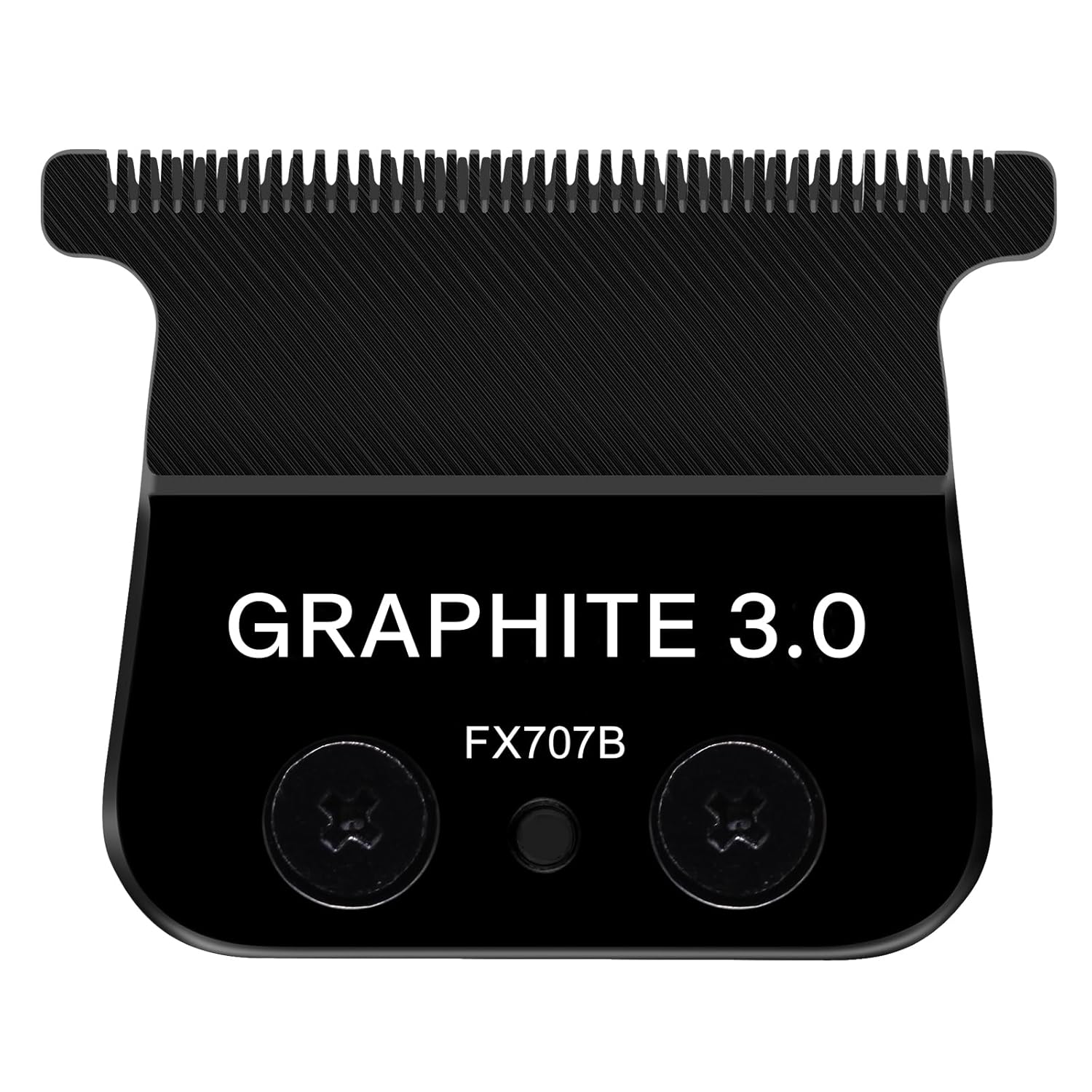
Image 2.1: The Manxrtod GRAPHITE 3.0 Replacement Blade, featuring its sleek black design and FX707B model designation.

Image 2.2: Detailed view of the Manxrtod GRAPHITE 3.0 blade, highlighting its internal mechanism and the precision of its cutting edges, demonstrating excellent performance.
3. Compatibility
The Manxrtod GRAPHITE 3.0 Replacement Blade (FX707B) is perfectly compatible with the following BaByliss PRO trimmer models:
- BaByliss PRO FX787 Outlining Trimmers (e.g., FX787G, FX787BN, FX787RG, FX787S, FX787GDB, FX787GBP)
- BaByliss PRO FX726 LoPROFX Trimmers

Image 3.1: An illustration showing the perfect compatibility of the Manxrtod GRAPHITE 3.0 blade with various BaByliss PRO FX787 and FX726 trimmer models, including FX787G, FX787BN, FX787RG, FX787S, and FX726.
4. Installation Guide
Replacing your trimmer blade is a simple process. Follow these steps to install your new Manxrtod GRAPHITE 3.0 Replacement Blade:
- Preparation: Ensure your trimmer is turned off and unplugged. Gather a small screwdriver suitable for the blade screws.
- Remove Old Blade: Carefully unscrew the two screws holding the old blade in place. Set the screws aside in a safe place.
- Detach Old Blade: Gently remove the old blade from the trimmer body.
- Position New Blade: Take your new Manxrtod GRAPHITE 3.0 Replacement Blade. Align the blade with the trimmer's mounting points.
- Secure New Blade: Reinsert the two screws and carefully tighten them. Ensure the blade is securely fastened but do not overtighten.
- Test: Once the new blade is installed, turn on the trimmer briefly to ensure the blade moves smoothly and is properly aligned.

Image 4.1: A visual guide demonstrating the blade replacement process: unscrewing the old blade, placing the new blade, tightening the screws, and confirming the replacement is complete.
5. Operating Considerations
The Manxrtod GRAPHITE 3.0 Replacement Blade is designed for optimal performance in outlining, detailing, and close-cutting tasks. Its zero-gap adjustability allows for extremely precise lines and fades. For best results, ensure the blade is clean and properly aligned before each use. The DLC coating contributes to a smoother glide and reduced friction during operation.

Image 5.1: A close-up view of the zero-gapped blade, illustrating its fine teeth and precise alignment, ideal for detailed cutting and outlining.
6. Maintenance and Care
To ensure the longevity and optimal performance of your Manxrtod GRAPHITE 3.0 Replacement Blade, follow these maintenance guidelines:
- Cleaning: After each use, brush off any hair clippings from the blade using a small cleaning brush. For a more thorough cleaning, you may use a blade cleaning spray or wipe the blade with a cloth dampened with rubbing alcohol. Ensure the blade is completely dry before storage.
- Lubrication: Regularly apply a few drops of clipper oil to the blade teeth and friction points. This reduces wear, prevents rust, and ensures smooth operation.
- Storage: Store the trimmer with the blade attached in a clean, dry place, away from moisture and extreme temperatures.
- Inspection: Periodically inspect the blade for any signs of damage, dullness, or misalignment. Replace the blade if it shows significant wear or damage.
7. Troubleshooting
If you encounter issues with your Manxrtod GRAPHITE 3.0 Replacement Blade, consider the following:
- Blade Not Cutting Effectively:
- Check if the blade is clean and free of hair buildup.
- Ensure the blade is properly oiled.
- Verify that the blade is securely tightened and correctly aligned.
- If the blade is old or has been used extensively, it may be dull and require replacement.
- Blade Pulling Hair:
- This often indicates a dull blade or insufficient lubrication. Clean and oil the blade.
- Check for proper blade alignment.
- Unusual Noise or Vibration:
- Ensure the blade screws are tightened correctly.
- Check for any foreign objects lodged in the blade mechanism.
If problems persist after following these steps, please contact Manxrtod Customer Support.
8. Specifications
| Attribute | Detail |
|---|---|
| Product Dimensions | 6.3 x 4.33 x 0.59 inches |
| Item Weight | 1.13 ounces |
| Model Number | FX707B |
| Manufacturer | Manxrtod |
| Material | High-quality Carbon Steel with DLC Surface Treatment |
| Compatibility | BaByliss PRO FX787 & FX726 Trimmers |

Image 8.1: Technical diagram illustrating the precise dimensions of the Manxrtod GRAPHITE 3.0 Replacement Blade, including its width and height in both centimeters and inches.
9. Customer Support
Manxrtod is committed to providing high-quality products and excellent customer service. If you have any questions, concerns, or require assistance with your Manxrtod GRAPHITE 3.0 Replacement Blade, please do not hesitate to contact our customer support team. We aim to reply to all inquiries within 12 hours.
Before contacting support, please ensure you have verified the blade's compatibility with your machine and have followed the installation and maintenance guidelines provided in this manual.
For further assistance, please visit the official Manxrtod Professional seller page on Amazon or contact us directly through the platform where you purchased the product.