
segedom 305Red
User Manual: segedom Gaming Chair with Footrest
Model: 305Red
1. Introduction
Thank you for purchasing the segedom Gaming Chair with Footrest. This manual provides comprehensive instructions for the assembly, operation, and maintenance of your new chair. Please read this manual thoroughly before assembly and use to ensure proper function and safety. Keep this manual for future reference.

Figure 1.1: The segedom Gaming Chair with Footrest, featuring a pink and white design, integrated headrest, lumbar support, and retractable footrest.
2. Safety Precautions
To prevent injury or damage to the chair, please observe the following safety guidelines:
- Do not stand on the chair.
- Do not use the chair as a step stool.
- Ensure all bolts and screws are securely tightened before use. Periodically check and re-tighten as necessary.
- Do not exceed the maximum weight capacity (refer to specifications).
- Keep children away from moving parts during assembly and operation.
- Avoid placing the chair near heat sources or in direct sunlight for prolonged periods to prevent material degradation.
- Use the chair on a flat, stable surface.
3. Package Contents
Before assembly, verify that all parts are present and undamaged. If any parts are missing or damaged, contact customer support.

Figure 3.1: Overview of chair components. Refer to the included parts list for specific quantities and hardware.
Parts List:
- Backrest Assembly
- Seat Assembly with Armrests
- Star Base
- Casters (Wheels) x 5
- Gas Lift Cylinder
- Gas Lift Cover
- Mechanism Plate
- Headrest Pillow
- Lumbar Support Pillow (with massage function)
- Footrest Assembly
- Hardware Pack (screws, washers, Allen wrench)
4. Assembly Instructions
Follow these steps carefully for proper assembly. It is recommended to assemble the chair on a soft, clean surface to prevent scratches.
- Attach Casters to Base: Insert each caster into the holes at the end of the star base until it clicks securely into place.
- Insert Gas Lift: Place the gas lift cylinder into the center hole of the star base. Cover it with the gas lift cover.
- Attach Mechanism Plate to Seat: Align the mechanism plate with the pre-drilled holes on the underside of the seat cushion. Secure it with the provided screws, ensuring the front of the mechanism faces the front of the seat.
- Attach Backrest to Seat: Align the backrest with the mounting brackets on the seat assembly. Secure with screws, ensuring a tight fit.
- Connect Seat Assembly to Gas Lift: Carefully place the assembled seat and backrest onto the gas lift cylinder, ensuring the tapered end of the gas lift fits securely into the mechanism plate.
- Install Footrest: Slide the footrest assembly into the designated slots under the seat. Ensure it can extend and retract smoothly.
- Attach Headrest and Lumbar Pillows: Secure the headrest pillow to the top of the backrest using its straps. Attach the lumbar support pillow to the lower backrest using its straps. Ensure the USB cable for the massage function is accessible.
After assembly, sit on the chair to ensure all components are properly seated and stable.
5. Operating Instructions
5.1. Height Adjustment
To adjust the chair height, locate the lever on the right side under the seat. Pull the lever up while seated to lower the chair. Lift your weight off the seat and pull the lever up to raise the chair. Release the lever to lock the height.
5.2. Recline Function
To recline the backrest, pull the lever on the left side of the chair upwards. Lean back to your desired angle (up to 135 degrees). Release the lever to lock the backrest in position. To return to an upright position, pull the lever up and lean forward.

Figure 5.1: The chair offers a 135° tilt, suitable for various scenarios from upright work to relaxed napping.
5.3. Footrest Operation
To extend the footrest, pull it out from under the seat. To retract, push it back in until it is fully stored.
5.4. Lumbar Massage Function
The lumbar support pillow features a vibrating massage function. Locate the USB cable extending from the pillow. Plug the USB connector into a compatible power source (e.g., USB port on a computer, power bank, or USB wall adapter). The massage function will activate upon connection.

Figure 5.2: Connect the USB cable from the lumbar pillow to a power source to activate the vibrating massage.
5.5. Linkage Armrests
The armrests are designed to move in conjunction with the backrest's recline, providing continuous support to your arms regardless of the chair's angle. No manual adjustment is required for the armrests themselves.

Figure 5.3: Linkage armrests provide ergonomic support in various chair positions.
6. Maintenance
6.1. Cleaning
The chair is made with premium PVC leather, which is designed for easy cleaning.
- For general cleaning, wipe the surface with a soft, damp cloth.
- For stubborn stains, use a mild soap solution on a cloth and gently wipe the affected area. Immediately wipe dry with a clean, dry cloth.
- Avoid using harsh chemicals, abrasive cleaners, or solvents, as these can damage the PVC leather.
- Do not saturate the fabric or internal components with water.
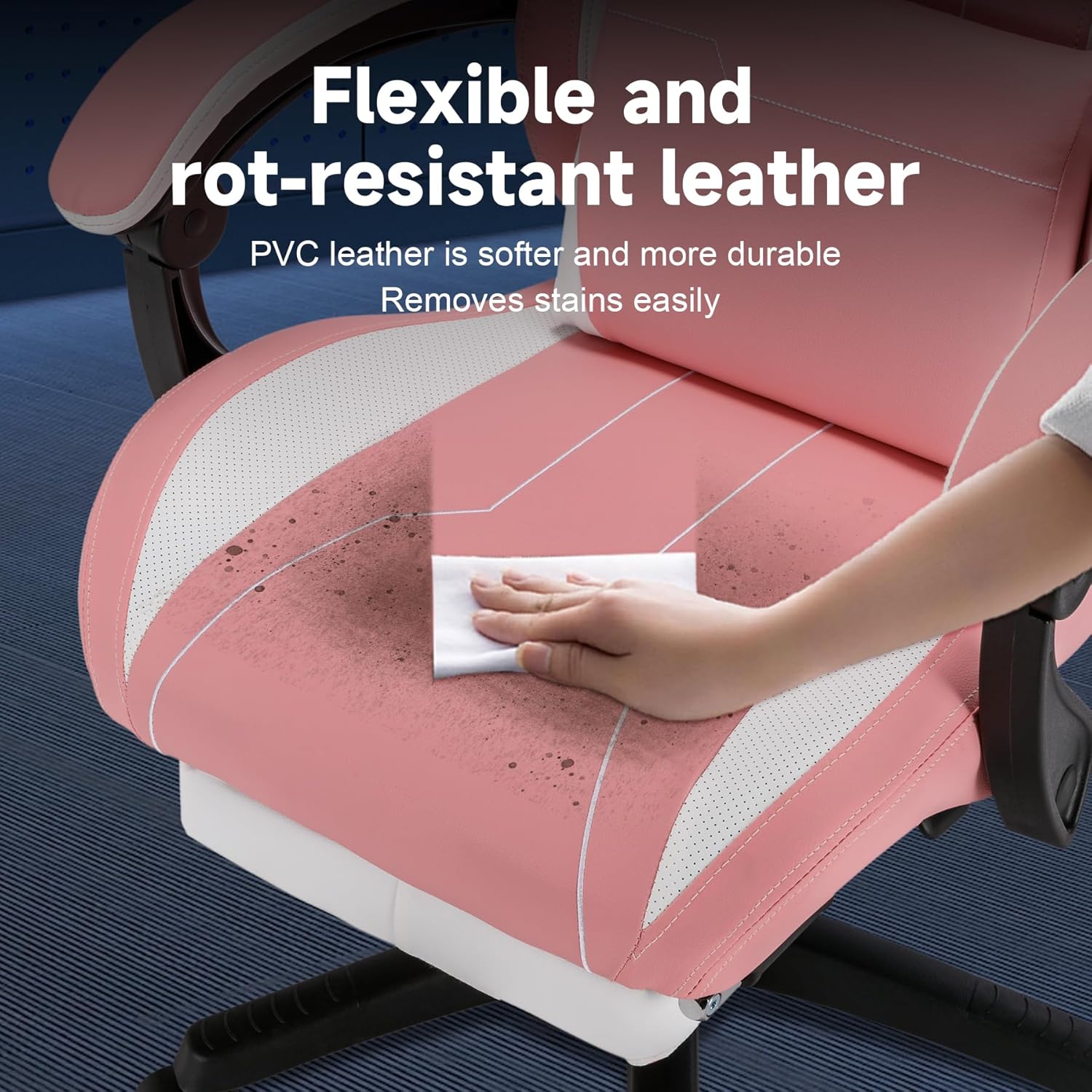
Figure 6.1: The PVC leather is designed for easy cleaning and stain removal.
6.2. General Care
- Periodically check all screws and bolts to ensure they are tight. Re-tighten if necessary.
- Inspect casters for any debris (hair, lint) that might hinder smooth rolling. Clean as needed.
- Avoid exposing the chair to extreme temperatures or humidity.
7. Troubleshooting
| Problem | Possible Cause | Solution |
|---|---|---|
| Chair wobbles or is unstable. | Loose screws; uneven floor. | Check and tighten all assembly screws. Ensure the chair is on a flat surface. |
| Chair height adjustment not working. | Gas lift not properly seated; lever mechanism jammed or damaged. | Ensure the gas lift is fully inserted into the base and mechanism. Check for obstructions around the lever. If issues persist, contact support. |
| Backrest does not recline or lock. | Recline lever not fully engaged; mechanism obstruction. | Ensure the recline lever is pulled completely. Check for any foreign objects obstructing the mechanism. |
| Casters do not roll smoothly. | Debris (hair, lint) caught in casters; damaged caster. | Remove any debris from the caster wheels. If a caster is damaged, it may need replacement. |
| Lumbar massage not working. | USB cable not connected; power source issue. | Ensure the USB cable is securely plugged into a working power source. Try a different USB port or power adapter. |
8. Specifications
- Brand: segedom
- Model Name: 305Red
- Item Model Number: 2
- Color: Red (as per product title, images show Pink variant)
- Product Dimensions: 20.87"D x 51.27"W x 20.87"H
- Back Style: Solid Back
- Special Features: Cushion Availability, Ergonomic, Rolling, Footrest, Headrest, Lumbar Support with Massage
- Recommended Uses: Gaming, Office
- Finish Type: Nylon (Base/Frame), Leather (Seating Surface)
- Surface Recommendation: Hard Floor (due to Mute PU wheels)
- Furniture Finish: Leather (PVC)
- Form Factor: Recliner
- Item Weight: 42.2 pounds
9. Warranty and Support
This product comes with a standard manufacturer's warranty. Please refer to the warranty card included in your package for specific terms and conditions. For technical support, missing parts, or warranty claims, please contact segedom customer service through the retailer where you purchased the product or visit the official segedom website for contact information.
Please have your model number (305Red / Item Model Number 2) and purchase date ready when contacting support.
Ask a question about this manual
Ask about setup, troubleshooting, compatibility, parts, safety, or missing instructions. Manuals+ will review the question and use this page’s manual context to help answer it.