
1. Introduction
Thank you for choosing the Generic COB LED Headlamp. This manual provides essential information for the safe and efficient operation, maintenance, and troubleshooting of your new headlamp. Please read this manual thoroughly before first use and retain it for future reference.

This collage demonstrates various practical applications of the headlamp, including camping, hiking, and night-time exploration, showing its versatility.
2. Product Overview and Features
The Generic COB LED Headlamp is a compact, lightweight, and versatile lighting solution designed for various outdoor and indoor activities. It features dual light sources (COB and Q5 LEDs) for optimal illumination and an adjustable headband for comfortable wear.
- Dual Light Sources: Equipped with both COB (Chip-on-Board) and Q5 LEDs for different lighting needs.
- Adjustable Brightness: Long press to adjust brightness in certain modes.
- Magnetic Base: Features a magnet on the left end for convenient attachment to metal surfaces, allowing for hands-free operation.
- USB Rechargeable: Built-in battery with USB charging capability for easy power replenishment.
- Water Resistant: Designed to withstand splashes and rain (IPX4 rating), suitable for use in various weather conditions. Note: Do not submerge in water.
- Compact and Lightweight: Weighing only 72g, it is easy to carry and comfortable for extended use.
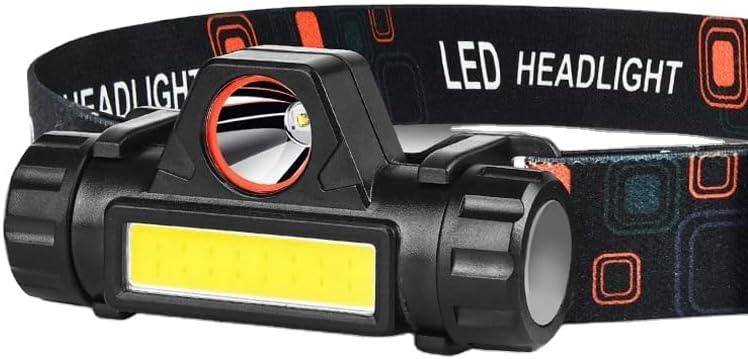
A detailed view of the headlamp unit, featuring both the COB and Q5 LED light sources and the robust construction.
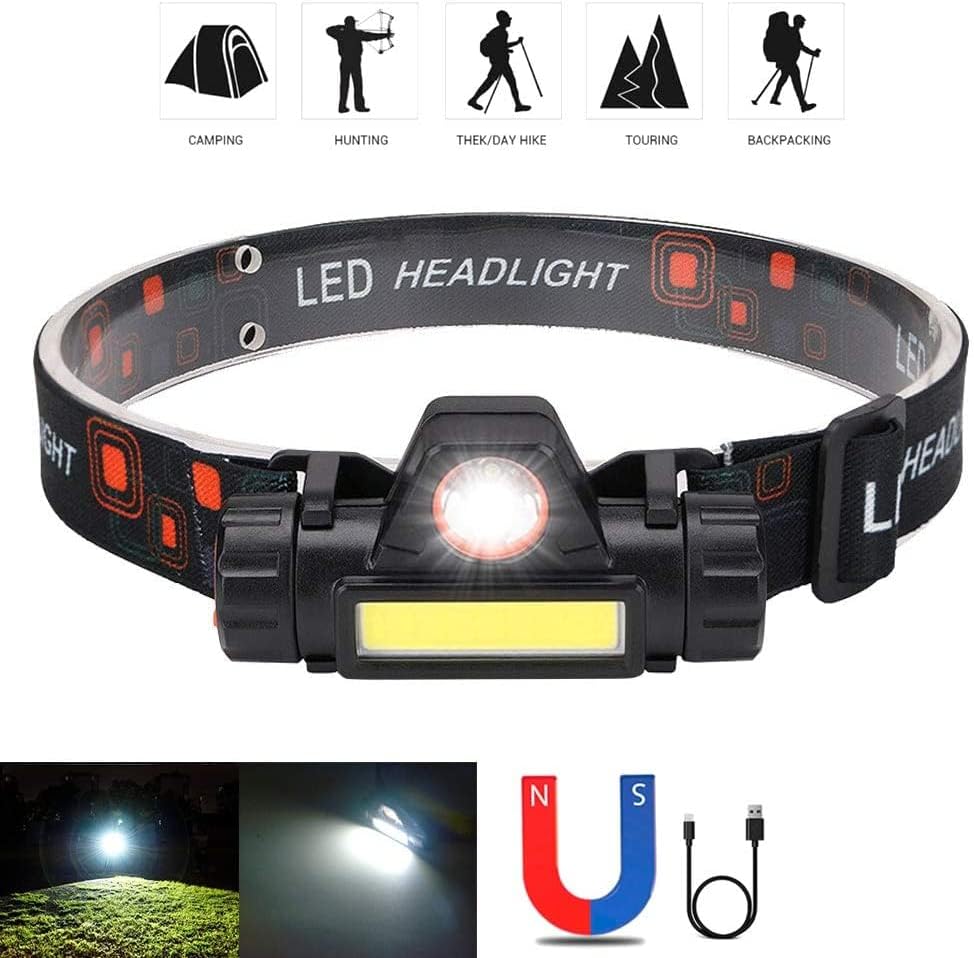
The image highlights key features such as the integrated magnetic base for hands-free attachment, the USB charging interface, and visual representations of the different lighting modes available.
3. Package Contents
Please check the package for the following items:
- 1x Generic COB LED Headlamp
- 1x USB Charging Cable
- 1x Adjustable Plastic Strap
4. Setup
4.1 Adjusting the Headband
The headlamp comes with an adjustable elastic strap. To adjust, simply slide the buckles on the strap to achieve a comfortable and secure fit around your head. Ensure the headlamp unit is centered on your forehead.
4.2 Initial Charging
Before first use, it is recommended to fully charge the headlamp's built-in battery. Refer to the 'Charging' section for detailed instructions.
5. Operating Instructions
5.1 Power On/Off and Mode Selection
Locate the power button on the headlamp unit. Press the button to cycle through the available lighting modes:
- First Press: Activates COB highlight mode.
- Second Press: Activates Q5 highlight mode.
- Third Press: Turns the headlamp off.
5.2 Brightness Adjustment
While in either COB or Q5 highlight mode, press and hold the power button to adjust the brightness level. Release the button when the desired brightness is achieved.
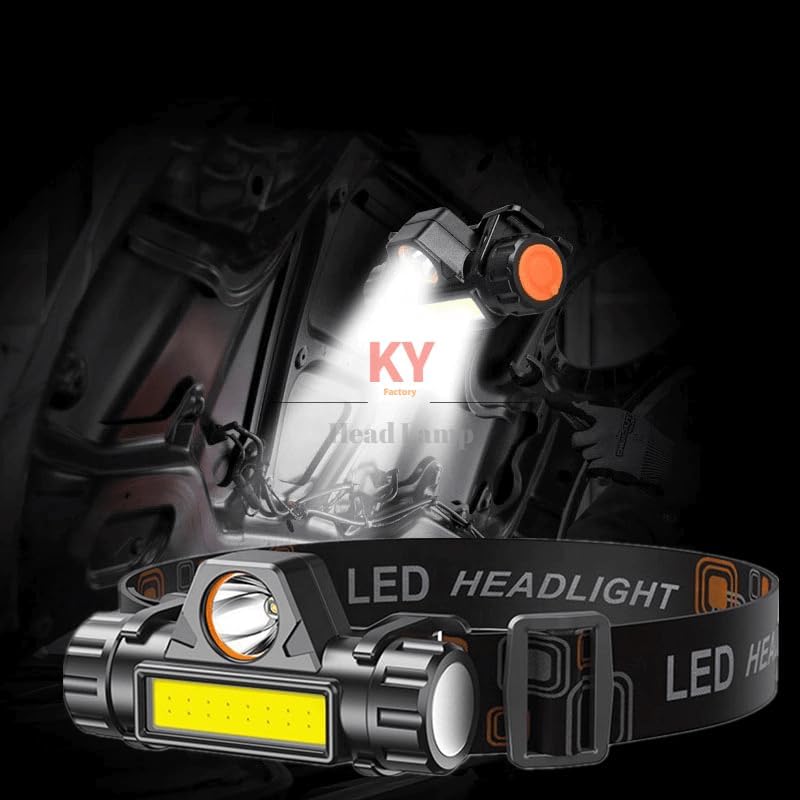
The headlamp is shown in operation, casting a bright beam of light, highlighting its effectiveness in dark environments.
5.3 Using the Magnetic Base
The headlamp features a built-in magnet on its left side. This allows you to attach the headlamp to any suitable metallic surface for hands-free illumination, such as under a car hood or on a metal workbench.
6. Charging
The headlamp is equipped with a rechargeable battery. To charge:
- Locate the USB charging port on the headlamp unit.
- Connect the provided USB charging cable to the headlamp's port.
- Connect the other end of the USB cable to a compatible power source, such as a USB wall adapter, computer USB port, car charger, or power bank.
- A red indicator light will illuminate to show that the headlamp is charging.
- The indicator light will change (or turn off, depending on model) once charging is complete.
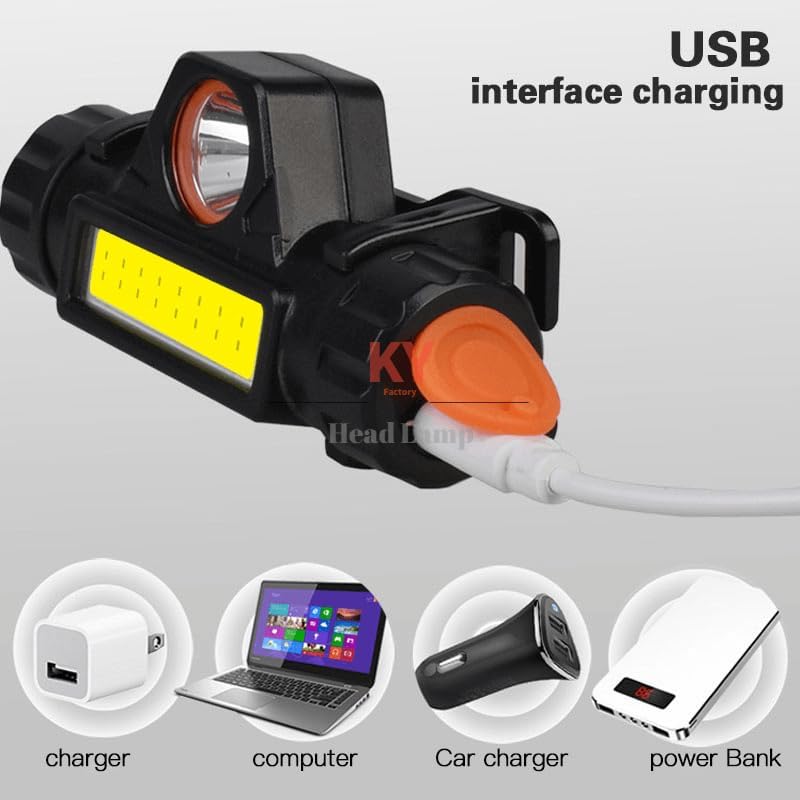
This diagram illustrates the flexibility of the headlamp's USB charging, indicating it can be charged from standard wall chargers, computers, car chargers, and portable power banks.

The image shows the charging status indicator: a red light signifies the headlamp is currently charging, while a different state (implied fully charged) indicates completion.
7. Maintenance
7.1 Cleaning
Wipe the headlamp with a soft, damp cloth. Do not use abrasive cleaners or solvents. Ensure the charging port cover is securely closed before cleaning to prevent water ingress.
7.2 Storage
Store the headlamp in a cool, dry place away from direct sunlight and extreme temperatures. If storing for an extended period, charge the battery every 3-6 months to maintain battery health.
7.3 Battery Care
To prolong battery life, avoid fully discharging the battery frequently. Recharge the headlamp when the light output becomes noticeably dim.
8. Troubleshooting
- Headlamp does not turn on:
- Ensure the battery is charged. Connect to a power source and check the charging indicator.
- Press the power button firmly.
- Light is dim or flickers:
- The battery may be low. Recharge the headlamp.
- Ensure the lens is clean and free from obstructions.
- Headlamp does not charge:
- Check if the USB cable is properly connected to both the headlamp and the power source.
- Try a different USB cable or power adapter.
- Ensure the charging port is clean and free of debris.
9. Specifications
| Feature | Specification |
|---|---|
| Model Number | 7882375154327 |
| Material | ABS Plastic |
| LED Model | 1*Q5 + 1*COB |
| Lumen Output | Up to 2500 Lumens |
| Color | Black |
| Lighting Color | White |
| Lighting Modes | 2 modes (COB highlight, Q5 highlight) with brightness adjustment |
| Weight | 72 Grams |
| Power Source | Rechargeable Lithium-Ion Battery |
| Input Voltage | DC 5V |
| Water Resistance Level | Waterproof (for rainy days, not submersible) |
| LED Lifespan | 4000 hours |
| Battery Runtime | Up to 20000 hours (depending on mode/brightness) |
| Product Dimensions (D x W x H) | 2.5 x 7.6 x 5.1 centimetres |

This image emphasizes the headlamp's dual light source technology, featuring both T6 and COB LEDs for comprehensive illumination.
10. Safety Information
- Eye Safety: Do not look directly into the light beam or shine it directly into the eyes of others. The high intensity light can cause temporary vision impairment or permanent eye damage.
- Water Exposure: The headlamp is water-resistant for rainy conditions but is NOT designed to be submerged in water. Submerging the device will cause damage and void any warranty.
- Children: Keep out of reach of children. This product is not a toy.
- Battery Safety: Do not attempt to replace the built-in battery. Do not expose the battery to extreme heat or fire.
- Charging: Use only the provided USB cable or a certified equivalent. Do not charge unattended.

This image shows the headlamp with water droplets, illustrating its ability to withstand splashes and rain. It is designed for use in wet conditions but should not be submerged.
11. Warranty and Support
This product is covered by a standard manufacturer's warranty. For specific warranty terms and conditions, please refer to the documentation provided at the time of purchase or contact your retailer. For technical support or inquiries, please reach out to the customer service department of your retailer or the manufacturer.