
1. Product Overview
The NAGFAK Open Ear Earbuds are designed for comfort and situational awareness, allowing you to enjoy audio while remaining connected to your surroundings. Featuring an open-ear design, these earbuds provide a secure fit and high-quality sound for various activities.
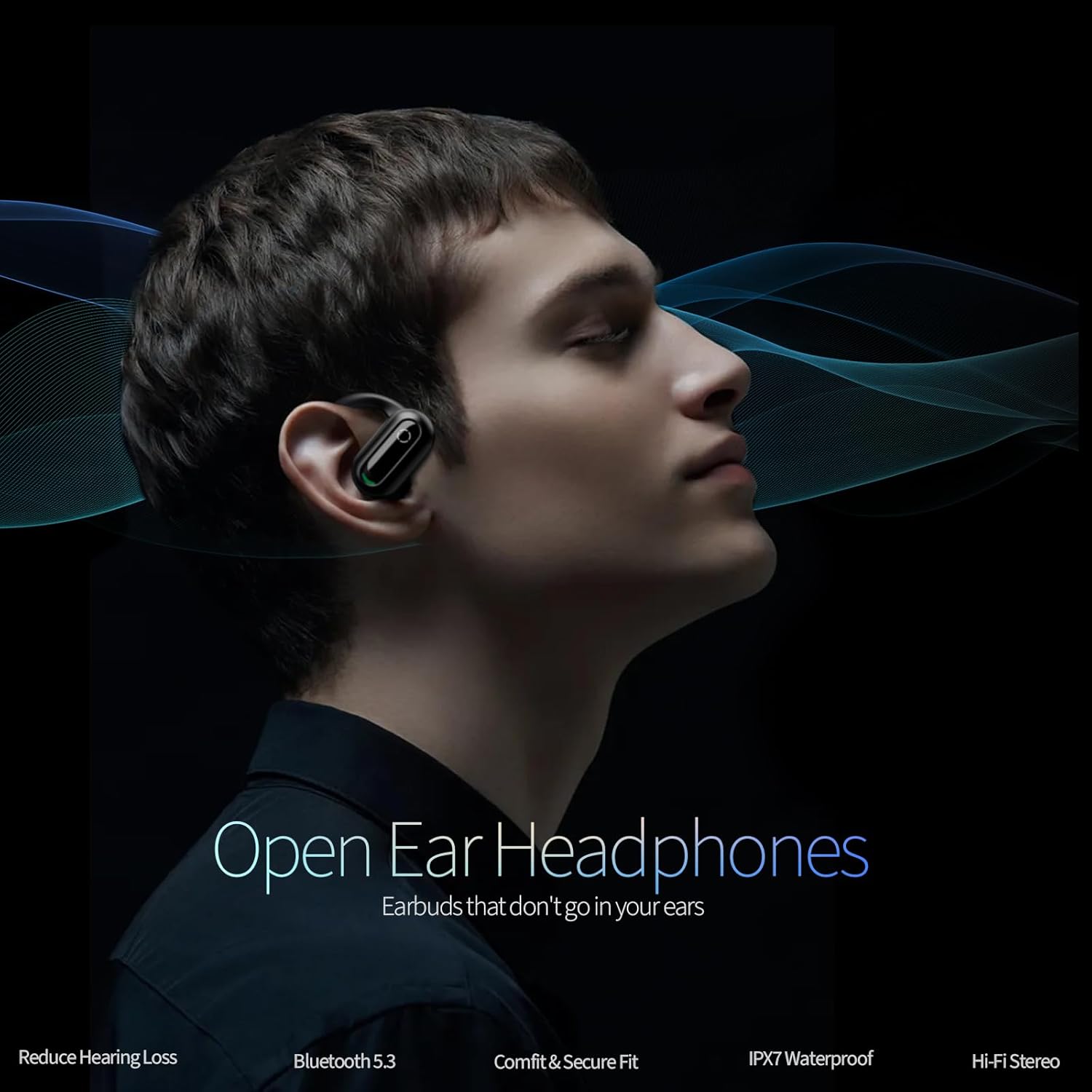
Image: NAGFAK Open Ear Earbuds in their charging case, showcasing the sleek design.
Key Features
- Open-Ear Design: Allows for situational awareness by not blocking the ear canal.
- Wireless Connectivity: Utilizes Bluetooth 5.3 for stable and fast connections.
- Lightweight and Secure Fit: Designed for comfort during extended wear and physical activity.
- IPX7 Waterproof: Resistant to sweat and rain, suitable for workouts and outdoor use.
- Touch Control: Intuitive controls for music playback, calls, and voice assistant.
- Hi-Fi Stereo Sound: Equipped with 16.5mm dynamic drivers for a rich audio experience.
- Active Noise Cancellation: Provides noise control for an enhanced listening experience.
Design and Comfort
The earbuds feature an exclusive patented design with an ultra-flexible ear hook that provides an ergonomic fit, conforming to your natural ear shape. The 120° adjustable silicone ear hook and 45° adjustable swivel earbuds ensure a comfortable and secure fit for various ear types.

Image: Diagram illustrating the 120° flexible ear hook and 45° adjustable swivel earbuds for a customized fit.

Image: An earbud in its charging case, highlighting the open-ear design that helps reduce hearing loss by not sealing the ear canal.
Situational Awareness
The open-ear design allows you to enjoy your audio while remaining aware of your surroundings, enhancing safety during outdoor activities like running or cycling.

Image: A man wearing the open ear earbuds, demonstrating how they allow for safety and awareness of surroundings.
Audio Quality
Equipped with 16.5mm dynamic drivers, these earbuds deliver Hi-Fi stereo sound, providing a powerful bass experience and clear audio.
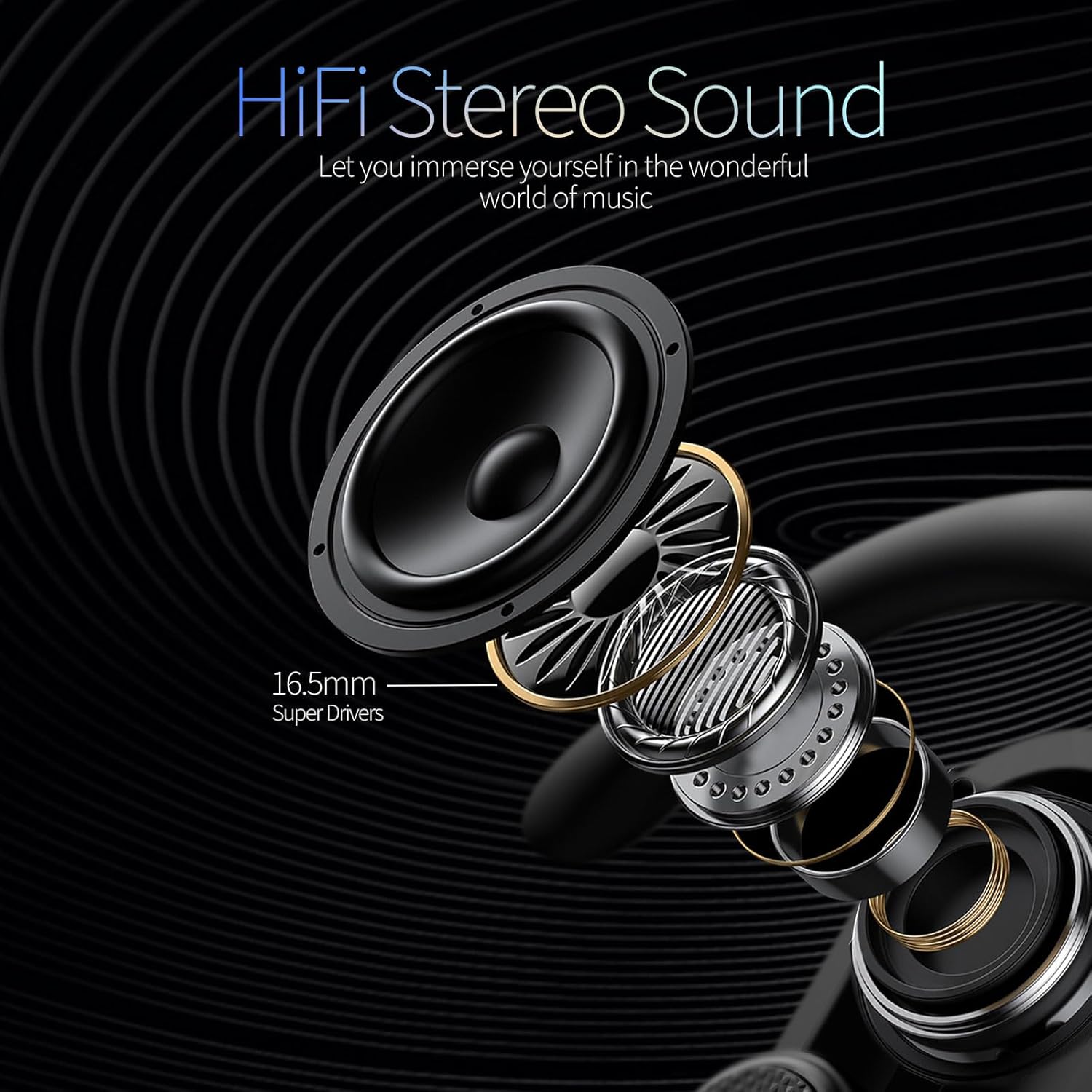
Image: A detailed diagram of the 16.5mm dynamic driver, illustrating the components responsible for Hi-Fi stereo sound.
Water Resistance
The earbuds are IPX7 waterproof, meaning they are protected against immersion in water up to 1 meter for 30 minutes. This makes them suitable for use during intense workouts or in rainy conditions, preventing damage from sweat and raindrops.

Image: The earbuds covered in water droplets, demonstrating their IPX7 waterproof rating.
Product Features Video
Video: This video provides a visual overview of the NAGFAK Open Ear Earbuds, highlighting their open-ear design, smart touch controls, IPX7 waterproofing, comfortable fit, powerful bass, and Bluetooth 5.3 connectivity.
2. Getting Started
Unboxing and Components
Upon opening the package, you will find the NAGFAK Open Ear Earbuds, their charging case, a USB-A to USB-C charging cable, and the user manual. Ensure all components are present.
Video: This video demonstrates the unboxing process, showing the earbuds, charging case, charging cable, and the included user manual with multi-function operations.
Charging the Earbuds
Before first use, fully charge the earbuds and their charging case. Connect the provided USB-C cable to the charging port on the case and a compatible USB power source. The indicator lights on the case will show the charging status. Once fully charged, the lights will indicate completion.
Pairing with Your Device
The NAGFAK Open Ear Earbuds feature one-step auto pairing. Simply open the charging case, and the earbuds will automatically enter pairing mode. On your device (smartphone, tablet, etc.), go to Bluetooth settings and select "Open Ear" from the list of available devices to connect.

Image: The earbuds in their charging case next to a smartphone displaying its Bluetooth pairing screen, illustrating the one-step auto pairing process.
3. Operating the Earbuds
Wearing the Earbuds
Place the ear hook over your ear, ensuring the earbud speaker rests comfortably near your ear canal without entering it. Adjust the flexible ear hook and swivel earbud for a secure and comfortable fit. The design allows for stability during movement.

Image: A person wearing an open ear earbud, demonstrating the comfortable and secure fit around the ear.
Touch Controls
The earbuds feature intuitive touch controls for managing your audio and calls. Refer to the table below for specific functions:
Video: This video demonstrates how to use the touch controls on the NAGFAK Open Ear Earbuds for various functions like play/pause, volume adjustment, track skipping, voice assistant activation, and call management.
| Function | Action | Earbud |
|---|---|---|
| Play/Pause | Tap Twice | Left (L) or Right (R) |
| Volume Up | Tap Once | Right (R) |
| Volume Down | Tap Once | Left (L) |
| Next Song | Triple Tap | Right (R) |
| Previous Song | Triple Tap | Left (L) |
| Answer/Hang Up Call | Tap Twice | Left (L) or Right (R) |
| Reject Call | Long Press 3s | Left (L) or Right (R) |
| Activate Voice Assistant (Siri/Google Assistant) | Long Press 3s | Left (L) or Right (R) |
4. Maintenance and Care
Cleaning
Regularly clean your earbuds and charging case to ensure optimal performance and hygiene. Use a soft, dry, lint-free cloth to wipe the surfaces. For stubborn dirt, slightly dampen the cloth with water. Avoid using harsh chemicals or abrasive materials.
Water Resistance
While the earbuds are IPX7 waterproof, the charging case is not. Do not expose the charging case to water or moisture. After exposure to sweat or rain, ensure the earbuds are completely dry before placing them back into the charging case to prevent damage.
Storage
When not in use, store the earbuds in their charging case to protect them from dust, scratches, and accidental damage. Store in a cool, dry place away from extreme temperatures.
5. Troubleshooting
Earbuds Not Pairing
- Ensure both earbuds are charged.
- Make sure Bluetooth is enabled on your device.
- Place the earbuds back in the charging case, close the lid, wait a few seconds, then open it again to re-enter pairing mode.
- If issues persist, try forgetting the device in your phone's Bluetooth settings and re-pairing.
No Sound or Low Volume
- Check the volume levels on both your device and the earbuds.
- Ensure the earbuds are properly connected to your device.
- Clean any debris from the earbud speakers that might be obstructing sound.
Charging Issues
- Verify that the charging cable is securely connected to both the case and the power source.
- Ensure the charging contacts on the earbuds and inside the case are clean and free of obstructions.
- Try using a different charging cable or power adapter.
6. Specifications
| Feature | Detail |
|---|---|
| Model Name | Open Ear |
| Connectivity Technology | Wireless (Bluetooth) |
| Wireless Communication Technology | Bluetooth |
| Included Components | User Manual |
| Age Range (Description) | Adult |
| Material | Plastic, Silicone |
| Specific Uses for Product | Fitness |
| Recommended Uses for Product | Calling, Exercising, Running |
| Compatible Devices | Smartphones, Tablets, Laptops, Desktops, Smart Speakers, Cars (with Bluetooth support) |
| Control Type | Noise Control |
| Cable Feature | Retractable (referring to charging cable) |
| Water Resistance Level | IPX7 Waterproof |
| Package Type | Box or Case |
| Control Method | Touch |
| Number of Items | 1 |
| Manufacturer | NAGFAK |
| Special Features | Lightweight |
| Batteries Included | Yes |
| Battery Cell Composition | Lithium Polymer |
| Includes Rechargeable Battery | Yes |
| Item Model Number | Open Ear |
| Parcel Dimensions | 12.19 x 8.61 x 4.9 cm; 159 g |
| Ear Placement | Open Ear |
| Form Factor | In Ear |
| Noise Control | Active Noise Cancellation |
7. Warranty and Support
For warranty information and customer support, please refer to the contact details provided in your product packaging or visit the official NAGFAK website. Keep your purchase receipt for warranty claims.