
AUBOR H13
AUBOR Open Ear Headphones User Manual
Model: H13
Introduction
Thank you for choosing AUBOR Open Ear Headphones. These true wireless Bluetooth earbuds are designed to provide a comfortable listening experience while keeping you aware of your surroundings. Featuring ENC clear call technology, Bluetooth 5.3, IPX6 water-resistance, and ergonomic ear hooks, they offer up to 45 hours of playtime with the charging case. This manual provides detailed instructions on how to set up, operate, and maintain your headphones to ensure optimal performance.
What's in the Box

Image: The retail box contents, showing the AUBOR Open Ear Headphones, their charging case, a USB-C charging cable, and the user guide.
- AUBOR True Wireless Earbuds (x2)
- AUBOR Charging Case (x1)
- USB-C Charging Cable (x1)
- User Guide (x1)
Product Overview

Image: A top-down view of the AUBOR Open Ear Headphones (left and right earbuds) and their compact charging case.
The AUBOR Open Ear Headphones feature an ergonomic design with ear hooks for a secure and comfortable fit. The charging case provides extended battery life and convenient storage.
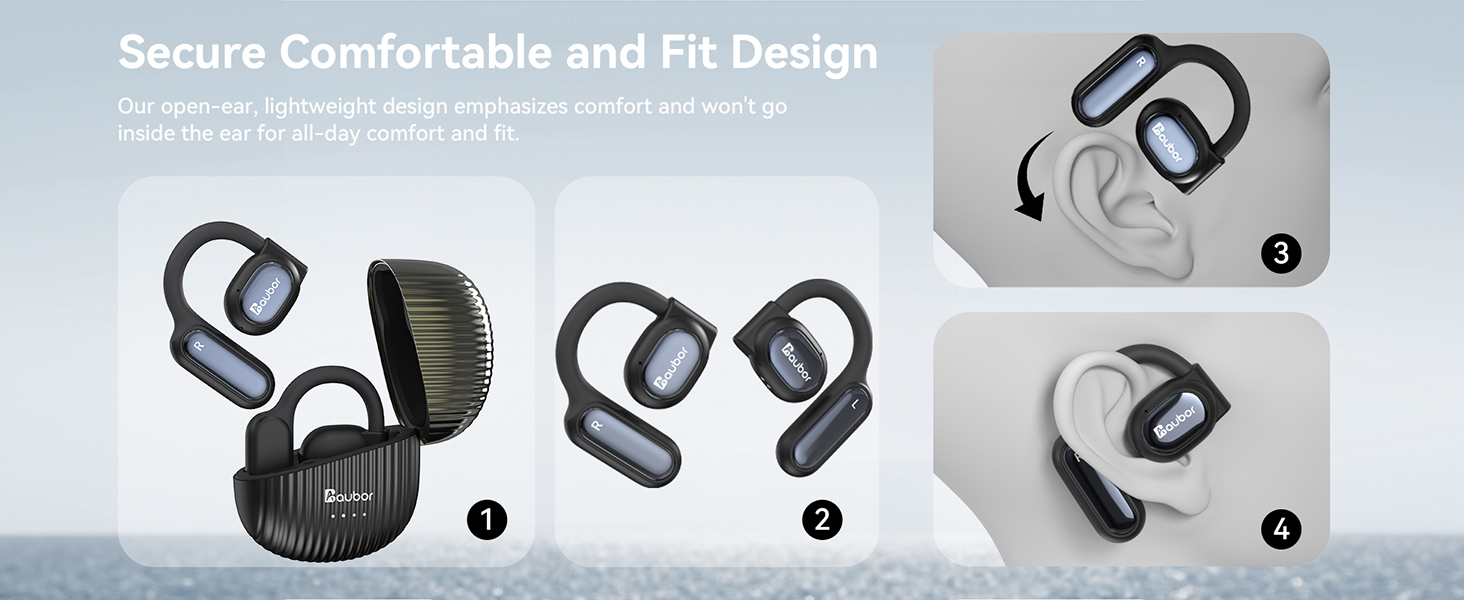
Image: A visual guide demonstrating the secure and comfortable fit of the open-ear design, showing the earbuds being placed over the ear.
Key Components:
- Ear Hooks: Designed for stability and comfort during various activities.
- Control Touch Area: Located on the side of each earbud for media and call control.
- Microphone: Integrated for clear call quality.
- Charging Port: USB-C port on the charging case.
- Battery Indicator: LEDs on the charging case to show battery status.
Setup
1. Charging the Headphones and Case
Before first use, fully charge both the headphones and the charging case.
- Place the earbuds into the charging case. Ensure they are properly seated.
- Connect the USB-C charging cable to the charging port on the case and plug the other end into a USB power adapter (not included).
- The battery indicator lights on the case will show the charging status. Once fully charged, the lights will indicate a full charge (refer to the case's specific LED behavior).
- A quick 5-minute charge provides approximately 2 hours of listening time. A full charge of the earbuds provides up to 9 hours of playback, and the charging case extends this to a total of 45 hours.

Image: Visual representation of the headphone's battery life, highlighting 9 hours per charge and 40 hours with the charging case, along with the 5-minute quick charge feature.
2. Pairing with Your Device
The headphones use Bluetooth 5.3 for a stable and fast connection.
- Open the charging case. The earbuds will automatically enter pairing mode (indicated by flashing LED lights on the earbuds).
- On your device (smartphone, tablet, computer), go to the Bluetooth settings.
- Search for "AUBOR H13" (or similar name) in the list of available devices and select it to connect.
- Once connected, the earbud LEDs will stop flashing, and you will hear a confirmation tone.
- The headphones will automatically reconnect to the last paired device when taken out of the case, if Bluetooth is enabled on the device.

Image: A visual demonstrating the upgraded Bluetooth 5.3 technology for faster and more stable connections, along with icons indicating compatibility with iPhone, Android, Mac, and Windows devices.
Operating Instructions
The AUBOR Open Ear Headphones feature intuitive touch controls on each earbud.
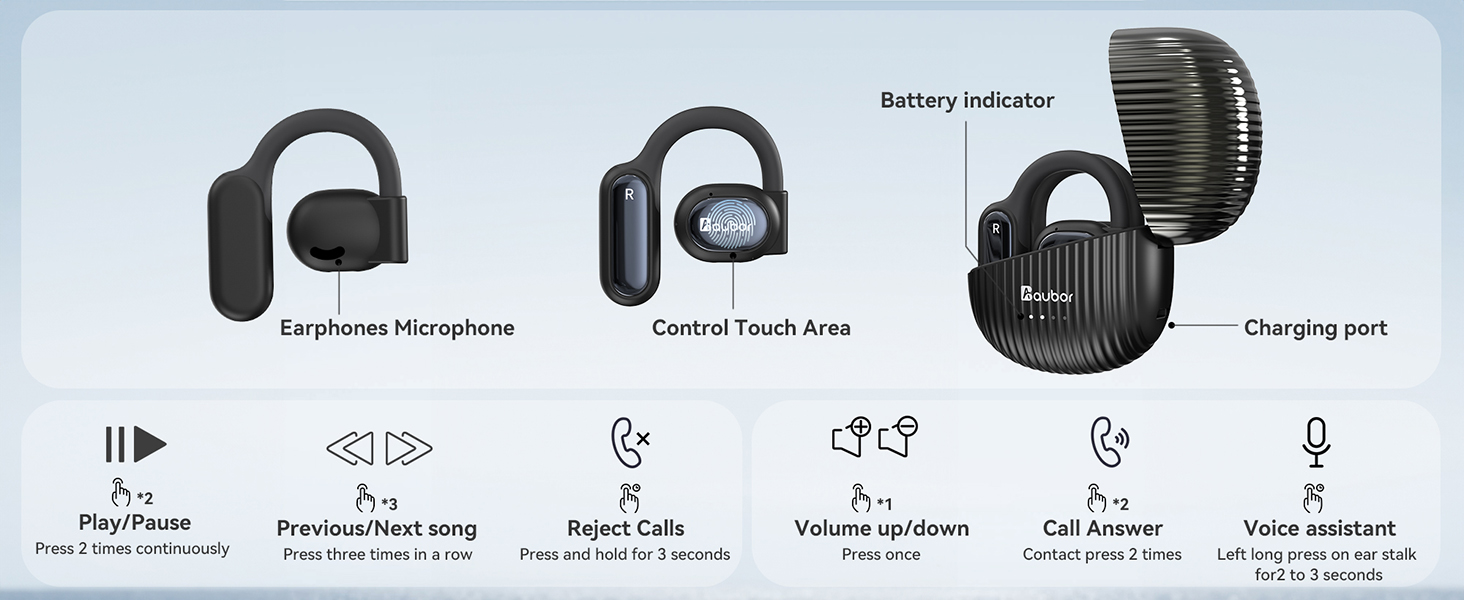
Image: A comprehensive diagram illustrating the touch control functions of the earbuds, including play/pause, previous/next song, volume up/down, answer/reject calls, and voice assistant activation.
Music Playback:
- Play/Pause: Press the Control Touch Area 2 times continuously.
- Previous/Next Song: Press the Control Touch Area 3 times in a row.
- Volume Up/Down: Press the Control Touch Area once. (Specific earbud for up/down may vary, refer to the diagram for left/right earbud function).
Call Management:
- Answer Call: Contact the Control Touch Area 2 times.
- Reject Calls: Press and hold the Control Touch Area for 3 seconds.
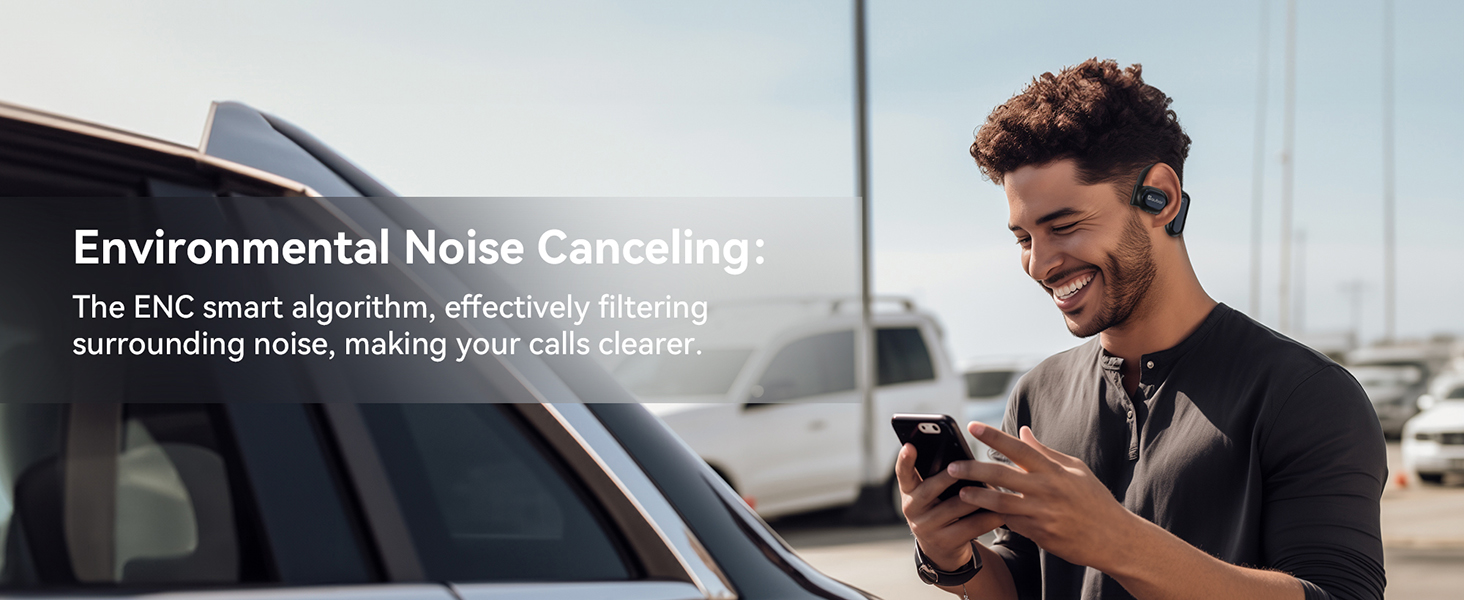
Image: A man happily using the headphones while outdoors, emphasizing the Environmental Noise Canceling (ENC) feature for clear calls by filtering surrounding noise.
Voice Assistant:
- Activate Voice Assistant: Long press on the ear stalk for 2 to 3 seconds.
Enhanced Awareness:
The open-ear design allows you to enjoy audio while remaining aware of your surroundings, making them ideal for outdoor activities or office environments.
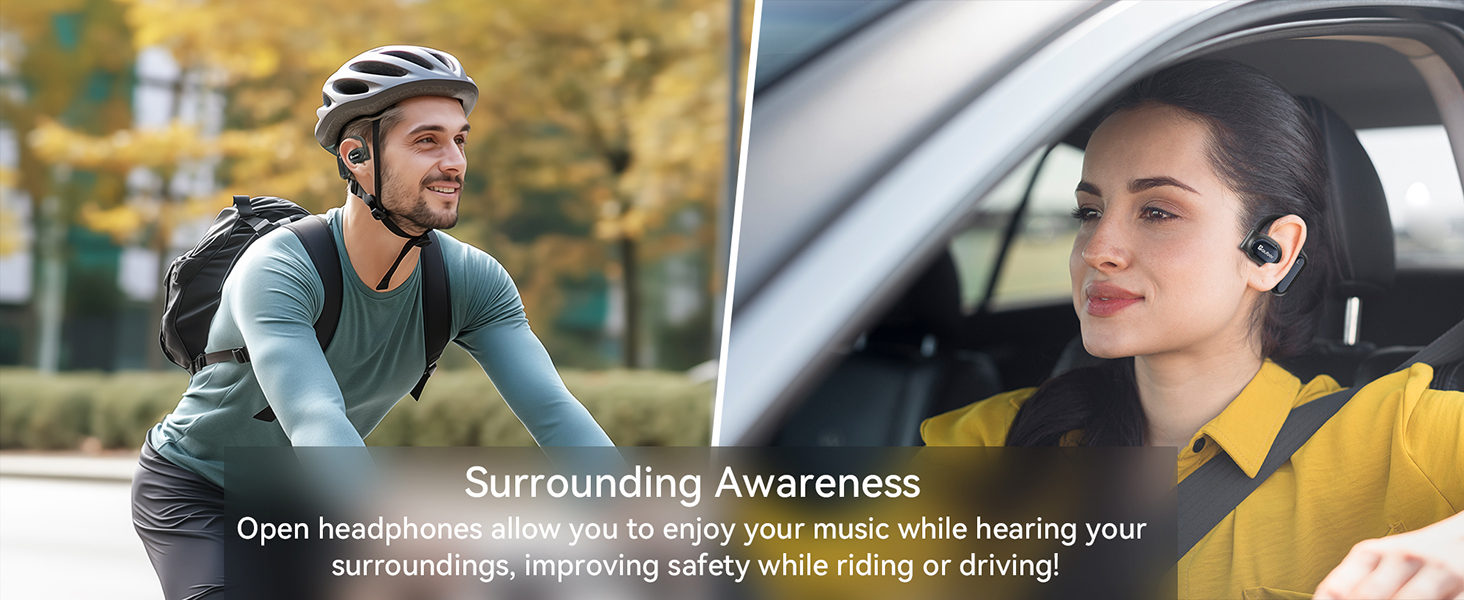
Image: Two scenarios showing individuals using the headphones: one cycling outdoors and another driving, highlighting how the open-ear design allows users to hear their surroundings for improved safety.
Maintenance
Proper care will extend the lifespan of your AUBOR Open Ear Headphones.
- Cleaning: Use a soft, dry, lint-free cloth to clean the earbuds and charging case. Do not use abrasive cleaners or solvents.
- Water Resistance: The headphones are IPX6 water-resistant, meaning they can withstand powerful water jets. However, they are not designed for submersion. Do not expose them to saltwater, chlorinated water, or other chemicals. Ensure the charging port is dry before charging.
- Storage: When not in use, store the headphones in their charging case to protect them from dust and damage. Store in a cool, dry place away from extreme temperatures.
- Battery Care: To preserve battery health, avoid fully discharging the battery frequently. Charge regularly, even if not used for extended periods.

Image: A collage of three images depicting individuals engaged in physical activities (running, swimming, cycling) while wearing the headphones, emphasizing their IPX6 waterproof and sweatproof design for use in various environments.
Troubleshooting
| Problem | Possible Cause | Solution |
|---|---|---|
| Headphones won't turn on. | Low battery. | Charge the headphones and charging case fully. |
| Cannot pair with device. | Bluetooth is off on device; headphones not in pairing mode; too far from device. | Ensure Bluetooth is enabled. Place earbuds in case, then open to re-enter pairing mode. Keep device within 10 meters. |
| No sound or intermittent sound. | Headphones not connected; volume too low; interference. | Check Bluetooth connection. Increase volume on both headphones and device. Move away from sources of interference (e.g., Wi-Fi routers). |
| One earbud has no sound. | Earbud not connected to the other or device. | Place both earbuds back into the charging case, close the lid, wait a few seconds, then open again to reset the connection. |
| Poor call quality. | Microphone obstruction; environmental noise. | Ensure microphone area is clear. Move to a quieter environment if possible. |
Specifications
| Feature | Detail |
|---|---|
| Model Name | H13 |
| Connectivity Technology | Wireless (Bluetooth 5.3) |
| Ear Placement | Open Ear |
| Audio Driver Type | Dynamic Driver (16.2mm) |
| Noise Control | ENC (Environmental Noise Cancellation) for calls |
| Battery Life (Earbuds) | Up to 9 hours |
| Total Playtime (with Case) | Up to 45 hours |
| Quick Charge | 5 minutes charge for 2 hours listening |
| Water Resistance Level | IPX6 (Water Resistant & Sweatproof) |
| Control Method | Touch |
| Compatible Devices | Smartphones (iPhone & Android), Tablets, Laptops |
| Weight (Item) | 4.6 ounces |
| Carrying Case Battery Capacity | 400 mAh |
| Frequency Range | 20 Hz - 20,000 Hz |
| Impedance | 20 Ohm |
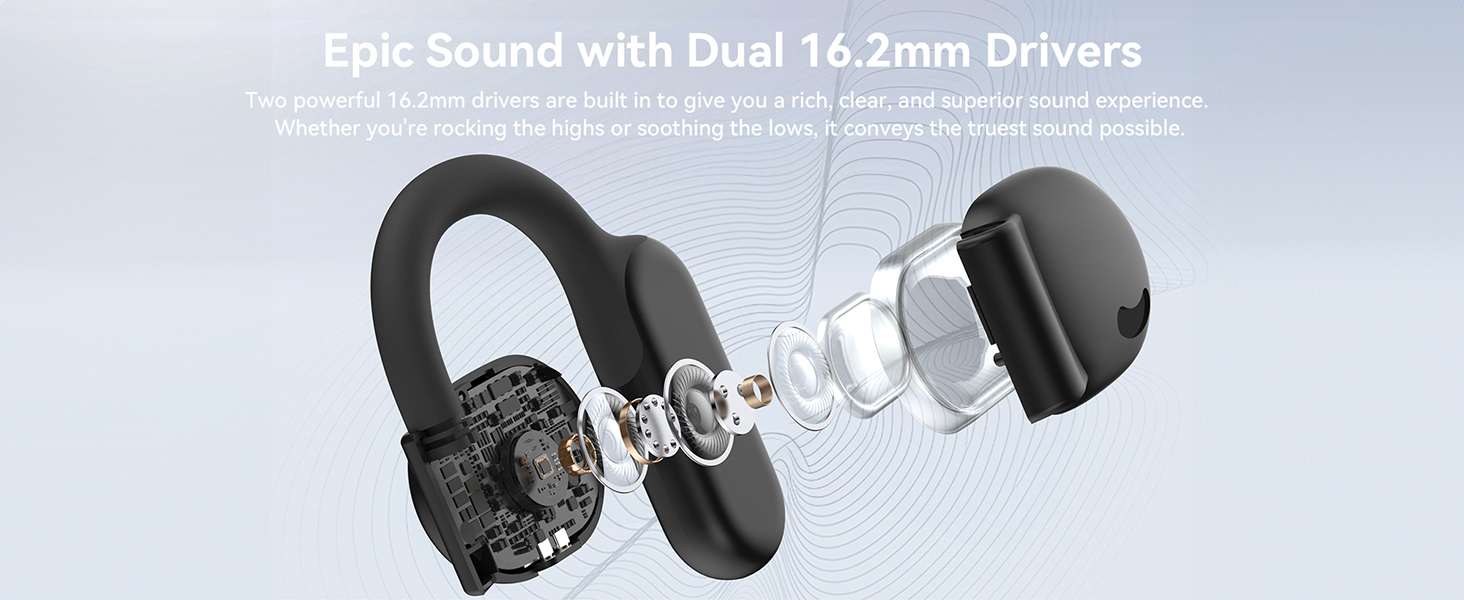
Image: An exploded diagram of the earbud, highlighting the internal components and the dual 16.2mm drivers responsible for delivering rich and clear sound.
Warranty and Support
AUBOR provides comprehensive support for its products.
- Warranty: Enjoy a 1-year replacement warranty from the date of purchase.
- Satisfaction Guarantee: A 100% satisfaction guarantee is offered.
- Technical Support: Lifetime technical and customer support is available.
- Contact: If you have any questions or require assistance, please contact us directly via email. We aim to provide a satisfactory solution within 24 hours.
Email Support: services.us@auborshop.com

Image: A graphic detailing AUBOR's customer service, including the support email address, a promise of quick replies within 24 hours, and information about returns and exchanges.