
Spirit Of Gamer XPERT H700
Spirit Of Gamer XPERT H700 Gaming Headset User Manual
Model: XPERT H700 (MIC-XH700WT)
Introduction
Thank you for choosing the Spirit Of Gamer XPERT H700 Gaming Headset. This manual provides essential information for setting up, operating, and maintaining your headset to ensure optimal performance and longevity. Please read this manual thoroughly before use.
Product Overview
The XPERT H700 is a versatile gaming headset designed for an immersive audio experience across multiple platforms. Key features include:
- 7.1 Virtual Surround Sound: Delivers a 360-degree audio experience for enhanced spatial awareness in games.
- Multi-Platform Compatibility: Works with PlayStation (PS4/PS5), Nintendo Switch, Xbox (Series X/One), and PC/Mac.
- Detachable Noise-Reduction Microphone: Ensures clear communication with teammates by minimizing background noise.
- Adjustable Aluminum Headband: Provides a comfortable and secure fit for various head sizes.
- Protein Leather Earcups: Offers superior comfort and durability compared to synthetic leather.
- RGB Rainbow Breathing Backlight: Features dynamic RGB lighting on the earcups, controllable via the inline remote.
- PC Software Support: Advanced audio customization options available for PC users.
Package Contents:
- Spirit Of Gamer XPERT H700 Gaming Headset
- Detachable Microphone
- User Manual

Image: The adjustable aluminum headband of the XPERT H700 headset.
Setup
Follow these steps to set up your XPERT H700 headset:
- Attach the Microphone: Insert the detachable microphone into the designated port on the left earcup until it clicks into place.
- Connect to Device:
- For PC/Mac: Plug the USB-A connector of the headset into an available USB port on your computer. The system should automatically detect and install the necessary drivers.
- For PlayStation (PS4/PS5), Xbox (Series X/One), Nintendo Switch: Plug the USB-A connector into an available USB port on your console. Ensure your console's audio output settings are configured to use the connected USB headset.
- Adjust Fit: Adjust the aluminum headband to comfortably fit your head. The earcups are designed to pivot vertically for an optimal fit.
- PC Software (Optional): For advanced audio settings and customization on PC, download the dedicated software from the official Spirit Of Gamer website. This software allows access to features like equalizer, 7.1 virtual surround sound, and Xear SingFX.

Image: The XPERT H700 headset highlighting its compatibility with various gaming platforms.
Operating Instructions
The XPERT H700 headset features an inline remote for convenient control:
- Volume Control: Use the volume wheel on the inline remote to adjust the audio output level.
- Microphone Mute: Press the microphone button on the inline remote to mute or unmute the microphone.
- RGB Lighting Control: Use the dedicated button on the inline remote to turn the RGB rainbow breathing backlight on or off.
7.1 Virtual Surround Sound (PC Only):
To enable and customize the 7.1 virtual surround sound, you must install the Spirit Of Gamer XPERT H700 software on your PC. Once installed, launch the software and activate the 7.1 Virtual Speaker Shifter feature for an immersive audio experience.

Image: Visual representation of the 7.1 Virtual Surround Sound feature.

Image: The RGB Rainbow Breathing Backlight feature on the headset's earcups.

Image: The downloadable PC software interface for advanced audio settings.
Maintenance
Proper maintenance ensures the longevity of your headset:
- Cleaning: Use a soft, dry cloth to wipe the earcups and headband. For the protein leather, a slightly damp cloth can be used, but avoid excessive moisture.
- Storage: Store the headset in a clean, dry place away from direct sunlight and extreme temperatures.
- Cable Care: Avoid sharp bends or excessive pulling on the cable to prevent damage.
- Microphone Care: Handle the detachable microphone gently when attaching or detaching.

Image: The protein leather material used for the earcups, emphasizing comfort and durability.
Troubleshooting
If you encounter issues with your XPERT H700 headset, refer to the following common solutions:
- No Sound:
- Ensure the USB connector is fully inserted into the device.
- Check the volume control on the inline remote and your device's system volume.
- Verify that the headset is selected as the default audio output device in your operating system or console settings.
- Microphone Not Working:
- Ensure the microphone is securely attached to the headset.
- Check if the microphone mute button on the inline remote is active (unmuted).
- Verify that the headset microphone is selected as the default input device in your operating system or console settings.
- For PC, check microphone settings within the Spirit Of Gamer software.
- RGB Lighting Not Working:
- Ensure the headset is properly connected via USB.
- Press the RGB lighting control button on the inline remote to toggle the lighting.
- 7.1 Virtual Surround Sound Not Active (PC):
- Ensure the Spirit Of Gamer software is installed and running.
- Verify that the 7.1 Virtual Speaker Shifter option is enabled within the software.
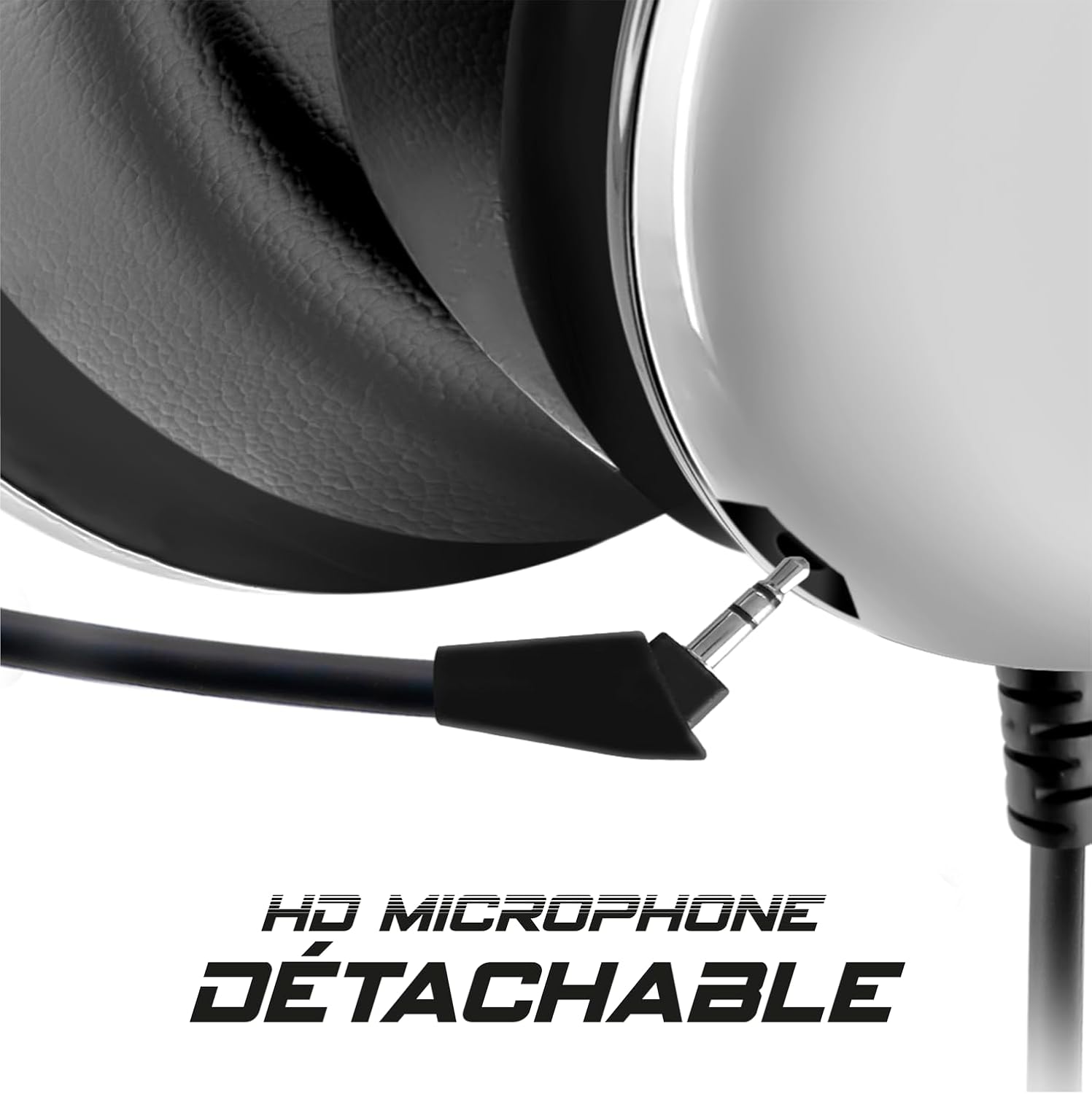
Image: The detachable microphone, a key component for clear communication.
Specifications
| Model Name | XPERT H700 |
| Model Number | MIC-XH700WT |
| Connectivity Technology | Wired (USB-A) |
| Compatible Devices | PlayStation (PS4/PS5), Nintendo Switch, Xbox (Series X/One), PC (Windows & MacOS) |
| Audio Features | 7.1 Virtual Surround Sound (PC via software) |
| Microphone | Detachable, Omnidirectional, Noise-Reduction |
| Lighting | RGB Rainbow Breathing Backlight |
| Headband Material | Aluminum, Adjustable |
| Earcup Material | Protein Leather |
| Control Method | Inline Remote (Volume, Mic Mute, RGB On/Off) |
| Product Type | Over-ear (Circum-aural) |
Warranty and Support
Warranty: The Spirit Of Gamer XPERT H700 Gaming Headset comes with a 2-year manufacturer's warranty from the date of purchase. Please retain your proof of purchase for warranty claims.
Support: For further assistance, technical support, or to download the latest PC software and drivers, please visit the official Spirit Of Gamer website: www.spiritofgamer.com (Note: Actual website link may vary, please refer to product packaging or official brand information).