Introduction
This manual provides essential information for setting up, operating, and maintaining your TAG Heuer Connected Calibre E4 45mm Golf Edition Smartwatch. Designed for both luxury and high-performance sports, this smartwatch offers advanced features for daily use, fitness tracking, and dedicated golf functionalities. Please read these instructions carefully to ensure optimal performance and longevity of your device.
What's in the Box
Your TAG Heuer Connected Calibre E4 45mm Golf Edition package includes the following items:
- TAG Heuer Connected Calibre E4 45mm Golf Edition Smartwatch
- White Rubber Interchangeable Strap
- Black/Green Rubber Interchangeable Strap
- USB-C Cable
- Main Socket (Power Adapter)
- Charging Dock
- 3 TAG Heuer Golf Balls

Image: The complete contents of the TAG Heuer Connected Calibre E4 45mm Golf Edition packaging, showcasing the smartwatch, two interchangeable rubber straps (white and black/green), the USB-C cable, main socket, charging dock, and three TAG Heuer branded golf balls.
Setup
Follow these steps for the initial setup of your smartwatch:
- Charge the Smartwatch: Connect the charging dock to the main socket using the USB-C cable. Place your smartwatch on the charging dock. Ensure it is fully charged before first use.
- Power On: Press and hold the crown (side button) until the TAG Heuer logo appears.
- Download the App: On your smartphone, download the "TAG Heuer Connected" app from your device's app store.
- Pair with Smartphone: Open the TAG Heuer Connected app on your smartphone and follow the on-screen instructions to pair your smartwatch via Bluetooth. Ensure Bluetooth is enabled on your phone.
- Complete Setup: Follow the remaining prompts in the app to complete the setup, including language selection, Google account login, and initial preferences.
Video: This video demonstrates the unboxing process, how to change the interchangeable straps, the initial pairing of the smartwatch with a smartphone, and customization of watch faces through the companion app.
Features Overview
The TAG Heuer Connected Calibre E4 45mm Golf Edition is equipped with a range of advanced features:
- Display: 1.39" Sapphire Crystal AMOLED touchscreen dial.
- Case: Ultra-light grade 2 titanium, sandblasted, black DLC-finished, with ergonomic black steel pushers.
- Water Resistance: 50 meters (165 feet).
- Movement: Quartz movement.
- Connectivity: Wi-Fi, Bluetooth 5.0, NFC, GNSS (GPS via smartphone).
- Processor: Qualcomm Snapdragon Wear 4100+ chipset.
- Sensors: Heart rate monitor, compass, microphone, barometer.
- Operating System: Wear OS by Google.
- Memory: 8 GB storage capacity.
- Interchangeable Straps: White and black/green rubber straps with titanium grade 2 buckles.
Operating Instructions
Navigate and interact with your smartwatch using the touchscreen and physical buttons:
- Touchscreen Navigation: Swipe up, down, left, or right to access notifications, quick settings, and app lists. Tap to select items.
- Crown: Press the crown to return to the watch face or access the app drawer. Rotate the crown to scroll through menus and notifications.
- Pushers: The two pushers on the side can be customized for quick access to your favorite apps or functions, such as starting a workout or launching the golf app.
- Notifications: Receive calls, SMS, and email notifications directly on your wrist.
- Voice Commands: Utilize the built-in microphone for voice commands and translations.

Image: The smartwatch displaying various daily activity metrics like steps and heart rate, demonstrating its capability to track and present personal wellness data. The companion app on a smartphone is also shown, providing a detailed overview of the tracked activities.
Sports & Fitness Tracking
Your smartwatch is a comprehensive fitness companion, offering detailed tracking for various activities:
- Heart Rate Monitoring: Continuously track your heart rate during workouts and throughout the day.
- Wellness Tracking: Monitor steps, calories burned, and overall wellness metrics.
- TAG Heuer Sports App: Access dedicated modes for running, cycling, fitness, swimming, and other sports. The app provides real-time data and post-workout analysis.
- Custom Workouts: Create and follow custom workout routines directly from your wrist.

Image: The smartwatch face showing current heart rate (BPM) and average range, illustrating its wellness tracking capabilities. A smartphone screen displays a more comprehensive view of wellness data, including live heart rate, step tracking, calories burned, and sleep monitoring.

Image: The smartwatch interface showing different sports modes like swimming, running, and general fitness, along with activity analysis on a connected smartphone. This highlights the watch's versatility in tracking diverse physical activities and providing detailed performance metrics.
Golf Edition Features
The Golf Edition is specifically designed to enhance your golfing experience:
- TAG Heuer Golf App: Pre-installed app providing a stunning 2D high-resolution display of over 40,000 golf courses worldwide.
- Distance & Hazard Information: Get precise distances to greens and hazards with a glance at your wrist.
- Club Recommendation: Receive intelligent club recommendations based on your performance and course data.
- Score Tracking: Easily track your score and analyze your game directly from the watch.

Image: The TAG Heuer Connected Calibre E4 Golf Edition smartwatch face showing a detailed 2D map of a golf hole, including distance to the pin, current score, and recommended club (Iron 7). This illustrates the watch's dedicated golf tracking capabilities.
Customization
Personalize your smartwatch to match your style and needs:
- Interchangeable Straps: Easily swap between the included white and black/green rubber straps to suit your activity or outfit.
- Watch Faces: Choose from thousands of available watch faces in the TAG Heuer Connected app, or create your own personalized designs.
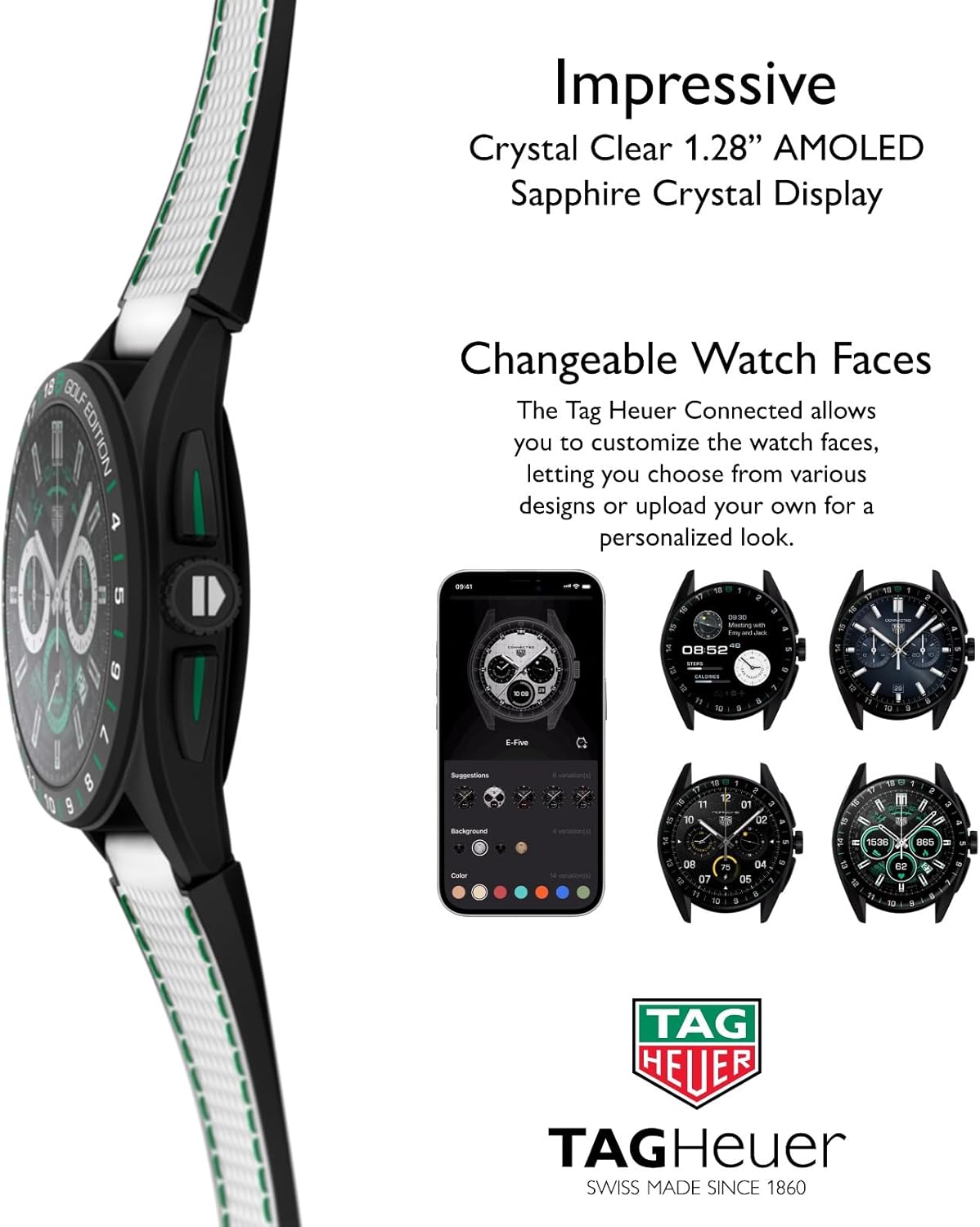
Image: The smartwatch showcasing its customizable watch faces, with a smartphone displaying the companion app's interface for selecting and personalizing different dial options, including various colors and complications.
Connectivity
Your TAG Heuer Connected Smartwatch offers robust connectivity options:
- Wi-Fi: Connect to Wi-Fi networks for app updates and data synchronization.
- Bluetooth 5.0: Ensures a stable and efficient connection to your smartphone for notifications and data transfer.
- NFC: Enable contactless payments and other NFC-based functionalities.
- GNSS (GPS): Utilize GPS via your smartphone for accurate location tracking during outdoor activities.
Maintenance
To keep your smartwatch in optimal condition:
- Cleaning: Regularly wipe the screen and case with a soft, lint-free cloth. For rubber straps, use mild soap and water, then rinse thoroughly.
- Water Resistance: The watch is water-resistant up to 50 meters. It is suitable for shallow-water activities like swimming but not for scuba diving or high-speed water sports. Ensure the crown is fully pushed in before exposing the watch to water.
- Charging: Use only the provided charging dock and cable. Avoid exposing the charging contacts to moisture.
- Software Updates: Keep your smartwatch software and the TAG Heuer Connected app updated to ensure access to the latest features and improvements.
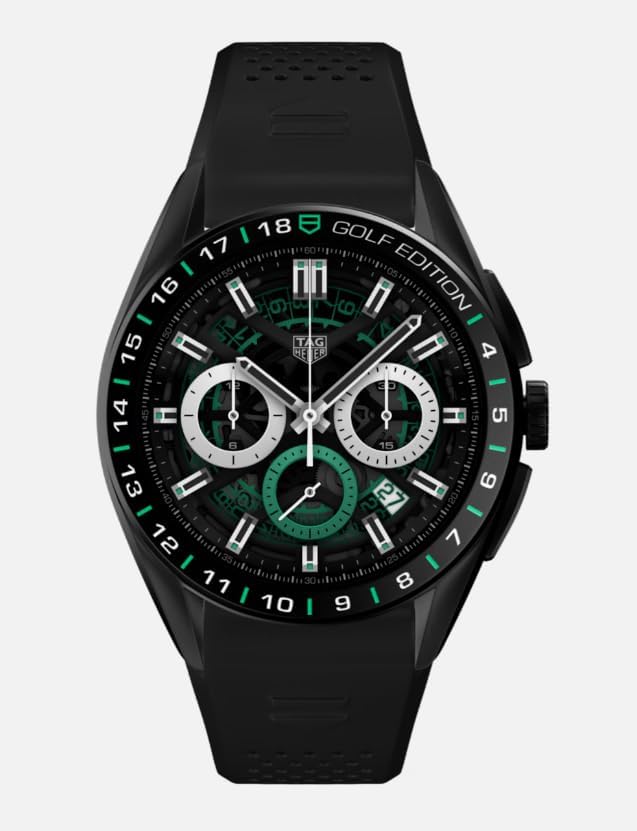
Image: A detailed view of the smartwatch's rear casing, highlighting the optical heart rate sensors, the '50 METERS' water resistance rating, and the 'SAPPHIRE CRYSTAL' inscription, indicating durable construction and health monitoring capabilities.
Troubleshooting
If you encounter issues with your smartwatch, try the following:
- Watch Not Turning On: Ensure the watch is fully charged. Place it on the charging dock for at least 30 minutes.
- Connectivity Issues: Check that Bluetooth is enabled on your smartphone and the watch is within range. Restart both the watch and your phone.
- App Not Syncing: Ensure the TAG Heuer Connected app is open and updated on your smartphone. Check your phone's internet connection.
- Inaccurate Readings: For heart rate or GPS, ensure the watch is worn snugly on your wrist and that sensors are clean.
- Factory Reset: As a last resort, you can perform a factory reset through the watch settings. This will erase all data and settings on the watch.
Specifications
| Feature | Detail |
|---|---|
| Model Number | SBR8A81.EB0251 |
| Case Dimensions | 45 mm x 15.3 mm |
| Case Material | Ultra-light Grade 2 Titanium |
| Display | 1.39 Inches Sapphire Crystal AMOLED |
| Operating System | Wear OS by Google |
| Processor | Qualcomm Snapdragon Wear 4100+ |
| Memory Storage Capacity | 8 GB |
| Battery Capacity | 440 Milliamp Hours |
| Water Resistance | 50 Meters / 165 Feet |
| Connectivity | Wi-Fi, Bluetooth 5.0, NFC, GNSS |
| GPS | GPS Via Smartphone |
| Item Weight | 1 Pounds |
Warranty and Support
For warranty information and customer support, please refer to the official TAG Heuer website or contact your authorized dealer. Keep your proof of purchase for any warranty claims. Detailed warranty terms and conditions are typically provided with your product documentation or available online.