
Introduction
This manual provides comprehensive instructions for the setup, operation, and maintenance of your Acvoce I11-MAX Garage Door Opener Remote. This remote is designed for compatibility with various Liftmaster, Chamberlain, and Craftsman garage door openers featuring specific learn button colors.

Image: Two Acvoce I11-MAX garage door opener remotes, each with four buttons (A, B, C, D) and a red indicator light, shown alongside two metal keychains and a white product box.
Compatibility
The Acvoce I11-MAX remote is compatible with Liftmaster, Chamberlain, and Craftsman garage door openers manufactured from 1993 to the current year, provided they have one of the following learn button colors:
- Purple Learn Button
- Yellow Learn Button
- Red Learn Button
- Orange Learn Button
- Green Learn Button
Important: This remote does NOT work with Craftsman 200.57933, 57943, 57953 Series 100 CR1150, 139.57943, 139.57953 models, nor does it support openers with Dip Switches.

Image: A diagram illustrating various garage door opener learn button colors (Green, Red/Orange, Purple, Yellow) and their corresponding LED indicators, emphasizing that the color refers to the button itself, not the LED.
Compatible Remote Models (Partial List):
This remote can replace many existing remotes, including but not limited to:
- Liftmaster/Chamberlain/Craftsman: 370LM, 371LM, 372LM, 373LM, 376LM, 377LM, 891LM, 970LM, 971LM, 972LM, 973LM, 974LM, 976LM, 977LM, 81LM, 82LM, 83LM, 96LM, 877MAX, 878MAX, 890MAX, 893MAX, 850CB, 853CB, 856CB, 940CB, 950CB, 953CB, 956CB, 940D, 950CD, 950D, 953CD, 953D, 956CD, 956D, 9950D, 950ESTD, 940EV, 953EV, 956EV.
- Craftsman (specific models): 139.30499, 139.53680, 139.53681B, 139.53684, 139.53753, 139.53754, 139.53776, 139.53859, 139.53879.

Image: A table detailing compatible remote models for LiftMaster, Chamberlain, and Craftsman, organized by the color of the learn button (Yellow, Purple, Red/Orange, Green) and their corresponding frequencies (310/315/390MHz).
Package Contents
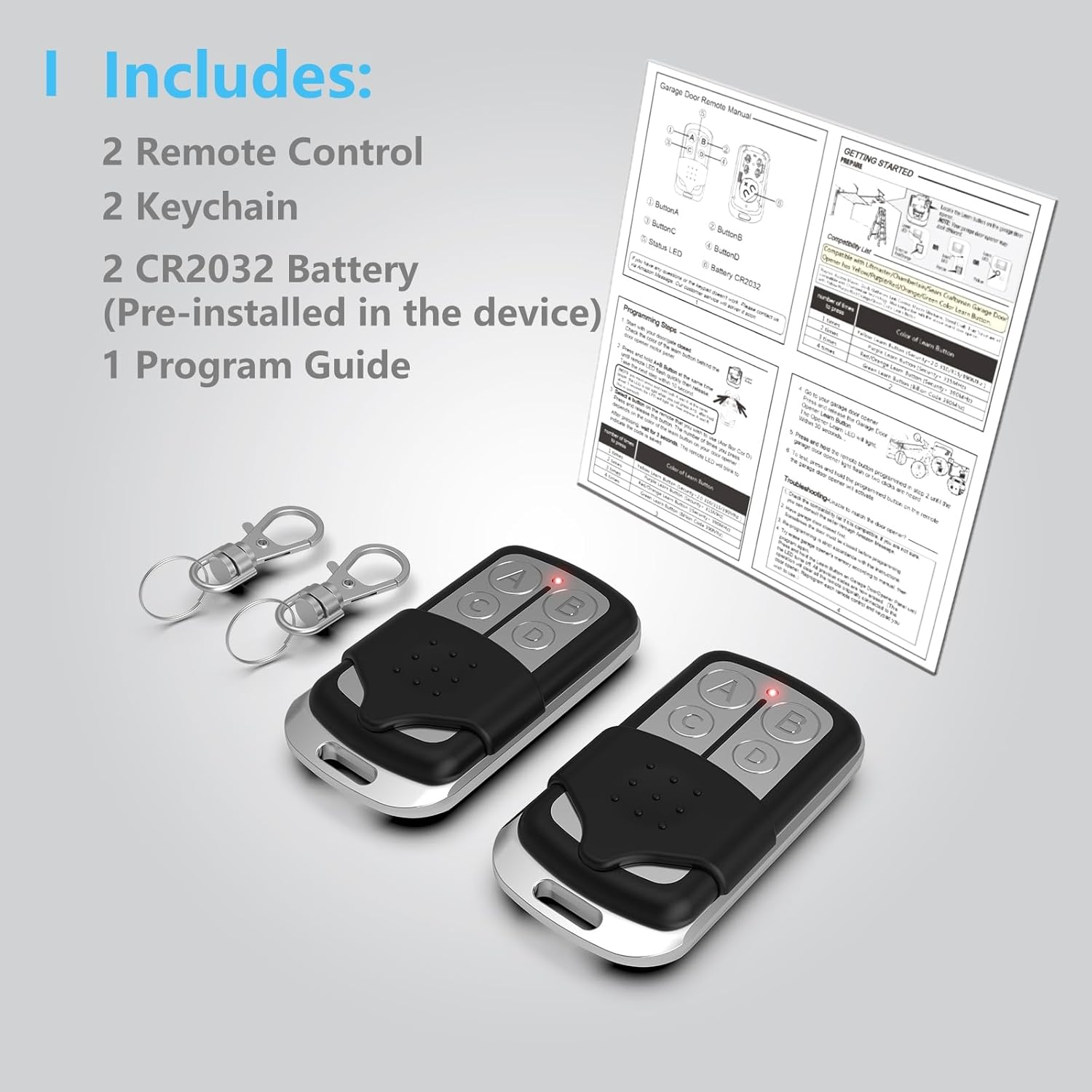
Image: An illustration showing the package contents: two Acvoce garage door remotes, two keychains, two CR2032 batteries (pre-installed), and a program guide.
- 2 x Acvoce Garage Door Opener Remotes
- 2 x Keychains
- 2 x CR2032 Batteries (pre-installed)
- 1 x Program Guide (printed instructions)
Setup and Programming Instructions
Follow these steps to program your Acvoce I11-MAX remote to your garage door opener. Ensure the garage door is closed before beginning the programming process.
Step 1: Identify Your Opener's Learn Button Color
Locate the "Learn" button on your garage door opener motor unit. The color of this button is critical for programming. Refer to the compatibility section or the image below for examples.
Image: A diagram illustrating various garage door opener learn button colors (Green, Red/Orange, Purple, Yellow) and their corresponding LED indicators.
Step 2: Program the Remote
- Clear Existing Programming (Optional, but Recommended): Press and hold buttons A and B on the Acvoce remote simultaneously until the red LED on the remote flashes rapidly. Release both buttons. This clears any previous programming.
- Select Remote Button: Choose one of the four buttons (A, B, C, or D) on your Acvoce remote that you wish to program for your garage door opener.
- Enter Learn Mode on Remote: Press and hold the chosen button on the Acvoce remote. The red LED on the remote will light up.
- Activate Opener's Learn Mode: While still holding the remote button, press and immediately release the "Learn" button on your garage door opener motor unit. The LED on the opener will light up or flash.
- Complete Pairing: Release the button on the Acvoce remote. Press the same button on the Acvoce remote again. The garage door opener lights should flash, or you will hear a click, indicating successful programming.
- Test Operation: Press the programmed button on the Acvoce remote to confirm it operates your garage door.
If programming multiple garage doors, repeat Step 2 for each additional opener, assigning a different button (A, B, C, or D) on the Acvoce remote to each.
Operating Instructions
- Opening/Closing the Door: Press the programmed button on the remote once to open or close your garage door.
- Sliding Protective Cover: The remote features a sliding cover to prevent accidental button presses. Slide the cover down to expose the buttons and up to protect them.
- Operating Range: The remote has a transmission range of up to 120 feet, allowing operation from inside your vehicle.

Image: A hand demonstrating the sliding protective cover on the Acvoce garage door remote, with arrows indicating the sliding motion.
Maintenance
Battery Replacement
The Acvoce I11-MAX remote uses one CR2032 Lithium Metal battery. If the remote's range decreases significantly or the LED indicator does not light up, the battery may need replacement.
- Carefully open the remote casing.
- Remove the old CR2032 battery.
- Insert a new CR2032 battery with the positive (+) side facing up.
- Close the remote casing securely.
Dispose of used batteries according to local regulations.
Troubleshooting
If you encounter issues with your Acvoce I11-MAX remote, refer to the following common solutions:

Image: A graphic illustrating common troubleshooting steps for the garage door remote, including checking learn button color, addressing full opener memory, replacing batteries for short range, ensuring the door is closed for programming, and trying different remote buttons.
- Unable to Pair the Remote:
- Verify compatibility: Ensure your garage door opener has a compatible learn button color (Purple, Yellow, Red, Orange, Green) and is not one of the excluded Craftsman models or a Dip Switch opener.
- Opener memory full: If your opener's memory is full, it may deactivate old remotes. Consult your garage opener's manual to erase its memory, then attempt programming again.
- Garage door position: Sometimes, the garage door must be fully closed before programming can be successful.
- Short Range or Intermittent Operation:
- Replace the battery: A weak battery (CR2032) can cause reduced range or unreliable operation. Replace it with a fresh one.
- Certain Button Does Not Work:
- Try programming another button: If one button fails to program or operate, attempt to program a different button (A, B, C, or D) on the remote.
Specifications
| Model Number | I11-MAX |
| Brand | Acvoce |
| Compatible Devices | Liftmaster, Chamberlain, Craftsman Garage Door Openers (1993-Current with Purple, Yellow, Red, Orange, Green Learn Buttons) |
| Max Number of Supported Devices | 4 |
| Transmission Range | Up to 120 feet |
| Battery Type | 1 x CR2032 Lithium Metal (included) |
| Item Weight | 2.89 ounces |
| Dimensions | 2.99 x 2.87 x 0.67 inches |
Warranty and Support
Acvoce provides a 1-YEAR WARRANTY for this product, ensuring reliable performance and customer satisfaction.
For any questions, technical assistance, or warranty claims, please contact Acvoce customer support. You can typically find contact information through the seller's storefront page or by using the "Ask a question" feature on the product's retail listing. Our team aims to respond and resolve issues within 24 hours.