Introduction
This manual provides essential information for the safe and efficient operation of your new SIEMENS IQ700 EX651HXC1F Flex Induction Cooktop. Please read these instructions carefully before installation and first use, and keep them for future reference.
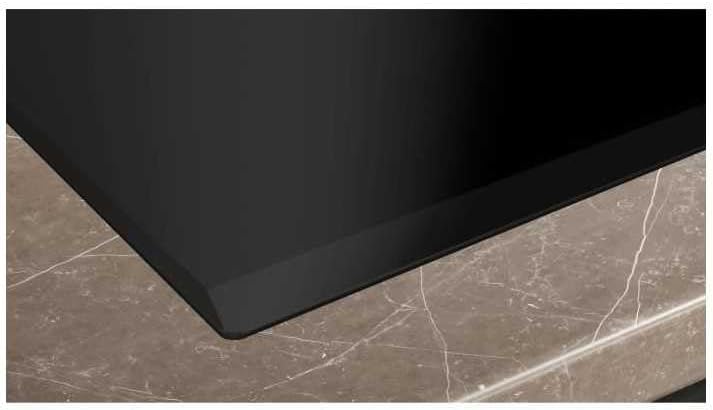
Image: A close-up of the Siemens IQ700 Flex Induction Cooktop, showcasing its smooth black glass ceramic surface and modern design, ready for installation.
Important Safety Information
Always follow basic safety precautions when using electrical appliances to reduce the risk of fire, electric shock, and injury to persons.
- Read all instructions before using the appliance.
- Do not touch hot surfaces. Use handles or knobs.
- To protect against electric shock, do not immerse cord, plugs, or the appliance in water or other liquid.
- Close supervision is necessary when any appliance is used by or near children.
- Unplug from outlet when not in use and before cleaning. Allow to cool before putting on or taking off parts.
- Do not operate any appliance with a damaged cord or plug or after the appliance malfunctions or has been damaged in any manner.
- The use of accessory attachments not recommended by the appliance manufacturer may cause injuries.
- Do not use outdoors.
- Do not let cord hang over edge of table or counter, or touch hot surfaces.
- Do not place on or near a hot gas or electric burner, or in a heated oven.
- Extreme caution must be used when moving an appliance containing hot oil or other hot liquids.
- Always attach plug to appliance first, then plug cord into the wall outlet. To disconnect, turn any control to "off", then remove plug from wall outlet.
- Do not use appliance for other than intended use.
Setup and Installation
Proper installation is crucial for the safe and efficient operation of your induction cooktop. It is recommended that installation be performed by a qualified technician.
Unpacking
- Carefully remove the cooktop from its packaging.
- Check for any damage during transit. Report any damage immediately to your supplier.
- Retain packaging materials for future transport or disposal.
Ventilation Requirements
Adequate ventilation is essential to ensure the proper functioning and longevity of the appliance. Ensure there is sufficient space for air circulation beneath the cooktop.

Image: This diagram illustrates the minimum ventilation clearances required for the cooktop installation. It shows a built-in oven/cooker below the induction hob, with a minimum clearance of 45mm from the top of the oven to the underside of the hob, and a 20mm gap for air circulation at the back (indicated by '1' for 'Prévoir une fente d'aération' - provide a ventilation slot). All measurements are in millimeters.
Electrical Connection
The cooktop must be connected to the mains electricity supply by a qualified electrician, in accordance with local wiring regulations and standards. Ensure the voltage and frequency ratings on the appliance match your household supply.
- The appliance requires a dedicated electrical circuit.
- Ensure the power supply is disconnected before making any electrical connections.
Cooktop Placement
Place the cooktop into the prepared countertop cutout. Ensure it is level and securely seated.

Image: This image shows the Siemens induction cooktop seamlessly integrated into a light-colored kitchen countertop, providing a clean and modern aesthetic. The cooktop is black with visible cooking zones.
Operating Instructions
Your SIEMENS IQ700 EX651HXC1F induction cooktop offers advanced features for precise and efficient cooking.
Control Panel Overview
The cooktop features a touch control panel for easy operation of all functions.

Image: This close-up shows the sleek black glass control panel of the Siemens induction cooktop. Red LED digits display power levels and settings, including a timer function and various cooking zone indicators.
Switching On/Off
- To switch on: Touch the main On/Off symbol. The indicators for the cooking zones will light up.
- To switch off: Touch and hold the main On/Off symbol until the indicators turn off.
Selecting a Cooking Zone and Power Level
- Touch the desired cooking zone selector.
- Use the '+' or '-' symbols, or the direct selection numbers, to set the desired power level (1-9).
Flex Induction Function
The Flex Induction feature allows you to combine two cooking zones into one large zone, providing flexibility for larger cookware such as roasting pans or griddle plates.

Image: This image highlights the Flex Induction feature, showing a large rectangular cooking pot placed across two combined cooking zones on the Siemens induction cooktop. The cooktop surface is black glass.
- To activate Flex Induction: Place your large cookware on the designated flexible zones.
- Touch the Flex Induction symbol on the control panel. The combined zone will activate.
- Adjust the power level as usual for the combined zone.
Power Boost Function
The Power Boost function provides extra power to a cooking zone for rapid heating, ideal for boiling water quickly.
- Select the desired cooking zone.
- Touch the 'P' (Power Boost) symbol. The boost function will activate for a limited time.
Home Connect
Your cooktop is equipped with Home Connect, allowing you to control and monitor your appliance remotely via a smartphone or tablet app. Refer to the separate Home Connect manual for detailed setup and usage instructions.
- Download the Home Connect app.
- Follow the in-app instructions to connect your cooktop to your home Wi-Fi network.
Frying Sensor Pro
The Frying Sensor Pro helps maintain a constant temperature for optimal frying results, preventing food from burning.
- Place a suitable frying pan on the cooking zone.
- Select the cooking zone and activate the Frying Sensor Pro function.
- Choose the desired frying level. The cooktop will automatically regulate the heat.
Maintenance and Cleaning
Regular cleaning and maintenance will ensure the longevity and optimal performance of your cooktop.
Daily Cleaning
- Always ensure the cooktop is cool before cleaning.
- Wipe the glass ceramic surface with a soft cloth and warm soapy water after each use.
- For stubborn stains, use a specialized ceramic hob cleaner.
- Rinse thoroughly and dry with a clean cloth to prevent water marks.
Removing Burnt-on Residue
- Use a hob scraper designed for glass ceramic surfaces to gently remove burnt-on food.
- Hold the scraper at a shallow angle to avoid scratching the surface.
Do Not Use
- Abrasive cleaners, scouring pads, or harsh chemicals.
- Steam cleaners.
Troubleshooting
Before contacting customer service, please refer to the following common issues and solutions.
| Problem | Possible Cause | Solution |
|---|---|---|
| Cooktop does not switch on. | No power supply; child lock activated. | Check circuit breaker; deactivate child lock (refer to specific instructions in the full manual). |
| Cooking zone not heating. | Incorrect cookware; pan not centered; residual heat indicator active. | Use induction-compatible cookware; center pan; wait for residual heat indicator to turn off. |
| Display shows an error code (e.g., E0, E1). | Specific malfunction or operational error. | Consult the full user manual for a list of error codes and their solutions. If the problem persists, contact customer service. |
| Unusual noises during operation. | Normal induction sounds (humming, buzzing) or fan noise. | These sounds are normal for induction technology and cooling fans. If sounds are excessively loud or unusual, contact service. |
Technical Specifications
Below are the key technical specifications for the SIEMENS IQ700 EX651HXC1F Flex Induction Cooktop.
| Feature | Detail |
|---|---|
| Brand | SIEMENS |
| Model | EX651HXC1F |
| Heating Elements | 4 (with 4 boosters) |
| Total Power | 7400 Watt (Booster 3700 Watt) |
| Color | Black |
| Energy Source | Electric Wired |
| Fuel Type | Induction + Flexible Zone |
| Special Features | Home Connect, Power Boost, cookConnect, flexMotion, flexInduction, Frying Sensor Pro |
| Heating Surface Material | Glass Ceramic |
| Ignition System Type | Electronic |
Warranty and Customer Support
Your SIEMENS IQ700 EX651HXC1F Flex Induction Cooktop comes with a manufacturer's warranty. Please refer to the warranty card included with your appliance for specific terms and conditions.
Customer Service
For technical assistance, spare parts, or warranty claims, please contact SIEMENS customer service. Have your model number (EX651HXC1F) and serial number ready when you call.
You can find contact information on the official SIEMENS website or in the documentation provided with your appliance.
Online Resources: SIEMENS Home Appliances (Netherlands)


