Important Safety Information
Please read all instructions carefully before using the Honeywell VC10 Aeromax Elite Cordless Vacuum. Keep this manual for future reference.
- Do not operate the vacuum with a damaged cord or plug.
- Do not use to pick up flammable or combustible liquids, such as gasoline, or use in areas where they may be present.
- Do not pick up anything that is burning or smoking, such as cigarettes, matches, or hot ashes.
- Do not allow children to operate the vacuum. Close supervision is necessary when used near children.
- Always turn off the appliance before connecting or disconnecting the motorized brush.
- Use only as described in this manual. Use only manufacturer's recommended attachments.
- Maintain the vacuum cleaner with care. Keep the cleaning area well lit.
Package Contents
Verify that all components are present in your package:

The Honeywell VC10 Aeromax Elite Cordless Vacuum with all its included accessories, demonstrating the comprehensive set of tools for various cleaning tasks.
- (1) Handheld Body
- (2) Aluminum Extension Tube
- (3) Flexible / Stretch Hose
- (4) Tangle-Resistant Motorized Soft Roller with Natural Brite White LED Lights (for Hard/Wood Floors)
- (5) Tangle-Resistant Motorized Carpet Roller (No LED)
- (6) Deluxe 2-in-1 Crevice Tool
- (7) Deluxe Soft Hairbrush
- (8) Bendable Connector
- (9) Deluxe Pet Hair Removal Brush
- (10) Wall Dock
- (11) Cleaning Brush with Cutter
- (12) Instruction Manual
- (13) Easy-Change, High-Capacity Lithium-Ion Battery Pack
- (14) Charger
Product Overview
The Honeywell VC10 Aeromax Elite is a versatile and powerful cordless vacuum designed for efficient cleaning across various surfaces. Its lightweight design and comprehensive set of tools make it suitable for a wide range of household cleaning needs.

The main unit of the Honeywell VC10 Aeromax Elite Cordless Vacuum, showcasing its sleek design and upright configuration for floor cleaning.

A close-up view of the vacuum's brush roll, highlighting the natural bright white LED lights that illuminate the cleaning path for better visibility.
Key Features:
- Powerful Suction: Equipped with a 400W Synchronized Digital Motor providing up to 125AW of suction power.
- Versatile Cleaning: Handheld with eight tools for comprehensive cleaning, including specialized rollers for hard floors and carpets.
- Tangle-Resistant Design: Innovative design to minimize hair tangles on the brush roll.
- Dual-Cyclonic Filtration System: Ensures consistent suction and efficient dust separation.
- Long Runtime: High-capacity Lithium-Ion battery offers up to 55 minutes of runtime in ECO mode.
- User-Friendly: Features Easy One-Press Disposal for the dustbin and Easy One-Touch Control for power settings.
- Enhanced Visibility: Natural Brite White LED Lights on the soft roller illuminate debris on hard floors.
Setup
Follow these steps to assemble and prepare your vacuum for first use:
- Unpack Components: Carefully remove all parts from the packaging and ensure all listed package contents are present.
- Assemble the Main Unit: Connect the aluminum extension tube to the handheld body until it clicks into place. Then, attach the desired floor head (soft roller for hard floors or carpet roller for carpets) to the other end of the extension tube.
- Charge the Battery: Before initial use, fully charge the Lithium-Ion battery pack. Connect the charger to the battery pack and plug it into a power outlet. The charging indicator will show the charging status. A full charge takes approximately 5 hours.

A user placing the Honeywell VC10 Aeromax Elite Cordless Vacuum onto its wall dock, illustrating the convenient charging and storage solution.
Operation
Operating your Honeywell VC10 Aeromax Elite is straightforward. Familiarize yourself with the controls and attachments for optimal cleaning.
- Power On/Off: Press the power button on the handheld body to turn the vacuum on or off.
- Select Power Mode: The vacuum offers three power levels: ECO, Power, and Turbo Max. Use the one-touch control button to cycle through these modes.
- ECO Mode: Up to 55 minutes runtime, ideal for light cleaning and extended use.
- Power Mode: Up to 25 minutes runtime, suitable for daily cleaning tasks.
- Turbo Max Mode: Up to 9 minutes runtime, for stubborn dirt and deep cleaning.
- Using Floor Heads:

A man efficiently vacuuming a hard floor using the Honeywell VC10 Aeromax Elite, demonstrating its ease of maneuverability.
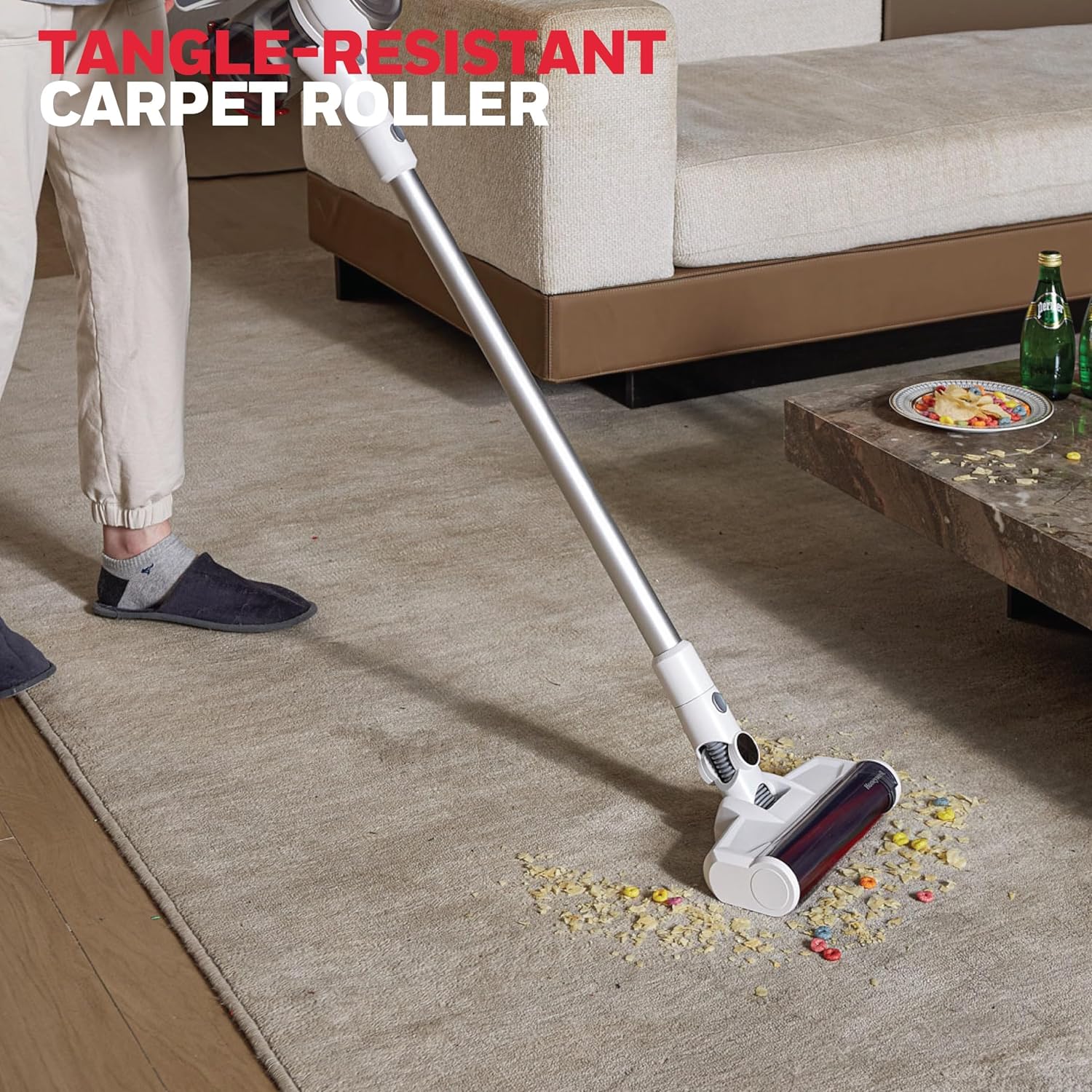
The Honeywell VC10 Aeromax Elite effectively cleaning a carpet, showcasing its tangle-resistant carpet roller designed for efficient debris pickup.
- Soft Roller (with LED): Best for hard floors like wood, tile, and laminate. The LED lights help illuminate fine dust.
- Carpet Roller: Designed for carpets and rugs. Use ECO mode on carpets for optimal performance.
- Utilizing Attachments: The VC10 comes with a variety of tools for specialized cleaning. Attach them directly to the handheld body or the extension tube as needed.

The Honeywell VC10 Aeromax Elite in handheld mode, demonstrating its use with a crevice tool to reach tight spaces.
The Honeywell VC10 Aeromax Elite effectively cleaning the interior of a car, highlighting its portability and suitability for automotive detailing.

A user cleaning a sofa with the handheld configuration of the Honeywell VC10 Aeromax Elite, demonstrating its versatility for upholstery.

The Honeywell VC10 Aeromax Elite equipped with its deluxe pet hair removal brush, shown effectively cleaning pet hair from a mattress surface.

The Honeywell VC10 Aeromax Elite being used with a brush attachment to clean a laptop keyboard, illustrating its precision cleaning capabilities.

The Honeywell VC10 Aeromax Elite with its extension tube and crevice tool reaching to clean a high shelf, demonstrating its extended reach for elevated surfaces.
Maintenance
Regular maintenance ensures your vacuum operates efficiently and prolongs its lifespan.
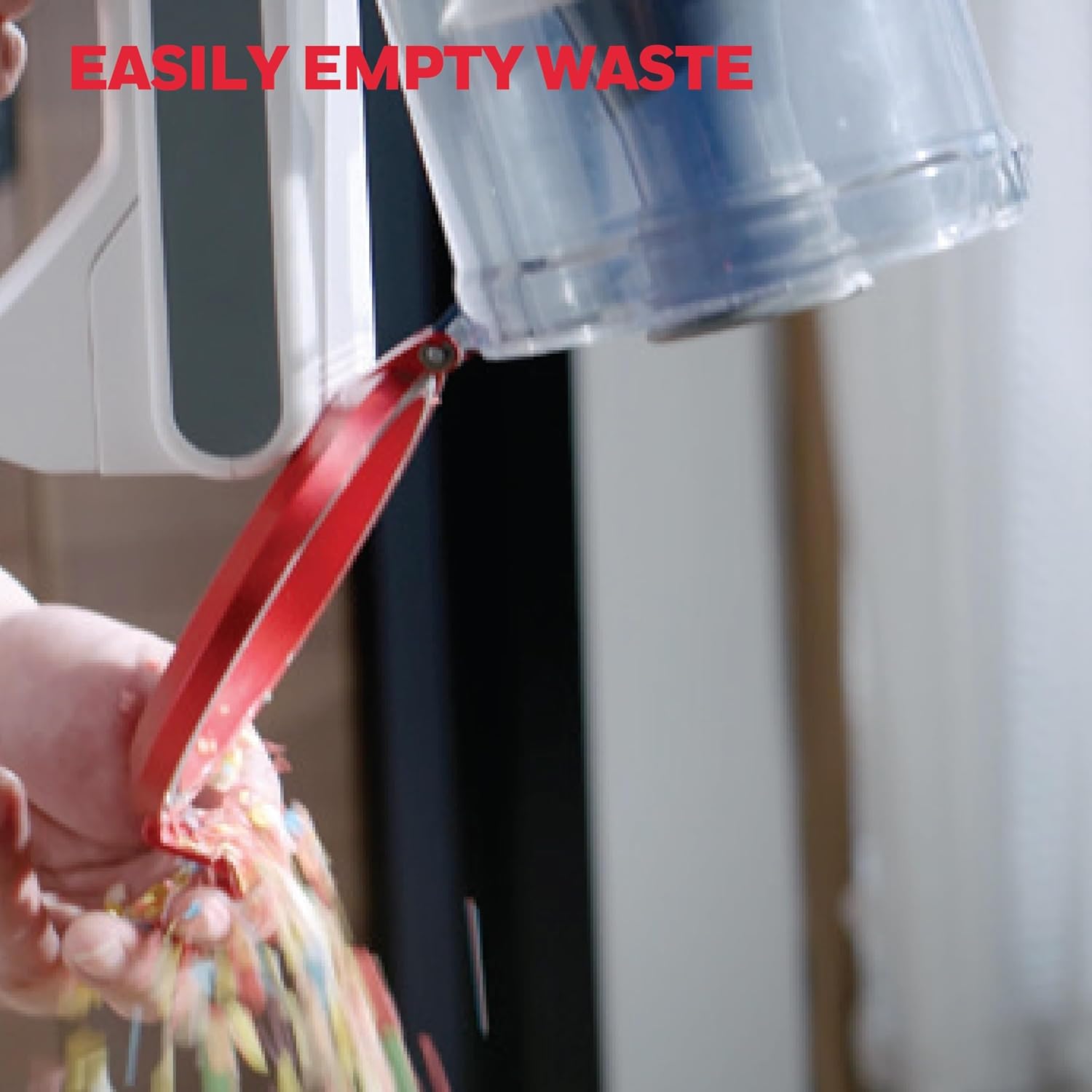
- Emptying the Dustbin: The dustbin should be emptied regularly, especially when it reaches the MAX fill line. Use the Easy One-Press Disposal feature to release the contents directly into a trash can.

A hand demonstrating the easy one-press disposal mechanism of the Honeywell VC10 Aeromax Elite's dustbin, allowing for quick and hygienic emptying.
- Cleaning Filters: The dual-cyclonic filtration system includes a foam filter and a disk filter. These should be cleaned periodically to maintain suction power.
- Remove the filters from the dustbin.
- Tap off loose dirt. If heavily soiled, rinse under cold water.
- Allow filters to air dry completely for at least 24 hours before reinserting. Do not use the vacuum with wet filters.
- Cleaning Brush Rolls: Periodically check the brush rolls for tangled hair or debris. Use the included cleaning brush with cutter to remove any obstructions.
Troubleshooting
If you encounter issues with your Honeywell VC10 Aeromax Elite, refer to the following common problems and solutions:
| Problem | Possible Cause | Solution |
|---|---|---|
| Vacuum does not turn on. | Battery is not charged or not properly inserted. | Ensure battery is fully charged and securely inserted. |
| Loss of suction. | Dustbin is full, filters are clogged, or brush roll is obstructed. | Empty dustbin, clean filters, and remove any obstructions from the brush roll. |
| Brush roll not spinning. | Obstruction in brush roll or incorrect floor head attached for surface. | Clear any debris from the brush roll. Ensure the correct floor head is used for the surface (e.g., soft roller for hard floors). |
| Short runtime. | Battery not fully charged or operating in Turbo Max mode constantly. | Fully charge the battery. Use ECO or Power mode for longer cleaning sessions. |
Specifications
| Feature | Detail |
|---|---|
| Brand | Honeywell |
| Model Name | VC 10 Aeromax Elite |
| Item Model Number | VC10 |
| Special Feature | Cordless |
| Filter Type | Disk, Foam |
| Capacity | 580 Milliliters |
| Wattage | 400 watts |
| Runtime | Up to 55 minutes (ECO mode) |
| Charging Time | 5 Hours |
| Recommended Uses | Indoor Cleaning |
| Form Factor | Handheld |
| Color | Silver |
| Product Dimensions | 9"L x 10.1"W x 46.1"H |
| Battery Type | Lithium-Ion |
| Item Weight | 5.5 pounds |
| Number of Power Levels | 3 |
| UPC | 810135880084 |
Warranty and Support
The Honeywell VC10 Aeromax Elite Cordless Vacuum comes with a 2-year parts and labor warranty.
For technical support, troubleshooting assistance, or warranty claims, please refer to the contact information provided on the product packaging or visit the official Honeywell support website.