
1. Introduction
This manual provides detailed instructions for the assembly, operation, and maintenance of your ZHELLY Tianxun TX-850 Metal Detector. Designed for both beginners and experienced users, this device offers high precision and various detection modes for locating different types of metals underground. Please read this manual thoroughly before using the detector to ensure safe and optimal performance.

Image 1.1: The ZHELLY Tianxun TX-850 Metal Detector, showcasing its main components including the control unit, adjustable stem, and search coil.
2. Safety Information
- Always obtain permission before searching on private property.
- Avoid searching in areas where underground cables, pipes, or other utilities may be present. Contact local authorities if unsure.
- Exercise caution when digging to avoid injury or damage to property.
- The search coil is waterproof, but the control unit (LCD screen) is not waterproof. Do not submerge the control unit.
- Keep batteries out of reach of children. Dispose of batteries responsibly according to local regulations.
- Do not attempt to modify or disassemble the detector, as this may void the warranty and cause damage.
3. Package Contents
Verify that all components are present in your package:
- Tianxun TX-850 Control Unit
- Adjustable Stem (multiple sections)
- 11-inch DD Oval Search Coil
- Armrest with Strap
- Headphones (optional accessory, may vary by package)
- Pinpointer (optional accessory, may vary by package)
- User Manual
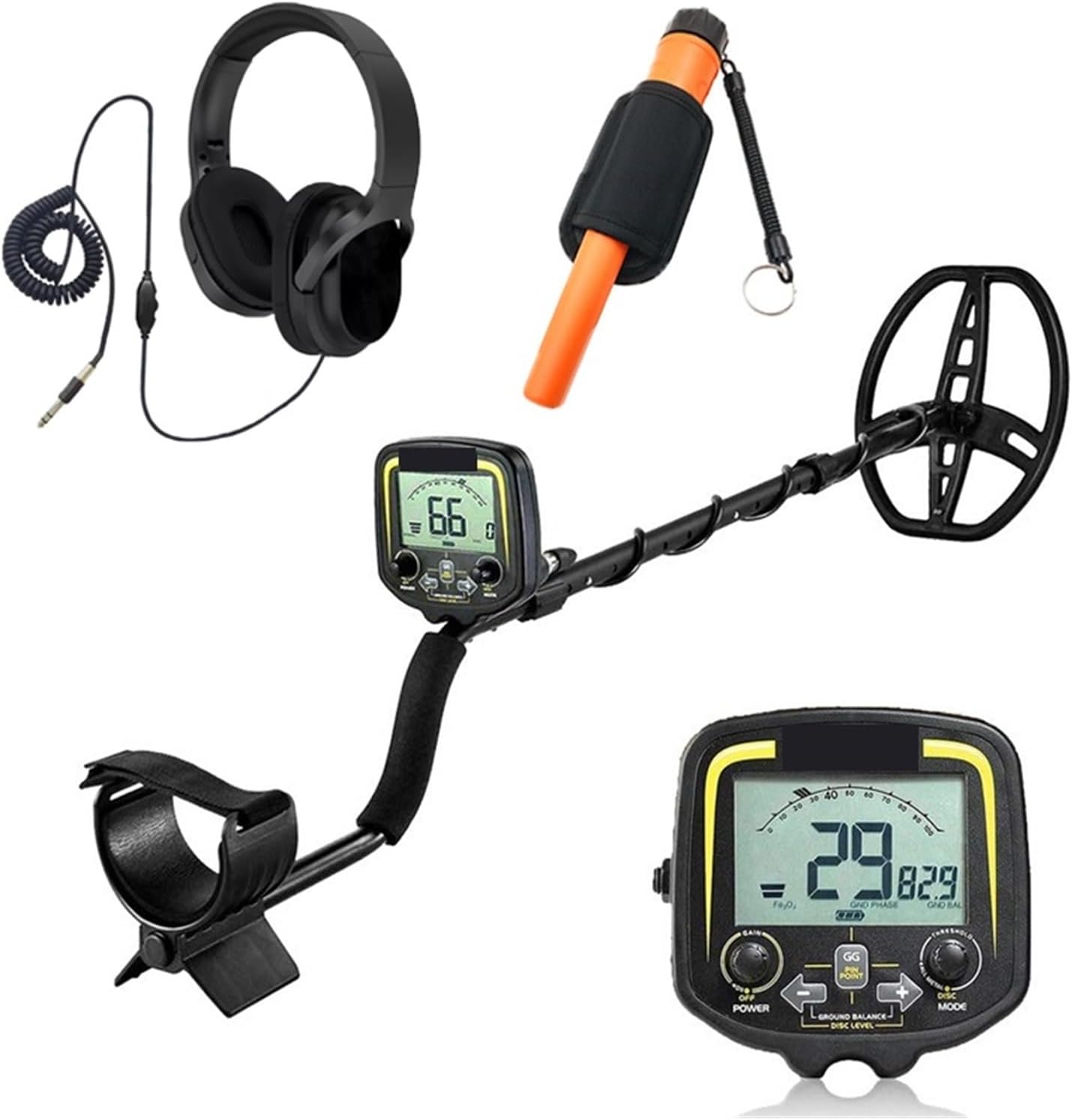
Image 3.1: The TX-850 Metal Detector shown with common accessories such as headphones and a pinpointer, which may be included in your package.
4. Components Overview
Familiarize yourself with the main parts of your metal detector:
- Control Unit: Houses the LCD display, control buttons, and battery compartment.
- Adjustable Stem: Allows for length adjustment to suit user height.
- Armrest: Provides comfort and stability during use.
- Search Coil: The primary detection component, responsible for sensing metal objects.
- Detector Stand: Prevents damage when placing the detector on the ground.

Image 4.1: Key components of the TX-850, including the adjustable stem, pinpoint searching mode button, ergonomic handle, waterproof search coil, and detector stand.
5. Setup and Assembly
Follow these steps to assemble your metal detector:
- Attach the Search Coil: Connect the search coil to the lower stem using the provided bolt and nut. Ensure it is securely fastened but allows for slight angle adjustment.
- Assemble the Stem: Connect the lower, middle, and upper stem sections. The adjustable stem allows you to customize the length for comfortable operation.
- Mount the Control Unit: Slide the control unit onto the upper stem. Secure it in place.
- Attach the Armrest: Secure the armrest to the upper stem, ensuring it is comfortable for your forearm.
- Connect the Cable: Wrap the search coil cable around the stem, leaving enough slack for coil adjustment, and plug the connector into the control unit. Ensure the connection is firm.
- Install Batteries: Open the battery compartment on the control unit and insert the required batteries (not included). Ensure correct polarity.

Image 5.1: Diagram illustrating the dimensions of the TX-850, showing its adjustable height (up to 130cm / 51.2 inches) and the 11-inch (28cm) search coil.
6. Operating Instructions
6.1 Power On/Off
Press and hold the POWER button to turn the detector on or off.
6.2 Operating Modes
The TX-850 features 5 distinct operating modes, selectable via the control unit:
- ALL METAL Mode: Detects all types of metal. This mode offers the greatest depth and sensitivity.
- DISC/NOTCH Mode: Allows you to discriminate (ignore) certain types of metals or notch out specific target IDs. Adjust the discrimination level to focus on desired targets.
- MEMORY Mode: Recalls the last used settings, allowing for quick resumption of your preferred detection parameters.
- JEWELRY Mode: Optimized for finding jewelry by typically ignoring iron and other common trash metals.
- PINPOINTER Mode: Provides accurate localization of a detected target, helping to pinpoint its exact position before digging. Press the GG PINPOINT button to activate.
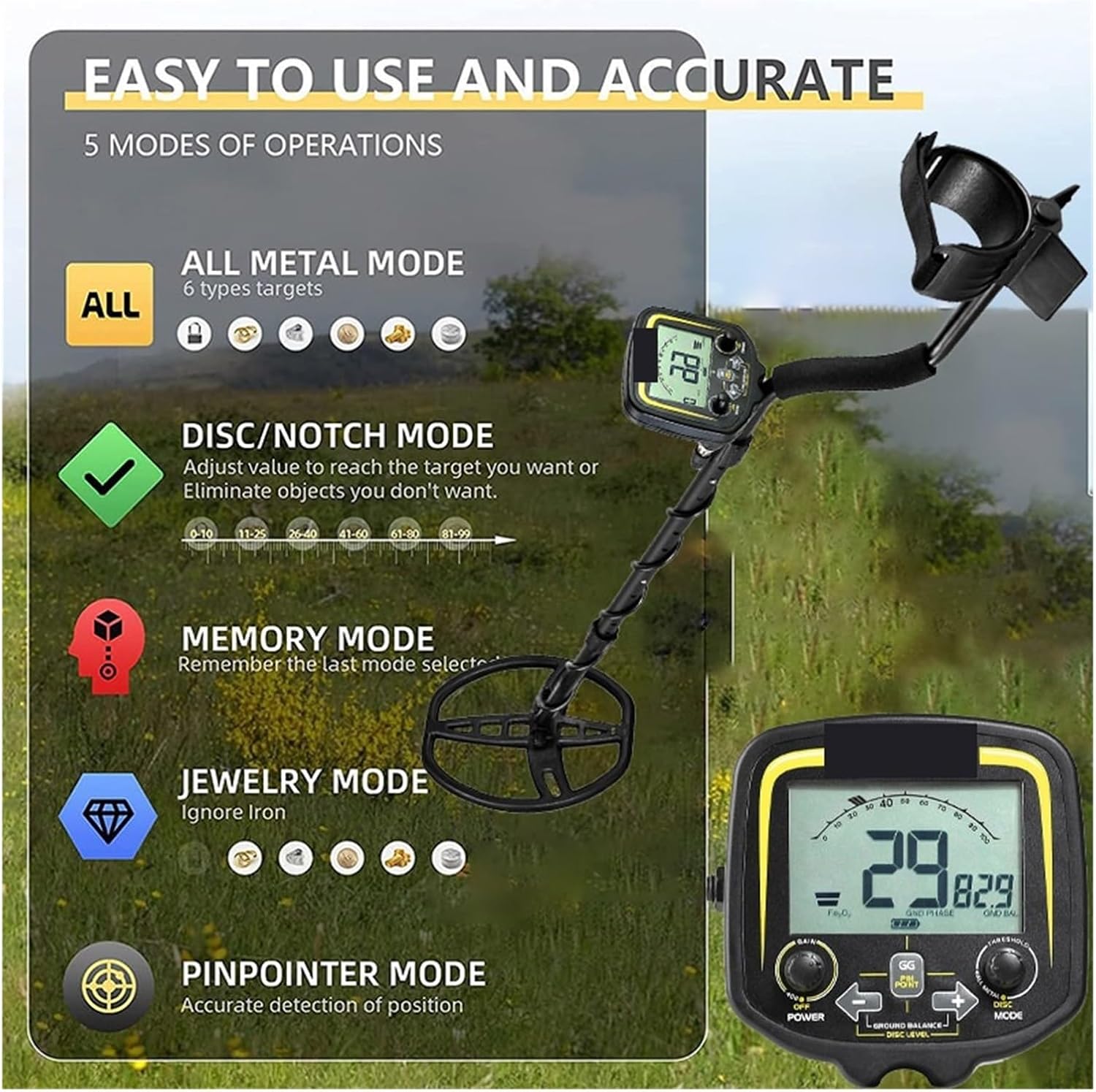
Image 6.1: Visual representation of the five operating modes: All Metal, Disc/Notch, Memory, Jewelry, and Pinpointer, with icons indicating target types.
6.3 Ground Balance
Ground balancing is crucial for stable operation and accurate detection, especially in mineralized soil. The TX-850 features a ground balance function (GG GROUND BALANCE) to cancel out false signals caused by ground minerals. Refer to the on-screen indicators and adjust as needed for your specific search environment.
6.4 Waterproof Search Coil
The 11-inch DD oval search coil is designed to be waterproof, allowing for detection in shallow water, streams, and wet sand. However, it is important to remember that the control unit (LCD screen) is NOT waterproof and must not be submerged. Ensure the control unit remains dry at all times.
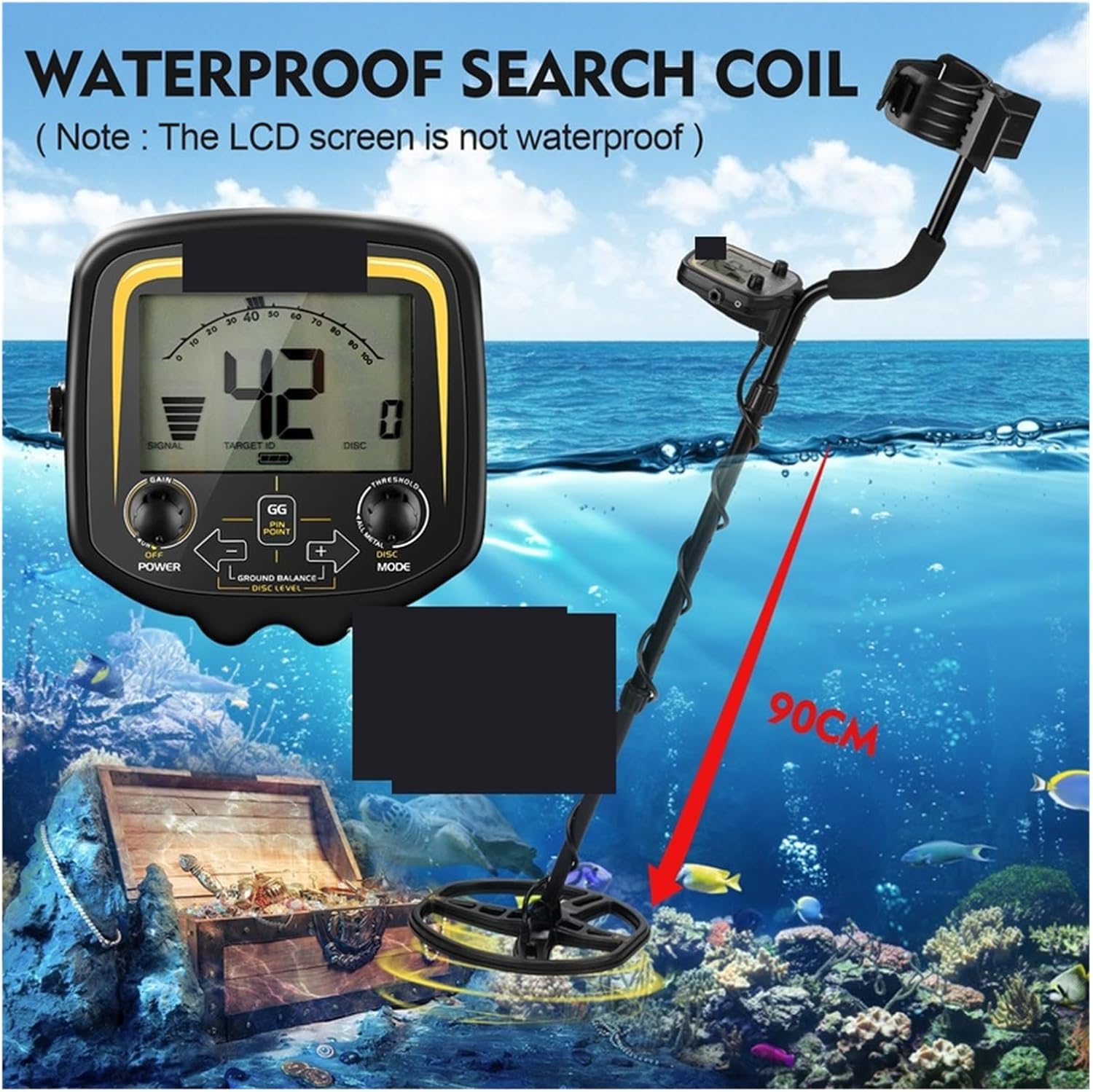
Image 6.2: The waterproof search coil of the TX-850 being used in shallow water, with a clear warning that the LCD screen is not waterproof.
7. Advanced Features
- Intelligent Memory Function: The detector saves all settings before powering off, allowing you to resume your search with your preferred configurations.
- Advanced Smart Chip: Equipped with an advanced smart chip for high anti-interference capabilities, reducing false signals and improving detection accuracy.
- High Tech Coil: Features an all-copper detection wire with ultrasonic hot melt sealing, ensuring durability and waterproof performance for the coil.

Image 7.1: Visual representation of the intelligent memory function, advanced smart chip for anti-interference, and the high-tech waterproof search coil.
8. Maintenance
- Cleaning: Wipe the detector clean with a damp cloth after each use. Do not use abrasive cleaners or solvents.
- Storage: Store the detector in a cool, dry place when not in use. Remove batteries if storing for extended periods to prevent leakage.
- Coil Care: While the search coil is waterproof, avoid unnecessary impacts or harsh treatment. Inspect the cable for damage regularly.
- Battery Replacement: Replace batteries when the low battery indicator appears on the display.
9. Troubleshooting
| Problem | Possible Cause | Solution |
|---|---|---|
| No power | Dead or incorrectly installed batteries. | Replace batteries with new ones, ensuring correct polarity. |
| False signals / Erratic behavior | High ground mineralization, electromagnetic interference, loose coil cable. | Perform ground balance. Move away from power lines or other electronic devices. Check coil cable connection. |
| Poor depth detection | Incorrect ground balance, low sensitivity setting, highly mineralized soil. | Re-ground balance. Increase sensitivity. Switch to ALL METAL mode for maximum depth. |
| Detector beeps constantly | High sensitivity, nearby metal objects, highly mineralized ground. | Reduce sensitivity. Move to a clear area. Perform ground balance. |
10. Specifications
- Model: TX-850
- Material: Aluminum
- Power Source: Battery Powered
- Search Coil: 11-inch DD Oval, Waterproof
- Operating Modes: All Metal, Disc/Notch, Memory, Jewelry, Pinpointer
- Adjustable Height: Up to 130 cm (51.2 inches)
- Control Unit: LCD Display (Not waterproof)
- Special Features: Intelligent Memory Function, Advanced Smart Chip, Ground Balance
11. Warranty and Support
For warranty information or technical support, please refer to the contact details provided with your purchase or visit the official ZHELLY website. Keep your proof of purchase for any warranty claims.
For further assistance, you may contact customer support via email or visit our support page.


